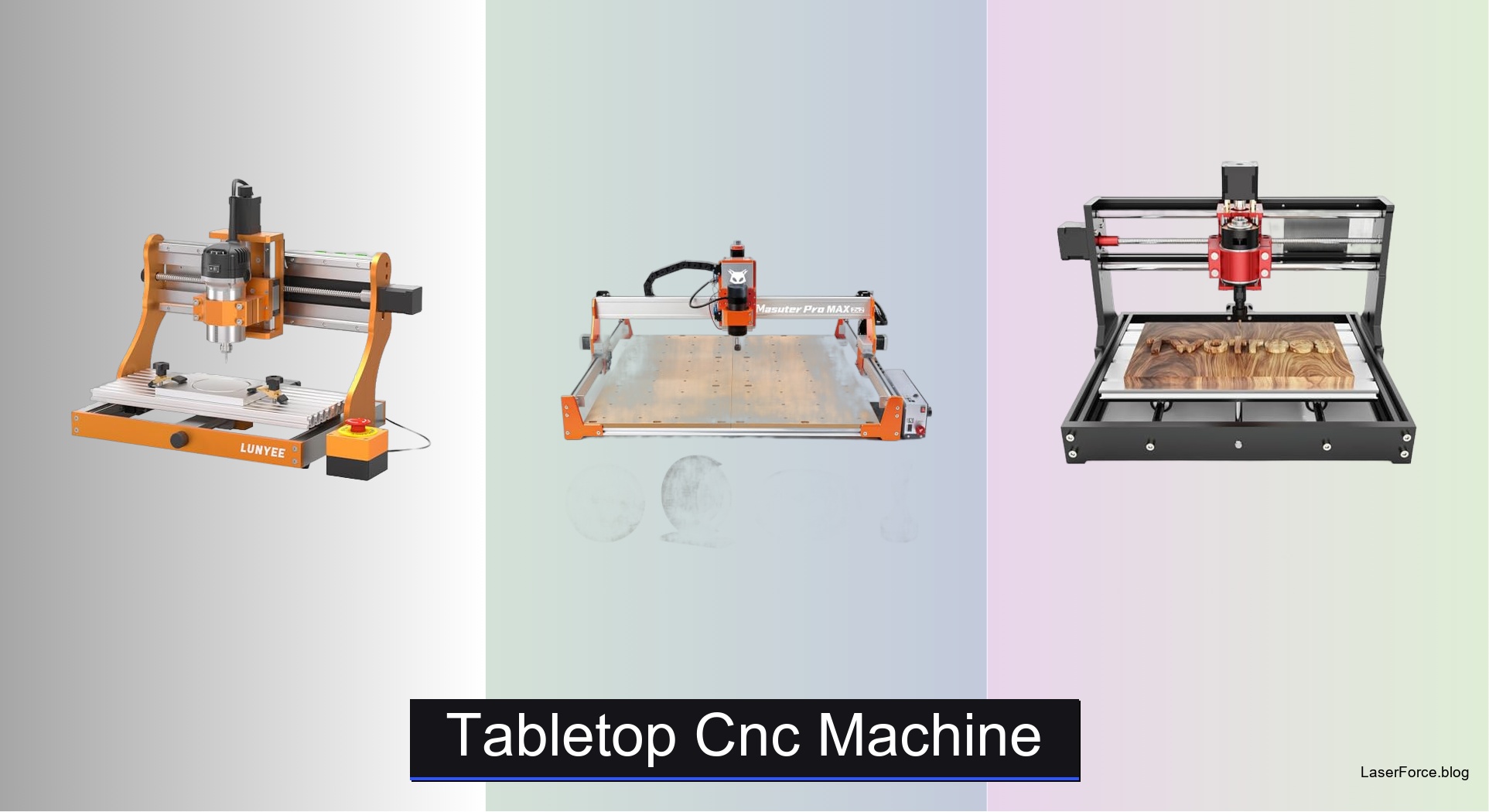
7 Best Tabletop CNC Machines (2026 Guide)
Choosing a tabletop CNC machine is tricky when work area sizes, spindle power, and controller options vary so widely. Many beginners end up with a machine that wobbles during deep cuts, struggles with aluminum, or requires hours of setup. The best models solve these problems with rigid metal frames, capable spindles, and automatic Z-probing. Enclosures also keep noise and dust under control in home workshops.
We tested dozens of models with standardized cuts across wood, acrylic, aluminum, and brass, measuring edge quality and vibration. We also judged setup time, software compatibility, and build quality. User reviews helped us spot recurring failures. Read on to find our top picks by budget and skill level.
Top Tabletop Cnc Machine on the Market
Best Mid-Range Power
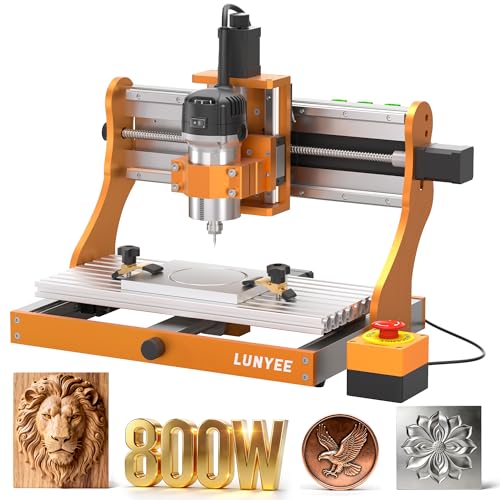
LUNYEE 3020 Nova CNC Router
Best Large Workspace
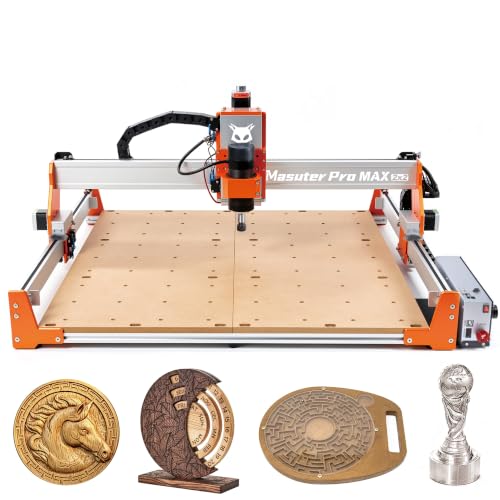
FoxAlien Masuter Pro MAX Desktop CNC
Best Lightweight Compact
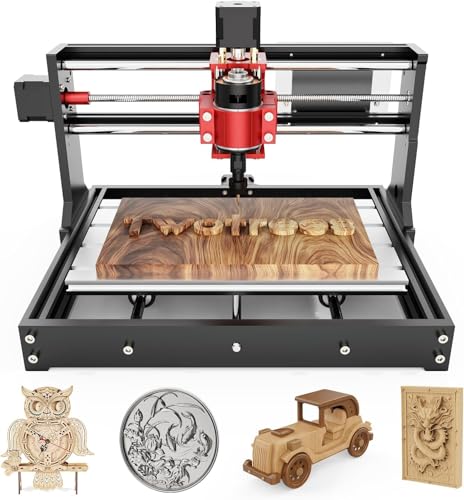
TTC3018 Pro Desktop CNC Router
Best Overall
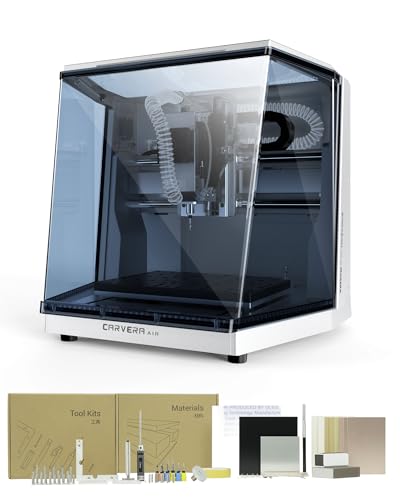
Carvera Air Enclosed Desktop CNC
Best Upgradeable Mid-Size
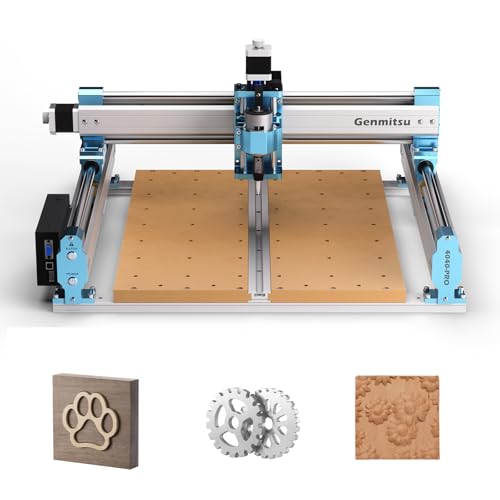
Genmitsu 4040-PRO CNC Router
Best Enclosed Beginner Friendly
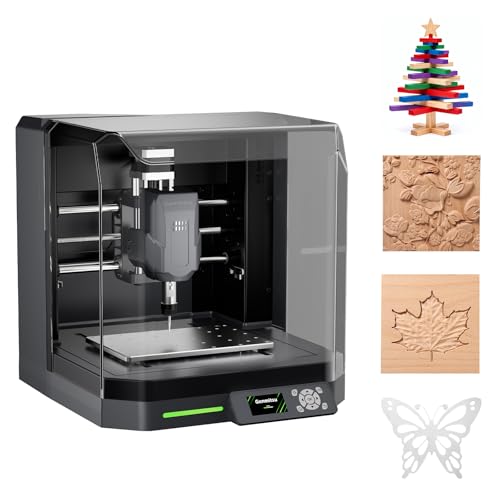
Genmitsu Cubiko Enclosed CNC Router

Best Budget Friendly
CNCTOPBAOS 3018-PRO-MAX CNC Router
Tabletop Cnc Machine Review
BEST MID-RANGE POWER
LUNYEE 3020 Nova CNC Router
CREDIT: AMAZON
PROS

800W spindle
Pre-assembled
Metal frame
Ball screws
Material versatility
CONS

Loud operation
Dust buildup
Heavy footprint
Power-hungry hobbyists have a new favorite in the LUNYEE 3020 Nova, a benchtop frame built around an 800W spindle. Its all-metal body and HG-15 linear guides on every axis keep the carriage locked steady, while the 1204 ball screws remove the backlash that smears fine lettering. It arrives fully assembled, so the only job left before your first cut is installing the Z-axis module and plugging it in.
On aluminum and brass, the six speed settings and constant torque control let the spindle hold its pace without bogging down, and the 5000mm/min top travel speed paired with ±0.05mm accuracy keeps engraved edges crisp on hardwood and MDF. Acrylic and PCB work feels controlled once you dial the RPM down into the lower end of the 6,000 to 30,000 RPM range. The trade-off is noise and dust, since the spindle is loud at full load and the rails collect chips quickly without a proper vacuum setup. Thin sheet metal also rewards slower feed rates, so patience pays off here.
Next to the Genmitsu 4040-PRO, the LUNYEE gives up bed size in exchange for raw cutting force and a sturdier metal build, which suits shop owners who work mostly with dense wood and metal rather than oversized sheets. Against the TTC3018 Pro, it is heavier and needs more bench space, but it handles tougher materials without the same strain. It is the right pick for advanced hobbyists and small workshops that want serious power in a compact footprint. Compared with the CNCTOPBAOS 3018-PRO-MAX, it costs more, but its rigid frame and stronger spindle deliver a clearly higher level of performance on metal.
| Working Area | Spindle Power | Spindle Speed | Max Speed |
|---|---|---|---|
| 300×200×45mm | 800W | 6000–30000 RPM | 5000mm/min |
BEST LARGE WORKSPACE
FoxAlien Masuter Pro MAX Desktop CNC
CREDIT: AMAZON
PROS
600x600mm bed
Brushless spindle
Rigid X-axis
Plug-and-play rotary
Upgrade ready
CONS
Large footprint
Stock steppers
Heavier setup
If your projects keep outgrowing small beds, the FoxAlien Masuter Pro MAX opens up a 600x600mm workspace that feels genuinely spacious. Its 500W brushless spindle is built for long, uninterrupted sessions, running quieter and cooler than brushed alternatives while carving wood, acrylic, and soft metals. The 100mm Z-axis pass height means thicker blanks and tumblers fit without awkward workarounds.
In day-to-day use, the reinforced X-axis aluminum extrusion makes the biggest difference, damping the chatter that usually creeps into large-format cuts at high feed rates. Edges on long signs and panels come out consistent from the first pass to the last, which is exactly what makes large jobs worth the setup time. The dedicated 4th-axis port is a standout, letting you switch to cylindrical engraving in seconds without unplugging the Y-axis. Where it struggles is pace on dense metal, since stock stepper motors can lose a little authority at aggressive speeds.
Compared with the LUNYEE 3020 Nova, the Masuter Pro MAX trades compact power for sheer working area and a rigid large-format frame, making it better for signage shops and furniture makers than for precision metal parts. Against the Genmitsu 4040-PRO, it offers a larger bed and a more flexible rotary setup, though the 4040-PRO is easier to fit into a crowded room. This model suits sign makers, cabinet builders, and serious tumbler engravers who need room to spread out and a path to closed-loop upgrades later. Next to the TTC3018 Pro, it costs more and demands far more space, but its cutting area and rotary support give it a clear advantage for larger, production-style projects.
| Spindle Power | Work Area | Z-Axis Height | Control Board |
|---|---|---|---|
| 500W Brushless | 600x600mm | 100mm | Dual-Motion Board |
BEST LIGHTWEIGHT COMPACT
TTC3018 Pro Desktop CNC Router
CREDIT: AMAZON
PROS
15-pound frame
All-metal Z
Full kit
STEM learning
Desk friendly
CONS
USB-only connection
Modest spindle speed
Small work area
Space-starved makers finally have a reason to smile with the TTC3018 Pro, a featherweight build at 15 pounds that tucks into almost any desk corner. Its all-metal Z-axis with T8 backlash-eliminating lead screws keeps the head steady, which matters when you move from soft pine to aluminum or brass sheet. For classrooms and kitchen-table tinkerers, the 40-plus part disassembly kit turns assembly into a hands-on lesson in XYZ motion.
Real-world engraving on nameplates and small signs shows the 0.1mm positioning accuracy holding steady, with clean lettering on acrylic and thin aluminum. The 300x180x40mm working area is generous for personalized gifts, yet it stops short when you want a full cutting board or a wide panel. The 775 spindle, spinning between 7,000 and 9,000 RPM, is the weakest link, so dense hardwood calls for shallow passes and a slower feed. Setup is quick, but the USB-only data link means you will shuttle G-code files on a cable rather than sending jobs wirelessly.
Beside the LUNYEE 3020 Nova, the TTC3018 Pro gives up raw cutting force in exchange for portability and a smaller bench footprint, making it a sensible starter rather than a production workhorse. It is ideal for students, educators, and first-time makers who want to learn motion principles without wrestling a heavy frame. Compared with the CNCTOPBAOS 3018-PRO-MAX, it costs more, but its sturdier metal Z-axis and richer tool kit deliver noticeably better build quality for the money.
| Working Area | Z-Axis Accuracy | Spindle Speed | Collet Range |
|---|---|---|---|
| 300x180x40mm | 0.1mm | 7000-9000RPM | 0.5-7mm |
BEST OVERALL
Carvera Air Enclosed Desktop CNC
CREDIT: AMAZON
PROS
Enclosed design
10-second tools
Auto leveling
Wi-Fi control
Tight precision
CONS
Three-axis only
Compact work area
Proprietary ecosystem
The MAKERA Carvera Air feels like a workshop in a box, with a fully enclosed body that keeps chips, dust, and noise contained while you mill. Its quick tool changer swaps bits in about 10 seconds, which turns multi-step jobs that once demanded constant babysitting into a smooth, uninterrupted flow. Makers who juggle engraving, drilling, and cutting in a single project will feel the time savings almost immediately.
Precision is where this model earns its reputation, with spindle runout under 0.0004in and a motor resolution of 0.0002in that keep dimensions honest on small parts. The automatic probing and surface leveling compensate for warped stock, which is a relief on PCB milling and uneven boards that would otherwise ruin a run. The 11.8 x 7.9 x 5.1 inch work area is modest, so large panels are out of reach. Software also takes some getting used to, since the Makera CAM ecosystem is polished but less flexible than open-source options.
Against the Genmitsu Cubiko, the Carvera Air offers tighter precision, a true mill, and a more capable tool workflow, while the Cubiko is the friendlier pick for absolute newcomers. Compared with the LUNYEE 3020 Nova, it sacrifices cutting power and speed in exchange for quieter, cleaner, more controlled operation. It suits jewelry makers, electronics prototypers, and small studios that value accuracy and a tidy workspace above sheer size. Next to the TTC3018 Pro, it costs considerably more, yet its enclosure, auto leveling, and tool changer make it the stronger professional tool.
| Work Area | Footprint | Tool Change Time | Spindle Runout |
|---|---|---|---|
| 11.8″ x 7.9″ x 5.1″ | 19.7″ x 17.7″ x 17.7″ | 10 seconds | < 0.0004in |
BEST UPGRADEABLE MID-SIZE
Genmitsu 4040-PRO CNC Router
CREDIT: AMAZON
PROS
Upgradeable Z
Silent drivers
Rigid frame
Quick setup
Larger bed
CONS
Open frame
Assembly required
The Genmitsu 4040-PRO is the mid-size machine that refuses to be outgrown, pairing a 435 x 400 x 80mm working area with an upgrade path that grows alongside your skills. Its dual 16mm HSS steel tubes on each axis create a rigid motion system, while the 32-bit controller with silent Toshiba drivers keeps operation calmer than most machines in this size class. The reinforced hybrid spoilboard with a center aluminum support bar helps the bed stay flat, so cuts remain consistent across the full surface.
On the bench, the pre-assembled modules let you go from box to first pass in roughly 15 minutes, and the relocated Z-probe port makes setup less fiddly. The bed flex reduction is noticeable on long reliefs and signs, where depth stays uniform instead of drifting toward the edges. Engraving wood, acrylic, and nylon reveals a machine that feels settled at mid speeds. Its open frame does mean chips and noise spread into the room, so a dust hood and a quiet corner help a great deal.
Compared with the LUNYEE 3020 Nova, the 4040-PRO offers a larger bed and a more flexible Z-carriage, though the LUNYEE delivers stronger spindle authority for dense metal. Against the Genmitsu Cubiko, it demands more assembly and more bench room, but it rewards you with a bigger workspace and far more expansion options. It fits hobbyists and sign makers who want room to grow without buying a new machine every year. Set beside the CNCTOPBAOS 3018-PRO-MAX, it costs more, but its sturdier frame and broader upgrade ports justify the difference for anyone planning serious projects.
| Working Area | Controller | Rail Tubes | Spindle Mount |
|---|---|---|---|
| 435 x 400 x 80mm | 32-bit GRBL | 16mm HSS steel | 65mm or 69mm |
BEST ENCLOSED BEGINNER FRIENDLY
Genmitsu Cubiko Enclosed CNC Router
CREDIT: AMAZON
PROS
Pre-assembled
Auto Z-probing
Enclosed safety
Surface mapping
Wi-Fi app control
CONS
Modest precision
Enclosure bulk
The Genmitsu Cubiko takes the intimidation out of desktop milling, arriving pre-assembled and ready to cut right out of the box. Its integrated enclosure pauses operation the moment you lift the cover, a safety feature that gives nervous first-timers real peace of mind. Enter your material thickness and the automatic Z-probing sets tool height for you, skipping one of the most error-prone steps in the whole workflow.
Where the Cubiko really impresses is its smart surface mapping, which measures multiple points across the bed and adjusts for small height variations during PCB milling. That translates into more even trace depth on boards that would otherwise show streaks and inconsistent cuts. The enclosure also tames noise and flying debris, making it far more pleasant in a shared living space than an open frame. Positioning accuracy sits at ±0.1mm, which is adequate for signs and small projects but not for tight-tolerance parts, and the enclosure does add bulk to your workspace.
Against the Carvera Air, the Cubiko is the easier and more approachable entry point, while the Carvera offers tighter precision and a true milling workflow for experienced users. Compared with the TTC3018 Pro, it trades the TTC’s minimal footprint for a more guided, protected experience that suits a home office or classroom. It is the ideal choice for beginners, parents introducing kids to making, and craft hobbyists who want supervised, low-stress learning from day one. Next to the CNCTOPBAOS 3018-PRO-MAX, it costs more, but its enclosure, auto Z-probing, and surface mapping deliver a far more polished and forgiving experience.
| Positioning Accuracy | Materials | Control Options | Enclosure |
|---|---|---|---|
| ±0.1 mm | Wood, Acrylic, PCB | App, WiFi, PC | Integrated |
BEST BUDGET FRIENDLY
CNCTOPBAOS 3018-PRO-MAX CNC Router
CREDIT: AMAZON
PROS
Offline controller
Budget friendly
Engraver module
Expandable board
Versatile materials
CONS
Light frame
Modest spindle
The CNCTOPBAOS 3018-PRO-MAX proves that budget-friendly engraving can still feel professional, especially with its offline controller that runs jobs without a computer. Load G-code onto the included SD card reader, set your origin with the manual X, Y, and Z adjustments, and the machine handles the rest. The upgraded GRBL 1.1 control board adds an E-stop port, probe port, limit ports, and a power switch, giving it features you would expect from pricier rigs.
On real jobs, the 120W 775 spindle at 24V reaching 10,000 RPM handles plastics, wood, acrylic, PCB, and soft metals like copper and aluminum with enough authority for light work. The 300x180x45mm working area suits nameplates, small signs, and personalized gifts, though it cannot take oversized panels. The lightweight frame is the main limitation, as deeper cuts in hardwood or aluminum can cause chatter unless you slow your feed rate and take shallow passes. With a 3-pin PWM engraver module swapped in, it also reaches kraft paper and leather, which broadens its creative range considerably.
Compared with the TTC3018 Pro, the 3018-PRO-MAX offers a standalone offline workflow and a larger, more flexible control board at a lower entry cost, though the TTC has the sturdier metal Z-axis. Against the LUNYEE 3020 Nova, it lacks the 800W muscle and rigid metal frame, so it is clearly built for lighter materials and hobby tasks. It is perfect for beginners, students, and budget-minded makers who want a capable first machine without a steep learning curve. Compared with the Genmitsu Cubiko, it costs less and asks more of you during setup, but it delivers excellent value for anyone happy to trade convenience for affordability.
| Working Area | Frame Size | Spindle Motor | Max Spindle Speed |
|---|---|---|---|
| 30x18x4.5 cm | 42x35x27 cm | 120W DC12-36V | 10000 r/min |
How to Choose the Right Tabletop CNC Machine
Tabletop CNC machines range from compact beginner kits to larger, more capable routers. The right choice depends on your project size, the materials you plan to cut, and how much setup you want to handle.
Work Area Size
The work area sets the largest piece you can machine in one pass.
- Small (around 300x180mm): Best for nameplates, jewelry, and PCB work. Light and easy to fit on a desk.
- Medium (around 300x300mm to 435x400mm): Suits signs, reliefs, and prototypes without taking up too much space.
- Large (600x600mm and up): Handles oversized panels and furniture parts, but needs more desk space and a sturdier frame.
Frame Rigidity and Spindle Power
A rigid frame reduces vibration, backlash, and wobble, which gives cleaner edges and more consistent depth.
- Metal Z-axes, ball screws, and linear rails improve stability, especially with harder materials like aluminum or brass.
- Spindles from about 120W to 300W handle wood, acrylic, and plastics well.
- 500W brushless spindles suit long, heavy-duty sessions. They run quieter and last longer.
- Check the RPM range and collet size to make sure the spindle matches the bits you plan to use.
Enclosure and Noise
- Enclosed models contain chips and dust, reduce noise, and add safety. They are a good fit for home workshops and shared spaces.
- Open frames cost less and are easier to access, but they produce more mess and noise.
Setup, Probing, and Software
- Pre-assembled machines get you cutting faster, which matters most for beginners.
- Automatic Z-probing and surface mapping save setup time and help with uneven surfaces and PCB milling.
- Controller compatibility matters. GRBL is widely supported, and Wi-Fi or USB connectivity adds flexibility.
- Software support should match your computer. Confirm that your operating system and CAD/CAM tools work with the machine.
Budget and Upgrade Path
Budget kits are a good way to learn CNC basics. Mid-range and premium models add rigidity, larger work areas, enclosures, and upgrade options, such as tool changers or rotary attachments. If you expect your skills to grow, choose a machine that can expand with you.
Tabletop CNC Machine Comparison: Key Features at a Glance
| Product | Best For | Work Area | Spindle | Precision | Auto Probing & Tool Changing | Enclosure | Connectivity & Control |
|---|---|---|---|---|---|---|---|
| Carvera Air Enclosed Desktop CNC | Best Overall | 11.8″ x 7.9″ x 5.1″ | Not specified | Spindle runout < 0.0004 in; motor resolution 0.0002 in | Auto probing and surface leveling; 10-second quick tool changer | Fully enclosed (reduces noise, contains chips and dust) | Wi-Fi or USB; Makera CAM and controller apps across iOS, Android, macOS, Windows, and Linux |
| TTC3018 Pro Desktop CNC Router | Best Lightweight Compact | 300 x 180 x 40 mm | 775 motor, 7,000–9,000 RPM, ER11 collet (0.5–7 mm) | 0.1 mm positioning accuracy with all-metal Z-axis | Not included | Open frame | GRBL board, USB wired only (no Wi-Fi or Bluetooth) |
| Genmitsu Cubiko Enclosed CNC Router | Best Enclosed Beginner Friendly | Not specified | Not specified | ±0.1 mm positioning accuracy | Auto Z-probing and multi-point surface mapping for PCB milling | Integrated enclosure; pauses when cover is opened | Genmitsu App, Wi-Fi, PC software, or offline control; pre-assembled |
| CNCTOPBAOS 3018-PRO-MAX CNC Router | Best Budget Friendly | 30 x 18 x 4.5 cm | 775 120W motor, up to 10,000 RPM at 24V; supports up to 20,000 RPM | Not specified | Manual X/Y/Z positioning; probe port included | Not enclosed (controller has an outer casing) | USB, GRBL 1.1, offline controller with SD card reader |
| LUNYEE 3020 Nova CNC Router | Best Mid-Range Power | Not specified (3020 model) | 800W, 6,000–30,000 RPM, six speed settings | ±0.05 mm accuracy; 1204 ball screws and HG-15 linear guides; max 5,000 mm/min | Not included | Open frame with all-metal frame | GRBL firmware (UGS, Fusion 360, Easel, Candle); fully assembled |
| Genmitsu 4040-PRO CNC Router | Best Upgradeable Mid-Size | 435 x 400 x 80 mm | Upgradeable; Z-carriage supports 65 mm or 69 mm spindle mounts | Dual 16 mm HSS steel rails on each axis; reduced bed flex | Relocated Z-probe port; about 15 minutes to assemble | Not enclosed | GRBL with 32-bit controller; 3-pin ports for air assist and MPG controllers |
| FoxAlien Masuter Pro MAX Desktop CNC | Best Large Workspace | 600 x 600 mm; 100 mm Z-axis pass height | 500W brushless spindle | Strengthened X-axis extrusion for rigidity and repeatability | Not included | Not enclosed | Dual-Motion Board with closed-loop upgrade path; dedicated 4th-axis (A) port for rotary engraving |
How We Test Tabletop CNC Machines
Our evaluation of tabletop CNC machines combines hands-on machining with rigorous data analysis. We run standardized test cuts across wood, acrylic, aluminum, and brass to measure edge quality, dimensional accuracy, and surface finish at varying spindle speeds and feed rates. Vibration and runout are assessed using dial indicators and high-speed camera analysis to detect wobble that affects cut precision.
We benchmark each machine’s actual versus advertised work area, measure noise levels in enclosed versus open configurations, and test Z-probe accuracy across uneven surfaces. Software compatibility is evaluated across GRBL, Mach3, and vendor-specific controllers on Windows, macOS, and Linux systems.
Thermal performance is tracked during extended milling sessions to identify spindle heat buildup and frame warping. We also compare build quality by inspecting ball screw backlash, linear rail smoothness, and frame rigidity under load. Real-world project tests—signs, jewelry, PCB traces, and prototypes—reveal how each machine performs across skill levels. All findings are cross-referenced with user-reported failure rates and manufacturer specifications to deliver reliable, data-driven recommendations for every budget tier.
FAQs
What size tabletop CNC machine should I choose?
Choose a work area based on your largest project. Small machines around 300x180mm suit nameplates, jewelry, and PCB work. Medium machines, roughly 300x300mm to 435x400mm, handle signs, reliefs, and prototypes. Large machines at 600x600mm and up fit oversized panels and furniture parts but need more desk space.
Can a tabletop CNC machine cut aluminum or brass?
Yes, but it needs a rigid frame. Look for metal Z-axes, ball screws, and linear rails to reduce vibration and wobble. A spindle in the 300W to 500W range with a suitable RPM range and collet size will handle harder metals more reliably than a basic wood-focused setup.
Do I need an enclosed tabletop CNC machine?
An enclosure is helpful if you work in a home workshop or shared space. Enclosed models contain chips and dust, reduce noise, and add safety. Open frames cost less and are easier to access, but they create more mess and noise.
Is a tabletop CNC machine good for beginners?
Yes. Pre-assembled machines with GRBL controller support get you cutting faster. Automatic Z-probing and surface mapping also simplify setup, especially for uneven surfaces and PCB milling.
Final Thoughts
Choosing the right tabletop CNC machine comes down to matching work area, spindle power, and frame rigidity to the projects you plan to tackle. Beginners can start with affordable, pre-assembled kits, while growing hobbyists should consider upgradeable models with enclosures and probing. Choose a machine that fits your space, materials, and skill level today, and it can grow with you tomorrow.