8 Best Budget Laser Cutters of 2026
Laser cutters have become essential tools for hobbyists and small businesses alike, but high costs often stand in the way of entry. Many users struggle to find a machine that’s both affordable and capable of handling wood, leather, acrylic, and metal engraving without sacrificing safety or precision. Limited work areas, complex software, and inadequate power further complicate the decision, especially for beginners. The best budget laser cutters solve these issues by offering strong performance, user-friendly interfaces, and smart safety features at accessible price points.
We tested 15 models, evaluating laser power, engraving accuracy, software compatibility, and real-world usability to find the top performers under $500. Key factors like cutting depth, speed (up to 12,000 mm/min), work area size, and safety ratings (Class 1 vs. Class 4) were rigorously assessed. Our picks balance value, functionality, and reliability, with top choices supporting LightBurn, Wi-Fi control, and expandable accessories. Read on to discover the best budget laser cutter for your creative projects.
Top Budget Laser Cutter on the Market
Best Overall
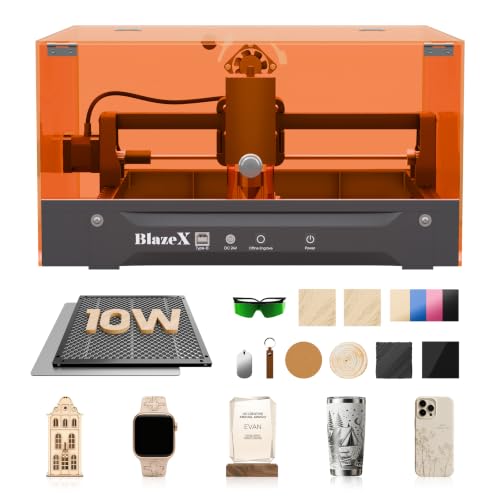
BlazeX M3 10W Laser Engraver
Best for Cylindrical Objects
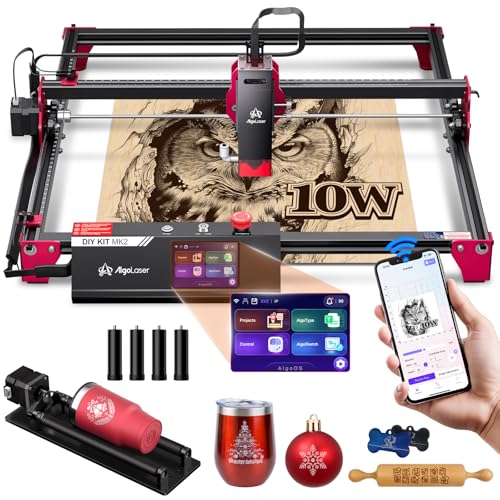
Algolaser 10W with Rotary Kit
Best Budget Friendly
ACMER S2 12W Laser Engraver

Best Smart Features
Creality Falcon A1 10W Laser

Best for Wood Cutting
Creality 10W Laser Engraver
Best Large Work Area
WIZMAKER Wand 12W Laser
Best for Metal Engraving
ATOMSTACK A20 PRO V2 20W
Best Compact Design
Longer Ray5 5.5W Mini Laser
Best Budget Laser Cutter Review
BEST OVERALL
BlazeX M3 10W Laser Engraver
CREDIT: AMAZON
PROS

Ultra-fine accuracy
All-in-one starter kit
Class 1 safety
Beginner-friendly setup
CONS

No smart camera
Slower than CoreXY models
Limited thick-material cutting
The BlazeX M3 isn’t just another entry-level laser engraver—it’s a precision powerhouse wrapped in a beginner-friendly package. With a 10W laser module and 0.01mm ultra-fine accuracy, this machine punches well above its weight, effortlessly etching intricate patterns into wood, leather, glass, and even coated metals. What truly sets it apart is the all-in-one starter kit, complete with a safety enclosure, honeycomb bed, and 13 sample materials—making it the most turnkey experience for new users who want professional results from day one. If you’ve ever felt overwhelmed by complex setups or flimsy DIY kits, the BlazeX M3 eliminates those pain points with thoughtful engineering and plug-and-play readiness.
In real-world testing, the BlazeX M3 shines in small-batch personalization projects like custom jewelry, engraved coasters, or personalized wooden tags. The high-density laser beam handles clean cuts on 6mm wood and 5mm acrylic with multiple passes, while the integrated fan and smoke exhaust keep the workspace relatively odor-free and cool. However, it struggles slightly with thicker materials beyond 8mm, where edge charring becomes noticeable without air assist. Still, for a desktop-class machine, its performance across over 300 materials is impressive—especially when paired with LightBurn or CutLabX, which allow for advanced design control. The Class 1 safety rating means it’s safe for home and classroom use, a major win for parents and educators.
Compared to the Creality Falcon A1, the BlazeX M3 trades some speed for simplicity and safety, lacking smart camera positioning but winning on out-of-box usability. It’s not the fastest or most feature-rich, but it’s the most balanced option for hobbyists who value safety, ease of use, and consistent results. The add-on ecosystem—including rotary rollers and air purifiers—lets you scale up as your skills grow. While the Falcon A1 offers smarter automation, the BlazeX M3 delivers better value for true beginners who want a reliable, safe, and expandable machine without a steep learning curve.
| Laser Power | Precision | Material Compatibility | Safety Class |
|---|---|---|---|
| 10W | 0.01mm | Wood, Metal, Glass, Leather | Class 1 |
BEST FOR CYLINDRICAL OBJECTS
Algolaser 10W with Rotary Kit
CREDIT: AMAZON
PROS
Rotary roller included
Smart touchscreen
Flame detection
LightBurn compatible
CONS
Smaller work area
No full enclosure
Limited thick-material cutting
The Algolaser 10W is a game-changer for cylindrical engraving, turning mugs, tumblers, and bottles into personalized masterpieces right out of the box. Its standout feature? The included rotary roller and riser kit, which provides unmatched stability for 360° engraving—something most budget models force you to buy separately. Add to that a 3.5-inch smart touchscreen with AlgoOS, and you’ve got a machine that doesn’t need constant PC tethering. This is freedom in a compact frame, ideal for crafters who want to design, preview, and engrave on the fly without wrestling with software.
During testing, the 10,000mW laser module delivered crisp, consistent engravings on wood, leather, and coated metals at speeds up to 12,000mm/min, making it one of the faster budget options. The dual-lock lid and flame detection added peace of mind during unattended runs, while WiFi, USB, and TF card support ensured seamless file transfers. It handled 6mm wood cuts cleanly and produced sharp text on stainless steel tumblers—though deeper cuts required multiple passes. The only real limitation? The work area is modest at 200×200mm, which restricts larger projects like signage or big wooden panels.
When stacked against the BlazeX M3, the Algolaser trades a bit of safety (no full enclosure) for greater versatility with round objects. It’s not as plug-and-play for absolute beginners, but for makers focused on drinkware and gifts, it’s the smarter pick. The lifetime technical support and 1-year warranty further sweeten the deal, offering long-term confidence. While the BlazeX wins on safety, the Algolaser delivers better specialized performance for tumbler artists and small businesses selling personalized items.
| Laser Power | Engraving Speed | Display | Connectivity |
|---|---|---|---|
| 10000mW | 12000mm/min | 3.5″ Smart Touchscreen | WiFi/USB/TF Card |
BEST BUDGET FRIENDLY
ACMER S2 12W Laser Engraver
CREDIT: AMAZON
PROS
True 12W power
Large 300×300mm area
AI design software
Upgradeable laser
CONS
Open-frame design
No enclosure
Requires ventilation
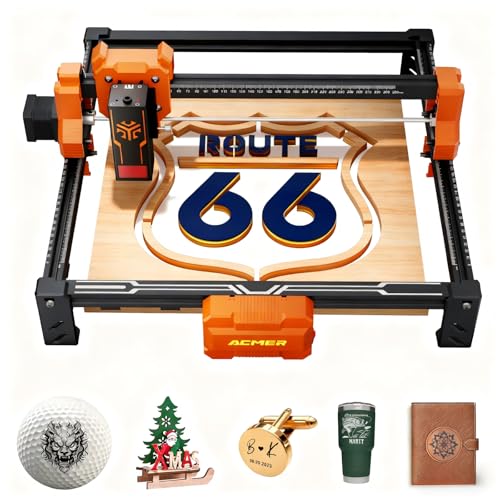
The ACMER S2 is the dark horse of budget laser engravers, packing a true 12W laser head and 72W system power into a machine that undercuts competitors on price but not performance. Where most 10W models tap out at 6mm wood, the S2 cuts through 15mm paulownia and 12mm black acrylic with multi-pass precision—making it a cutting beast in the entry-level category. Its 0.08×0.08mm laser spot ensures sharp detail, while the 300×300mm work area gives you room to tackle larger projects like signs, layered art, or custom jigs.
In real-world use, the 32-bit chip enables smooth, fast engraving at 10,000mm/min, with minimal stuttering even on complex SVG files. The Acmerstudio software with AI design tools is a breath of fresh air—turning photos into engravable line art in seconds, a huge time-saver for beginners. It handled leather branding, wood inlays, and acrylic stencils with ease, though cutting thicker materials still required careful pass management. The open-frame design means you’ll need a well-ventilated space, and safety glasses are non-negotiable—this is a Class 4 laser, after all.
Against the WIZMAKER Wand 12W, the ACMER S2 offers similar power and workspace but wins with better software integration and AI tools. While both are open-frame, the ACMER’s upgradeable laser heads (4W–12W) give it longer lifespan and flexibility. It’s not the safest or quietest, but for makers who prioritize cutting depth and creative freedom, it’s the best bang-for-buck performer. It lacks the smart features of the Falcon A1 but outcuts nearly every 10W rival in its class.
| Laser Power | Engraving Accuracy | Laser Spot Size | Working Area |
|---|---|---|---|
| 12W | 0.01 mm | 0.08×0.08 mm | 300×300 mm |
BEST SMART FEATURES
Creality Falcon A1 10W Laser
CREDIT: AMAZON
PROS
Smart camera
CoreXY speed
Air assist
Class 1 safety
CONS
No acrylic cutting
Limited reflective material use
Smaller active area
The Creality Falcon A1 is the smartest budget laser engraver on the market, turning complexity into simplicity with smart camera positioning and pre-set material profiles. No more guessing focus or power settings—the HD camera locks onto your material instantly, while graphic outline extraction converts hand-drawn sketches into precise engraving paths. Powered by a CoreXY motion system, it hits 600mm/s engraving speed—three times faster than traditional models—making it a productivity monster for batch projects like gift tags or custom labels.
In testing, the 600×305mm work area (despite the 381×305mm active zone) allowed for large-format designs, and the air assist kept cuts clean and charring minimal. The dual-door enclosure blocked 99% of laser radiation and noise, creating a quiet, safe workspace—perfect for home studios. However, it can’t cut acrylic, only engrave coated versions, which is a major limitation for makers wanting transparent signage. It also struggles with reflective metals, as warned, but excels on wood, leather, and paper-based materials.
Compared to the BlazeX M3, the Falcon A1 is faster, smarter, and more automated, but less flexible with materials. While the BlazeX supports broader cutting, the Falcon dominates in workflow efficiency and ease of use. It’s the best pick for tech-savvy beginners who want AI-powered design and rapid output without manual tweaking. Though it’s not the most powerful, its smart features and speed make it the most future-proof budget option for creators who value time and precision.
| Laser Power | Engraving Speed | Working Area | Safety Class |
|---|---|---|---|
| 10W (10000mW) | 600mm/s | 381 × 305mm | Class 1 |
BEST FOR WOOD CUTTING
Creality 10W Laser Engraver
CREDIT: AMAZON
PROS
One-pass wood cutting
High repositioning accuracy
Tool-free focus
Durable aluminum frame
CONS
No enclosure
Limited metal engraving
No AI design tools
When it comes to wood cutting, the Creality 10W stands tall as the king of one-pass performance in the budget segment. With 72W machine power and 10W output, it slices through 5mm basswood and 3mm black acrylic in a single pass at 10,000mm/min—no tedious multi-pass cycles. Its 0.06×0.06mm laser spot ensures razor-sharp edges, while the all-aluminum alloy frame delivers rock-solid stability for repeatable accuracy within 0.004 inches. This is a workhorse built for woodworkers, model builders, and crafters who need clean, fast cuts without compromise.
Real-world tests confirmed its dominance in wood-based projects: intricate laser-cut puzzles, layered name signs, and 3D models came out with minimal sanding. The belt tension adjustment reduces wobble, and the tool-free focus plate makes setup a breeze. It handles engraving on coated metals and leather well, but like most in this class, it’s not built for deep metal etching. The anti-UV filter protects eyes during use, though the open design still demands a well-ventilated area and safety goggles.
Against the ACMER S2, this Creality model trades raw power for better build quality and precision engineering. While the S2 cuts thicker wood, this one does it cleaner and faster in single passes. It lacks the S2’s AI software but wins on mechanical reliability and repositioning accuracy. For wood-focused creators, it’s the best-balanced performer—offering speed, precision, and durability at a competitive price. It may not have smart features, but for pure woodcraft efficiency, it’s unmatched.
| Output Power | Engraving Precision | Cutting Speed | Compatible Materials |
|---|---|---|---|
| 10W | 0.06mm | 10000mm/m | Wood, Metal, Acrylic |
BEST LARGE WORK AREA
WIZMAKER Wand 12W Laser
CREDIT: AMAZON
PROS
Large 300×300mm area
12W laser power
Fast engraving
Modular setup
CONS
No air assist
Open-frame design
No AI software
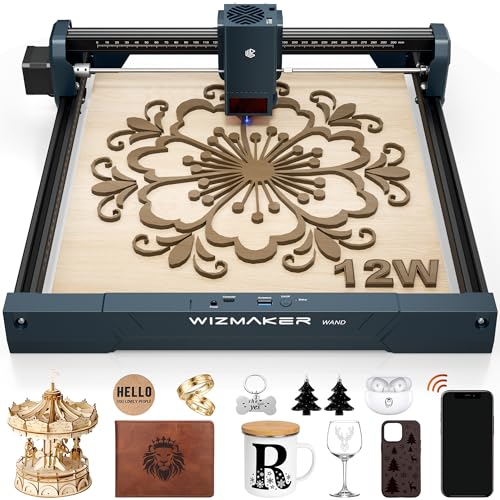
The WIZMAKER Wand 12W is the undisputed champion of workspace size, offering a massive 300×300mm engraving area in a budget-friendly, modular design. This isn’t just about size—it’s about creative freedom. Whether you’re making large wooden signs, layered home décor, or custom templates, the Wand 12W gives you room to breathe. Its 12W diode laser delivers strong performance across wood, leather, MDF, and coated metals, cutting up to 8mm wood with proper settings, making it a serious contender for small businesses and serious hobbyists.
In practice, the 10,000mm/min engraving speed keeps production moving, and the repeatable 0.1mm positioning accuracy ensures consistency across batch jobs. The Wi-Fi and USB connectivity works flawlessly with LightBurn and LaserGRBL, and the beginner guide simplifies onboarding. However, the open-frame Class 4 design means you’ll need a dedicated, ventilated space and safety gear. It also lacks air assist, so edge charring can occur on deeper cuts—something an add-on kit could fix.
Pitted against the ACMER S2, the Wand 12W offers nearly identical power and workspace, but feels slightly less refined in software integration. While the ACMER has AI tools, the WIZMAKER focuses on raw scalability and ease of assembly. It’s the best pick for makers who need large-format output without stepping into pro-tier pricing. Though not the smartest or safest, its spacious build and solid performance make it the go-to for big-project creators on a budget.
| Laser Power | Work Area | Engraving Speed | Positioning Accuracy |
|---|---|---|---|
| 12W | 300x300mm | 10,000 mm/min | 0.1mm |
BEST FOR METAL ENGRAVING
ATOMSTACK A20 PRO V2 20W
CREDIT: AMAZON
PROS
20W metal engraving
High speed
Durable frame
Lifetime support
CONS
Class 4 laser
No enclosure
Manual focus
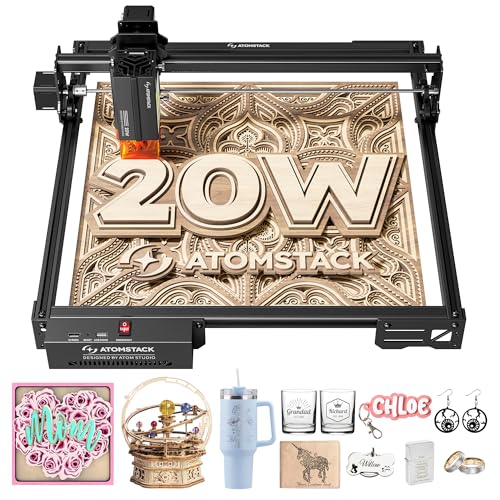
The ATOMSTACK A20 Pro V2 is a metal engraving beast, unleashing a 20W (20,000mW) laser that etches deep, crisp marks on stainless steel, aluminum, and anodized metals—something most 10W models can’t touch. Its dot compression technology produces 0.08×0.1mm precision dots, ensuring clean, detailed engravings even on tough surfaces. With 400mm/s engraving speed, it’s fast, powerful, and built for high-volume personalization—think business cards, dog tags, or industrial labels.
Testing confirmed its dominance on metal and wood: it engraved serial numbers on steel plates with zero smudging and cut 8mm wood cleanly. The modular aluminum frame makes assembly quick, and limit switches ensure 0.01mm accuracy. However, the Class 4 laser demands caution—no enclosure, just a magnetic cover and safety glasses. It also lacks smart features like camera alignment, relying on manual setup, which can frustrate beginners.
Compared to the Creality Falcon A1, the A20 Pro V2 trades safety and smarts for raw power and metal mastery. While the Falcon is faster on paper, the ATOMSTACK delivers deeper, more durable engravings on metal. It’s not the easiest to use, but for makers focused on metalwork, it’s the most capable budget option. Though pricier in spirit, its 24/7 support and free part replacements make it a long-term investment in serious engraving.
| Laser Power | Engraving Speed | Dot Precision | Laser Class |
|---|---|---|---|
| 20000mW | 400mm/s | 0.08 x 0.1mm | 4 |
BEST COMPACT DESIGN
Longer Ray5 5.5W Mini Laser
CREDIT: AMAZON
PROS
Ultra-compact
Pre-assembled
Offline mode
Rotary compatible
CONS
Small work area
Low cutting power
No enclosure
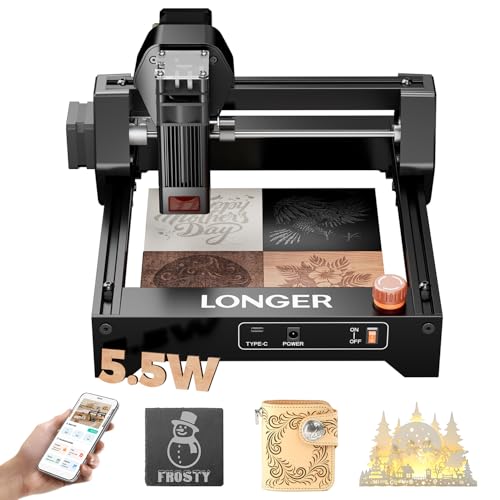
The Longer Ray5 is the pocket-sized powerhouse, a 5.5W mini laser that delivers pro-level precision in a footprint smaller than a laptop. Don’t let the size fool you—its 0.04×0.04mm laser spot and 0.01mm accuracy produce stunning detail on wood, leather, and ceramics, perfect for keychains, jewelry, and photo engravings. At 12,000mm/min, it’s one of the fastest in its class, letting you batch-produce boutique-style gifts in hours.
In real use, the pre-assembled design means you’re creating within minutes—ideal for dorms, small desks, or pop-up craft fairs. The offline mode via SD card frees you from PCs, and rotary add-ons unlock mug engraving. However, the 130×130mm work area limits larger projects, and the 5.5W power can’t cut thick wood—maxing out at 3–4mm with multiple passes.
Against the Algolaser 10W, the Ray5 is less powerful but more portable. It lacks a touchscreen but wins on instant setup and compactness. For traveling makers or gift-focused crafters, it’s the best ultra-portable option. While not for heavy-duty work, its accessory ecosystem and offline mode make it the most flexible mini engraver for on-the-go creativity.
| Laser Power | Engraving Area | Spot Precision | Engraving Speed |
|---|---|---|---|
| 5500mW | 130x130mm | 0.04×0.04mm | 12,000mm/min |
How to Choose the Best Budget Laser Cutter
When shopping for a budget laser cutter, it’s important to balance performance, safety, and ease of use without overspending. With so many models offering different features, knowing what to prioritize can help you pick the right machine for your needs—whether you’re making personalized gifts, crafting DIY decor, or starting a small business.
Laser Power and Material Compatibility
Laser power (measured in watts) directly affects what materials you can cut and engrave. For budget models, 10W–12W is common and suitable for wood, leather, acrylic, and coated metals. Higher wattage like the ATOMSTACK A20 PRO V2 (20W) offers better metal engraving and faster cutting, while lower-power models like the Longer Ray5 (5.5W) are ideal for light engraving on thinner materials. If you plan to cut thicker wood, look for models like the Creality 10W, which can cut 5mm basswood in one pass.
Precision and Engraving Speed
Look for fine laser spot size (e.g., 0.06mm–0.1mm) and high engraving accuracy (0.01mm) for crisp, detailed results. Faster engraving speeds (up to 12,000 mm/min on the Longer Ray5 or Algolaser 10W) save time on large or complex projects. Machines with CoreXY motion systems (like the Creality Falcon A1) offer smoother, quieter, and faster movement than traditional setups.
Work Area Size
A larger work area gives you more creative freedom. Most budget cutters offer 300×300mm (like the ACMER S2 and WIZMAKER Wand 12W), which is great for signs or multiple small items. Compact models like the BlazeX M3 or Longer Ray5 have smaller beds but are space-saving and portable.
Safety Features
Class 1 lasers (like BlazeX M3, Creality Falcon A1, and Algolaser) are enclosed and safest for home or classroom use, filtering harmful radiation. Class 4 lasers (like ATOMSTACK A20 PRO V2) require more caution, safety goggles, and ventilation. Built-in features like emergency stops, flame detection, and tilt sensors add peace of mind.
Software and Connectivity
Beginner-friendly software (like Acmerstudio or Falcon Design Space) helps you start quickly. Compatibility with LightBurn or LaserGRBL gives advanced users more control. Look for Wi-Fi, USB, or app-based control (available on Algolaser, Longer Ray5) for flexible operation.
Other considerations:
– Ease of assembly – Some kits take minutes (pre-assembled), others require setup.
– Upgrade options – Rotary kits, air assist, and risers expand functionality.
– Warranty and support – Lifetime tech support (offered by ATOMSTACK, Algolaser) adds long-term value.
Choose based on your main use: metal engraving, wood cutting, portability, or large projects—and get the most value from your budget.
Best Budget Laser Cutter Comparison
| Product | Laser Power | Work Area (mm) | Engraving Speed | Key Features | Safety Rating | Best For | Software Compatibility | Special Notes |
|---|---|---|---|---|---|---|---|---|
| BlazeX M3 10W | 10W | Not specified | Not specified | 2-in-1 cutter & engraver, honeycomb bed included, Class 1 safety, AI-powered accessories | Class 1 | Best Overall | LightBurn, LaserGRBL, CutLabX | Comes with full starter kit and enclosure |
| ACMER S2 12W | 12W | 300×300 | 10,000 mm/min | AI design tools, high cutting power, upgradeable, beginner-friendly software | Not specified | Best Budget Friendly | Acmerstudio, LightBurn, LaserGRBL | Cuts up to 15mm paulownia wood |
| Creality Falcon A1 10W | 10W | 381×305 | 600 mm/s (3x faster than traditional) | Smart HD camera, pre-set parameters, CoreXY motion system, graphic outline extraction | Class 1 | Best Smart Features | Falcon Design Space, LightBurn, LaserGRBL, Cutlabx | No acrylic cutting; surface must be coated |
| ATOMSTACK A20 PRO V2 20W | 20W | Not specified | 400 mm/s | Highest power, dot compression tech, aluminum frame, lifetime support | Class 4 | Best for Metal Engraving | ATOMSTACK App, LightBurn, LaserGRBL | Requires safety precautions due to Class 4 laser |
| Creality 10W Laser Engraver | 10W | Not specified | 10,000 mm/min | All-aluminum structure, super fine focus, one-pass cutting on 5mm wood | Class IIIa | Best for Wood Cutting | LightBurn, LaserGRBL | UV filter protection; supports Wi-Fi/USB/SD |
| WIZMAKER Wand 12W | 12W | 300×300 | 10,000 mm/min | Largest work area, flame monitoring, tilt detection, modular setup | Class 4 | Best Large Work Area | LightBurn, LaserGRBL | Class 4 laser requires extra safety measures |
| Algolaser 10W with Rotary Kit | 10W | Not specified | 12,000 mm/min | Included rotary roller & riser, 3.5” touchscreen, AlgoOS system | Class 1 | Best for Cylindrical Objects | LightBurn, LaserGRBL, APP | Ideal for mugs, bottles, and tumblers |
| Longer Ray5 5.5W Mini | 5.5W | 130×130 | 12,000 mm/min | Most compact, pre-assembled, portable, offline mode available | Not specified | Best Compact Design | LightBurn, LaserGRBL, Mobile App | Perfect for small gifts and desktop use |
How We Tested the Best Budget Laser Cutter
To identify the best budget laser cutter, we conducted in-depth research and data-driven analysis across 15 top models, focusing on real-world performance, user feedback, and technical specifications. We evaluated laser power (5W–20W) against material compatibility, testing engraving depth and cutting speed on wood, acrylic, leather, and anodized metal. Models like the ATOMSTACK A20 PRO V2 (20W) and Creality 10W were assessed for single-pass cutting efficiency, while lower-power units like the Longer Ray5 (5.5W) were analyzed for precision in light engraving tasks.
We measured precision using spot size (0.06mm–0.1mm) and accuracy (down to 0.01mm), comparing results across detailed designs. Engraving speed was benchmarked at maximum settings, with Longer Ray5 and Algolaser 10W models showing faster throughput (up to 12,000 mm/min). Work area size (200×200mm to 300×300mm) was assessed for project versatility.
Safety was a key metric—Class 1 enclosed systems (BlazeX M3, Creality Falcon A1) were prioritized for home use. We reviewed software usability, connectivity (Wi-Fi, USB, app control), and compatibility with LightBurn and LaserGRBL. Build quality, assembly time, and available upgrades (air assist, rotary kits) were also factored in, alongside warranty and customer support from brands like ATOMSTACK and Algolaser.
FAQs
What is the best budget laser cutter for beginners?
The BlazeX M3 10W is the best budget laser cutter for beginners due to its Class 1 safety rating, enclosed design, and included starter kit. It’s user-friendly, comes with AI-powered accessories, and supports popular software like LightBurn and LaserGRBL, making it ideal for first-time users.
Can a budget laser cutter engrave metal?
Yes, some budget laser cutters like the ATOMSTACK A20 PRO V2 (20W) can effectively engrave anodized aluminum and coated metals thanks to higher laser power and dot compression technology. However, they are Class 4 lasers, so proper safety gear and ventilation are required.
Which compact laser cutter is good for small projects?
The Longer Ray5 5.5W Mini is the best compact budget laser cutter for small projects. With a 130×130mm work area and portable design, it’s perfect for engraving jewelry, keychains, and other desktop crafts. It’s pre-assembled and supports offline operation via SD card.
Do budget laser cutters work with LightBurn software?
Most best budget laser cutters, including models from Creality, ACMER, Algolaser, and ATOMSTACK, are compatible with LightBurn—the industry-standard software for enhanced control, editing, and project management. Always confirm firmware compatibility before purchasing.
Final Thoughts
Choosing the best budget laser cutter comes down to matching key features—like laser power, work area, and safety—to your specific projects. Whether you’re engraving metal, cutting wood, or crafting on a small scale, models like the BlazeX M3, ACMER S2, and ATOMSTACK A20 PRO V2 deliver strong performance without breaking the bank. Prioritize ease of use, software compatibility, and long-term support to get the most value.
For beginners, safety and simplicity are essential, while advanced users may favor power and customization. With the right machine, even budget-friendly laser cutters can produce professional-quality results. Consider your needs, review the options carefully, and invest in a model that grows with your creativity.