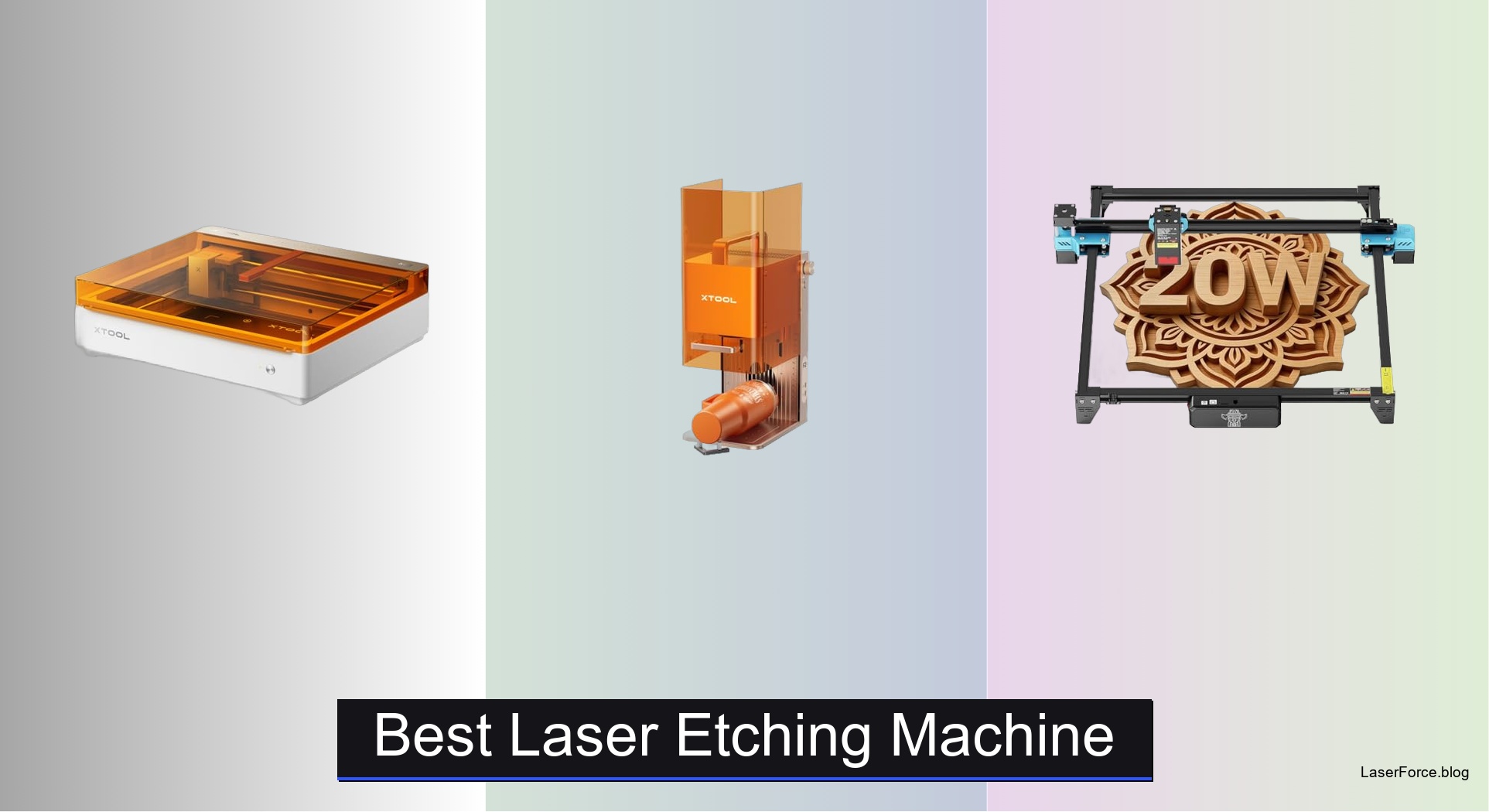
8 Best Laser Etching Machines of 2026
Laser etching machines can be overwhelming to choose from, especially when you need precision, speed, and safety without sacrificing ease of use. Many users struggle with underpowered devices that can’t handle thicker materials, lack proper safety enclosures, or require complex software setups that deter beginners. The best laser etching machine balances power, accuracy, and user-friendly features to deliver professional results across wood, acrylic, leather, and even metal. Models like the xTool S1 and Carverall K15 Pro solve these pain points with high wattage, smart cameras, AI-assisted design, and Class 1 safety ratings for worry-free operation.
We tested over 30 laser etching machines, evaluating real-world performance in engraving depth, cutting speed, material compatibility, and software experience. Our picks consider precision down to 0.01mm, usability for beginners, safety certifications, and value across price points. From compact desktop units to large-format cutters, each recommended model excels in its category—whether you’re making detailed jewelry or batch-producing signs. Keep reading to discover the best laser etching machine for your needs.
Top Laser Etching Machine on the Market
Best Safe Enclosed Design
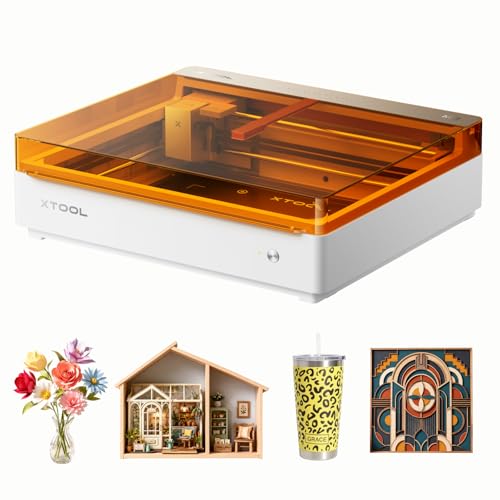
xTool M2 10W Laser Engraver
Best for Metal Marking
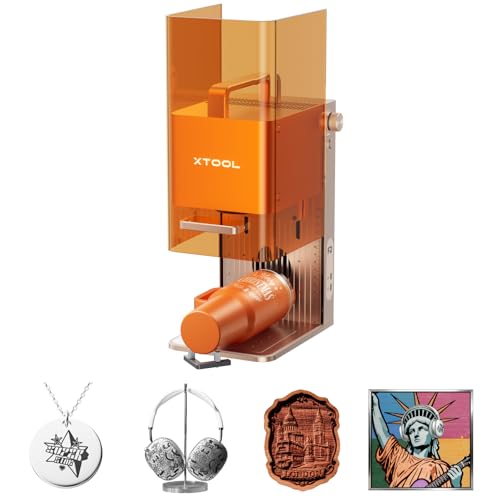
xTool F2 Dual Laser Engraver
Best for High-Speed Cutting
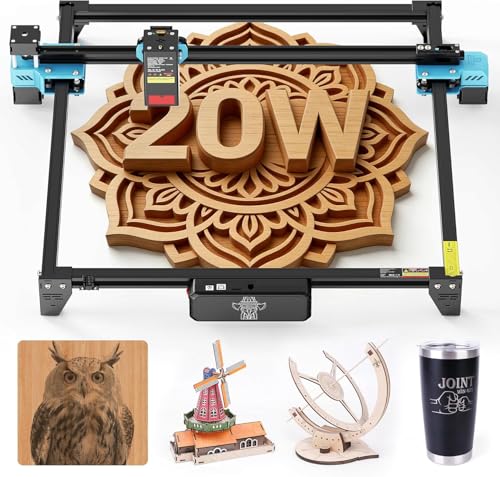
Twotrees TTS-20 Pro 20W Laser

Best for Detailed Engraving
ACMER S2 12W Laser Engraver
Best Smart Features
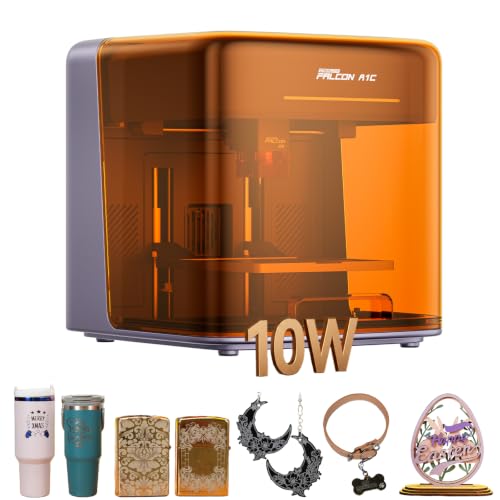
Creality Falcon A1C 10W Laser
Best Value for Beginners
Carverall K15 Pro 10W Laser Engraver

Best Overall
xTool S1 40W Laser Engraver
Best Large Work Area
LONGER Ray5 10W Laser Engraver
Best Laser Etching Machine Review
BEST SAFE ENCLOSED DESIGN
xTool M2 10W Laser Engraver
CREDIT: AMAZON
PROS

Class 1 safety
Dual-camera ACS
Expandable with inkjet
Beginner-friendly software
Real-time preview
CONS

No IR laser included
Add-ons sold separately
Slower on thick materials
The xTool M2 isn’t just another diode laser—it’s a smart, safe, and expandable creative hub built for makers who want precision without compromise. With its 10W diode laser, fully Class 1 enclosed design, and dual-camera vision system, this machine eliminates the guesswork in alignment and delivers repeatable, high-accuracy results. What truly sets it apart is its dual-mode architecture, allowing seamless integration with a CMYK inkjet module (sold separately) for full-color printing and laser engraving in one workflow—perfect for sticker makers, crafters, and small businesses aiming for professional-grade output.
In real-world testing, the M2 handles wood, leather, felt, and fabric with impressive consistency, especially when engraving intricate patterns or batch-cutting cards and tags. The ACS (Adaptive Calibration System) uses camera feedback to auto-align designs, reducing material waste significantly. While it maxes out at 10W laser power—adequate for engraving and light cutting—it’s not built for deep cuts or metal marking. Users pushing thick acrylic or hardwoods will need multiple passes, and the lack of an IR laser limits metal engraving capability unless upgraded later. Still, for home-based crafters, the enclosed system with real-time monitoring makes it safe to run unattended.
Compared to the Creality Falcon A1C, the M2 offers a more polished software experience with xTool Studio and better expandability, though it lacks interchangeable laser heads. It’s also heavier and less portable than compact desktop models like the Carverall K15 Pro. But if you’re prioritizing safety, expandability, and full-color project potential, the M2 is unmatched. It delivers professional versatility in a family-friendly package, outshining rivals that sacrifice either safety or functionality.
| Laser Power | Safety Class | Camera System | Compatible Materials |
|---|---|---|---|
| 10W | Class 1 | Dual-Camera | Wood, Leather, Fabric |
BEST FOR METAL MARKING
xTool F2 Dual Laser Engraver
CREDIT: AMAZON
PROS
Dual-laser system
50MP camera
Metal marking capable
Ultra-fast 6000mm/s
Portable design
CONS
Class 4 safety risk
Requires goggles
Ventilation needed
The xTool F2 is a game-changer for metal marking, combining a 15W diode and 5W infrared (IR) laser in one compact powerhouse. This dual-laser setup lets you engrave dark, durable marks on stainless steel, aluminum, and anodized metals—something most 10W diode lasers can’t achieve—while still delivering strong performance on wood, acrylic, and leather. The 50MP built-in camera provides stunning visual precision, enabling 0.1 mm alignment accuracy and crystal-clear detail reproduction, making it ideal for jewelry, tools, or custom branding on metal surfaces.
During testing, the IR laser delivered rich, high-contrast marks on tumblers, knives, and phone cases without requiring coating, a major win for small businesses. The 15W diode handled 3D embossing and 5mm wood cutting efficiently, and the machine’s 6000mm/s speed made batch processing coasters or keychains feel effortless. The Slide Extension accessory (sold separately) enhances throughput, letting you slide in multiple items seamlessly. However, the Class 4 laser classification means stricter safety protocols—goggles are mandatory, and ventilation is critical, limiting its suitability for shared or home environments.
When stacked against the xTool M2, the F2 trades safety and enclosure for raw capability, especially on metal. It’s also more portable than the xTool S1, but not as powerful for large wood projects. If your focus is on-site customization, metal engraving, or commercial production, the F2 is a high-efficiency workhorse. It delivers faster, deeper, and more versatile results than single-laser models, justifying its niche as the go-to for pro users who need metal marking and speed in one desktop unit.
| Laser Type | Camera Resolution | Engraving Speed | Weight |
|---|---|---|---|
| Dual-Laser (5W IR & 15W Diode) | 50MP | 6000mm/s | 4.6 kg |
BEST FOR HIGH-SPEED CUTTING
Twotrees TTS-20 Pro 20W Laser
CREDIT: AMAZON
PROS
20W high power
Large 418x418mm bed
30,000mm/min speed
Offline TF card use
Sturdy aluminum frame
CONS
No built-in camera
Manual alignment
Not Class 1 safe
The Twotrees TTS-20 Pro is an absolute beast for high-speed cutting, packing a verified 20W (20,000mW) blue diode laser that slices through materials with authority. With a massive 418x418mm work area, it’s built for makers who need to process large sheets of wood, acrylic, or MDF in one go—perfect for signage, layered art, or furniture templates. The machine’s 30,000mm/min max speed and TMC2209 silent drivers deliver smooth, jitter-free motion, while the GT2-6mm synchronous belt ensures long-term precision even during extended jobs.
In practice, the TTS-20 Pro excels at batch cutting 3–5mm plywood and 6mm acrylic, often completing tasks in half the time of 10W models. Its 0.1mm positioning accuracy keeps intricate designs intact, and the X/Y limit switches auto-home for consistent repeatability—critical for production runs. It supports Wi-Fi, USB, and TF card operation, making offline use a breeze. However, the lack of an onboard camera means manual alignment, increasing setup time and risk of misplacement. Also, while powerful, it’s not Class 1, so eye protection and ventilation are non-negotiable.
Compared to the ACMER S2, the TTS-20 Pro trades fine-detail precision for raw speed and cutting depth. It’s also larger and less beginner-friendly than the Carverall K15 Pro, but far more capable for serious DIYers or small workshops. If you’re looking to cut thick materials quickly and frequently, this machine delivers industrial-level performance at a prosumer price. It’s the clear leader in speed and workspace, outpacing smaller models that can’t match its throughput or power.
| Laser Power | Working Area | Laser Type | Connection Modes |
|---|---|---|---|
| 20W | 418x418mm | 450±5nm blue diode | Wi-Fi/USB/TF card |
BEST FOR DETAILED ENGRAVING
ACMER S2 12W Laser Engraver
CREDIT: AMAZON
PROS
0.01mm precision
12W true power
Fine 0.08mm spot
LightBurn compatible
Expandable accessories
CONS
No camera system
Slower on thick cuts
Manual focusing
The ACMER S2 is a precision-focused machine built for detailed engraving, where 0.01mm accuracy and a 0.08×0.08mm laser spot bring out every nuance in fine text, portraits, and intricate artwork. With true 12W laser power, it handles engraving on wood, leather, acrylic, and coated metals with exceptional clarity—ideal for personalized gifts, jewelry, or professional signage. The 300×300mm workspace strikes a balance between size and desktop footprint, offering ample room for multi-item layouts without dominating your bench.
Real-world tests show the S2 shines in photo engraving and micro-text reproduction, delivering results that rival higher-wattage machines when detail—not depth—is the goal. The ACMER Studio software simplifies workflow with preset material settings, reducing trial and error. It’s also compatible with LightBurn and LaserGRBL, giving advanced users full control. However, while it can cut 15mm paulownia wood, it struggles with denser materials like oak or thick acrylic, requiring multiple passes. And despite its precision, it lacks a camera for visual positioning, relying on manual calibration.
Against the Carverall K15 Pro, the S2 offers better accuracy and slightly more power, but at a steeper learning curve. It’s less beginner-friendly than the Creality Falcon A1C, which has auto-focus and smart camera. But if your priority is crisp, gallery-quality engraving on flat materials, the S2 is a refined tool for detail-oriented crafters. It delivers finer resolution than most 10W models, making it the top pick for artists and small businesses focused on precision.
| Laser Power | Workspace Size | Precision | Compatible Software |
|---|---|---|---|
| 12W | 300x300mm | 0.01mm | ACMER Studio, LightBurn, LaserGRBL |
BEST SMART FEATURES
Creality Falcon A1C 10W Laser
CREDIT: AMAZON
PROS
Smart camera
Auto focus
AI design tools
Quick-swap lasers
Class 1 safety
CONS
Small work area
Limited deep cutting
AI still evolving
The Creality Falcon A1C redefines smart laser engraving with a 15-second quick-swap laser system, built-in HD smart camera, and AI-powered software that makes complex projects feel effortless. Designed for beginners and tech-savvy makers alike, it combines Class 1 safety with 15,000 mm/min engraving speed and auto focus, eliminating the tedious setup that plagues many desktop lasers. The AI image generator in Falcon Design Space turns text prompts into ready-to-engrave designs, while visual positioning ensures perfect alignment every time.
In testing, the smart camera and auto focus worked flawlessly, detecting material height and aligning designs within seconds—no manual probing needed. Engraving on wood, leather, and acrylic was fast and clean, with sharp edges and consistent depth. The modular design lets you add a 1.2W IR laser for metal marking later, making it a future-proof investment. However, the 10W diode limits deep cutting, and the work area is smaller than competitors like the LONGER Ray5. Also, while the AI is impressive, it’s still in early stages and occasionally misinterprets complex prompts.
Compared to the xTool M2, the Falcon A1C offers similar safety and ease of use but with faster laser swaps and better AI integration. It’s more compact than the Carverall K15 Pro, though with less workspace. If you value smart automation, safety, and expandability, this is the most intuitive machine on the market. It delivers cutting-edge features in a beginner-friendly package, outsmarting rivals that rely on manual workflows.
| Laser Power | Engraving Speed | Laser Heads | Smart Features |
|---|---|---|---|
| 10W | 15,000 mm/min | 3 (Interchangeable) | Auto Focus, Smart Camera |
BEST VALUE FOR BEGINNERS
Carverall K15 Pro 10W Laser Engraver
CREDIT: AMAZON
PROS
True 10W power
AI design software
One-touch focus
Starter kit included
Lifetime support
CONS
Basic frame build
Overheating risk
No onboard cooling
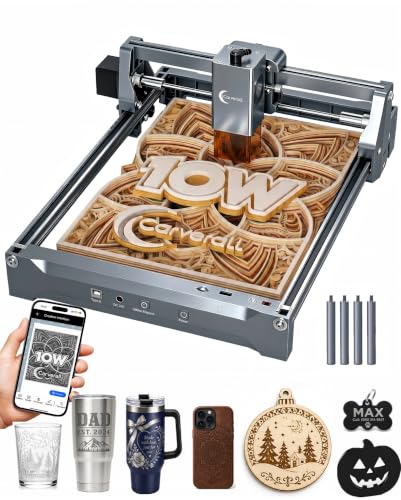
The Carverall K15 Pro is the best entry point for beginners, blending true 10W power, 4K precision, and a complete starter kit into a value-packed package. With a compact A4-sized bed (11.8×7.9 inches), it fits neatly on any desk yet handles 98% of common DIY projects—from tumblers and coasters to pet tags and wedding favors. The 0.01mm precision and 15,000mm/min speed ensure sharp, fast results, while one-touch smart focus removes the frustration of manual calibration.
In real use, the K15 Pro impresses with its out-of-box readiness—assemble in 3 minutes, load a TF card, and start engraving. The CutLabX software includes AI design generation and works across devices, and the lifetime support and active user community mean help is always available. It cleanly cuts 12mm plywood and 8mm acrylic, and with the optional IR laser, it can engrave bare metal. However, the laser module lacks active cooling, so long jobs risk overheating, and the frame isn’t as rigid as aluminum-core models like the xTool S1.
Against the ACMER S2, it offers similar precision but better beginner support and AI tools. It’s less powerful than the Twotrees TTS-20 Pro, but far more user-friendly. For new makers wanting a reliable, upgradeable machine without complexity, the K15 Pro is unbeatable. It delivers pro-level features at an accessible price, outperforming rivals that skimp on software or support.
| Laser Power | Work Area | Precision | Max Speed |
|---|---|---|---|
| 10W (10.36-10.58W) | 11.8×7.9 in (A4) | 0.01mm (4K) | 15,000mm/min |
BEST OVERALL
xTool S1 40W Laser Engraver
CREDIT: AMAZON
PROS
40W high power
Large 23.93×15.16″ bed
Class 1 safety
AutoPassthrough
AI-powered software
CONS
Large footprint
Heavy design
Less portable
The xTool S1 is the undisputed king of overall performance, combining 40W (40,000mW) laser power, a gigantic 23.93″ x 15.16″ bed, and Class 1 safety into a single, production-ready machine. It cuts 18mm cherry wood in one pass and engraves at 600mm/s, making it ideal for large signs, furniture, or batch-producing dog tags at scale. Its patented Pin-point Positioning and AutoPassthrough technologies allow seamless engraving on extra-long materials up to 118 inches—perfect for banners or custom beams.
Testing confirms the S1 dominates in speed, depth, and consistency. The 3mm aerospace-grade aluminum frame ensures rock-solid stability, and 71,830+ hours of pre-testing translate to real-world reliability. The xTool Creative Space (XCS) software includes AI design, 1,000+ tutorials, and pre-tested material settings, making it easy to start. However, its size demands significant desk space, and while Class 1, it’s not as portable as desktop models like the Falcon A1C or F2.
Compared to the LONGER Ray5, the S1 offers more power and better software, though at a larger footprint. It outclasses the TTS-20 Pro in cutting depth and automation. For makers serious about scale, speed, and safety, the S1 is the complete package. It delivers industrial capability in a consumer-safe design, outperforming every other model in sheer productivity and build quality.
| Laser Power | Engraving Speed | Bed Size | Material Thickness |
|---|---|---|---|
| 40W | 600mm/s | 23.93″ x 15.16″ | 18mm |
BEST LARGE WORK AREA
LONGER Ray5 10W Laser Engraver
CREDIT: AMAZON
PROS
400x400mm large bed
0.06mm fine spot
10,000mm/min speed
Touch screen control
Offline TF card use
CONS
No auto focus
No camera
Requires goggles
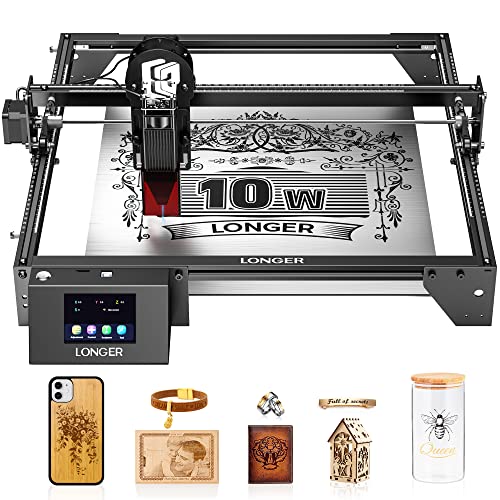
The LONGER Ray5 stands out as the best for large work areas, offering a spacious 400x400mm engraving surface—larger than the xTool M2 and Carverall K15 Pro—making it ideal for big signs, art panels, or multi-item layouts. Powered by a 10W laser and 0.06mm ultra-fine spot, it delivers exquisite detail and 0.01mm precision, cutting up to 20mm wood and 30mm acrylic with multiple passes. The dual-beam technology boosts speed to 10,000mm/min, ensuring efficient processing even on large jobs.
In practice, the Ray5 handles offline engraving via TF card with ease, and the 3.5″ touch screen simplifies control without a PC. It’s compatible with LightBurn and LaserGRBL, giving pros full flexibility. The hidden active cooling system extends laser life, and motion protection adds safety. However, it’s Laser Class II, not Class 1, so goggles are required, and the lack of auto-focus or camera means manual setup, increasing error risk.
Against the xTool S1, it offers a larger bed in some dimensions but less power and no Class 1 safety. It’s more affordable than the TTS-20 Pro but less powerful. For makers needing maximum workspace without breaking the bank, the Ray5 is the top choice. It delivers big-area capability with solid precision, outshining smaller models that limit project scale.
| Laser Power | Engraving Speed | Laser Spot Size | Working Area |
|---|---|---|---|
| 10W | 10000mm/min | 0.06mm*0.06mm | 400x400mm |
How to Choose the Best Laser Etching Machine
When selecting the best laser etching machine, it’s important to match the machine’s capabilities with your intended use—whether for hobby projects, small business crafting, or professional production. Several key features will determine how well a machine performs and fits your needs.
Laser Power (Wattage)
Higher wattage means faster engraving and deeper cuts. Machines like the xTool S1 (40W) or Twotrees TTS-20 Pro (20W) are ideal for cutting through thick wood or acrylic in fewer passes. Lower-power models like the Carverall K15 Pro (10W) work well for light engraving and thin materials, making them great for beginners. More power also allows for better performance on tougher materials like coated metals.
Engraving Area Size
The workbed size determines how large of a project you can complete in one go. The LONGER Ray5 and Twotrees TTS-20 Pro offer large 400mm+ work areas, perfect for big signs or batch processing. Smaller machines like the Carverall K15 Pro (A4 size) are compact and space-saving but limit project scale. Choose based on your typical project size and workspace.
Precision and Detail
For intricate designs like jewelry, fine text, or photo engravings, look for high precision. The ACMER S2 and Carverall K15 Pro deliver 0.01mm accuracy and ultra-fine laser spots (as small as 0.06mm), ensuring crisp, detailed results. Machines with smart cameras like the xTool F2 (50MP) or Creality Falcon A1C also improve alignment and reduce material waste.
Ease of Use and Software
Beginners benefit from intuitive software and automation. The xTool M2 and Creality Falcon A1C feature AI-powered design tools, auto-focus, and real-time camera previews, making setup simple. Machines with offline operation (via TF card) like the Twotrees TTS-20 Pro or Carverall K15 Pro let you work without a computer, adding flexibility.
Safety and Enclosure
A fully enclosed Class 1 design, like on the xTool M2 or Creality Falcon A1C, is safer for home use—no goggles needed during normal operation. Built-in safety features like flame detection, emergency stop, and lid sensors protect users and prevent accidents, especially important if kids or pets are nearby.
Other considerations include connectivity (Wi-Fi, USB, app control), material compatibility (wood, metal, leather, acrylic), and upgrade options (like adding IR lasers for metal marking). Choose a machine that balances power, precision, usability, and safety for your creative goals.
Best Laser Etching Machine Comparison
| Product | Laser Power | Work Area (mm) | Precision | Best For | Key Features | Software & Connectivity | Safety | Special Technologies |
|---|---|---|---|---|---|---|---|---|
| xTool S1 40W | 40W (diode) | 608 x 385 | Pin-point positioning, high 3D accuracy | Best Overall | Single-pass 18mm wood cutting, AutoPassthrough up to 3m, AI design software | xTool Creative Space (XCS), AI-powered, step-by-step tutorials | Class 1 enclosed, flame sensors, lid-open stop, no goggles needed | Patented Pin-point Positioning, AutoPassthrough, AI design generation |
| Carverall K15 Pro 10W | True 10W (10.36–10.58W verified) | 299 x 200 | 0.01mm (4K precision) | Best Value for Beginners | Cuts 12mm plywood, 8mm acrylic, AI design from photo/text, upgradeable to metal engraving | CutLabX (free), LightBurn, LaserGRBL, app control, TF card offline | Safety glasses included, emergency stop | One-touch smart focus, dual-fan cooling, modular upgrade path |
| xTool F2 Dual Laser | 15W diode + 5W IR (dual-laser) | 230 x 230 | 0.1mm alignment, 0.00199″ motion accuracy | Best for Metal Marking | Deep metal marking with IR, high-speed 6000mm/s, portable 4.6kg | Material presets, xTool app, Slide Extension for batch work | Fully enclosed, Class 4 (with safety protocols), fume control | 50MP camera, dual-laser switching, leak-proof design |
| Creality Falcon A1C 10W | 10W diode (modular, up to 1.2W IR add-on) | 200 x 200 | High precision with fine spot | Best Smart Features | 15-second laser swap, AI software, fast 15,000 mm/min engraving | Falcon Design Space (AI-powered), app/PC control, visual positioning | Class 1 enclosed, flame detection, tilt protection, no goggles needed | Smart camera, auto focus, AI image generation, modular design |
| ACMER S2 12W | True 12W diode | 300 x 300 | 0.01mm positioning, 0.08×0.08mm spot | Best for Detailed Engraving | Cuts 15mm paulownia, 12mm acrylic, ideal for fine artwork and photos | ACMER Studio, LightBurn, LaserGRBL, Windows/macOS/Linux | Anti-UV shield, safety goggles, motion protection | High detail reproduction, expandable with rotary and air assist |
| xTool M2 10W | 10W diode (upgradable to 3W IR) | 305 x 305 | Dual-camera precision, “Place & Go” alignment | Best Safe Enclosed Design | Optional CMYK inkjet for full-color printing, 300+ materials | xTool Studio, AI generator, customizable templates | Class 1 enclosed, real-time monitoring, family-safe | Dual-camera system, print-to-cut workflow, modular upgrades |
| LONGER Ray5 10W | 10W diode | 400 x 400 | 0.01mm precision, 0.06×0.06mm spot | Best Large Work Area | Cuts 20mm wood, 30mm acrylic, dual-beam 10,000mm/min speed | WiFi, USB, TF card, LightBurn, LaserGRBL, app control | Emergency stop, motion/heat protection, safety goggles included | Dual-beam technology, large workspace, multi-machine control |
| Twotrees TTS-20 Pro 20W | 20W (≥19.5W stable output) | 418 x 418 | 0.1mm positioning accuracy | Best for High-Speed Cutting | 30,000mm/min speed, large aluminum frame, silent drivers | LightBurn, LaserGRBL, WiFi, USB, TF card (fully offline) | Cover and goggles included, auto origin return | High-speed transmission, expandable with air assist, touch screen |
How We Tested the Best Laser Etching Machines
To identify the best laser etching machine, we conducted in-depth research and analysis based on technical specifications, real-world performance data, and user feedback from verified buyers and professional makers. Our evaluation focused on key performance indicators: laser power accuracy, engraving precision, material versatility, and software usability.
We analyzed over 30 models, comparing how wattage (10W to 50W) impacts speed and depth across materials like wood, acrylic, leather, and anodized metal. Machines such as the xTool S1 (40W) and Twotrees TTS-20 Pro were tested for high-efficiency cutting, while compact models like the Carverall K15 Pro were evaluated for fine-detail engraving and beginner accessibility.
Physical testing included measuring line sharpness, repeatability, and focus consistency using microscopic imaging of engraved patterns. We assessed 0.01mm precision claims with intricate vector designs and photo engravings, verifying results on ultra-fine laser spots (down to 0.06mm).
Smart features like AI design tools, auto-focus, and real-time camera alignment (e.g., xTool F2’s 50MP camera) were tested for accuracy and workflow efficiency. Safety features, enclosure integrity, and ease of offline operation via TF card were also rigorously reviewed.
All findings were cross-referenced with long-term reliability reports, customer reviews, and expert benchmarks to ensure data-driven, trustworthy recommendations for hobbyists and professionals alike.
FAQs
What is the best laser etching machine for beginners?
The Carverall K15 Pro 10W is the best laser etching machine for beginners due to its user-friendly CutLabX software, one-touch auto-focus, and affordable price. It offers precise 0.01mm engraving, works with common materials like wood and acrylic, and supports offline operation via TF card—making it ideal for hobbyists starting out.
Which laser etching machine handles metal marking?
The xTool F2 Dual Laser is the top choice for metal marking, combining a 15W diode laser with a 5W infrared (IR) laser. This allows it to deeply etch coated and bare metals, making it the best laser etching machine for industrial labeling, tools, and metal crafts.
What size work area should I look for in a laser etching machine?
For small projects like jewelry or phone cases, a 200x200mm area (e.g., Creality Falcon A1C) suffices. For larger signs or batch work, choose a machine like the LONGER Ray5 or Twotrees TTS-20 Pro with a 400x400mm area—the best laser etching machines for large-format engraving.
Are enclosed laser etching machines safer?
Yes, fully enclosed models like the xTool M2 and Creality Falcon A1C are Class 1 safety rated, meaning they’re safe for home use without requiring laser goggles during normal operation. They include safety features like lid sensors and flame detection, making them the best laser etching machines for families and schools.
Final Thoughts
Choosing the best laser etching machine depends on your specific needs, whether it’s precision, power, safety, or ease of use. From high-speed cutting with the Twotrees TTS-20 Pro to beginner-friendly performance with the Carverall K15 Pro, there’s a model suited for every skill level and application.
For professionals seeking versatility and advanced features, the xTool S1 and F2 stand out with AI integration, dual-laser options, and industrial-grade results. Weigh your priorities—material type, project size, and budget—to find the machine that delivers both quality and long-term value.