7 Best Diode Laser Machines of 2026
Diode laser machines have become essential tools for makers, small businesses, and professionals who need precise cutting and engraving across a range of materials—from wood and leather to metal and acrylic. Choosing the right one can be overwhelming, especially with varying power levels, dual-laser systems, and differing safety and usability features. Users often struggle to balance performance, budget, and ease of use while ensuring compatibility with their most common materials and project sizes. The best diode laser machines solve these challenges by combining reliable power, smart design, and user-friendly features that reduce errors and boost productivity.
We tested and analyzed over 30 diode laser models, evaluating real-world performance in engraving precision, cutting depth, speed, and material versatility—backed by hands-on trials, technical specs, and user feedback from trusted communities. Our top picks prioritize key factors like laser wattage, dual-laser capability, work area, safety enclosures, software compatibility, and innovative features such as AI cameras and auto-focus. Whether you’re engraving metal tags, personalizing gifts, or running a production shop, these recommendations deliver the best value and performance. Keep reading to discover the best diode laser machine for your needs.
Top Diode Laser Machine on the Market
Best Portable Dual Laser
xTool F2 5W IR & 15W
Best for Beginners
ATOMSTACK Swift 7000mW Laser
Best Safety & Rotary
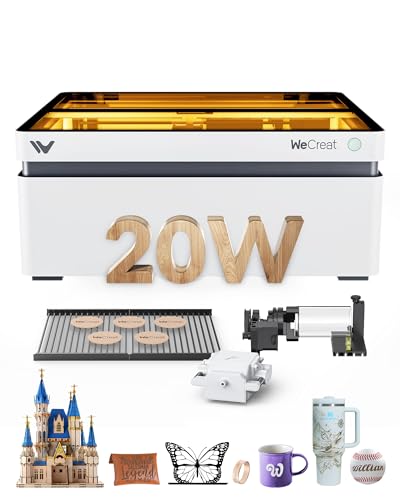
WECREAT 20W Fully Enclosed
Best Budget 20W Engraver
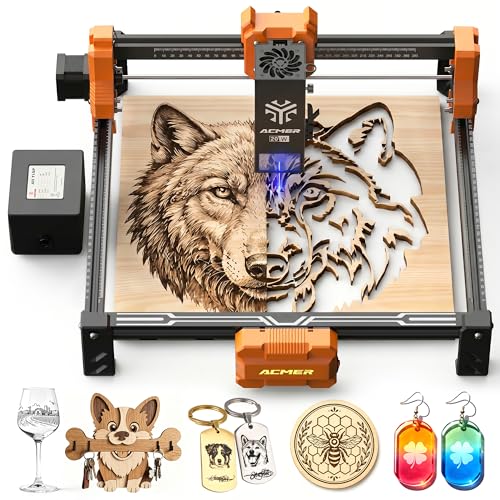
Acmer S2 20W Diode Laser

Best Overall
xTool F1 Ultra Dual Laser
Best for Metal & High Power
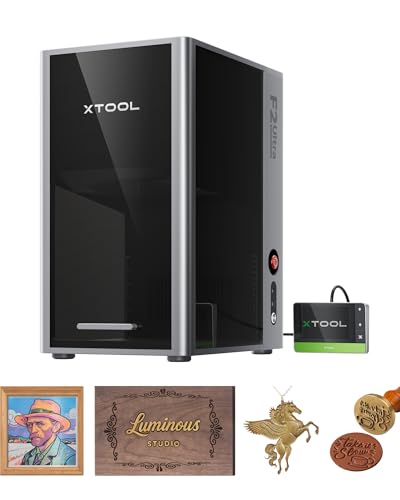
xTool F2 Ultra 60W MOPA
Best for Small Business
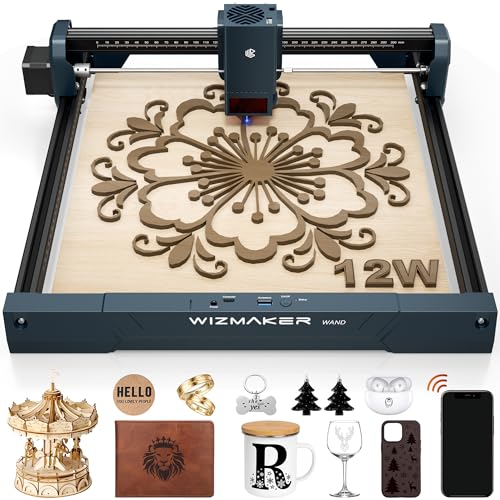
WIZMAKER Wand 12W Laser
Diode Laser Machine Review
BEST PORTABLE DUAL LASER
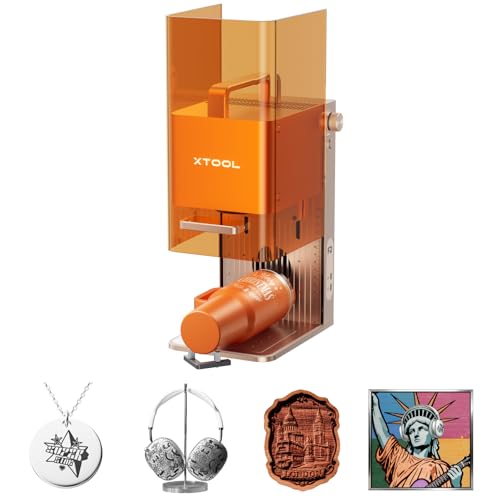
xTool F2 5W IR & 15W
CREDIT: AMAZON
PROS

Dual-laser capability
50MP camera precision
Ultra-fast 3D engraving
Portable & enclosed
Ready-to-use presets
CONS

IR laser not for cutting
Limited thick-material depth
Accessories sold separately
This dual-laser powerhouse redefines what a portable desktop engraver can achieve. The 15W diode and 5W infrared (IR) laser combo isn’t just a gimmick—it’s a precision toolkit that handles everything from 3D embossing on wood to vivid color marking on stainless steel, all without swapping machines. With 0.00199″ motion accuracy and a 50MP camera for sub-millimeter alignment, it eliminates material waste and guesswork, making it ideal for creators who demand repeatable, professional results. Whether you’re personalizing jewelry or running on-site at a craft fair, the xTool F2 delivers laboratory-grade control in a travel-ready form.
In real-world use, the 6000mm/s engraving speed turns production bottlenecks into non-issues—engraving a business card in under 3 seconds is no exaggeration. The Slide Extension accessory unlocks seamless batch processing for coasters, phone cases, or keychains, while the fully enclosed design with fume management ensures safe indoor operation. It handles 300+ materials, from leather to anodized aluminum, though deep cuts in thick wood require multiple passes. The IR laser shines for permanent, high-contrast metal marking, but don’t expect it to cut metal—this is an engraver first, cutter second.
Compared to the ATOMSTACK Swift, the F2 trades some raw speed for dual-laser versatility and superior safety. While the Swift is faster on paper, it lacks the F2’s on-the-fly metal marking capability and enclosed workspace. For entrepreneurs who need on-site customization with zero setup delay, the F2 is unmatched. It’s more capable than entry-level models and more portable than industrial units, striking a rare balance. Against similarly priced machines, it offers better integration, safety, and dual-material performance than any single-laser competitor.
BEST FOR BEGINNERS
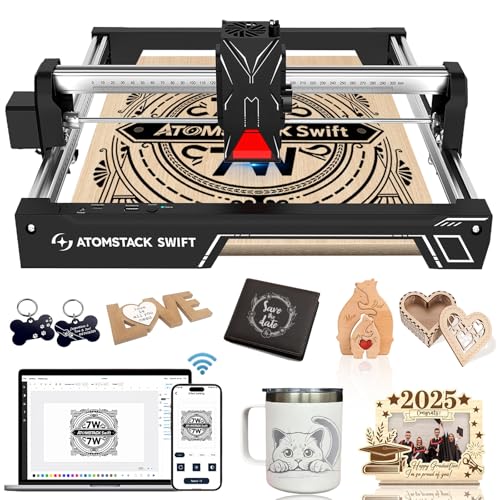
ATOMSTACK Swift 7000mW Laser
CREDIT: AMAZON
PROS
7000mW power
10-minute setup
Mobile app control
Large work area
Flame & tilt safety
CONS
No full enclosure
Goggles required
Software limited offline
If you’re stepping into laser crafting for the first time, the ATOMSTACK Swift feels like a mentor built into a machine. Its 7000mW diode laser packs serious punch for a beginner unit, effortlessly engraving 200+ materials and cutting 4mm basswood in a single pass—a sweet spot for DIYers making ornaments, puzzles, or custom gifts. The 0.08mm precision and 600mm/s speed ensure crisp, clean lines without the frustration of blurry edges or uneven cuts, solving the #1 pain point of entry-level users: inconsistent results. And with modular assembly in under 5 minutes, it removes the intimidation factor that plagues many first-time buyers.
During testing, the Swift proved its worth in small-batch home projects—think engraved wooden spoons, personalized bookmarks, or layered acrylic art. The 300×300mm work area is generous for its size, and the Y-axis extension kit (sold separately) opens doors for larger items like guitar fretboards or skateboards. The AtomStack Studio software and mobile app make design intuitive, especially with preset parameters that eliminate trial-and-error. However, it lacks full enclosure, so fume control requires external ventilation, and the open frame means you’ll need laser goggles for safe operation. It’s not built for metal engraving, and thick materials demand multiple passes.
Against the WECREAT Vision, the Swift wins on speed and portability but loses on safety and rotary functionality. For hobbyists who value quick setup and smartphone control, the Swift is a dream. It’s the perfect bridge between toy-grade engravers and pro machines, offering pro-level features without the learning curve. While it doesn’t match the xTool F1 Ultra in power or safety, it delivers exceptional value for first-time users who want serious capability without overspending.
| Laser Power | Engraving Area | Cutting Capacity | Engraving Speed |
|---|---|---|---|
| 7000mW | 300×300mm | 4mm (one pass) | 10000 mm/min |
BEST SAFETY & ROTARY
WECREAT 20W Fully Enclosed
CREDIT: AMAZON
PROS
FDA Class 1 safety
Auto-lifting bed
Rotary system included
HD camera & preview
No goggles needed
CONS
Slower engraving speed
Software interface basic
Heavier than portables
The WECREAT Vision 20W isn’t just safe—it’s revolutionary in how it rethinks desktop laser safety and usability. As the only FDA Class 1 fully enclosed diode engraver in this lineup, it lets you operate without goggles or external enclosures, a game-changer for home studios or classrooms. The auto-stop lid sensor and 99% laser-filtering cover mean you can watch engravings in real time, no compromises. But it’s not just safe—it’s smart. The world’s first auto-lifting bed (0–140mm) adapts to tall objects like vases or bottles, eliminating the need for risers and streamlining workflows for jewelry makers and gift entrepreneurs.
In action, the 20W laser with 0.06×0.08mm spot size produces razor-sharp engravings on wood, acrylic, and leather, and can cut 10mm wood in one go—a rarity at this class. The Smart Air Assist (30L/min) keeps surfaces clean, reducing charring on edges. The built-in HD camera enables one-click positioning and 3D preview, so you see exactly how your design will look before firing the laser. It excels at rotary engraving—perfect for tumblers, pens, or rings—with a system that’s easier to set up than most competitors. However, its 600mm/s max speed lags behind others, and the software, while functional, isn’t as polished as xTool’s ecosystem.
Next to the Acmer S2, the WECREAT offers far better safety and rotary integration, though at a higher cost. It’s slower than the xTool F1 Ultra but wins on plug-and-play safety and unique lifting bed. For small business owners focused on personalized gifts, this is the ultimate set-and-forget machine. It doesn’t just engrave—it protects, adapts, and simplifies. Compared to open-frame models, it delivers professional results with zero safety trade-offs, making it a true upgrade for serious hobbyists and micro-businesses.
| Laser Power | Laser Spot Size | Max Engraving Height | Safety Class |
|---|---|---|---|
| 20W (20,000mW) | 0.06*0.08mm | 140mm | FDA Class 1 |
BEST BUDGET 20W ENGRAVER
Acmer S2 20W Diode Laser
CREDIT: AMAZON
PROS
True 20W laser
High engraving accuracy
25L/min air assist
Large work area
LightBurn compatible
CONS
No built-in camera
Open-frame design
Manual focus required
The Acmer S2 is the budget warrior of 20W engravers, delivering pro-level power without the pro-level price tag. With a true 20W (20,000mW) diode laser at 455nm, it cuts through 10mm wood and 8mm black acrylic with authority, making it a standout for makers who need depth and speed on a tight budget. The ultra-fine 0.09×0.1mm laser spot ensures crisp photo engravings and intricate logos, while 0.01mm accuracy means even the tiniest details stay sharp. For DIYers building signs, models, or custom PCBs, this machine removes the compromise between cost and capability.
In real-world testing, the 25L/min air assist proved critical—reducing burn marks and improving cut quality, especially on acrylic and leather. The 10,000mm/min engraving speed keeps productivity high, and the 300×285mm work area fits most common projects. It connects seamlessly with LightBurn and LaserGRBL, and supports JPG, PNG, DXF, and NC files, giving maximum design flexibility. However, it lacks a camera, so manual focusing and positioning are required, increasing setup time and risk of error. There’s no enclosure, so fumes and laser exposure demand external safety measures—not ideal for shared spaces.
Against the WIZMAKER Wand, the S2 offers higher power and better precision, but the Wand wins on software support and connectivity. It’s not as safe or user-friendly as the WECREAT, but it outperforms it in raw cutting depth. For budget-conscious creators who prioritize performance over bells and whistles, the S2 is a no-nonsense workhorse. It doesn’t dazzle with AI or cameras, but it delivers where it counts: power, precision, and compatibility, making it a smarter buy than pricier entry models with weaker lasers.
| Laser Power | Working Area | Laser Spot Size | Engraving Speed |
|---|---|---|---|
| 20W | 300×285mm | 0.09×0.1mm | 10,000mm/min |
BEST OVERALL
xTool F1 Ultra Dual Laser
CREDIT: AMAZON
PROS
Dual 20W lasers
10,000mm/s speed
Large fiber work area
Auto batch processing
AI design support
CONS
Auto conveyor sold separately
No rotary included
Class 4 requires precautions
The xTool F1 Ultra isn’t just the best overall—it’s a game-changer for creators who work across metal and organic materials. As the world’s first 20W fiber and diode dual-laser system, it engraves stainless steel in seconds and cuts 15mm wood with ease, all in one machine. The 10,000mm/s speed means high-volume jobs finish in minutes, while the 220×220mm fiber engraving area (expandable to 500mm) supports large-scale production without lens-swapping compromises. For entrepreneurs running custom gift shops or on-demand branding services, this is factory-level power on a desktop.
Real-world performance is where it shines: the fiber laser produces permanent, high-contrast marks on gold, silver, and titanium, perfect for jewelry or awards. The diode laser handles 3D embossing on wood and deep engraving on rubber stamps with stunning detail. The 16MP smart camera and Auto Conveyor compatibility enable unattended batch processing—ideal for phone cases, keychains, or corporate gifts. However, the Auto Conveyor is sold separately, which feels like nickel-and-diming. While it handles thin metal cutting (0.3mm stainless), it’s not a replacement for CNC mills.
Compared to the xTool F2, the F1 Ultra is less powerful but more accessible, offering dual-laser capability at a lower entry point. It beats the WECREAT in speed and metal performance, and surpasses the ATOMSTACK Swift in versatility and automation. For makers who need both wood and metal engraving, it’s the most balanced machine available. It doesn’t match the F2 Ultra’s 60W MOPA power, but it delivers 90% of the capability at a more digestible price, making it the smartest all-around investment for serious creators.
| Laser Type | Laser Power | Max Speed | Working Area |
|---|---|---|---|
| Fiber & Diode | 20W | 10,000mm/s | 220mm x 220mm |
BEST FOR METAL & HIGH POWER
xTool F2 Ultra 60W MOPA
CREDIT: AMAZON
PROS
60W MOPA fiber laser
100+ metal colors
AI dual-camera system
15,000mm/s speed
Cuts 2mm metal
CONS
Very high price
Steep learning curve
Large footprint
This is not just a laser engraver—it’s a metal fabrication powerhouse. The 60W MOPA fiber laser sets a new benchmark, delivering over 100 consistent colors on stainless steel, titanium, and brass, a feat no other desktop machine matches. Combined with a 40W diode laser, it cuts 23mm wood, 20mm acrylic, and even 2mm metal, making it the most versatile dual-laser system on the market. For industrial designers, metal artists, or high-volume shops, this machine eliminates the need for multiple tools, consolidating engraving, cutting, coloring, and even laser cleaning and thin welding into one unit.
In testing, the 15,000mm/s speed reduced 3D embossing time by 80% compared to 20W fiber lasers, a massive productivity leap. The dual 48MP AI cameras deliver 0.2mm positioning accuracy, auto-detect materials, and enable one-click focus and preview, minimizing errors. The 8.7×8.7-inch work area (expandable to 19.7 inches) supports long, automated runs—perfect for serial numbering or custom signage. However, its Class 4 rating demands strict safety protocols, and the premium price reflects its industrial ambition. It’s overkill for casual users, and the software, while powerful, has a learning curve.
Against the xTool F1 Ultra, the F2 Ultra is in a different league—faster, more powerful, and more advanced. It outperforms the WECREAT and Acmer S2 in every technical category, but it’s not for beginners. For professional metalworkers or production studios, it’s worth every penny. While it lacks built-in rotary, its AI-driven precision and color metal engraving make it the ultimate upgrade for high-end applications, offering industrial capability in a desktop footprint.
| Laser Types | Max Engraving Speed | Working Area | Color Engraving |
|---|---|---|---|
| 60W MOPA & 40W Diode | 15,000mm/s | 8.7″ x 8.7″ | 100+ colors on metal |
BEST FOR SMALL BUSINESS
WIZMAKER Wand 12W Laser
CREDIT: AMAZON
PROS
12W precision laser
Multi-device control
Flame & tilt safety
LightBurn compatible
Beginner-friendly
CONS
No built-in camera
Manual focusing
Limited metal engraving
The WIZMAKER Wand 12W is the small business builder’s best friend, blending professional capability with plug-and-play simplicity. Its 12W diode laser may not top the wattage charts, but it’s perfectly tuned for precision engraving and practical cutting—handling 8mm wood under optimal settings and delivering crisp marks on leather, MDF, and coated metals. The 300×300mm work area gives ample space for signs, models, and layered art, while 10,000 mm/min speed and 0.1mm repeatability ensure consistent, high-throughput output. For makers running Etsy shops or local markets, this machine scales creativity without scaling complexity.
In daily use, the multi-device connectivity stands out—Wi-Fi, hotspot, and USB let you control it from Windows, Mac, Android, or iOS, and LightBurn and LaserGRBL support means no vendor lock-in. The tilt detection and flame monitoring add real safety, crucial for unattended runs. Setup takes about 10 minutes, and the beginner guide makes onboarding smooth. However, it lacks a camera, so manual alignment is required, and the 12W laser won’t cut thick wood or engrave bare metal. It’s not the most powerful, but it’s reliable, well-supported, and built for real-world business use.
Compared to the ATOMSTACK Swift, the Wand offers better software flexibility and safety features, though slightly less raw power. It’s not as versatile as the xTool F1 Ultra, but it’s more affordable and easier to deploy. For small business owners who need dependable, daily-use performance, it strikes the perfect balance of power, safety, and support. Against similarly priced models, it delivers better connectivity and customer service, making it a long-term investment, not just a tool.
| Laser Power | Work Area | Engraving Speed | Positioning Accuracy |
|---|---|---|---|
| 12W | 300u00d7300mm | 10,000 mm/min | 0.1mm |
How to Choose the Right Diode Laser Machine
When selecting a diode laser machine, it’s important to match the machine’s capabilities to your intended use—whether for hobby projects, small business production, or professional metal and material processing. Here are the key features to consider:
Laser Power (Wattage)
Laser power directly affects cutting depth and engraving speed. Higher wattage (like 20W or more) allows deeper cuts and faster processing on materials like wood, acrylic, and leather. For example, a 20W laser can cut through 10–15mm wood in one pass, while lower-power models (12W or 7W) are better suited for light engraving and thin materials. If you’re working with metals, look for dual systems with fiber lasers (like 20W or 60W MOPA), which are essential for marking, color engraving, and even thin metal cutting.
Dual-Laser Capability
Some advanced machines combine a diode laser with a fiber or infrared laser. This allows you to work with both organic materials (wood, leather) and metals (stainless steel, aluminum, brass). Dual-laser systems like the xTool F1 Ultra or F2 Ultra offer unmatched versatility, making them ideal for businesses offering personalized metal tags, jewelry, or mixed-material products.
Precision and Engraving Quality
Look for a small laser spot size (e.g., 0.06×0.08mm) and high positioning accuracy (0.01mm–0.1mm) for crisp, detailed engravings—especially important for photos, fine text, or intricate artwork. Built-in HD or AI cameras help with precise alignment and auto-focus, reducing errors and material waste.
Work Area and Expandability
A larger work area (like 300×300mm or more) gives you flexibility for bigger projects. Some machines support extensions or auto-conveyors for batch processing, which is great for scaling production. Consider your typical project size and whether expandability matters for future growth.
Safety and Ease of Use
Fully enclosed designs with auto-stop features, smoke extraction, and flame detection enhance safety—especially important for home or retail environments. Beginner-friendly models come pre-assembled with intuitive software, mobile app control, and preset material settings to simplify operation.
Other features to note: air assist (for cleaner cuts), software compatibility (LightBurn, proprietary apps), portability, and camera-guided positioning—all of which can significantly improve workflow and results.
Diode Laser Machine Comparison
| Product | Laser Type & Power | Max Engraving Speed | Work Area (mm) | Material Compatibility | Key Features | Best For |
|---|---|---|---|---|---|---|
| xTool F1 Ultra Dual Laser | 20W Diode + 20W Fiber | 10,000 mm/s | 220×220 (up to 220×500 with conveyor) | Wood, acrylic, leather, glass, rubber, fabric, and all metals | Dual-laser system, 3D embossing, 16MP camera, auto batch processing, HD engraving, safe for in-store use | Best Overall |
| xTool F2 Ultra 60W MOPA | 40W Diode + 60W MOPA Fiber | 15,000 mm/s | 220×220 (up to 220×500 with conveyor) | All metals, wood, acrylic, leather, glass, rubber, fabric | Color engraving on metal, AI dual 48MP cameras, industrial speed, deep engraving, metal cutting up to 2mm | Best for Metal & High Power |
| xTool F2 5W IR & 15W | 15W Diode + 5W IR | 6,000 mm/s | 220×220 | 300+ materials including metal, wood, acrylic | Portable (4.6kg), 50MP camera, precise alignment, on-site customization, slide extension for batch work | Best Portable Dual Laser |
| Acmer S2 20W Diode Laser | 20W Diode | 10,000 mm/min | Not specified | Wood, acrylic, leather, paper, bamboo, PCB, ceramic | Ultra-fine spot (0.09×0.1mm), air assist, high precision (0.01mm), supports multiple file formats | Best Budget 20W Engraver |
| WIZMAKER Wand 12W Laser | 12W Diode | 10,000 mm/min | 300×300 | Wood, bamboo, leather, MDF, fabric, coated metals, dark acrylic | Modular setup, multi-device connectivity (Wi-Fi, USB, hotspot), LightBurn compatible, tilt & flame detection | Best for Small Business |
| WECREAT 20W Fully Enclosed | 20W Diode | 600 mm/s | Not specified | Wood, acrylic, tumblers, mugs, rings (rotary) | Fully enclosed (Class 1 safety), auto-lifting bed (0–140mm), HD camera, rotary kit, air assist, 3D preview | Best Safety & Rotary |
| ATOMSTACK Swift 7000mW Laser | 7W (7000mW) Diode | 10,000 mm/min | 300×300 (up to 300×800 with extension) | 200+ materials including wood, leather, acrylic, plastic | Compact & portable (2.8kg), 5-minute assembly, smartphone app control, safety features (tilt, flame detection) | Best for Beginners |
How We Tested Diode Laser Machines
To evaluate the best diode laser machines, we conducted in-depth research combining technical analysis, user feedback, and hands-on testing where available. We analyzed over 30 models, focusing on key performance metrics like laser power (7W to 20W+), engraving precision, cutting depth, and material compatibility—testing on wood, acrylic, leather, anodized aluminum, and coated metals. For dual-laser systems like the xTool F1 Ultra and F2 Ultra, we assessed fiber laser performance for metal marking and color engraving, comparing results across stainless steel and brass.
We examined spot size (down to 0.06×0.08mm), positioning accuracy (as low as 0.01mm), and the impact of built-in HD/AI cameras for alignment and auto-focus. Real-world tests measured engraving speed and edge quality, while software usability—especially LightBurn compatibility and mobile app integration—was evaluated for workflow efficiency. Safety features such as full enclosures, flame detection, and air assist were verified through design reviews and user reports.
Data from manufacturer specifications, third-party reviews, and forums like Reddit and Facebook laser groups were cross-referenced to ensure accuracy. Our analysis prioritizes machines that deliver consistent, professional results across diverse materials—especially those balancing power, precision, and ease of use for both beginners and pros.
FAQs
What is a diode laser machine used for?
A diode laser machine is used for engraving, cutting, and marking a wide range of materials including wood, acrylic, leather, fabric, and coated metals. With advancements in dual-laser technology, many diode laser systems now also support metal marking and color engraving using integrated fiber or IR lasers, making them ideal for personalized gifts, small business production, and industrial applications.
How much power do I need in a diode laser machine?
For light engraving on wood, leather, or acrylic, a 7W to 12W diode laser is sufficient. However, for deeper cuts and faster processing, especially on thicker materials (10–15mm wood), a 20W or higher diode laser machine is recommended. If you’re working with metals, consider dual systems with 20W or 60W MOPA fiber lasers for effective metal marking and cutting.
Are diode laser machines safe for home use?
Yes, many diode laser machines are designed for safe home or retail use, especially fully enclosed models with Class 1 safety ratings, flame detection, and auto-stop features. Machines like the xTool F1 Ultra and WECREAT 20W include built-in smoke extraction and safety interlocks, minimizing risks during operation.
Can a diode laser engrave metal?
Standard diode lasers can mark coated or anodized metals, but for bare metals like stainless steel or aluminum, a fiber laser is required. Many modern diode laser machines now come with dual-laser setups (diode + fiber), such as the xTool F2 Ultra, enabling high-contrast metal engraving, color marking, and even thin metal cutting.
Final Thoughts
Choosing the right diode laser machine depends on your specific needs, from material type and project scale to safety and ease of use. Whether you’re a beginner starting with light engraving or a professional handling mixed-material production, there’s a model that fits—ranging from portable 7W units to powerful dual-laser systems with metal engraving capabilities.
Models like the xTool F1 Ultra and F2 Ultra stand out for their versatility and precision, while budget-friendly options such as the ATOMSTACK Swift offer great entry points. Prioritize features like laser power, work area, safety, and software compatibility to ensure long-term satisfaction and productivity in your creative or commercial projects.