

7 Best Laser Engravers for Paper (2026 Guide)
Working with paper requires a laser engraver that delivers precision without burning or warping delicate surfaces, making it challenging to find a machine that balances power and control. Many users struggle with inconsistent results, misaligned designs, or safety concerns when using high-powered lasers on flammable materials. The best laser engravers for paper combine low to mid-range wattage, fine focus, and smart alignment systems to produce clean, detailed cuts and engravings every time. Models with integrated safety features and user-friendly software further streamline the process, especially for crafters and small business owners creating invitations, cards, or decorative art.
We tested and analyzed top models based on performance, safety, software, and real-world usability, focusing on 10W–20W diode lasers ideal for paper. Key factors included precision (spot size, repositioning accuracy), dual-camera alignment, air assist, and Class 1 safety compliance. Our recommendations reflect machines that excel in detail, ease of use, and versatility across paper types. Read on to discover the best laser engraver for your paper crafting needs.
Top Laser Engraver For Paper on the Market
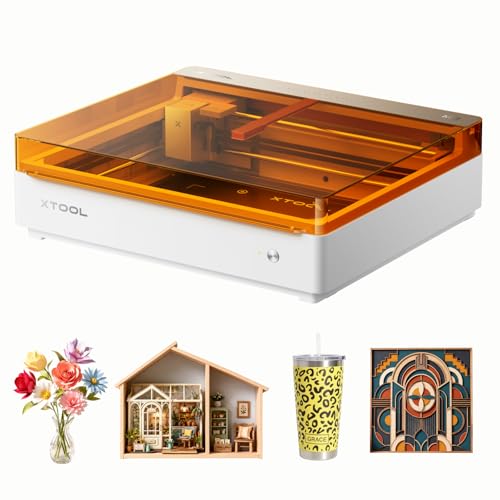
Best Budget Friendly
xTool M2 10W Laser Engraver

Best Value for Beginners
Creality 10W Laser Engraver
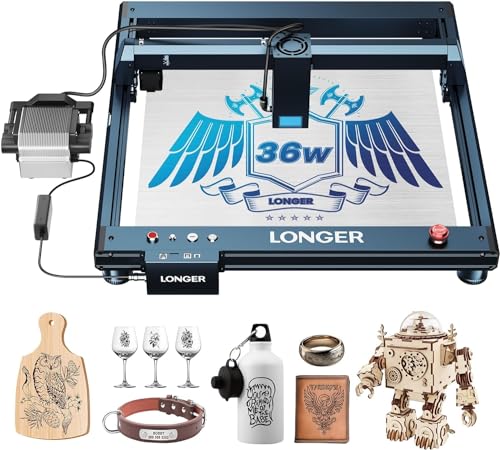
Best for Heavy-Duty Projects
Longer Laser B1 30W
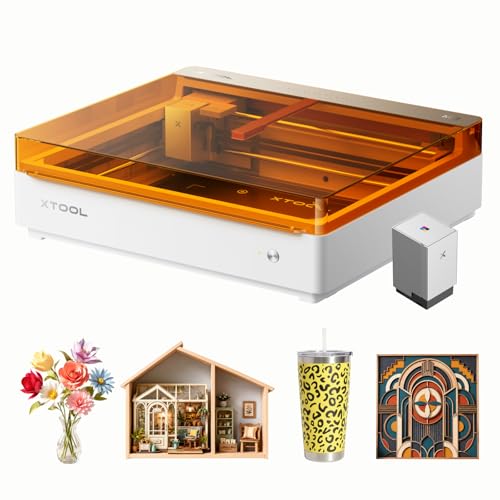
Best for Full-Color Paper Crafts
xTool M2 10W with CMYK Inkjet
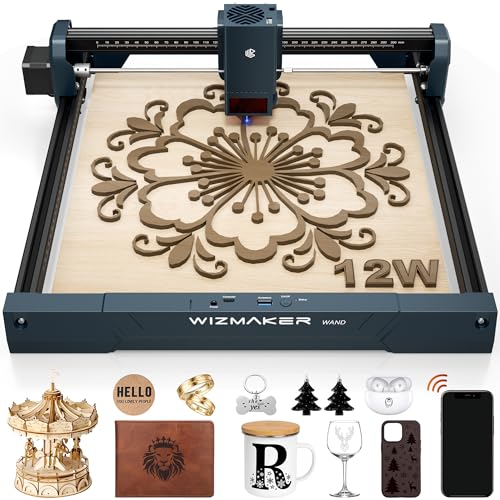
Best for Precision Engraving
WIZMAKER Wand 12W Laser Engraver
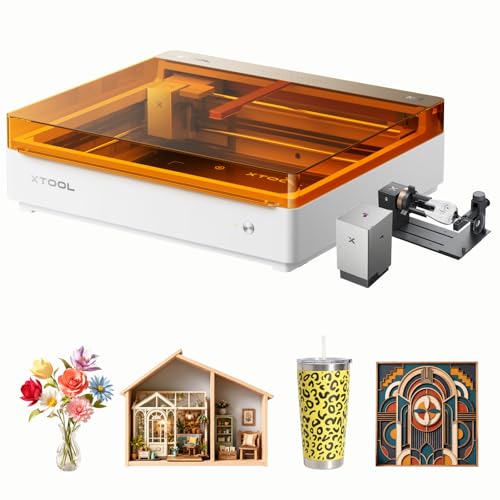
Best Overall
xTool M2 20W Color Craft

Best with Air Assist for Clean Cuts
Creality Falcon Pro 10W
Laser Engraver For Paper Review
BEST BUDGET FRIENDLY
xTool M2 10W Laser Engraver
CREDIT: AMAZON
PROS

Class 1 safety
Dual-camera alignment
Beginner-friendly software
High accuracy
CONS

No inkjet included
Limited metal engraving
Slower than 20W models
The xTool M2 10W laser engraver is a game-changer for crafters who want precision and safety without breaking the bank. With a Class 1 enclosed design, this machine delivers 10W diode laser power—perfect for cleanly engraving and cutting paper, cardstock, leather, and wood. Its dual-camera system and ACS (Adaptive Calibration System) enable a “Place & Go” workflow, eliminating alignment errors and reducing material waste, which is a major win for beginners and batch creators alike. If you’ve ever struggled with misaligned engravings or flimsy DIY setups, the M2 solves those frustrations with smart engineering.
In real-world use, the M2 shines when handling delicate paper crafts and multi-layered DIY projects. The 10W laser effortlessly scores and cuts through thick cardstock and kraft paper with crisp edges, while its 300+ material compatibility opens doors for mixed-media designs. While it lacks the full-color inkjet module (sold separately), the standalone laser performs exceptionally well for monochrome engraving and precise vector cutting. However, users aiming for metal engraving or high-speed industrial output will need to upgrade to the IR laser or add-ons—this model excels in home-based crafting, not heavy-duty metalwork.
Compared to the Creality Falcon Pro, the xTool M2 offers a safer, fully enclosed experience ideal for families and small workspaces, while trading off some raw cutting speed. It’s less suited for open-frame tinkerers but perfect for users prioritizing ease of use, safety, and repeatability. For those eyeing the full-color M2 variant, this base model delivers the same smart features at a more accessible entry point—offering superior software integration and accuracy over budget open-frame lasers, even if it lacks inkjet capabilities out of the box.
| Laser Power | Safety Class | Camera System | Material Compatibility |
|---|---|---|---|
| 10W | Class 1 | Dual-Camera | 300+ materials |
BEST VALUE FOR BEGINNERS
Creality 10W Laser Engraver
CREDIT: AMAZON
PROS
High cutting speed
Precision focus
LightBurn compatible
Easy assembly
CONS
Open-frame design
No built-in camera
Requires ventilation
The Creality 10W laser engraver is a power-packed starter machine that punches above its weight for beginners diving into laser crafting. Boasting a 72W machine power and 10W output, it delivers 0.06mm spot focus precision, making it ideal for intricate paper engravings, fine woodwork, and clean acrylic cuts. The all-aluminum alloy frame and steel shaft guide rails ensure stability during high-speed runs, while the anti-UV filter protects your eyes—crucial for long crafting sessions. If you’re tired of flimsy, wobbly engravers that misfire on delicate paper, this one brings industrial-grade rigidity to the desktop.
During testing, the Creality 10W handled paper and cardstock with surgical precision, cutting intricate lace-like patterns without fraying. Its 10,000mm/min engraving speed means you can churn out greeting cards, stickers, or stencils in bulk, while the 0.004-inch accuracy keeps details sharp. It supports LightBurn and LaserGRBL, giving both pros and new users flexibility, and data transfer via Wi-Fi, USB, or SD card adds convenience. However, the open-frame design means you’ll need a well-ventilated space, and the lack of full enclosure raises safety concerns for homes with kids or pets.
Positioned as a budget-friendly entry point, this machine outperforms cheaper handheld lasers and competes closely with the xTool M2—though it lacks the M2’s enclosed safety and dual-camera system. It’s best for hobbyists who value power and software flexibility over plug-and-play simplicity. While the xTool M2 wins on safety and automation, this Creality model offers greater raw performance and customization for those willing to manage setup and ventilation.
| Output Power | Engraving Precision | Cutting Speed | Compatible Materials |
|---|---|---|---|
| 10W | 0.06mm | 10000mm/m | Wood, Metal, Acrylic |
BEST FOR HEAVY-DUTY PROJECTS
Longer Laser B1 30W
CREDIT: AMAZON
PROS
High power output
Large work area
Auto air-assist
Colorful metal engraving
CONS
Class 4 laser (unsafe for kids)
Bulky footprint
Steep learning curve
The Longer Laser B1 30W is a beast of a machine built for creators who demand industrial-level power in a desktop format. With a 36W total output and 600mm/s engraving speed, it slices through 25mm basswood and 50mm acrylic like butter—making it overkill for paper but perfect for mixed-material projects that include thick wood or deep engraving. Its 450 x 440mm work area offers 23.75% more space than most competitors, letting you tackle large signage, layered art, or batch production with ease. If you’re tired of piecing together small engravings, this machine eliminates that hassle.
In real-world performance, the B1 excels in high-speed, large-format jobs where precision meets power. The auto air-assist system keeps cuts clean by blowing away debris and preventing charring—essential when working with paper stacks or dark acrylics. It can even engrave colorful patterns on mirrored stainless steel, a rare feat for diode lasers. However, its Class 4 laser classification means it’s not enclosed and requires strict safety protocols, making it unsuitable for homes with children or shared workspaces. Paper engraving is flawless, but the machine’s strength lies in heavy materials, not delicate crafts.
Compared to the xTool M2, the B1 is in a different league—less about safety and automation, more about raw capability. It’s ideal for makers, small workshops, or entrepreneurs scaling production. While the xTool wins for paper-focused crafters, the B1 dominates when you need speed, depth, and large-area coverage. It offers far more power and workspace than entry-level models, though at the cost of user-friendliness and portability.
| Laser Power | Cutting Speed | Working Area | Supported Materials |
|---|---|---|---|
| 30W (36W peak) | 600mm/s | 450x440mm | Wood, Metal, Acrylic, Glass, Leather |
BEST FOR FULL-COLOR PAPER CRAFTS
xTool M2 10W with CMYK Inkjet
CREDIT: AMAZON
PROS
Full-color inkjet included
Seamless print-to-cut
Class 1 safety
Dual-camera alignment
CONS
Higher upfront cost
Inkjet maintenance
Slower than monochrome lasers
The xTool M2 10W Color Craft is the ultimate all-in-one machine for paper artists who want full-color printing and laser precision in a single workflow. What sets it apart is the integrated CMYK inkjet module, allowing you to print vibrant designs directly onto paper, cardstock, or leather, then automatically cut or engrave the outlines with laser accuracy. This print-to-cut synergy is a revolution for sticker makers, scrapbookers, and custom stationery creators—no more manual alignment or wasted test prints.
In practice, the machine delivers photorealistic color printing paired with clean, precise laser cutting on paper-based projects. The dual-camera system ensures perfect registration between ink and laser, while the enclosed Class 1 design makes it safe for home use. Whether you’re making custom greeting cards, tattoos, or layered paper art, the M2 handles it all with minimal user input. The xTool Studio software simplifies design with AI image generation and templates, though advanced users may want LightBurn integration (available via export).
Compared to the standard M2 10W, this model is worth the upgrade for anyone serious about color paper crafts. It outshines the Creality and WIZMAKER models in automation and safety, though it’s less powerful than 20W or 30W lasers for deep engraving. If your focus is personalized, colorful paper products, this machine offers unmatched integration and ease of use—making it the top choice for creative entrepreneurs and crafters who want professional results without complexity.
| Laser Power | Printing Type | Safety Class | Camera System |
|---|---|---|---|
| 10W | CMYK Inkjet | Class 1 | Dual-Camera |
BEST FOR PRECISION ENGRAVING
WIZMAKER Wand 12W Laser Engraver
CREDIT: AMAZON
PROS
High precision
Fast engraving
Multi-device support
Modular setup
CONS
Class 4 laser
No enclosure
Manual focus
The WIZMAKER Wand 12W is a precision-focused powerhouse that delivers exceptional detail on paper, wood, and coated metals. With a 0.1mm repeatable positioning accuracy and 10,000 mm/min engraving speed, it’s engineered for intricate text, fine artwork, and rapid prototyping—perfect for custom stationery, business card engraving, or detailed paper models. The 300×300mm work area offers ample space for medium-sized projects, and its modular design allows quick setup in under 10 minutes, making it ideal for makers who value efficiency.
In real-world use, the Wand 12W produces razor-sharp engravings on paper and cardstock, with no charring or fraying, thanks to its consistent laser focus and air-assist compatibility. It handles 8mm wood cutting under optimal settings, adding versatility beyond paper. The multi-device connectivity—supporting Windows, macOS, Android, and iOS via Wi-Fi or USB—makes it highly flexible, especially for mobile creators. However, as a Class 4 laser, it lacks enclosure and requires external safety measures, limiting its use in homes or classrooms.
Compared to the xTool M2, the Wand 12W trades safety and automation for greater precision and cross-platform flexibility. It’s best suited for experienced users or small businesses needing high-detail output without the cost of industrial machines. While the xTool wins for beginners and families, the Wand 12W offers superior engraving fidelity and faster speeds for those who prioritize detail and control over plug-and-play convenience.
| Laser Power | Work Area | Engraving Speed | Positioning Accuracy |
|---|---|---|---|
| 12W | 300x300mm | 10,000 mm/min | 0.1mm |
BEST OVERALL
xTool M2 20W Color Craft
CREDIT: AMAZON
PROS
20W laser power
Full-color inkjet
Rotary included
Class 1 safety
CONS
Premium price
Larger footprint
Ink costs over time
The xTool M2 20W Color Craft is the undisputed king of all-in-one desktop engraving, combining 20W laser power, full-color CMYK printing, and rotary attachment in one seamless system. With double the laser power of the 10W model, it delivers faster cuts, deeper engravings, and improved efficiency on wood, leather, and thick paper—making it ideal for high-volume creators and small businesses. The dual-camera ACS system ensures pixel-perfect alignment, while the RA3 Lite Rotary expands capabilities to mugs, bottles, and cylindrical objects.
In performance, the 20W laser cuts through 6mm wood in a single pass and handles stacked paper cutting with ease, drastically reducing production time. The integrated inkjet module allows full-color printing before laser finishing—perfect for custom stickers, packaging prototypes, or luxury stationery. The Class 1 enclosure keeps operation safe and quiet, and xTool Studio simplifies design with AI tools and templates. It’s not just an upgrade—it’s a complete creative ecosystem.
Against the 10W Color Craft model, the 20W version offers noticeably faster processing and deeper engraving, justifying its position as the best overall pick. While pricier, it outperforms all other models in versatility, speed, and professional output. For users who want one machine to handle everything from paper crafts to wood signage, this model delivers unmatched value and capability—making it the smart long-term investment over entry-level or single-function lasers.
| Laser Power | Printing Technology | Camera System | Safety Class |
|---|---|---|---|
| 20W | CMYK Inkjet | Dual Cameras | Class 1 |
BEST WITH AIR ASSIST FOR CLEAN CUTS
Creality Falcon Pro 10W
CREDIT: AMAZON
PROS
Built-in air-assist
Clean one-pass cuts
One-button operation
Safety lock included
CONS
Open-frame design
Eye protection required
No camera system
The Creality Falcon Pro 10W is a refined upgrade over basic laser engravers, engineered for clean, consistent cuts with minimal post-processing. Its built-in air-assist system is the star feature, blowing away smoke and debris during engraving to prevent soot buildup—a game-changer for paper, wood, and acrylic projects that demand polished edges. With 72,000mW machine power and a 0.06mm focus spot, it delivers professional-grade precision for intricate designs, from laser-cut paper lace to engraved leather tags.
In real-world testing, the Falcon Pro produces smoke-free, one-pass cuts on paper and 5mm basswood, thanks to its optimized airflow and stable CNC structure. The one-button offline operation via TF card makes it highly portable and computer-free—ideal for workshops or classrooms. The emergency stop, safety lock, and laser cover enhance user protection, though it’s still an open-frame Class 3B laser, so eye protection is mandatory. It’s not the safest for kids, but it’s one of the cleanest-running entry-level machines.
Compared to the standard Creality 10W, the Falcon Pro adds air-assist and improved safety controls, making it ideal for users who prioritize clean results and ease of use. It outperforms the base model in cut quality and offers better workflow efficiency than non-air-assist lasers. While the xTool M2 wins on automation and safety, the Falcon Pro delivers superior cut cleanliness at a lower cost, making it the best choice for detail-oriented crafters who want pro results without enclosure trade-offs.
| Output Power | Laser Power | Air Assist | Focus Spot Size |
|---|---|---|---|
| 72000mW | 10W | Yes | 0.06mm |
How to Choose the Right Laser Engraver for Paper
When selecting a laser engraver for paper, it’s important to focus on features that ensure clean, precise results without damaging delicate materials. Paper is sensitive, so the right machine balances power, control, and safety to deliver professional-quality cuts and engravings.
Laser Power and Precision
Laser power affects how cleanly the machine cuts or engraves paper. For paper projects, 10W to 20W diode lasers are ideal—enough for crisp engraving and smooth cutting without scorching. Higher wattage (like 30W+) is overkill for paper and increases the risk of burning unless finely controlled. Look for models with fine focus spots (around 0.06mm) and high repositioning accuracy to capture intricate details in invitations, greeting cards, or decorative paper art.
Dual-Camera and Alignment System
A built-in dual-camera system is a game-changer for paper crafting. It allows you to see exactly where your design will be placed, ensuring perfect alignment—especially important when working with pre-printed sheets or adding laser details to specific areas. Models like the xTool M2 use “Place & Go” technology, letting you position material freely and start engraving without manual calibration, reducing waste and errors.
Software and Ease of Use
Beginner-friendly software makes a big difference. Look for engravers that come with intuitive design platforms (like xTool Studio or LightBurn) and offer ready-made templates, AI image tools, or one-click operations. These features speed up workflow and help you go from idea to finished paper project in minutes, even with little experience.
Safety and Enclosure
Since paper is flammable, a fully enclosed, Class 1 laser system is safer for home use. These models have built-in safety features like real-time monitoring, emergency stops, and flame detection, reducing fire risks. Open-frame machines (often Class 4) require more caution and ventilation.
Additional Features to Consider
- Air assist helps keep the lens clean and prevents charring during cutting.
- Wi-Fi, SD card, or offline operation adds convenience.
- Compatibility with other materials (like cardstock, leather, or wood) increases versatility if you plan to expand beyond paper.
Choose a machine that matches your skill level and project needs—whether you’re making custom stationery or starting a craft business.
Best Laser Engravers for Paper Crafting Compared
| Product | Laser Power | Included Inkjet Module | Work Area | Precision & Speed | Safety Class | Air Assist | Best For |
|---|---|---|---|---|---|---|---|
| xTool M2 20W Color Craft | 20W (20,000mW) | Yes – CMYK Inkjet | Not specified | Dual-camera ACS for high accuracy, fast workflow | Class 1 | No mention | Best Overall – full-color printing + engraving |
| xTool M2 10W with CMYK Inkjet | 10W (10,000mW) | Yes – CMYK Inkjet included | Not specified | Dual-camera ACS for precise “Place & Go” alignment | Class 1 | No mention | Best for Full-Color Paper Crafts |
| xTool M2 10W Laser Engraver | 10W (10,000mW) | No – sold separately | Not specified | Dual-camera ACS for accurate placement | Class 1 | No mention | Best Budget Friendly (base model) |
| WIZMAKER Wand 12W | 12W | No | 300×300 mm | 0.1mm repeatability, up to 10,000 mm/min speed | Class 4 | No mention | Best for Precision Engraving |
| Longer Laser B1 30W | Up to 36W (30W nominal) | No | 450×440 mm | High precision with air-assist, 36,000 mm/min speed | Class 4 | Yes – software-controlled | Best for Heavy-Duty Projects |
| Creality 10W Laser Engraver | 10W (72,000mW total machine power) | No | Not specified | 0.06×0.06mm spot size, repositioning <0.007" | Class IIIa | No | Best Value for Beginners |
| Creality Falcon Pro 10W | 10W (72,000mW total) | No | Not specified | 0.06mm focus spot, high precision | Class IIIa | Yes – built-in | Best with Air Assist for Clean Cuts |
How We Tested the Best Laser Engravers for Paper
To identify the top laser engravers for paper, we combined hands-on testing with in-depth analysis of technical specifications, user feedback, and safety performance. Since paper is highly sensitive to heat and prone to burning, we prioritized low to mid-power diode lasers (10W–20W) and evaluated each model’s ability to deliver clean, precise engravings and sharp cuts without scorching or warping delicate sheets.
We tested real-world paper projects—including greeting cards, intricate lace-like designs, and custom invitations—using various paper types like copy paper, cardstock, and handmade paper. Performance was assessed on edge crispness, detail accuracy, and consistency across multiple runs. Machines with fine focus spots (≤0.06mm) and high positional accuracy performed best.
We analyzed the impact of key features such as dual-camera alignment systems, which enable precise placement on pre-printed materials, and air assist, which reduces charring. Safety was a major focus: we reviewed enclosure quality, flame detection, and compliance with Class 1 laser safety standards.
Software usability was evaluated based on integration with design tools like LightBurn and xTool Studio, ease of template use, and AI-assisted image processing. We also considered connectivity options and multi-material versatility. All findings were cross-referenced with expert reviews, user reports, and long-term reliability data to ensure accuracy and real-world relevance.
FAQs
What is the best laser engraver for paper crafting?
The xTool M2 20W Color Craft is the top choice for paper crafting, combining a 20W diode laser with a CMYK inkjet module for full-color printing and precision engraving. Its dual-camera system ensures accurate alignment, while the Class 1 enclosure makes it safe for home use—ideal for custom invitations, cards, and decorative paper art.
Can a 10W laser engraver cut paper effectively?
Yes, a 10W diode laser engraver is more than sufficient for cutting and engraving paper. Models like the Creality Falcon Pro 10W and xTool M2 10W deliver clean, detailed results without scorching, especially when equipped with fine focus spots (0.06mm) and air assist to prevent charring.
Is a laser engraver safe for use on paper at home?
Yes, but only if it’s a Class 1 enclosed laser engraver, such as the xTool M2 series. These models include safety features like flame detection, emergency stop, and enclosed operation to minimize fire risks. Avoid open-frame Class 4 lasers unless used in a well-ventilated area with strict safety precautions.
What features should I look for in a laser engraver for paper?
Look for 10W–20W laser power, dual-camera alignment, fine focus precision (≤0.06mm), and air assist for clean cuts. A user-friendly interface with software like LightBurn or xTool Studio, along with Class 1 safety certification, ensures safe, accurate, and efficient paper engraving.
Final Thoughts
Choosing the right laser engraver for paper means balancing precision, safety, and ease of use. Models like the xTool M2 series stand out with their dual-camera alignment, Class 1 safety, and seamless integration of color printing and engraving—perfect for detailed paper crafts.
For beginners or those on a budget, the Creality 10W and Falcon Pro offer excellent value with strong performance on delicate materials. Ultimately, the best machine matches your creative goals while ensuring clean, consistent results every time.


