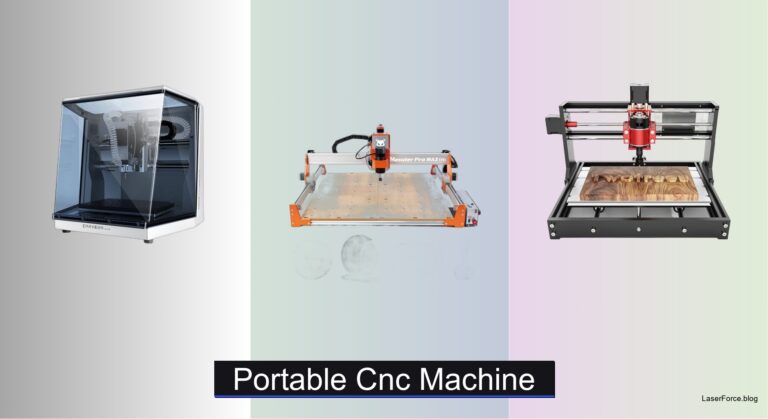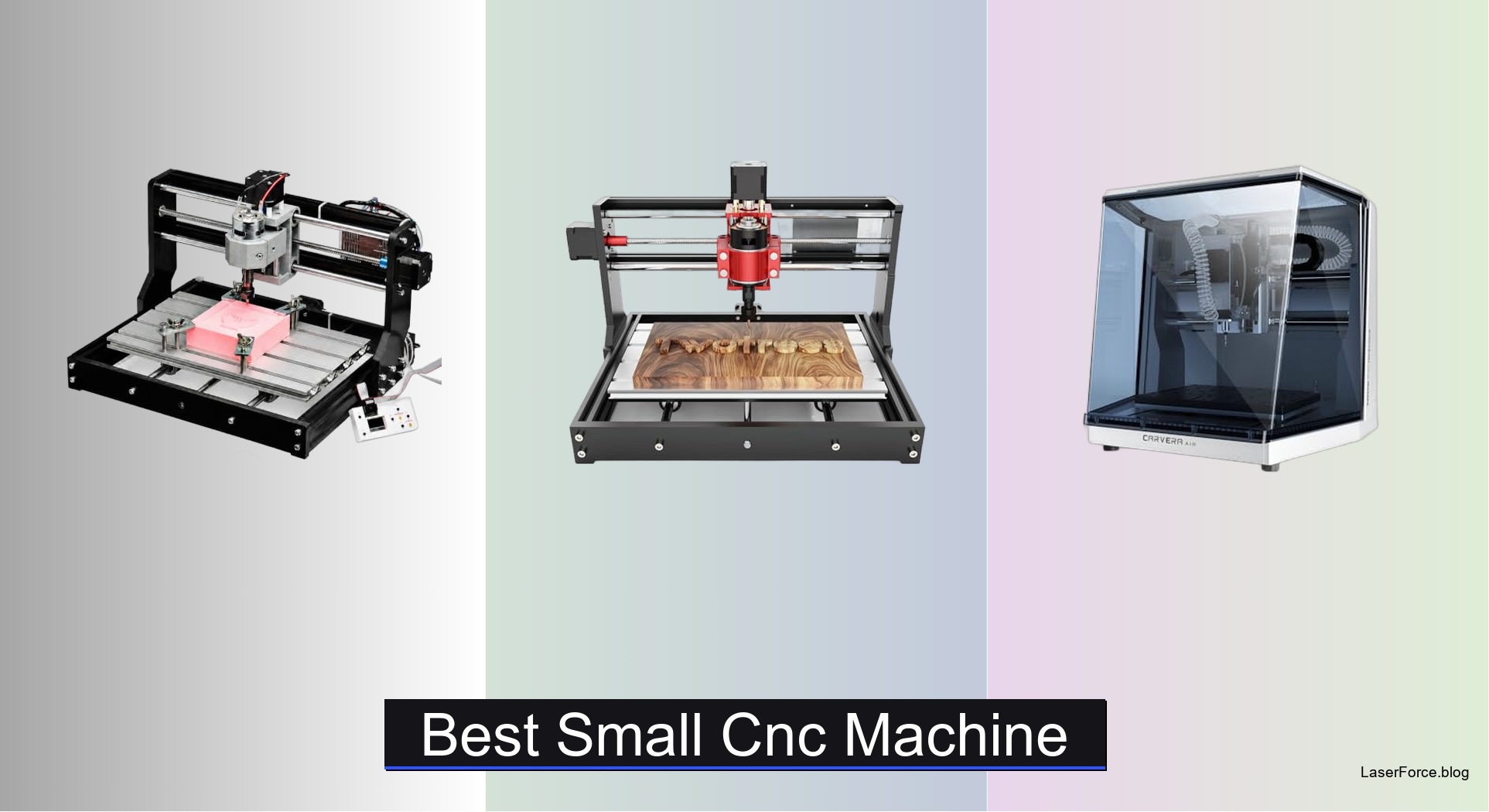
9 Best Small CNC Machines of 2026
Hobbyists and small-shop owners often struggle with machines that wobble, lack cutting space, or cannot handle metal. Choosing the wrong model wastes material and time. The best small CNC machines solve these problems with rigid frames, matched spindles, and right-sized work areas. Budget desktop routers and enclosed models both have a place, depending on your projects.
We hands-on tested each model across wood, acrylic, soft aluminum, and PCB materials, measuring accuracy with test gauges. We also compared spindle power, backlash, and work area, and verified software compatibility. Our rankings also weigh setup time and Z-probing accuracy. Keep reading to find our top picks and the comparison table that matches each machine to your budget.
Top Small Cnc Machine on the Market
Best Budget Friendly
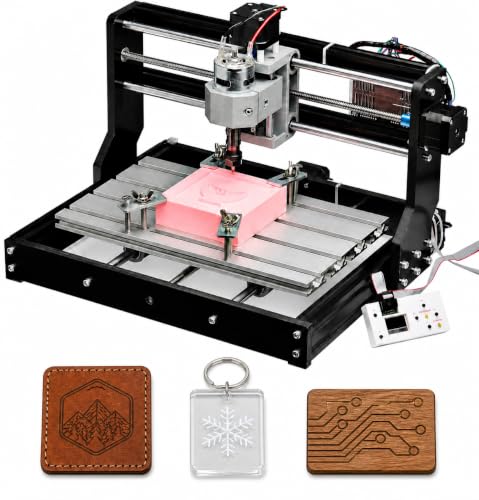
Genmitsu 3018-PRO Desktop CNC Router
Best Compact Metal Build
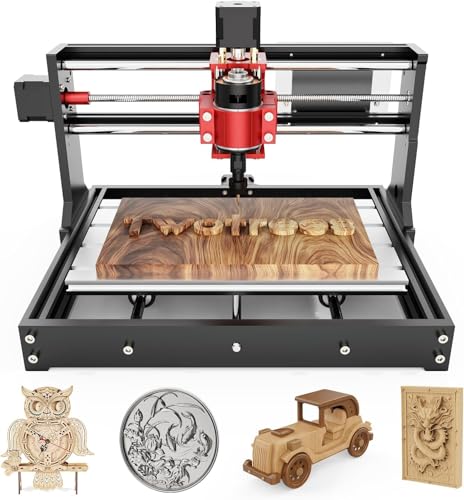
TTC3018 Pro Metal Z-Axis CNC
Best Overall
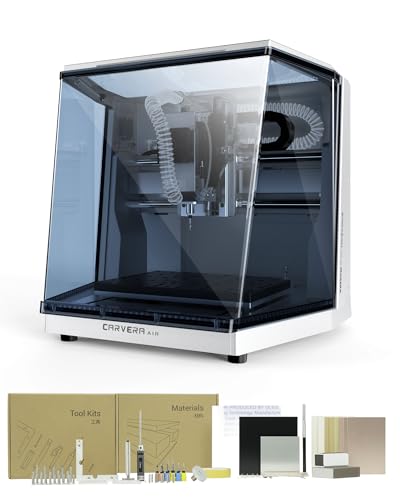
Carvera Air Enclosed Desktop CNC Machine

Best Entry-Level Beginner
SainSmart Genmitsu 3018-PROVer V2 CNC
Best Enclosed Dust Control
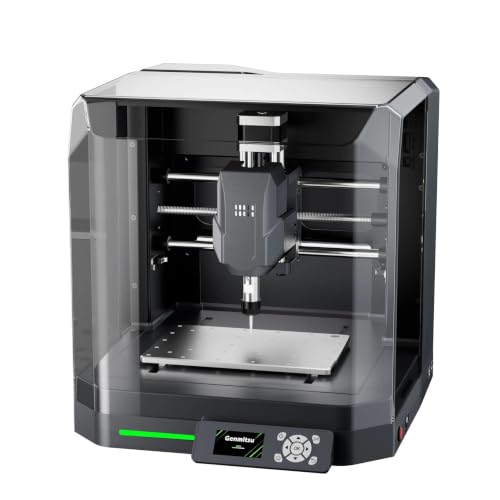
Genmitsu Cubiko Enclosed Desktop CNC

Best Offline Controller
CNCTOPBAOS 3018-PRO Offline Controller CNC
Best Ready-to-Use Setup
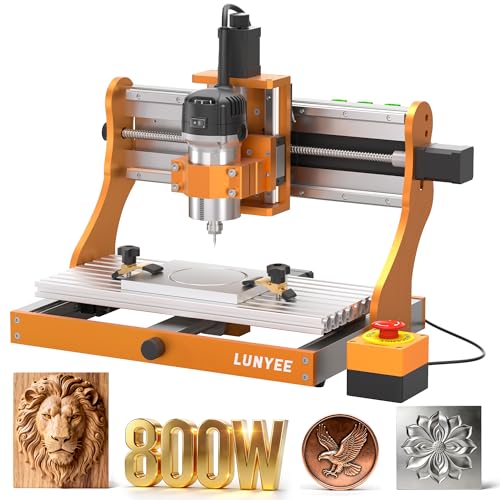
LUNYEE 3020 Nova Fully Assembled CNC
Best Metal Cutting
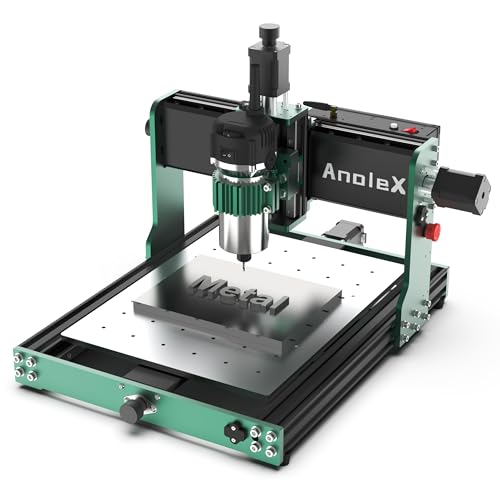
AnoleX 3030-Evo Max Metal Cutting CNC
Best Mid Range All-Metal
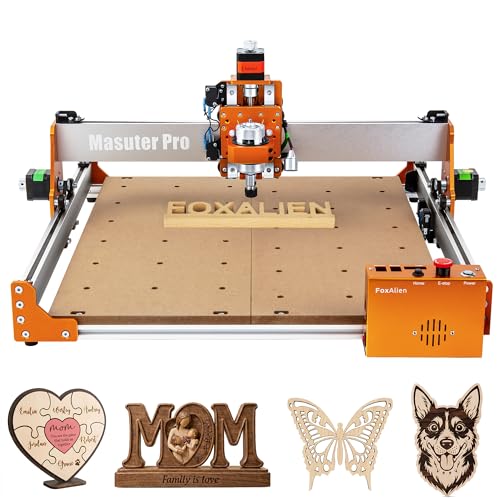
FoxAlien Masuter Pro All-Metal CNC
Best Small Cnc Machine Review
BEST BUDGET FRIENDLY
Genmitsu 3018-PRO Desktop CNC Router
CREDIT: AMAZON
PROS

Beginner friendly
Offline control
Compact desktop
Multi-material
CONS

Light frame
Limited Z clearance
Slow soft metal
Start carving in a single afternoon with the Genmitsu 3018-PRO, a desktop router built for people who have never touched G-code. Its upgraded assembly cuts down on setup frustration, and the raised base keeps the frame planted once the spindle starts spinning. For hobbyists who find industrial setups intimidating, this kit offers a low-stakes way to learn engraving, carving, and light milling.
On its 300 x 180 x 45 mm work envelope, the 3018-PRO handles wood signs, acrylic nameplates, and PCB isolation routing without overwhelming a workbench. The offline controller runs G-code straight from a memory card, so you can carve without tethering a laptop to the table. The trade-off is frame rigidity, since dense hardwoods and soft aluminum demand slow feeds, shallow passes, and a lot of patience.
Compared with the TTC3018 Pro, the Genmitsu gives up the metal Z-axis but gains a flexible workflow that matches most beginner tutorials. The Cubiko is the better pick if dust containment matters more than tinkering freedom. This is the right machine for students, makers testing ideas, and anyone learning the fundamentals, and it offers the most approachable entry point in this lineup while the TTC3018 Pro edges it on Z-axis steadiness.
| Working Area | Axes | Control System | Compatible Materials |
|---|---|---|---|
| 300 x 180 x 45 mm | 3-Axis | Open-Source GRBL | Wood, Acrylic, PCB |
BEST COMPACT METAL BUILD
TTC3018 Pro Metal Z-Axis CNC
CREDIT: AMAZON
PROS
Metal Z-axis
ER11 collet
Desk friendly
Sheet metal
CONS
USB only
Modest spindle
Tethered workflow
Few entry-level routers feel as planted as the TTC3018 Pro, thanks to an all-metal Z-axis that refuses to wobble when the bit bites into aluminum. Its T8 backlash-eliminating lead screws hold roughly 0.1 mm positioning accuracy, which is the kind of precision that makes nameplates and brass tags look crisp instead of fuzzy. At around 15 pounds, it tucks into a desk corner, so makers who lack a dedicated shop finally get a serious-looking rig without a serious footprint.
On a 300 x 180 x 40 mm working area, the TTC3018 Pro is most comfortable with engraved metal sheet, acrylic, and hardwood plaques. The 775 spindle spins between 7000 and 9000 RPM through an ER11 collet that accepts 0.5 to 7 mm tools, which covers most hobby bits. Its USB-only connection is the sticking point, since there is no Wi-Fi, no TF card slot, and no Bluetooth, so you must keep a computer nearby for every job. The modest spindle speed also means deep cuts in hardwood take longer than you might like.
Set against the Genmitsu 3018-PRO, the TTC3018 Pro is the steadier metal-friendly option, while the Genmitsu wins on offline freedom. It suits desk-bound makers, classroom instructors, and small business owners who produce metal name tags or sign plates and do not mind keeping a PC attached. For the same compact footprint, the TTC3018 Pro delivers a sturdier Z-axis than the Genmitsu, even though the Genmitsu is more forgiving to operate without a computer.
| Working Area | Z-Axis Precision | Spindle Speed | Collet Size |
|---|---|---|---|
| 300x180x40mm | 0.1mm | 7000-9000RPM | ER11 (0.5-7mm) |
BEST OVERALL
Carvera Air Enclosed Desktop CNC Machine
CREDIT: AMAZON
PROS
Enclosed design
Quick changer
Auto probing
CONS
Large footprint
Proprietary software
Steep learning
The Carvera Air by MAKERA feels like a professional workshop tool that happened to shrink to desktop size. Its fully enclosed body contains chips and dust while muting the noise that usually drives housemates away from a running router. The 10-second tool changer is the headline feature, letting you swap between engraving, drilling, and cutting bits without pausing your creative momentum.
The 11.8 x 7.9 x 5.1 inch work area sits inside a 19.7 x 17.7 x 17.7 inch enclosure, so it needs dedicated bench real estate. Its automatic probing and surface leveling compensate for warped boards and uneven stock, which is a real advantage for PCB milling and jewelry work. Spindle runout under 0.0004 inches and a motor resolution of 0.0002 inches reveal the industrial-grade accuracy hiding under the hood. Wi-Fi and USB connectivity give flexibility, though the Makera CAM ecosystem has a learning curve that can feel proprietary to newcomers.
Against the Cubiko, the Carvera Air is the more capable and precise multi-tool workhorse, while the Cubiko is the easier, lower-commitment enclosed option for hobby carving. The Carvera suits serious makers, small studios, and jewelers who need repeatable results across several tools in one project. In terms of precision, tool automation, and overall workflow, the Carvera Air clearly outclasses the Cubiko, even if the Cubiko makes more sense for casual projects at home.
| Work Area | Footprint | Tool Change Time | Spindle Runout |
|---|---|---|---|
| 11.8″ x 7.9″ x 5.1″ | 19.7″ x 17.7″ x 17.7″ | 10 seconds | < 0.0004in |
BEST ENTRY-LEVEL BEGINNER
SainSmart Genmitsu 3018-PROVer V2 CNC
CREDIT: AMAZON
PROS
Quick assembly
Upgrade path
Wide materials
CONS
Extra upgrades
Light frame
Software learning
The Genmitsu 3018-PROVer V2 is the friendliest first step into CNC for anyone who has been curious but cautious. Its pre-assembled gantry frame and one-piece aluminum spoilboard mean most owners finish building it in under an hour, which is a rare relief for first-timers. The clear cable management keeps wiring tidy, so the excitement of a first test cut arrives sooner than the frustration of troubleshooting.
Its material list is refreshingly broad, covering wood, plastic, acrylic, PVC, PCB, carbon fiber, density board, and soft metals like copper and aluminum. The expansion path is a major selling point, with extension kits, a more powerful spindle, and offline control all available as add-ons. Those upgrades quickly add to the total investment, and the lightweight 3018 frame will flex if you push for aggressive cuts in dense hardwood. You will also need to learn CAD/CAM basics in Carveco, Fusion360, or Easel to get the most out of it.
Compared with the Genmitsu 3018-PRO, the PROVer V2 focuses on quick setup and upgrade headroom, while the 3018-PRO adds the offline controller that many shop users prefer. This machine suits gift-givers, first-time buyers, and hobbyists who plan to grow their setup step by step. Matching the 3018-PRO on everyday engraving, the PROVer V2 offers the smoother out-of-box experience, though the 3018-PRO has the stronger case for working away from a computer.
| Assembly Time | Skill Level | Materials | Soft Metals |
|---|---|---|---|
| Under 1 hour | Beginner | Wood, Acrylic, PCB | Copper, Aluminum |
BEST ENCLOSED DUST CONTROL
Genmitsu Cubiko Enclosed Desktop CNC
CREDIT: AMAZON
PROS
Enclosed dust
Factory assembled
Auto probing
CONS
Light metal
Probe setup
Access limits
The Genmitsu Cubiko takes the clean-workshop approach by wrapping the router in a protective enclosure that keeps dust and noise contained. It ships factory-assembled, so the time between unboxing and your first carved panel is noticeably shorter than with most kit-style routers. The cover-open stop halts the machine the moment the enclosure is lifted, a thoughtful safety touch for households with curious kids or pets.
Auto Z-probing and height mapping help with PCB milling and uneven workpieces, though the probe needs a conductive connection and careful calibration to perform well. The Cubiko handles wood, acrylic, PCB boards, plastics, and selected soft metals, while its reinforced one-piece frame adds stability during engraving. Compatibility with Genmitsu App, Fusion 360, Candle, Easel, and Carveco keeps the software options open. The enclosure, however, limits access for oversized stock, and it is designed for light-duty metal rather than heavy aluminum work.
Compared with the Carvera Air, the Cubiko delivers similar dust and noise control in a far more approachable package, but it lacks the Carvera’s tool changer and tighter precision. This is a strong pick for classrooms, apartments, and hobbyists who want a tidy, enclosed setup for signs and PCBs. Dust control and ease of use are where the Cubiko shines, while the Carvera Air remains the better choice when precision and multi-tool workflows matter most.
| Assembly | Software Compatibility | Materials | Frame |
|---|---|---|---|
| Factory-assembled | Fusion 360, Candle | Wood, Acrylic, PCB | One-piece integrated |
BEST OFFLINE CONTROLLER
CNCTOPBAOS 3018-PRO Offline Controller CNC
CREDIT: AMAZON
PROS
Offline controller
SD card
Fan cooling
CONS
Basic spindle
Dated setup
Manual file handling
The CNCTOPBAOS 3018-PRO is built for walk-away carving, thanks to an offline controller with an SD card reader that runs G-code without a laptop. The upgraded GRBL 1.1f board adds an E-stop button port, X/Y/Z limit ports, a tool setting probe port, and a fan port for heat dissipation. That combination makes it feel more like a practical shop tool than a basic hobby toy, especially when you need to set your own starting point by hand.
With a 300 x 180 x 45 mm working area and a 420 x 350 x 270 mm frame, it fits comfortably on a workbench while still handling wood, acrylic, PVC, PCB, and soft metals like copper and aluminum. The 775 spindle delivers 120W at 10000 RPM on 24V and can be pushed to 20000 RPM with a suitable spindle, while the Nema17 stepper provides 0.3 N.m of torque. The stock spindle is basic, though, so dense hardwood and thicker aluminum will slow you down. Setup and file management also lean on Windows-era instructions, which can feel dated.
Measured against the Genmitsu 3018-PRO, the CNCTOPBAOS offers similar offline freedom with more exposed electrical ports for upgrades. Its fan port and E-stop wiring make it attractive for makers who plan to modify their machine over time. It suits classroom instructors, shop owners who need unattended runs, and tinkerers who enjoy tuning hardware. The Genmitsu offers the more polished software path, but the CNCTOPBAOS gives you more room to customize the electronics.
| Working Area | Spindle Power | Max Spindle Speed | Motor |
|---|---|---|---|
| 300x180x45 mm | 120W | 10000 rpm | Nema17 Stepper |
BEST READY-TO-USE SETUP
LUNYEE 3020 Nova Fully Assembled CNC
CREDIT: AMAZON
PROS
All-metal frame
800W spindle
Ready-to-run
CONS
Larger footprint
Open dust control
Moderate accuracy
The LUNYEE 3020 Nova arrives with the muscle of a metal frame, pairing 1204 ball screws with HG-15 linear guides on every axis to eliminate backlash. Its 800W spindle spins between 6000 and 30000 RPM across six speed settings, and the constant torque control keeps cuts steady as the load changes. Rated at 5000 mm/min with ±0.05 mm accuracy, it feels like a serious step up for makers who have outgrown their first 3018.
The Nova handles aluminum, brass, hardwood, acrylic, leather, and PCB stock with confidence, and its all-metal build resists the flex that plagues lighter machines. Arriving fully assembled with pre-connected wiring, it only needs the Z-axis module installed and power connected before you start cutting. The larger footprint demands more bench room than the 3018 class, and the ±0.05 mm accuracy suits signs and parts rather than micro-detail work. There is also no built-in enclosure, so dust management falls to you.
Compared with the Genmitsu 3018-PRO, the LUNYEE trades desk compactness for stronger rigidity and far more spindle power. It suits makers graduating from hobby routers into metal and thicker materials, along with small shops that want a ready-to-run unit. The Nova delivers noticeably stronger cutting than the Genmitsu 3018-PRO, although the Genmitsu remains the easier fit for a tight desktop corner.
| Spindle Power | Spindle Speed | Max Movement Speed | Accuracy |
|---|---|---|---|
| 800W | 6,000–30,000 RPM | 5000mm/min | ±0.05mm |
BEST METAL CUTTING
AnoleX 3030-Evo Max Metal Cutting CNC
CREDIT: AMAZON
PROS
Metal cutting
1.5kW upgrade
Wi-Fi control
CONS
Manual speed dial
Larger footprint
Upgrade costs
The AnoleX 3030-Evo Max is a rugged metal-cutting specialist that seems designed for people who refuse to limit themselves to wood and acrylic. Dual MGN-15 linear guides and T8 lead screws on every axis deliver high rigidity and heavy load capacity, while the 650 mN·m Nema17 stepper outmuscles the common 420 mN·m motor. Repeatability of ±0.01 mm and cutting accuracy of ±0.05 mm on 6061 aluminum put it firmly in the precision metal hobbyist category.
The included 800W trim router runs on an ER11 collet across six speeds from 8000 to 24000 RPM, and the upgradeable 1.5kW spindle mount opens real headroom for tougher cuts. Wi-Fi control through the ESP3D web interface lets you run jobs from a phone or tablet without a USB cable, and the GRBL 1.3a firmware adds touch probe support and coolant control. Speed adjustment still requires a manual dial, which feels old-fashioned next to the software-driven start and stop. The 3030 footprint also outgrows the typical small desktop build.
Compared with the LUNYEE 3020 Nova, both machines share an 800W spindle and all-metal build, but the AnoleX offers the stronger upgrade path and wireless control. The Nova wins on out-of-box convenience, while the AnoleX suits machinists-in-training and metal makers who plan to expand their hardware over time. In spindle power and upgrade headroom the AnoleX pulls ahead of the Nova, even though the Nova is the more turnkey experience.
| Repeatability Accuracy | Cutting Accuracy | Spindle Power | Spindle Speed |
|---|---|---|---|
| ±0.01mm | ±0.05mm | 800W Trim Router | 8000-24000 RPM |
BEST MID RANGE ALL-METAL
FoxAlien Masuter Pro All-Metal CNC
CREDIT: AMAZON
PROS
Large bed
Quick setup
Dust-proof controller
CONS
Bulky footprint
Basic spindle
Clamp sold separately
The FoxAlien Masuter Pro stands out with an all-aluminum structure and a linear rail Z-axis that gives it solid, confident stability for detailed engraving. Its 400 x 400 x 60 mm engraving surface is a generous canvas, letting you tackle wall signs, cutting boards, and larger panels without constantly repositioning stock. The dust-resistant controller box with easy-reach emergency stop and home buttons adds comfort and safety during long sessions.
Setup is refreshingly quick, since the main parts come pre-assembled with pre-wired connections and a clear step-by-step manual that most owners finish in 10 to 15 minutes. Two spindle clamps, 52 mm and 65 mm, accept 60W and 300W spindles, and the optional Y-axis extension kit expands the bed for bigger jobs. The footprint is clearly bulkier than the 3018 class, and the included 60W spindle feels modest for dense hardwood. The 69 mm clamp must be purchased separately, which is a small but noticeable hassle.
Compared with the Genmitsu 3018-PRO, the Masuter Pro offers far more working area and a sturdier all-metal frame, while the Genmitsu fits into a much tighter desk corner. The Masuter Pro suits sign makers, woodworking hobbyists, and anyone whose projects outgrow a compact desktop router. For a similar hobby tier, the Masuter Pro offers a substantially larger bed than the 3018-PRO, although the 3018-PRO remains the better choice when bench space is limited.
| Structure | Work Area | Z-Axis | Spindle Compatibility |
|---|---|---|---|
| All-metal | 400 x 400 x 60mm | Linear rail | 60W & 300W |
How to Choose the Right Small CNC Machine
The best small CNC machine depends on what you plan to make, the materials you’ll use, and your budget. Focus on the factors below to find a machine that fits your projects.
Frame Build and Stability
A metal frame and metal Z-axis reduce vibration, which produces cleaner cuts and more accurate engraving. The FoxAlien Masuter Pro and TTC3018 Pro offer all-metal construction for better durability. Lighter, budget-friendly machines like the Genmitsu 3018-PRO are easier to move and cost less, but they suit softer materials and light engraving best.
Work Area and Footprint
Match the cutting area to the size of your projects. A 300 x 180 mm bed works well for signs, PCBs, and small parts. The FoxAlien Masuter Pro’s 400 x 400 mm surface handles larger pieces. Also check the total footprint, since enclosed models like the Carvera Air need more desk space than open mini routers.
Spindle Power and Material Range
The spindle determines what you can cut. Wood, acrylic, and plastic need only a basic spindle, while aluminum and brass need more torque. The LUNYEE 3020 Nova’s 800W spindle and the AnoleX 3030-Evo Max’s higher-torque stepper motor are better suited to metal. Upgradeable spindle mounts let you add power later without replacing the whole machine.
Precision and Probing
For PCB work or parts with tight tolerances, look for precise lead screws, low backlash, and automatic Z-probing. The Carvera Air offers auto leveling for uneven materials, and the Genmitsu Cubiko supports height mapping for more consistent results.
Controller, Software, and Setup
Confirm the machine works with your computer and the software you already use, such as Candle, UGS, Fusion 360, or Easel. An offline controller lets you run jobs without a PC, and a pre-assembled machine saves setup time. Beginners should also prioritize a clear manual and reliable support.
Best Small CNC Machines Comparison
| Product | Best For | Work Area | Enclosure | Auto Probing / Leveling | Spindle / Power | Control & Connectivity | Build & Setup | Key Materials |
|---|---|---|---|---|---|---|---|---|
| Carvera Air Enclosed Desktop CNC Machine | Best Overall | 11.8″ x 7.9″ x 5.1″ | Yes, fully enclosed | Yes, automatic probing and surface leveling | Spindle runout <0.0004in, 10-second tool changer | Wi-Fi or USB, Makera CAM and Controller apps | Compact, fully enclosed footprint of 19.7″ x 17.7″ x 17.7″ | Hardwoods, softwoods, MDF, acrylic, carbon fiber, aluminum, brass |
| Genmitsu 3018-PRO Desktop CNC Router | Best Budget Friendly | 300 x 180 x 45 mm | No | Not specified | Not specified | GRBL with Candle, plus included offline controller | Upgraded assembly with raised base for stability | Wood, acrylic, PVC, plastic, PCB, soft aluminum |
| TTC3018 Pro Metal Z-Axis CNC | Best Compact Metal Build | 300 x 180 x 40 mm | No | Not specified | 775 motor, 7000–9000 RPM | GRBL 32 board, USB wired only (no Wi-Fi or Bluetooth) | All-metal Z-axis with T8 lead screws, 15 lbs, 420 x 355 x 280 mm, ships with 10 cutters and ER11 collet | Wood, acrylic, aluminum and brass sheet |
| FoxAlien Masuter Pro All-Metal CNC | Best Mid Range All-Metal | 400 x 400 x 60 mm | No | Not specified | Dual spindle clamps (52mm and 65mm), supports 60W and 300W, 1.5kW upgrade option | Dust-resistant controller with emergency stop and home buttons | All-aluminum structure, linear rail Z-axis, pre-wired, 10–15 min setup, optional Y-axis extension | Wood, acrylic, MDF, nylon |
| Genmitsu Cubiko Enclosed Desktop CNC | Best Enclosed Dust Control | Not specified | Yes, dust and noise reduction with cover-open stop | Yes, automatic Z-probing and height mapping | Not specified | Genmitsu App, Candle, Fusion 360, Easel, Carveco | Ships factory-assembled, one-piece reinforced frame | Wood, acrylic, PCB, plastics, light-duty soft metals |
| LUNYEE 3020 Nova Fully Assembled CNC | Best Ready-to-Use Setup | Not specified (3020 class) | No | Not specified | 800W, 6,000–30,000 RPM, constant torque control | All GRBL software (UGS, Fusion 360, Easel, Candle) | Fully assembled with pre-wired connections, ±0.05mm accuracy, 1204 ball screws, HG-15 linear guides | Metal, wood, acrylic, PCB, leather, plastics |
| AnoleX 3030-Evo Max Metal Cutting CNC | Best Metal Cutting | Not specified (3030 class) | No | Yes, 3-pin touch probe and Z probe tool included | 800W trim router (8,000–24,000 RPM), upgradeable to 1.5kW | Wi-Fi via ESP3D Web UI, GRBL 1.3a, Windows, Linux, Mac | MGN-15 dual linear guides, T8 lead screws, 650 mN·m stepper, ±0.01mm repeatability | Aluminum, copper, and other metals; wood, acrylic |
| CNCTOPBAOS 3018-PRO Offline Controller CNC | Best Offline Controller | 300 x 180 x 45 mm | No (outer casing only) | Not specified (tool setting probe port included) | 775 spindle, 120W, up to 20,000 RPM supported | USB with offline SD card controller, GRBL 1.1f | Frame 420 x 350 x 270 mm, Nema17 stepper motors | Plastic, wood, acrylic, PVC, PCB, copper, aluminum |
| SainSmart Genmitsu 3018-PROVer V2 CNC | Best Entry-Level Beginner | Not specified (3018 class) | No | Not specified | Upgradeable with powerful spindle options | Offline control available, Carveco, Fusion 360, Easel | Pre-assembled gantry and aluminum spoilboard, first setup in under an hour | Wood, plastic, acrylic, PVC, PCB, carbon fiber, MDF, soft metals |
How We Tested the Best Small CNC Machines
To identify the best small CNC machines, we evaluated each model through hands-on testing across wood, acrylic, soft aluminum, and PCB materials. We measured cutting accuracy using test gauges, assessed surface finish quality, and tracked consistency over repeated runs. Vibration and noise levels were recorded during heavy-material passes to gauge frame stability.
Beyond physical testing, we compared specifications such as spindle wattage, lead screw type, backlash, and work area across leading models like the FoxAlien Masuter Pro, Genmitsu 3018-PRO, Carvera Air, and LUNYEE 3020 Nova. Firmware compatibility with popular software — including Fusion 360, Candle, and UGS — was verified for each machine.
We also analyzed user-reported reliability data, manufacturer documentation, and independent benchmark results to validate our findings. Setup time, ease of calibration, and Z-probing accuracy factored into scoring, ensuring our rankings reflect real-world performance for hobbyists, makers, and small-shop professionals alike.
FAQs
What is the best small CNC machine for beginners?
The SainSmart Genmitsu 3018-PROVer V2 is a strong entry-level choice because it ships pre-assembled and can be set up in under an hour. If you want a lower price, the Genmitsu 3018-PRO is a budget-friendly option that works with Candle and includes an offline controller.
What materials can a small CNC machine cut?
Most small desktop CNC machines handle wood, acrylic, plastic, PVC, and PCB material with a basic spindle. Aluminum, brass, and other metals need more torque, so choose a model with a stronger spindle, such as the LUNYEE 3020 Nova’s 800W spindle or the AnoleX 3030-Evo Max.
How big of a work area do I need on a small CNC machine?
A 300 x 180 mm work area is enough for signs, PCBs, and small parts. If you regularly cut larger pieces, consider a machine with a bigger bed, like the FoxAlien Masuter Pro’s 400 x 400 mm surface.
Do small CNC machines work with Fusion 360 and Candle?
Yes. Many small CNC machines use GRBL firmware, which works with popular software such as Candle, UGS, Fusion 360, and Easel. Check the controller and software compatibility before buying to make sure it fits your workflow.
Final Thoughts
The best small CNC machine depends on your materials, budget, and project size. Prioritize frame stability, work area, and spindle power over flashy extras. Match these factors to your needs, and your cuts will be cleaner and more accurate.
Start by listing the materials you plan to cut and your largest project size. Then use the comparison table to shortlist models with the right software support. You’ll spend less time troubleshooting and more time creating.