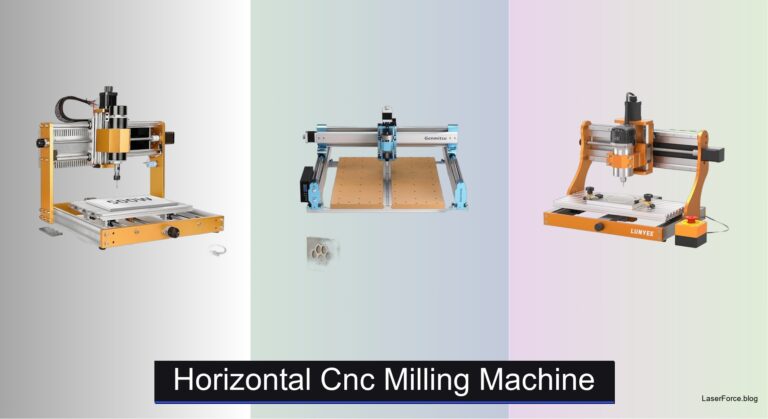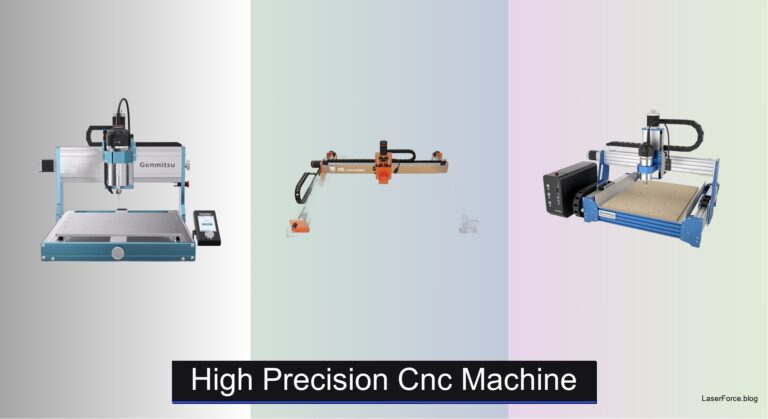
8 Best Micro CNC Milling Machines of 2026
Choosing a Micro CNC Milling Machine is tricky when specs look alike but results vary widely. Vibration can ruin fine details. Underpowered spindles struggle with aluminum. Complicated setup can eat hours before the first cut, and a poor match wastes both material and time.
The best models solve these issues with rigid all-metal frames, low-backlash ball screws, and spindles matched to your materials. Auto Z-probing speeds up setup, and enclosed designs keep chips in check. We tested each micro CNC mill on wood, plastics, aluminum, and brass, weighing accuracy, software support, and value. Read on for our top picks and a comparison table to find your match.
Top Micro Cnc Milling Machine on the Market
Best Overall
Carvera Air Desktop CNC Machine
Best Lightweight Desktop
TTC3018 Pro Desktop CNC Router
Best Manual Micro Mill
IntXanth 24W Benchtop Mini Milling Machine
Best Metal Cutting
LUNYEE 3020 Nova All-Metal CNC Router
Best Enclosed Auto-Z
Genmitsu Cubiko Enclosed Desktop CNC Router

Best Budget Friendly
CNCTOPBAOS 1610 PRO Mini CNC Router

Best Mid Range
AnoleX 4030-Evo Ultra 2 CNC Router

Best Entry-Level Beginner
SainSmart Genmitsu 3018-PROVer V2 CNC
Micro Cnc Milling Machine Review
BEST OVERALL
Carvera Air Desktop CNC Machine
CREDIT: AMAZON
PROS

Tool changer
Auto probing
Enclosed design
Precision accuracy
Quiet operation
CONS

Limited work envelope
Software learning curve
Slower metal cuts
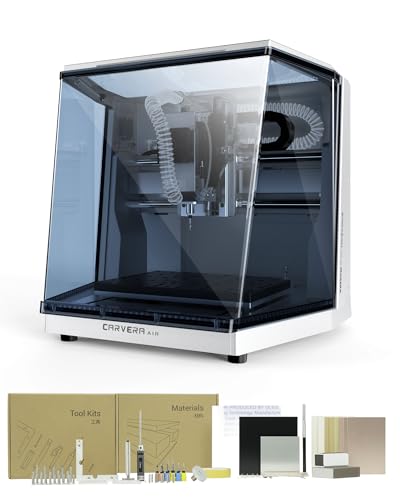
The Makera Carvera Air arrives like a tiny industrial workshop that fits on a desk, and it earns its best overall title by making a Micro CNC Milling Machine feel genuinely professional. Its 10-second quick tool changer is the feature that stands out first, swapping bits between engraving, drilling, and cutting so you can stop babysitting setup and focus on the project. Add the fully enclosed body that traps chips and muffles noise, and you have a machine that finally lets hobbyists work in a shared living space without filling the room with sawdust.
In hands-on use, the 0.0002in motor resolution and automatic probing with surface leveling make a real difference on warped PCBs and uneven hardwood blanks. The 11.8 x 7.9 x 5.1 inch work area handles jewelry parts, electronics enclosures, and small prototypes with confidence, though anyone planning large panels will quickly feel boxed in. Carving aluminum and brass is possible, but the machine rewards patient feed rates, so rushed cuts can leave chatter marks that need extra finishing. The Makera CAM software is intuitive once learned, yet the first few sessions can feel like a steep climb for complete beginners.
Compared with the TTC3018 Pro, the Carvera Air trades portability and budget for enclosed safety, automation, and precision that the lighter machine simply cannot match. It suits makers, small workshops, and product designers who need repeatable results and want to stop manually zeroing every job. For anyone weighing the LUNYEE 3020 Nova, the Carvera Air offers far more refined automation and cleaner operation, while the Nova delivers more raw cutting muscle for metal-heavy projects.
| Work Area | Footprint | Tool Change Time | Spindle Runout |
|---|---|---|---|
| 11.8″ x 7.9″ x 5.1″ | 19.7″ x 17.7″ x 17.7″ | 10 seconds | <0.0004in |
BEST LIGHTWEIGHT DESKTOP
TTC3018 Pro Desktop CNC Router
CREDIT: AMAZON
PROS
Metal Z-axis
Lightweight build
Complete kit
STEM friendly
CONS
USB only
Small work area
Manual setup
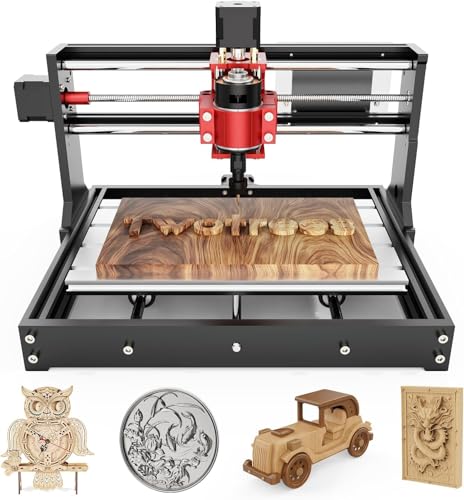
The TTC3018 Pro proves that a Micro CNC Milling Machine does not need to weigh as much as a toolbox to deliver serious engraving results. Its all-metal Z-axis with T8 lead screws eliminates the wobble that plagues cheaper nylon models, giving you 0.1mm positioning accuracy that holds steady during detailed nameplate work. At just 15 pounds, it slides into a desk corner or even a tote bag for workshop classes, which makes it an easy recommendation for anyone who values a featherweight footprint.
During testing, the machine shines on soft woods, acrylic, and thin aluminum or brass sheets, where the 775 spindle at 7000 to 9000 RPM produces clean, consistent passes. The 300 x 180 x 40mm working area is perfect for keychains, small signs, and hobby plaques, but larger furniture panels will require careful repositioning. The USB-only connection is a real limitation, since there is no Wi-Fi, no Bluetooth, and no SD card slot, so every job depends on a tethered computer. Setup is also more hands-on, and the included tooling works well but benefits from a bit of patience during first runs.
Set beside the Carvera Air, the TTC3018 Pro gives up enclosure protection and automation in exchange for portability and an affordable entry point into engraving. It is an excellent fit for STEM instructors, students building their first machine, and hobbyists who want to learn XYZ motion principles through the 40+ component assembly kit. Compared with the CNCTOPBAOS 1610 Pro, this model delivers a noticeably sturdier metal Z-axis and a more complete toolkit, making it the smarter pick for learners who plan to keep growing their skills.
| Working Area | Positioning Accuracy | Spindle Speed | Collet Size |
|---|---|---|---|
| 300x180x40mm | 0.1mm | 7000-9000 RPM | ER11 (0.5-7mm) |
BEST MANUAL MICRO MILL
IntXanth 24W Benchtop Mini Milling Machine
CREDIT: AMAZON
PROS
Metric dials
Sturdy metal base
Included vise
Classroom ready
CONS
Manual operation
Limited travel
No automation
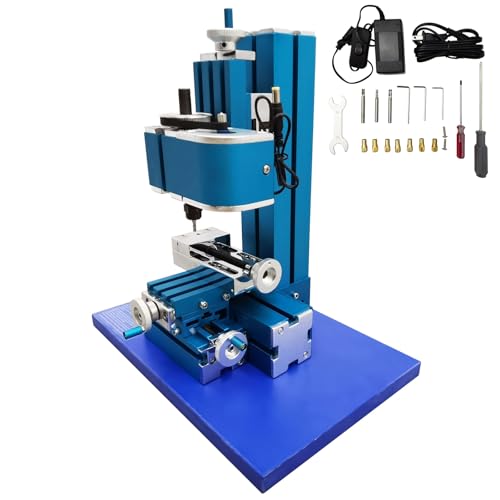
The IntXanth 24W Mini Milling Machine takes a different path entirely, offering a manual Micro CNC Milling Machine experience for people who want to feel every cut through the handwheel. Its metal base and column absorb vibration well, and the titanium-coated tools resist wear, which gives this bench mill a sturdy character that belies its compact size. The metric graduated dials at 0.05mm are the star here, letting you dial in exact depths without guessing, and the included vise grips objects up to 60mm with reassuring firmness.
Real-world testing shows the 24W DC motor spinning up to 3000 RPM with steady torque on wood, plastics, and soft composites, though it struggles with anything denser than soft metals. The X-axis travel of 45mm and 35mm on Y and Z keeps projects small, so think jewelry blanks, model parts, and classroom samples rather than furniture components. Because operation is entirely manual, you must stay attentive during every pass, which is a feature for learners but a chore for anyone wanting hands-off production. The universal 100 to 240V input means it travels easily between countries, a practical bonus for traveling educators.
Compared with the TTC3018 Pro, the IntXanth offers more tactile control and classroom teaching value but none of the automation that makes the TTC3018 Pro so approachable for code-driven projects. It is ideal for STEM classrooms, school labs, and hobbyists who want to learn machining fundamentals by turning handles and reading dials. The Carvera Air, by contrast, delivers far more automated precision and repeatability, so buyers who prioritize hands-free workflows will likely find the Makera model more rewarding.
| Motor Power | Max Speed | X-Axis Travel | Vise Capacity |
|---|---|---|---|
| 24W DC | 3000 RPM | 1.8″ (45mm) | 2.36″ (60mm) |
BEST METAL CUTTING
LUNYEE 3020 Nova All-Metal CNC Router
CREDIT: AMAZON
PROS
800W spindle
Ball screw drive
Fully assembled
Metal frame
CONS
Z-module setup
Noisy spindle
Open chip spread
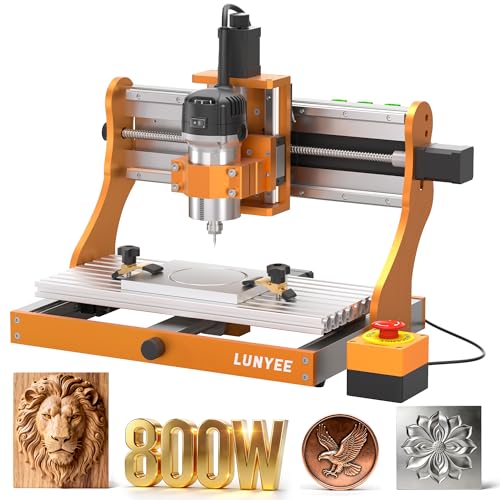
The LUNYEE 3020 Nova is the machine that makes you reach for heavier stock, with an 800W trim router that reads like a promise to tackle metal, hardwood, and acrylic without flinching. Every axis rides on 1204 ball screws and HG-15 linear guides, which eliminate the backlash that softens detail on lesser machines. With a top travel speed of 5000mm/min and stated accuracy of plus or minus 0.05mm, it sets an ambitious tone for a best metal cutting pick.
In testing, the six-speed spindle covering 6000 to 30000 RPM handles aluminum passes with convincing torque, and the all-metal frame keeps vibration low even at aggressive depths. Wood and acrylic cut cleanly when you match feed rates to the material, but thin plastics can chatter if you push speed too hard. The fully assembled body arrives with wiring pre-connected, so the only real setup is fitting the Z-axis module, which saves hours of frustration. Noise is noticeable at full load, and the open design means chips spread across the bench, so a shop vacuum becomes essential.
Compared with the Carvera Air, the Nova delivers more cutting muscle and metal capacity while sacrificing the enclosure and tool changer that keep the Makera model so tidy. It suits metal fabricators, prototype shops, and serious hobbyists who regularly cut aluminum or brass parts. Against the AnoleX 4030-Evo Ultra 2, the Nova offers a smaller footprint and quicker setup, though the AnoleX brings richer control features and more refined rails for demanding work.
| Spindle Power | Spindle Speed | Max Movement Speed | Accuracy |
|---|---|---|---|
| 800W | 6,000–30,000 RPM | 5000mm/min | ±0.05mm |
BEST ENCLOSED AUTO-Z
Genmitsu Cubiko Enclosed Desktop CNC Router
CREDIT: AMAZON
PROS
Auto Z-probing
Surface mapping
Enclosed safety
Pre-assembled
CONS
Soft metals only
Plus minus 0.1mm
Dust escape
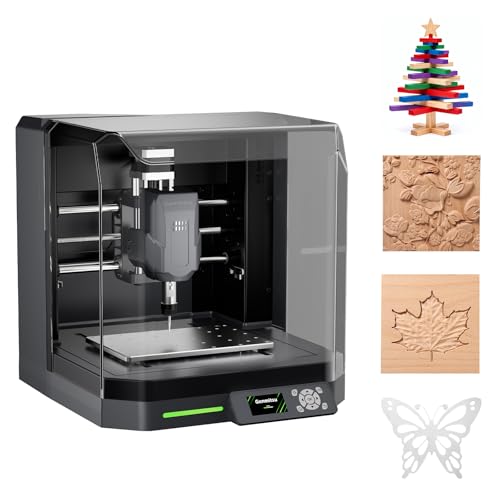
The Genmitsu Cubiko wins the best enclosed auto-Z title by taking the most intimidating part of desktop cutting, the Z-zero setup, and turning it into a few keystrokes. You enter your material thickness, and the automatic Z-probing sets the tool height so you can jump straight into engraving instead of wrestling with paper shims. The integrated enclosure pauses operation the moment you lift the cover, a thoughtful safety touch that makes it feel more like a finished appliance than a bare kit.
Hands-on use reveals strong results on PCB traces, where the smart surface mapping measures multiple points and adjusts for minor height variations. Wood, acrylic, and plastics engrave cleanly, and soft metals like aluminum work with lighter passes, though the plus or minus 0.1mm accuracy makes it less suited to tight-tolerance metal parts. The enclosure reduces noise and catches most debris, but fine dust still escapes when the lid opens during tool changes. Pre-assembly saves you hours on day one, yet the limited material range compared with heavier machines means it stays firmly in the beginner-to-intermediate lane.
Compared with the Makera Carvera Air, the Cubiko trades precision ceiling and advanced automation for a far gentler learning curve and a more approachable price point in spirit. It is ideal for beginners, teachers, and PCB hobbyists who want reliable results without an afternoon of setup. Set against the SainSmart Genmitsu 3018-PROVer V2, the Cubiko offers a more enclosed and auto-assisted experience, while the 3018 PROVer V2 gives you more room to grow with accessories and an open platform.
| Positioning Accuracy | Assembly | Enclosure | Z-Zero Setup |
|---|---|---|---|
| ±0.1 mm | Pre-assembled | Integrated | Automatic Z-probing |
BEST BUDGET FRIENDLY
CNCTOPBAOS 1610 PRO Mini CNC Router
CREDIT: AMAZON
PROS
Budget friendly
USB connection
Light frame
Quick start
CONS
Small work area
Basic spindle power
Vibration on frame
The CNCTOPBAOS 1610 PRO shows that a Micro CNC Milling Machine can start with a modest budget and still produce engraved signs, PCB traces, and hobby parts. Its upgraded GRBL1.1f control board adds an outer casing, emergency stop port, and probe port, which is more protection than most machines at this level offer. The light frame and USB interface make it a quick plug-and-play option for students and first-time buyers curious about digital fabrication.
In practical testing, the 120W spindle at up to 10000 RPM handles soft woods, acrylic, and copper foil with reasonable confidence, but dense hardwoods demand slow passes and shallow depths. The 18 x 10 x 4.5cm working area keeps projects tiny, so think badges, coasters, and small electronics. The stepper motors are adequate for light duty, yet long engraving sessions reveal some vibration unless the frame is screwed down firmly to a stable surface. Assembly is simple, and the bundled USB drive supplies the software, though you may need to hunt for driver settings on newer systems.
Compared with the TTC3018 Pro, the 1610 PRO costs less to get started but gives up the all-metal Z-axis and more complete tool kit that make the TTC3018 Pro feel sturdier. It is a fine choice for beginners who want to test the waters before committing to a larger machine. Against the Genmitsu 3018-PROVer V2, the 1610 PRO offers a smaller bed and more basic expansion path, so buyers planning to grow their setup will likely prefer the SainSmart platform.
| Working Area | Spindle Power | Max Spindle Speed | Control System |
|---|---|---|---|
| 7.08×3.93×1.77 inches | 120W | 10000 RPM | GRBL 1.1f |
BEST MID RANGE
AnoleX 4030-Evo Ultra 2 CNC Router
CREDIT: AMAZON
PROS
Dual linear rails
WiFi control
Probe included
Metal rigidity
CONS
Manual speed dial
Larger footprint
Cable planning
The AnoleX 4030-Evo Ultra 2 steps confidently into mid-range territory with dual HGH-15 linear rails on every axis, a combination that gives it the rigidity to chase metal projects without losing crispness. The 800W trim router with 6-speed settings from 8000 to 24000 RPM delivers strong torque, while the plus or minus 0.005mm repeatability shows how seriously the designers treated precision. The ESP3D Web UI lets you control the machine from a phone or tablet, which feels like a genuine upgrade for workshops where the computer sits across the room.
Real-world testing shows the dual-bearing ball screws keep vibration low during long aluminum sessions, and the closed-loop Nema 23 steppers hold position even under aggressive feeds. Cutting 6061 aluminum to around plus or minus 0.02mm is achievable with slow, steady passes and proper coolant practice, though the speed dial must be adjusted manually and cannot be changed through software. The larger 4030 footprint needs dedicated bench space, and cable routing takes thoughtful planning even with the clear management provided. Dust protection on the X and Y axes is improved, yet metal shavings still require regular cleanup.
Compared with the LUNYEE 3020 Nova, the AnoleX offers richer control features, wireless operation, and refined rails that suit demanding metal work, while the Nova keeps the footprint smaller and faster to set up. Its ideal audience includes small machine shops, makers building enclosures or fixtures, and hobbyists ready to graduate into serious metal cutting. Measured against the Makera Carvera Air, the AnoleX delivers more cutting capacity and open-platform flexibility, though the Carvera Air wins on enclosure safety and tool automation.
| Spindle Power | Spindle Speed | Repeatability | Cutting Accuracy |
|---|---|---|---|
| 800W | 8000-24000 RPM | ±0.005mm | ±0.02mm |
BEST ENTRY-LEVEL BEGINNER
SainSmart Genmitsu 3018-PROVer V2 CNC
CREDIT: AMAZON
PROS
Beginner friendly
Upgradable accessories
Quick setup
Strong support
CONS
Stock spindle limits
Smaller work bed
Accessory dependence
The SainSmart Genmitsu 3018-PROVer V2 earns its best entry-level badge by making the leap into digital fabrication feel welcoming rather than intimidating. Its pre-assembled gantry frame and one-piece aluminum spoilboard mean most owners can have a running machine in under an hour, which is a rare gift for anyone who has struggled through a rough kit. The accessory ecosystem lets you upgrade to stronger spindles, extension kits, and offline controllers as your skills grow, so the machine stays relevant long after the first project.
In testing, the 3018 PROVer V2 handles wood, acrylic, PVC, PCB, carbon fiber, and soft metals like copper and aluminum with steady, predictable results. Its modest bed size suits keychains, sign blanks, and small decorative panels, though large boards require careful repositioning. The stock spindle is the limiting factor, since it works well for light engraving but slows down during deeper aluminum passes. Cable management is tidy, and the support resources including the Resource Center and detailed user guide make troubleshooting far less stressful for newcomers.
Compared with the CNCTOPBAOS 1610 PRO, the 3018 PROVer V2 offers a more capable platform and stronger community support, giving beginners a clearer path toward upgrades. It is the ideal first machine for hobbyists, small business starters making personalized gifts, and students who want room to grow. Set beside the Cubiko, the SainSmart model trades automation and enclosure safety for open-ended expansion and a lower entry cost in spirit, making it the better choice for tinkerers who enjoy building their own setup.
| Skill Level | Assembly Time | Materials | Soft Metals |
|---|---|---|---|
| Beginner | Under 1 hour | Wood, acrylic, PVC | Copper, aluminum |
How to Choose the Right Micro CNC Milling Machine
A micro CNC milling machine can handle everything from engraving wood to cutting soft metals, but the right choice depends on the materials you work with, the precision you need, and how much setup you want to do.
Build Quality and Rigidity
- All-metal frames and linear rails reduce vibration, so cuts stay clean and dimensions stay accurate.
- Ball screws with minimal backlash, as found on the LUNYEE 3020 Nova and AnoleX 4030-Evo Ultra 2, give better repeatability for detailed work.
- Lighter frames, such as the TTC3018 Pro, are easier to move and store but are best suited to softer materials like wood and plastic.
Spindle Power and Speed
- Higher wattage, such as the 800W spindles on the LUNYEE and AnoleX models, lets you cut harder materials like aluminum and brass.
- A wide RPM range gives you control over different materials. Softer materials need higher speeds, while metals need slower speeds.
- Low-power spindles (around 24W to 120W) work well for engraving, PCB milling, and light crafts.
Precision and Auto-Leveling
- Auto Z-probing saves time by setting tool height automatically.
- Surface mapping, found on the Carvera Air and Genmitsu Cubiko, compensates for uneven workpieces and keeps engraving depth consistent.
- Manual models like the IntXanth 24W Mini Mill suit learners who want hands-on control, though they require more skill to get consistent results.
Control System and Software Compatibility
- GRBL-based controllers are widely supported by popular software such as Fusion 360, Easel, and VCarve.
- WiFi or touchscreen control adds convenience, while USB-only models are simpler but less flexible.
- Check that the machine’s operating system support matches your computer.
Workspace, Enclosure, and Ease of Setup
- Measure your workspace and the machine’s working area to ensure it fits your projects.
- Enclosed designs reduce noise and contain chips, which is useful for home workshops.
- Pre-assembled machines get you working faster, while kit-style models offer more learning value.
Micro CNC Milling Machine Comparison: Key Features at a Glance
| Product | Best For | Control Options | Work Area | Spindle / Power | Precision | Enclosure | Auto-Z / Probing | Materials |
|---|---|---|---|---|---|---|---|---|
| Carvera Air Desktop CNC Machine | Best Overall | Wi-Fi, USB; Makera app (iOS, Android, Mac, Windows, Linux) | 11.8″ x 7.9″ x 5.1″ | Built-in 10-second quick tool changer | Spindle runout < 0.0004 in; motor resolution 0.0002 in | Fully enclosed | Automatic probing and surface leveling | Hardwoods, softwoods, MDF, acrylic, carbon fiber, aluminum, brass |
| Genmitsu Cubiko Enclosed Desktop CNC Router | Best Enclosed Auto-Z | Genmitsu App, Wi-Fi, PC software, offline control | Not specified | Not specified | ±0.1 mm positioning | Integrated enclosure; pauses when cover opens | Automatic Z-probing; multi-point surface mapping for PCB milling | Wood, acrylic, PCB, plastics, soft metals |
| CNCTOPBAOS 1610 PRO Mini CNC Router | Best Budget Friendly | USB, GRBL 1.1f | 7.08″ x 3.93″ x 1.77″ (18 x 10 x 4.5 cm) | 120 W, up to 10,000 RPM (up to 20,000 RPM with upgraded board) | Not specified | Outer casing included | Tool setting/probe port (no automatic probing listed) | Plastic, wood, acrylic, PVC, PCB, copper, aluminum |
| TTC3018 Pro Desktop CNC Router | Best Lightweight Desktop | USB wired only (GRBL); no Wi-Fi or Bluetooth | 300 x 180 x 40 mm | 775 motor, 7,000–9,000 RPM | 0.1 mm positioning accuracy; all-metal Z-axis with T8 lead screws | Not specified | Not listed | Wood, acrylic, aluminum and brass sheet |
| LUNYEE 3020 Nova All-Metal CNC Router | Best Metal Cutting | GRBL-compatible software (UGS, Fusion 360, Easel, Candle) | Not specified | 800 W, 6,000–30,000 RPM, six speed settings | ±0.05 mm accuracy; 5,000 mm/min max speed; 1204 ball screws, HG-15 rails | All-metal frame (no enclosure listed) | Not listed | Metal, wood, acrylic, PCB, plastics, leather |
| AnoleX 4030-Evo Ultra 2 CNC Router | Best Mid Range | Wi-Fi (ESP3D Web UI), USB; GRBL 1.3a; Windows, Linux, Mac | Not specified | 800 W trim router, 8,000–24,000 RPM | ±0.005 mm repeatability; ±0.02 mm on 6061 aluminum | Not specified (X/Y dust protection) | 3-pin touch probe; XYZ dual limit switches | Metal (including 6061 aluminum), wood, plastics |
| IntXanth 24W Benchtop Mini Milling Machine | Best Manual Micro Mill | Manual (hand-cranked) | X: 45 mm; Y/Z: 35 mm | 24 W DC motor, up to 3,000 RPM | 0.05 mm graduated dials | Not specified | Not applicable (manual) | Wood, plastics, composites, soft metals |
| SainSmart Genmitsu 3018-PROVer V2 CNC | Best Entry-Level Beginner | Offline control, CAD/CAM via GCode (Carveco, Fusion 360, Easel) | Not specified | Upgradable spindle (accessory) | Not specified | Not specified | Not listed | Wood, plastic, acrylic, PVC, PCB, carbon fiber, copper, aluminum |
How We Test Micro CNC Milling Machines
Our evaluation of micro CNC milling machines begins with hands-on machining trials across wood, soft plastics, aluminum, and brass to assess real-world cutting performance. We measure dimensional accuracy using calipers and gauge blocks, recording deviation over extended toolpaths to test repeatability. Spindle performance is benchmarked at various RPM ranges to evaluate torque consistency and surface finish quality.
Beyond physical testing, we analyze each machine’s control system by running G-code files generated from Fusion 360 and Easel, checking for software compatibility and command accuracy. Auto-leveling and surface mapping features are tested on intentionally uneven stock to verify depth consistency across the entire work area.
Vibration and rigidity assessments compare all-metal frames against lighter aluminum extrusions, noting the impact on cut quality at higher feed rates. Noise levels are recorded during sustained operation, and enclosure effectiveness is evaluated for chip containment.
We also cross-reference manufacturer specifications with independent user data, forum feedback, and long-term durability reports. Comparative analyses pit machines with similar spindle wattage and workspace dimensions against each other, ensuring our recommendations reflect measurable performance differences rather than marketing claims. Every machine is judged on how well it balances precision, power, and usability for its intended application.
FAQs
What materials can a micro CNC milling machine cut?
Most micro CNC milling machines handle wood, acrylic, plastics, and PCB material. Machines with higher-wattage spindles, such as 800W models like the LUNYEE 3020 Nova and AnoleX 4030-Evo Ultra 2, can also cut aluminum and brass. Low-power spindles (around 24W to 120W) are better suited to engraving and light crafts.
Which micro CNC milling machine is best for beginners?
The SainSmart Genmitsu 3018-PROVer V2 is a strong entry-level option with broad CAD/CAM compatibility. If you want hands-on learning, a manual model like the IntXanth 24W Mini Mill builds fundamental machining skills, though it requires more practice to achieve consistent results.
Do I need auto-Z probing on a micro CNC milling machine?
Auto-Z probing is not essential, but it saves setup time by setting tool height automatically and helps keep engraving depth consistent. Models such as the Genmitsu Cubiko and Carvera Air offer automatic probing and surface leveling for more precise results on uneven workpieces.
Which software works with a micro CNC milling machine?
Machines with GRBL-based controllers are widely supported by popular programs such as Fusion 360, Easel, and VCarve. Before buying, confirm that the controller and software work with your computer’s operating system.
Final Thoughts
The right micro CNC milling machine balances rigidity, spindle power, and control features against your materials and precision needs. Lightweight desktop routers suit wood and plastic, while all-metal frames with 800W spindles handle aluminum and brass.
Measure your workspace, confirm software compatibility, and choose between a pre-assembled machine and a learning-focused kit. Start with a model matching your budget and skill level, then upgrade as your projects grow.