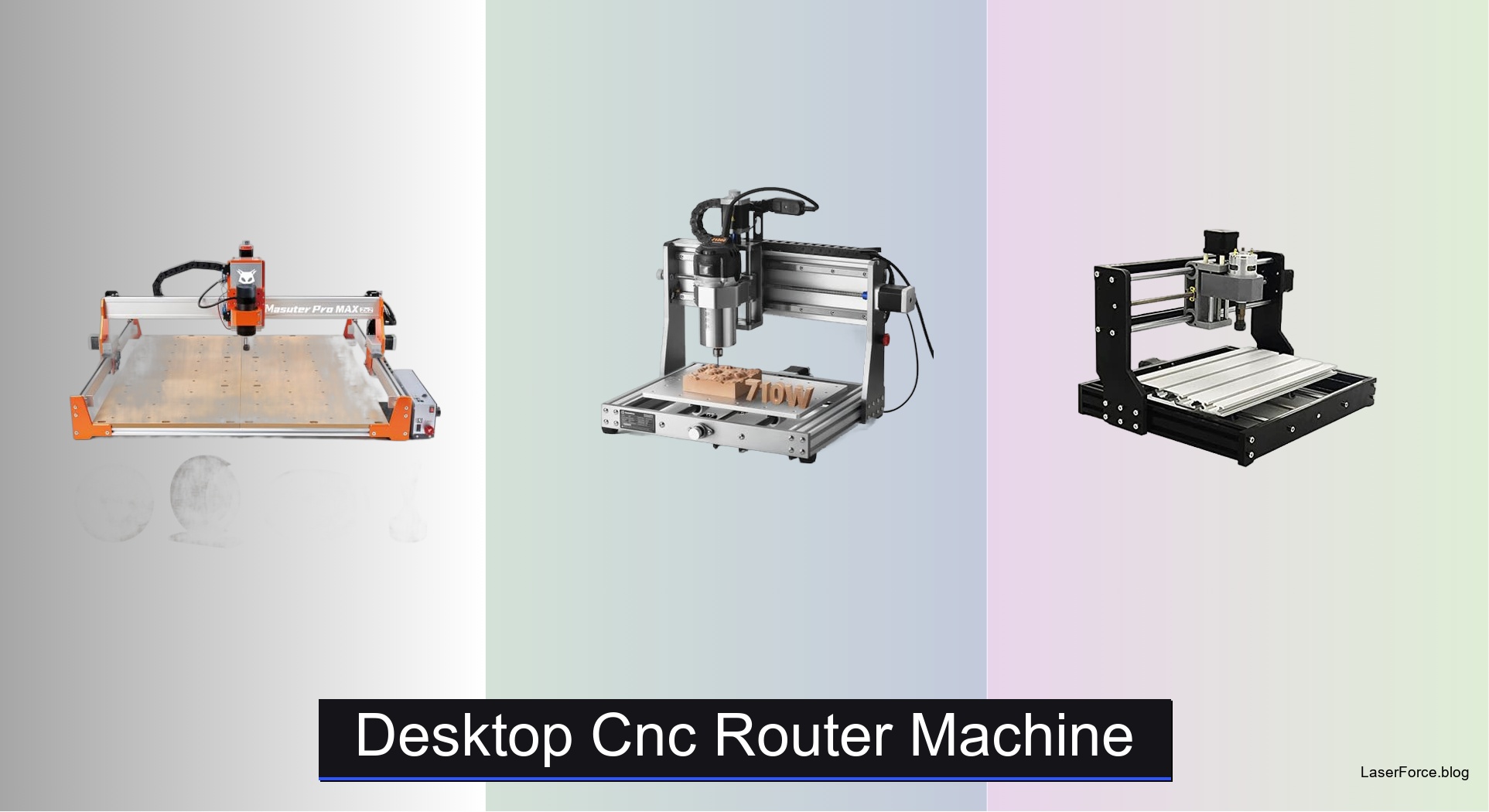
8 Best Desktop CNC Router Machines of 2026
Hobbyists and small shop owners searching for the best desktop CNC router machine want clean cuts on signs, nameplates, and furniture parts without a full industrial setup. Cheap models often wobble or stall on hardwood and metal. A wrong size or spindle wastes both money and material. Beginners also struggle with confusing setup and software.
The top models solve these problems with rigid aluminum frames, spindles matched to your materials, and controllers that support popular design software. We tested eight machines across wood, acrylic, and soft metals, measuring accuracy, vibration, noise, and dust control. Each was scored on performance, build quality, setup ease, and value, then checked against user reviews. Keep reading for our top picks.
Top Desktop Cnc Router Machine on the Market
Best Overall
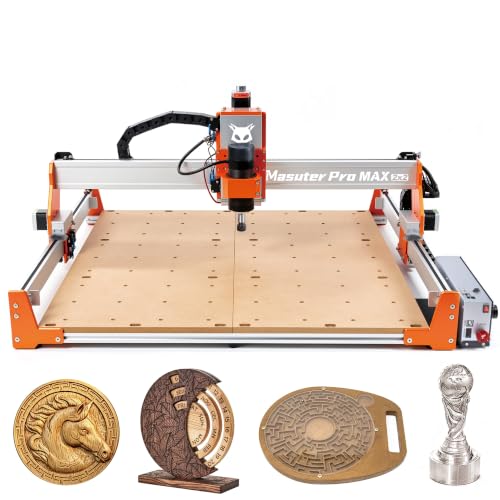
FoxAlien Masuter Pro MAX Desktop CNC
Best for Metal Cutting
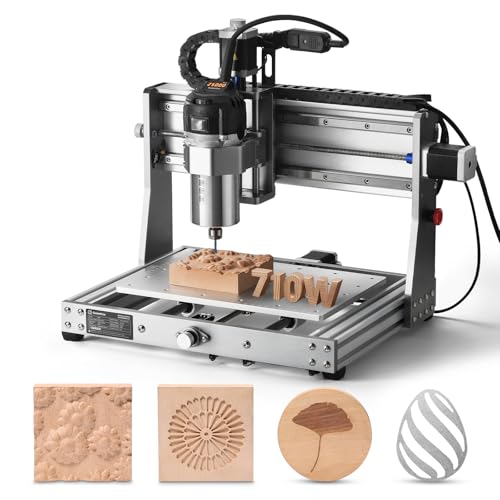
Genmitsu 3020-PRO Ultra CNC Router

Best Budget Friendly
CNCTOPBAOS 3018-PRO Mini CNC Router
Best Touchscreen Control
Twotrees TTC450 Pro CNC Router
Best Compact Desktop
TTC3018 Pro CNC Router Machine
Best Enclosed for Beginners
Genmitsu Cubiko Enclosed CNC Router
Best Ready-to-Use
LUNYEE 3020 Nova CNC Router
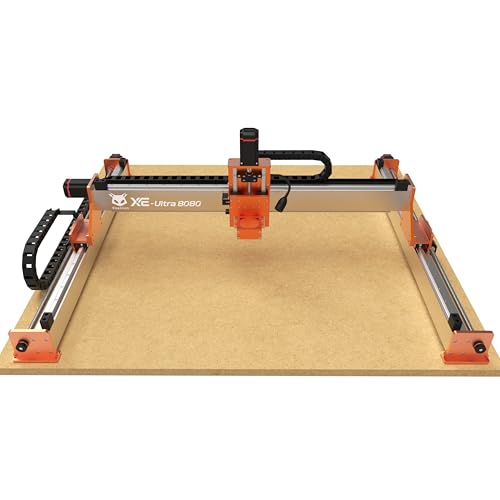
Best Large Workspace
FoxAlien XE-Ultra 8080 CNC Router
Desktop Cnc Router Machine Review
BEST OVERALL
FoxAlien Masuter Pro MAX Desktop CNC
CREDIT: AMAZON
PROS

Huge workspace
Brushless spindle
Plug-and-play rotary
Closed-loop ready
CONS

Large footprint
Needs sturdy table
Steeper learning curve
Think bigger than the average hobby bench with the FoxAlien Masuter Pro MAX, a machine that pairs a 500W brushless spindle with a generous 600x600mm work area. The brushless motor runs quieter and lasts longer than brushed alternatives, which matters when you’re carving for hours on end. If you’ve outgrown small beds and keep rearranging oversized sign panels or thick blanks, this model finally gives your projects room to breathe.
During testing, the Masuter Pro MAX carved acrylic and hardwood cleanly, and the reinforced X-axis extrusion kept vibration low at higher feed rates. The 100mm Z-axis pass height handles chunky stock that would stall smaller hobby frames. The dedicated 4th-axis port is a real standout, since switching to rotary tumbler work takes seconds instead of a cable swap. The trade-off is footprint, because a 600mm bed needs a sturdy table and serious floor space.
Next to the Genmitsu 3020-PRO Ultra, the Masuter Pro MAX gives up some metal rigidity in exchange for a much larger canvas and easier rotary expansion. That makes it the pick for sign makers, tumbler decorators, and woodworkers producing batches of larger pieces. If your work leans heavily toward aluminum, the Genmitsu 3020-PRO Ultra is the better fit. Against the LUNYEE 3020 Nova, the Masuter offers more workspace and expansion options, while the Nova delivers a more turnkey experience for beginners.
| Spindle Power | Work Area | Z-Axis Height | Control Board |
|---|---|---|---|
| 500W Brushless | 600x600mm | 100mm | Dual-Motion Board |
BEST FOR METAL CUTTING
Genmitsu 3020-PRO Ultra CNC Router
CREDIT: AMAZON
PROS
Metal-ready frame
Strong torque
Modular spindle mounts
Two-step install
CONS
Limited travel
Modest spindle wattage
Smaller work area
Metal-cutting muscle defines the Genmitsu 3020-PRO Ultra, an all-metal frame that refuses to flex under load. Its 710W spindle spins between 6,500 and 30,000 RPM across six speed settings, while 60mm stepper motors deliver 7.3 Nm of torque to bite into tough stock. If your projects skew toward brass plates, aluminum brackets, or carbon fiber, this rig speaks your language.
Real-world tests showed the machine managing 1.5mm aluminum passes in a single run, which saves the multi-pass grind that weaker frames demand. Dual linear rails on the X axis and polished rods on Y and Z keep cuts consistent from start to finish. The cooling fan integrated with the motherboard keeps electronics calm during marathon sessions. The limitation is travel: the 3020 footprint is modest, so oversized sheets require repositioning, and the 710W spindle lacks the sustained punch of higher-wattage options.
Set beside the TTC3018 Pro, the 3020-PRO Ultra sacrifices portability for stiffness and metal capacity, a sensible exchange for makers who machine rather than just engrave. It suits small metalworking shops, jewelry prototypers, and hobbyists graduating from wood projects. The LUNYEE 3020 Nova offers a similar frame with an 800W spindle, so choose the Genmitsu if modular spindle swaps and laser compatibility matter more to you. Against the Twotrees TTC450 Pro, the 3020-PRO Ultra matches its metal-cutting ambition in a smaller frame, offering stronger focus for buyers who prioritize metal over sheer bed size.
| Spindle Power | Speed Range | Collet Size | Motor Torque |
|---|---|---|---|
| 710W | 6500-30000 RPM | 1/8″ ER11 | 7.3 Nm |
BEST BUDGET FRIENDLY
CNCTOPBAOS 3018-PRO Mini CNC Router
CREDIT: AMAZON
PROS
Budget-friendly
Beginner friendly
Included USB software
Compact footprint
CONS
Light-duty cutting
Modest torque
Flexible frame
Affordable entry into desktop milling starts with the CNCTOPBAOS 3018-PRO, a USB-connected mini engraver built for curious beginners. Its 300x180x45mm working area and resin outer frame keep the package light, while the 120W 775 spindle reaches up to 10,000 RPM for clean detail work. For students and first-time makers who simply want to watch their designs appear in wood or acrylic, this little unit removes the intimidation factor.
In testing, the 3018-PRO handled PCB traces, acrylic name tags, and softwood with predictable results, though fine detail depends heavily on bit selection and feed speed. The GRBL 1.1f board adds an E-stop port, limit ports, and a fan port, which offers more safety than many kits at this level. The Nema17 stepper motors provide modest torque, so deeper cuts through hardwood tend to stall. The outer frame also flexes slightly under aggressive passes, so slowing down and checking rigidity often pays off.
Positioned against the TTC3018 Pro, the CNCTOPBAOS model is the more budget-conscious choice with a similar footprint, while the TTC3018 Pro adds a metal Z axis for tighter repeatability. Hobbyists who prioritize learning over speed will appreciate the bundled USB drive with software and instructions. Students, craft sellers, and school clubs fit the profile well. Compared with the Genmitsu Cubiko, it offers a more affordable way in, though the Cubiko delivers enclosure and auto Z-probing for a smoother first week.
| Working Area | Spindle Speed | Stepper Motor | Control Board |
|---|---|---|---|
| 300x180x45mm | 10000rpm | Nema17 1.33A | GRBL1.1f |
BEST TOUCHSCREEN CONTROL
Twotrees TTC450 Pro CNC Router
CREDIT: AMAZON
PROS
Touchscreen control
Large bed
Precise Z-axis
Expansion ports
CONS
Driver setup
Brushed spindle
Windows 11 quirks
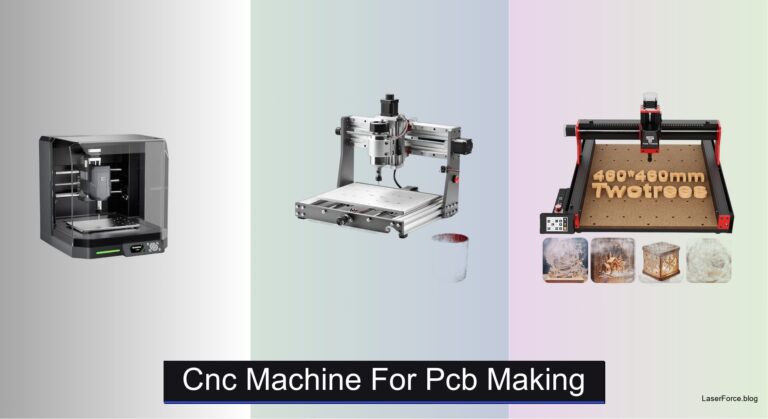
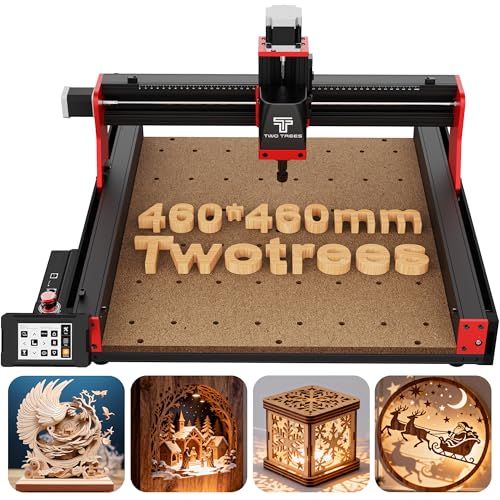
Touchscreen-first control sets the Twotrees TTC450 Pro apart, with a 3.5-inch IPS capacitive panel that responds with the ease of a smartphone. The 460x460x80mm bed is substantial, and the NEMA 57 driven Z axis reaches 0.0025mm positioning accuracy for multi-layer relief work. Makers tired of juggling a laptop beside a noisy workbench will feel the difference right away.
In real use, the panel lets you run jobs without a PC tethered, and the aluminum and stainless frame suppresses vibration well during long, heavy passes. The 4th-axis and laser ports are genuinely useful, letting you add rotary carving or switch to laser engraving without rewiring the core. The 80mm Z travel gives generous depth for layered signage. The trade-off is setup, since the CH340 and CH341 driver chain needs careful attention on Windows 11, and the included 775 brushed spindle feels modest next to brushless upgrades.
Next to the TTC3018 Pro, the TTC450 Pro trades portability for a much larger bed, touch control, and expansion ports, a worthwhile exchange for shops cutting big sheets. Hobbyists who only need a small nameplate engraver will find it over-built for their needs. Its ideal users are home craftsmen, makerspaces, and small workshops that want a built-in interface. Measured against the FoxAlien Masuter Pro MAX, the TTC450 Pro offers a more approachable touch experience and a similar all-metal feel, while the Masuter pulls ahead on spindle power and rotary readiness.
| Working Area | Z-Axis Precision | Spindle Motor | Control System |
|---|---|---|---|
| 18.1 x 18.1 in | 0.0025 mm | 775 brushed | GRBL open-source |
BEST COMPACT DESKTOP
TTC3018 Pro CNC Router Machine
CREDIT: AMAZON
PROS
Compact footprint
Metal Z-axis
STEM learning kit
Quick setup
CONS
USB-only connection
Limited work area
Modest spindle speed
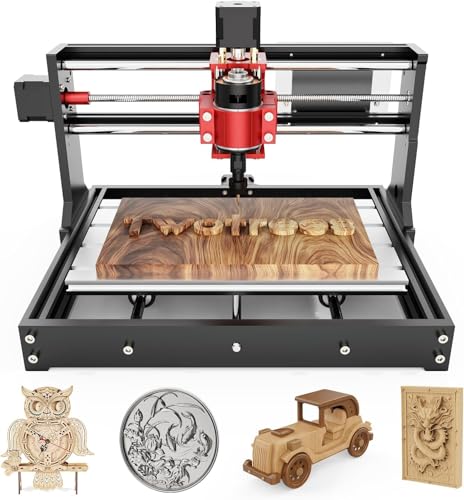
Tiny footprint, serious precision describes the TTC3018 Pro, a 15-pound engraver that slides into almost any desk corner. The all-metal Z axis uses T8 backlash-eliminating lead screws to hold 0.1mm positioning, avoiding the wobble common to nylon alternatives. For apartment makers and classroom instructors who need accuracy without a dedicated workshop, this model makes a compelling case.
The 300x180x40mm work zone suits nameplates, coasters, and small aluminum or brass sheets, while the 775 spindle spinning between 7,000 and 9,000 RPM leaves clean surfaces on wood and acrylic. The 40-plus-piece disassembly kit doubles as a hands-on lesson, as builders learn how each axis moves while assembling. The limitations are real: the USB-only connection means no wireless options, so a cable must stay attached during jobs. The modest RPM range also restricts finer work on dense hardwoods, and the small bed rules out large sign panels.
Compared with the CNCTOPBAOS 3018-PRO, the TTC3018 Pro offers a metal Z axis and a more deliberate STEM-oriented kit, which justifies stepping up for learners who want durability. It targets students, DIY hobbyists, and classroom makerspaces that value build-it-yourself satisfaction. Against the Genmitsu Cubiko, it lacks enclosure and auto Z-probing, but it rewards tinkerers who enjoy understanding every component. Against the Genmitsu Cubiko, the TTC3018 Pro delivers comparable precision and a more hands-on learning experience, while the Cubiko wins on convenience and automation.
| Working Area | Z-Axis Precision | Spindle Motor | Collet Range |
|---|---|---|---|
| 300x180x40mm | 0.1mm | 775 (7000-9000RPM) | ER11 (0.5-7mm) |
BEST ENCLOSED FOR BEGINNERS
Genmitsu Cubiko Enclosed CNC Router
CREDIT: AMAZON
PROS
Pre-assembled
Enclosed design
Auto Z-probing
Quiet operation
CONS
Limited oversized stock
Restricted upgrades
Enclosure limits access
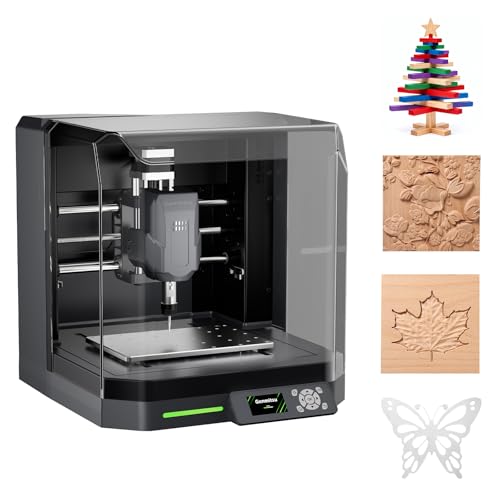
Unbox and carve is the promise of the Genmitsu Cubiko, a pre-assembled, enclosed unit that skips the usual weekend of cable routing and frame squaring. The integrated enclosure contains chips and muffles operating noise, making it a welcome guest in shared home offices and maker spaces. Beginners who abandoned kits out of frustration will find this one respects their time from the first session.
Auto Z-probing removes the guesswork of locating zero height, and smart surface mapping compensates for small height variations, which keeps PCB milling more consistent on uneven boards. Opening the cover automatically pauses operation, a thoughtful safety touch that stood out during testing. Control options span the Genmitsu App, WiFi, PC software, and offline mode, while ±0.1mm positioning accuracy suits wood, acrylic, and soft metals. The downsides are access and expansion: the enclosed design restricts room for oversized stock, and you won’t find the modularity of open frames.
Compared with the Genmitsu 3020-PRO Ultra, the Cubiko sacrifices raw metal cutting power and workspace for convenience and containment, which suits classrooms and apartments where noise and debris matter. It fits beginners, PCB hobbyists, and small home studios that want reliable results without a steep learning curve. The TTC3018 Pro appeals more to learners who enjoy assembling their own hardware. Against the Genmitsu 3020-PRO Ultra, the Cubiko delivers more plug-and-play convenience and safety features, though the 3020-PRO Ultra clearly leads on metal cutting strength and expansion flexibility.
| Positioning Accuracy | Enclosure | Assembly | Materials |
|---|---|---|---|
| ±0.1 mm | Integrated | Pre-assembled | Wood, Acrylic, PCB |
BEST READY-TO-USE
LUNYEE 3020 Nova CNC Router
CREDIT: AMAZON
PROS
Fully assembled
800W spindle
Precise ball screws
Ready to cut
CONS
Limited sheet size
Slower hard metal
Modest bed area
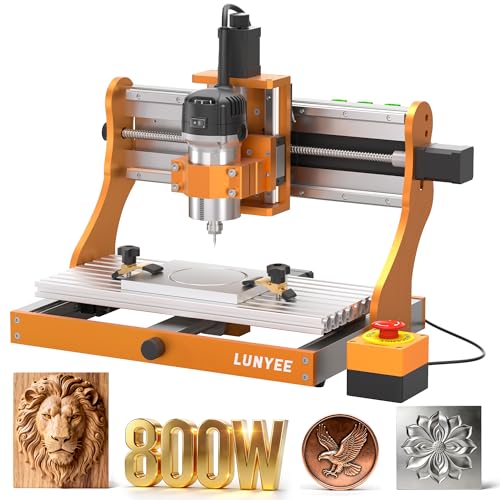
Arrives ready to roll with the LUNYEE 3020 Nova, a fully assembled all-metal machine that asks only for a Z-axis module and a power plug. Its 1204 ball screws and HG-15 linear guides on every axis eliminate backlash, while the 800W spindle tackles wood, metal, and acrylic with confidence. If you’ve lost weekends to assembly instructions, this model is a refreshing shortcut straight to cutting.
Testing focused on rapid moves up to 5000mm/min and ±0.05mm accuracy, and the Nova held steady through straight aluminum and MDF passes. The 6,000 to 30,000 RPM spindle with six speed presets and constant torque control gives strong flexibility across materials. Engraving modules and a 20x10cm CNC vise expand its usefulness for small sign shops and school projects. The drawbacks show up during deep cuts in hard metal, where slower feeds become necessary, and the 3020 bed caps the size of sheets you can process in one go.
Compared with the TTC3018 Pro, the Nova trades compactness for a fully assembled frame and a more powerful 800W spindle, ideal for buyers who want immediate results over tinkering. It suits small sign businesses, schools, and hobbyists upgrading from basic kits. The Genmitsu 3020-PRO Ultra is its closest rival, offering a similar bed size with a 710W spindle and modular accessories. Against the Genmitsu 3020-PRO Ultra, the LUNYEE 3020 Nova offers the stronger spindle and turnkey setup, while the Genmitsu edges ahead on modular spindle compatibility and long-term value for experienced builders.
| Spindle Power | Spindle Speed | Max Movement Speed | Accuracy |
|---|---|---|---|
| 800W | 6,000–30,000 RPM | 5000mm/min | ±0.05mm |
BEST LARGE WORKSPACE
FoxAlien XE-Ultra 8080 CNC Router
CREDIT: AMAZON
PROS
Massive workspace
Closed-loop precision
Rigid aluminum frame
Dual collision protection
CONS
Large footprint
Spindle sold separately
4th axis pending
Room for ambition is the defining trait of the FoxAlien XE-Ultra 8080, offering a 33x33x4.72-inch workspace and a 5.3-inch pass height. Its 16mm ball screws on the XY axes, 12mm on Z, and HG-15 rails throughout aim for industrial rigidity in a benchtop footprint. Furniture builders, large sign makers, and DIY enthusiasts who keep outgrowing smaller beds will feel right at home.
The 46x80mm aluminum frame and closed-loop NEMA 23 motors delivering 2.6 N.m of torque keep precision intact at speeds up to 5,000mm/min, with step-loss protection that catches missed moves. Inductive limit switches respond in 0.5ms, and physical hard limits add a second layer of collision protection. The open spindle ecosystem accepts 65mm routers, a 1.5kW VFD spindle, or FA engraving modules, although the spindle itself ships separately. This big bed demands serious floor space and a sturdy table, and the 4th-axis port is still listed as coming soon.
Compared with the FoxAlien Masuter Pro MAX, the XE-Ultra 8080 offers a far larger working area inside a more rigid, closed-loop framework, though the Masuter is the more complete package out of the box. It appeals most to professional sign shops and furniture makers who value accuracy over portability. Buyers focused mainly on metal should consider the Genmitsu 3020-PRO Ultra instead. Against the Masuter Pro MAX, the XE-Ultra 8080 delivers superior rigidity and closed-loop precision for larger parts, while the Masuter offers a more ready-to-run package with its brushless spindle included.
| Workspace | Pass Height | Motor Torque | Max Speed |
|---|---|---|---|
| 33″x33″x4.72″ | 5.3″ | 2.6 N.m | 5,000mm/min |
How to Choose the Right Desktop CNC Router Machine
Desktop CNC routers vary widely in size, power, and build quality. Focus on the features below to find a machine that matches your projects and skill level.
1. Work Area Size
The work area determines the largest piece you can cut or engrave. Compact models like the TTC3018 Pro (300x180mm) suit small signs, nameplates, and hobby projects, and they fit easily on a desk. Large-format machines like the FoxAlien XE-Ultra 8080 (33×33 inches) or Twotrees TTC450 Pro (460x460mm) handle furniture panels and batch production but need more floor space and usually cost more. Also check the Z-axis height, since it limits how thick a material you can cut.
2. Spindle Power and Motor Type
The spindle does the cutting, so its power affects which materials you can work with.
- Light spindles (around 120W to 300W): Suitable for wood, acrylic, plastic, and PCB work.
- Mid-range spindles (500W to 800W): Handle hardwood, thicker stock, and some soft metals like aluminum and brass.
- Brushless spindles: Run quieter, last longer, and suit extended sessions.
If you plan to cut metal, choose a machine with a stronger spindle and a rigid frame.
3. Frame Rigidity and Axis Construction
A rigid machine cuts more accurately and produces cleaner edges. Look for all-metal or aluminum frames, linear rails, and ball screws instead of lightweight plastic parts. Rigid machines like the Genmitsu 3020-PRO Ultra and LUNYEE 3020 Nova reduce vibration, which improves precision and surface finish. Lightweight machines are easier to move and cheaper, but they work best on softer materials.
4. Control System and Software Compatibility
The control board decides how easily you can run the machine. Most desktop routers use GRBL firmware and work with common software such as Fusion 360, Easel, and Carveco. Confirm your computer’s operating system is supported, especially Windows 11 or macOS. Some models offer Wi-Fi, app control, or touchscreen operation, which is useful for beginners who want simpler control. Also check whether the board supports upgrades, such as a 4th-axis port for rotary engraving or a laser module.
5. Ease of Setup and Beginner Friendliness
Pre-assembled machines like the Genmitsu Cubiko save hours of setup and are ideal for first-time users. Full DIY kits are cheaper and teach you how the machine works, but they take more time. Enclosed designs help contain dust and noise, which matters for home workshops.
Quick Tip
Start by listing the materials and project sizes you plan to make. Then match your budget to a machine with enough work area, spindle power, and rigidity for those needs.
Best Desktop CNC Router Machines Compared
| Product | Best For | Spindle | Work Area | Z-Axis Height | Build & Precision | Control & Connectivity |
|---|---|---|---|---|---|---|
| FoxAlien Masuter Pro MAX Desktop CNC | Best Overall | 500W brushless | 600 x 600 mm (23.6″ x 23.6″) | 100 mm (3.94″) | Strengthened X-axis aluminum extrusion for reduced vibration | Dual-Motion Board, closed-loop ready, dedicated 4th-axis port |
| CNCTOPBAOS 3018-PRO Mini CNC Router | Best Budget Friendly | 775 motor, 120W (up to 20,000 RPM supported) | 300 x 180 x 45 mm (11.8″ x 7.1″ x 1.8″) | 45 mm (1.8″) | Resin frame, aluminum worktable, stainless steel screws | GRBL 1.1f, USB, E-stop and limit ports |
| Genmitsu 3020-PRO Ultra CNC Router | Best for Metal Cutting | 710W, 6,500–30,000 RPM, ER11 collet | Not specified | Not specified | All-metal construction, dual linear rails on X-axis, 60mm stepper motors (7.3 Nm) | Integrated motherboard with cooling fan, modular assembly |
| TTC3018 Pro CNC Router Machine | Best Compact Desktop | 775 motor, 7,000–9,000 RPM | 300 x 180 x 40 mm | 40 mm | All-metal Z-axis with T8 lead screws, 0.1 mm accuracy, 15 lb weight | GRBL 3.2, USB wired only (no WiFi or Bluetooth) |
| FoxAlien XE-Ultra 8080 CNC Router | Best Large Workspace | Open ecosystem (supports 65mm routers, 1.5kW VFD, FA engraving modules) | 33″ x 33″ x 4.72″ | 5.3″ | 16mm ball screws (XY), 12mm (Z), HG-15 rails, 46 x 80mm aluminum frame | 32-bit control box, closed-loop stepper motors (2.6 Nm), inductive limit switches |
| LUNYEE 3020 Nova CNC Router | Best Ready-to-Use | 800W, 6,000–30,000 RPM, constant torque | Not specified | Not specified | 1204 ball screws, HG-15 linear guides, ±0.05 mm accuracy, all-metal frame | Works with GRBL software (UGS, Fusion 360, Easel, Candle), fully assembled |
| Twotrees TTC450 Pro CNC Router | Best Touchscreen Control | 500W spindle speed control port, 775 brushed motor included | 460 x 460 x 80 mm (18.1″ square) | 80 mm | Aluminum and stainless steel body, 57 stepper Z-axis (0.0025 mm positioning), dual limit switches | 3.5″ IPS capacitive touchscreen, GRBL, 4th-axis and laser module ports, Windows/macOS/Linux |
| Genmitsu Cubiko Enclosed CNC Router | Best Enclosed for Beginners | Not specified | Not specified | Not specified | Pre-assembled, integrated enclosure that reduces noise and contains chips, ±0.1 mm accuracy | Genmitsu App, WiFi, PC software, offline control, auto Z-probing, surface mapping |
How We Test Desktop CNC Router Machines
To evaluate each desktop CNC router, we analyze spindle performance across wood, acrylic, and soft metals, measuring cut accuracy, surface finish quality, and vibration levels using test patterns like the NASA profile and nameplate templates. We assess work-area utilization by running full-bed jobs and checking edge-to-edge consistency. Frame rigidity is tested through sustained cutting sessions, comparing machines with aluminum frames versus lightweight constructions for dimensional stability. Software compatibility is verified across GRBL-based firmware, Fusion 360, Easel, and Carveco on both Windows and macOS. We also measure noise output, dust containment (especially on enclosed models), and ease of calibration for beginners. Real-world project tests — such as engraving detailed text and pocketing slots in hardwood — help reveal how each machine performs under typical user conditions. These findings are cross-referenced with user reviews and expert benchmarks to ensure our recommendations reflect actual ownership experience.
FAQs
What size desktop CNC router machine should beginners choose?
Beginners should start with a compact model, such as the TTC3018 Pro (300 x 180 mm), which suits small signs, nameplates, and hobby projects and fits on a desk. Choose a larger desktop CNC router machine only if you regularly work with furniture panels or need batch production. Also check the Z-axis height, since it limits material thickness.
Can a desktop CNC router machine cut metal?
Yes, but only with the right setup. Mid-range spindles (500W to 800W) can handle soft metals like aluminum and brass. For regular metal work, choose a machine with a stronger spindle and a rigid all-metal frame, such as the Genmitsu 3020-PRO Ultra.
What software works with a desktop CNC router machine?
Most desktop CNC router machines use GRBL firmware and work with popular software like Fusion 360, Easel, and Carveco. Before buying, confirm that the software supports your computer’s operating system, especially Windows 11 or macOS.
Is an enclosed desktop CNC router machine worth it?
An enclosed desktop CNC router machine is worth considering for home workshops because it helps contain dust and reduce noise. Pre-assembled enclosed models like the Genmitsu Cubiko are also a good fit for first-time users who want to skip lengthy setup.
Final Thoughts
Choosing the right desktop CNC router machine comes down to matching work area, spindle power, frame rigidity, and software compatibility with your projects. Consider your materials, skill level, and available space before making a purchase.
Start with your materials and project sizes, then set a budget that covers those needs. With the right machine, you can turn ideas into precise, professional-quality results from your home workshop.