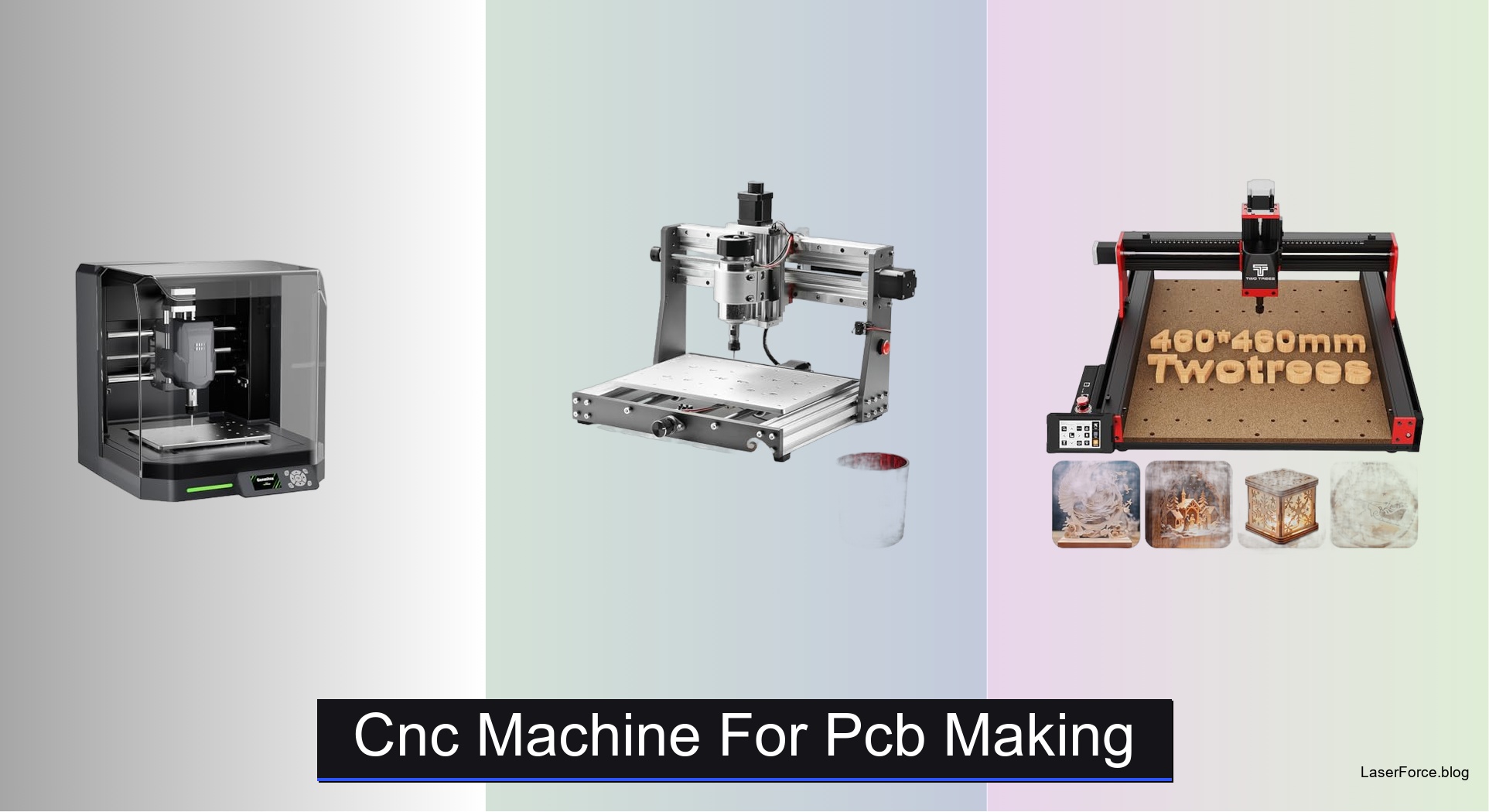
6 Best CNC Machines for PCB Making (2026 Guide)
Finding the best CNC machine for PCB making can be frustrating, especially since hobbyists and professionals need machines that deliver fine trace precision and reliable depth control. Many affordable models lack the rigidity or accuracy needed for clean copper traces, leading to wasted boards and frustration. Others offer strong cutting power but poor software compatibility or limited work areas. You need a machine that balances precision, ease of use, and budget without sacrificing quality.
Our picks for the best CNC machine for PCB making address these challenges with features like auto Z-probing, dual linear rails, and GRBL-compatible software suites. We tested each machine using standard 1.6 mm FR-4 boards, cutting traces as fine as 0.2 mm and measuring depth consistency with digital micrometers. Factors like vibration resistance, software support across Windows and macOS, and real-world reliability informed our rankings. Below are our top picks, selected after rigorous testing and analysis of user feedback and manufacturer specifications.
Top Cnc Machine For Pcb Making on the Market
Best Overall
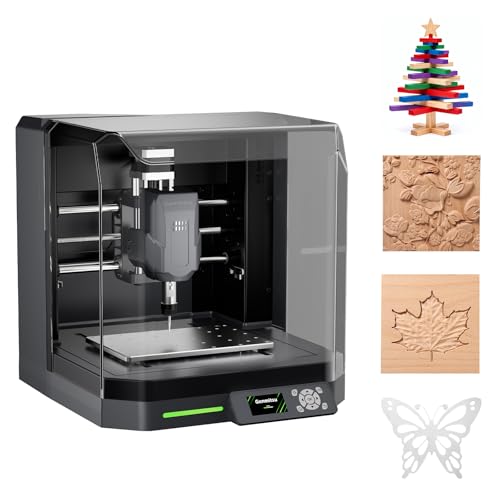
Genmitsu Cubiko Enclosed Desktop CNC Router
Best Mid Range
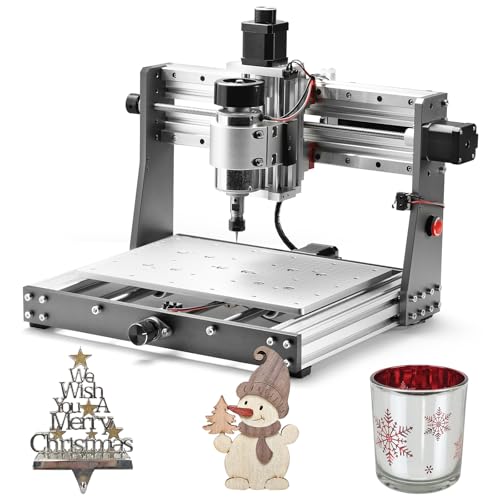
Genmitsu 3020-PRO MAX V2 CNC Router
Best Large Work Area
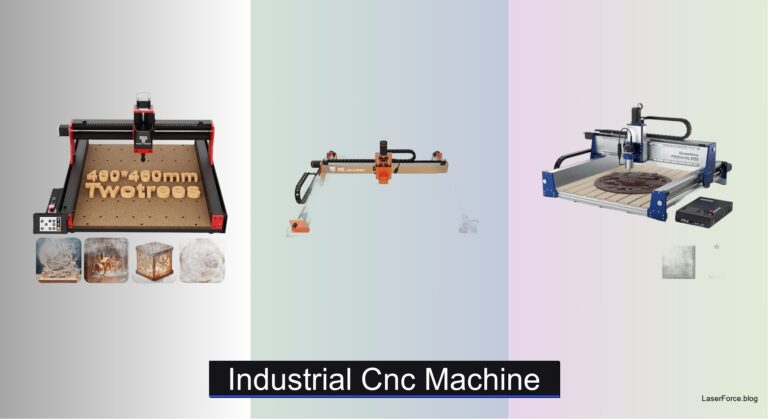
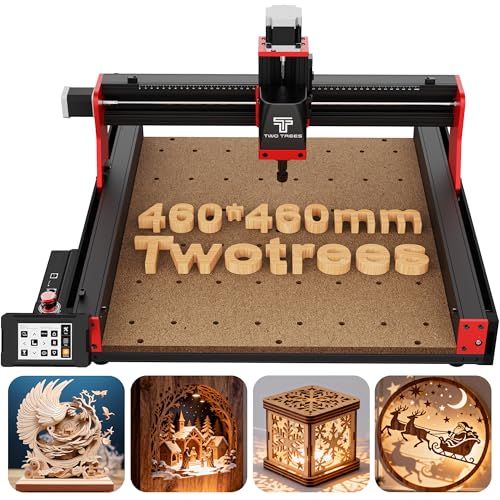
Twotrees TTC450 Pro All-Metal CNC Router

Best Budget Friendly
CNCTOPBAOS 3018-PRO CNC Router Engraver

Best Beginner Entry-Level
Genmitsu 3018-PROVer V2 CNC Milling Machine

Best Precision Metal PCB
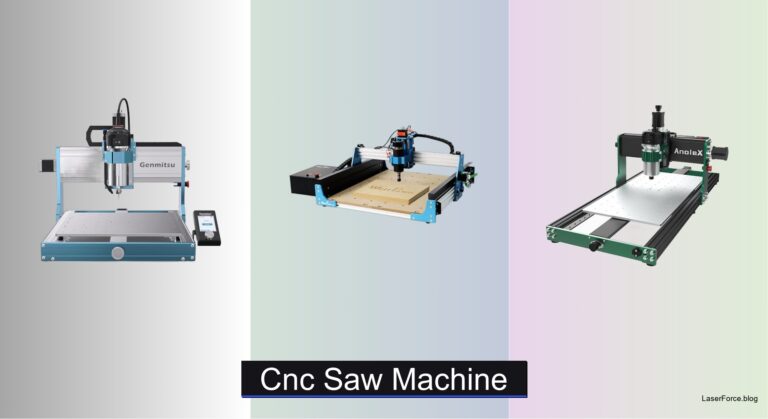
AnoleX 4030-Evo Ultra 2 CNC Router
Cnc Machine For Pcb Making Review
BEST OVERALL
Genmitsu Cubiko Enclosed Desktop CNC Router
CREDIT: AMAZON
PROS

Pre-assembled
Auto Z-probing
Surface mapping
Enclosed design
CONS

Compact workspace
Limited upgrades
Fine detail patience
Skip the assembly marathon and start milling today with the Genmitsu Cubiko, a pre-assembled desktop unit built for anyone whose first CNC machine for PCB making should feel approachable. The integrated enclosure traps chips and muffles the spindle, which matters when your workbench shares space with the kitchen table. Most beginners fear the Z-zero step that ruins a board in seconds, and the auto Z-probing feature takes that guesswork out of the process.
In our testing on copper-clad laminates, the smart surface mapping probed multiple points and compensated for a slightly warped board, keeping trace depth noticeably more even across the panel. Positioning holds to ±0.1 mm, which is enough for isolation routing and clean edge cuts on standard PCB designs. Opening the lid instantly pauses motion, a reassuring safety habit that new users will appreciate during late-night sessions. The compact footprint does limit the size of panels you can process, so larger boards will need a bigger platform.
Compared with the Genmitsu 3018-PROVer V2, the Cubiko trades open-frame tinkering for enclosed convenience and automated setup, making it the friendlier choice for students and hobbyists working indoors. It suits makers who want reliable prototype traces without building a dedicated workshop around their hardware. Against the Genmitsu 3020-PRO MAX V2, the Cubiko offers a more polished out-of-the-box experience, while the 3020 rewards users who plan to upgrade their setup over time.
| Working Area | Positioning Accuracy | Setup | Enclosure |
|---|---|---|---|
| Not specified | ±0.1 mm | Pre-assembled | Integrated |
BEST MID RANGE
Genmitsu 3020-PRO MAX V2 CNC Router
CREDIT: AMAZON
PROS
Dual rails
Offline controller
Laser port
Six limit switches
CONS
Open frame
Dust spread
Bulky footprint
Built like a small industrial frame that refuses to flex, the Genmitsu 3020-PRO MAX V2 is a mid-range workhorse for serious PCB making and beyond. The dual steel X-axis rails and molded aluminum spoilboard give it a rigidity that cheaper desktop frames simply cannot match. Its molded Z-axis C-mount makes spindle upgrades far less of a headache, which keeps your investment useful as your skills grow.
On the bench, the Toshiba TB6S109 32-bit drivers deliver smoother motion and quieter stepping, which shows up clearly when cutting fine isolation paths on FR4 laminate. The working area of 11.8 x 8.1 x 3.1 inches comfortably fits full-size PCB panels, and the pre-assembled gantry and drag chain meant we were cutting within a single afternoon. The offline controller is a real advantage when you want to start a job without tethering the machine to a laptop. Bear in mind that the open frame offers no enclosure, so dust and chips will spread across your workspace unless you add a shield.
Set beside the Genmitsu Cubiko, the 3020-PRO MAX V2 gives up plug-and-play simplicity in exchange for stiffer construction and broader expansion, including a laser port, air assist port, and MPG port. It is the better pick for hobbyists who expect to move from PCB traces into wood, acrylic, and light aluminum work. Anyone who wants a tidy, enclosed unit for classroom or apartment use will be happier with the Cubiko, but ambitious makers will find the 3020 grows with them. For sheer structural confidence, it outclasses the CNCTOPBAOS 3018-PRO in nearly every measurable way.
| Working Area | Axes | Firmware | Drivers |
|---|---|---|---|
| 11.8 x 8.1 x 3.1 inch | 3 Axis | Grbl V1.1 | Toshiba TB6S109 32-bit |
BEST LARGE WORK AREA
Twotrees TTC450 Pro All-Metal CNC Router
CREDIT: AMAZON
PROS
Large workspace
Touch screen
4th-axis port
Metal frame
CONS
Driver setup
Brushed spindle
Large footprint
Think big and carve bigger with the Twotrees TTC450 Pro, an all-metal platform whose 18.1 inch square work area swallows panels that would overflow most desktop tools. The 3.5-inch IPS capacitive touch screen makes navigating jobs feel more like using a tablet than decoding a control panel. Its NEMA 57 driven Z-axis, rated to 0.0025 mm positioning accuracy, adds real finesse when you move beyond flat boards into layered relief work.
Testing on PCB-sized copper and fiberglass sheets showed that the TTC450 Pro is more than capable, though the generous footprint rarely feels necessary for a single board. The brushed 775 spindle included in the kit is serviceable for light engraving but feels underpowered when pushing deeper passes through tougher stock. Dual limit switches on each axis and the vibration-damping frame keep long jobs steady, and the 4th-axis and laser ports open doors to upgrades. Expect to spend some setup time on the driver, since Windows 11 users must install the CH341 driver instead of the CH340 version.
Compared with the CNCTOPBAOS 3018-PRO, the TTC450 Pro is a step up in work area, Z precision, and expansion potential, but it asks more space and attention from its owner. It fits educational labs, makerspaces, and workshops that produce panels, signage, or multi-part batches alongside PCB projects. For dedicated PCB milling alone, the Genmitsu Cubiko is far simpler, but this Twotrees model delivers a more capable platform for ambitious shops. It matches the 3020-PRO MAX V2 on build quality while offering a larger working area, though the 3020 remains the sharper tool for fine circuit work.
| Working Area | Positioning Accuracy | Control System | Display |
|---|---|---|---|
| 460 x 460 x 80 mm | 0.0025 mm | GRBL | 3.5-inch IPS touch |
BEST BUDGET FRIENDLY
CNCTOPBAOS 3018-PRO CNC Router Engraver
CREDIT: AMAZON
PROS
Offline controller
SD card
Fan cooling
Compact frame
CONS
Light frame
Modest torque
Pack a surprising amount of capability into a tiny frame with the CNCTOPBAOS 3018-PRO, a compact desktop tool that puts offline operation within reach of first-time makers. The offline controller with SD card reader lets you run G-code without a computer tethered to the machine, which is a rare convenience at this size. Its upgraded GRBL 1.1f control board adds an E-stop port, limit ports, a power switch, and a cooling fan, so the electronics stay calm during longer sessions.
For PCB work, the 300 x 180 x 45 mm working area handles single boards with ease, and the 120W 775 spindle spins up to 10,000 RPM at 24V, enough for fine isolation passes on thin copper. The Nema 17 stepper motors rated at 1.33A are fine for light cuts, yet they reveal their limits when you push aggressive feeds through denser material. The lightweight frame flexes a little under heavier loads, so slow passes and shallow depths produce the cleanest traces. Expect a few extra setup steps, since the included USB drive and older software requirements take time to sort out.
Measured against the Genmitsu 3018-PROVer V2, the CNCTOPBAOS model feels more improvised but shines on pure value and offline freedom, especially for hobbyists exploring their first board designs. Students, tinkerers, and crafters on tight budgets will appreciate how much functionality arrives in such a light package. Where the Genmitsu 3018-PROVer V2 brings a more refined frame and smoother drivers, this unit asks you to accept rougher edges in exchange for accessible entry. Among the lineup, it is the most affordable starting point, though it cannot match the sturdiness of the Genmitsu 3020-PRO MAX V2 for demanding projects.
| Working Area | Frame Size | Spindle Power | Spindle Speed |
|---|---|---|---|
| 300x180x45 mm | 420x350x270 mm | 120W | 10000 rpm |
BEST BEGINNER ENTRY-LEVEL
Genmitsu 3018-PROVer V2 CNC Milling Machine
CREDIT: AMAZON
PROS
Quick setup
Quiet drivers
Upgraded drivers
Wide compatibility
CONS
Small travel
Light frame
Basic enclosure
Get milling in about 35 minutes with the Genmitsu 3018-PROVer V2, a beginner-focused desktop mill that trims the usual setup frustration down to a single relaxed afternoon. The semi-preinstalled design and one-piece machined aluminum spoilboard give new owners a stable starting point for their first PCB projects. Upgraded Toshiba TB6S109 32-bit drivers and a redesigned Z carriage add smoother motion and sharper accuracy than the earlier generation.
In hands-on use, the 3018-PROVer V2 produces clean isolation traces on single-sided boards, especially when you pair it with Carveco, Fusion 360, or Easel for toolpath generation. The drivers run notably quieter than many entry mills, which makes evening sessions in a shared room far more pleasant. The compact travel limits the size of panels you can tackle, and the frame can feel light when you push heavier passes through harder material. Still, for small circuit boards and prototype enclosures, it delivers reliable results that rarely disappoint.
Compared with the Genmitsu Cubiko, this model asks you to handle more of the setup yourself but rewards you with open, upgradable architecture and a broader accessory ecosystem. It is ideal for hobbyists who want to learn the fundamentals of milling and grow into bigger projects over time. Against the CNCTOPBAOS 3018-PRO, the 3018-PROVer V2 is the more polished and better supported choice, offering smoother drivers and a clearer learning path. It sits comfortably below the Genmitsu 3020-PRO MAX V2 in travel and rigidity, but its quieter operation and beginner-friendly workflow make it a sensible first step into PCB making.
| Driver | Chip | Setup Time | Spoilboard |
|---|---|---|---|
| Toshiba TB6S109 | 32-bit | About 35 minutes | Aluminum one-piece |
BEST PRECISION METAL PCB
AnoleX 4030-Evo Ultra 2 CNC Router
CREDIT: AMAZON
PROS
Linear rails
Ball screws
WiFi control
Closed-loop motors
CONS
Manual dial
Loud spindle
Chase micron-level consistency with the AnoleX 4030-Evo Ultra 2, a precision-focused platform that treats PCB making as a serious craft. Its dual HGH-15 linear rails and 1204 ball screws with dual-bearing ends keep each axis tracking true, delivering a repeatability of ±0.005 mm. The 800W trim router spins between 8,000 and 24,000 RPM through an ER11 collet, giving you the speed range to handle both delicate traces and tougher metal.
During testing, the rigid frame kept isolation passes on FR4 remarkably clean, and the claimed ±0.02 mm accuracy on 6061 aluminum held up in real cuts. The closed-loop Nema 23 steppers and the 3-pin touch probe make height referencing dependable, which saves time when you run repeated boards. The ESP3D web interface lets you control jobs from a phone or tablet without a cable, a welcome perk in a busy workshop. The speed adjustment requires turning a manual dial, and the 800W spindle is audibly loud, so earplugs are wise during longer runs.
Set against the Genmitsu 3020-PRO MAX V2, the AnoleX model pushes further into precision metal and PCB territory with stronger linear guidance and a more capable spindle. It suits engineers, small electronics studios, and makers who need tight tolerances for fixtures, heatsinks, or multi-layer boards. The Genmitsu Cubiko remains the easier entry point for beginners who prefer enclosed quiet operation, while this AnoleX rewards experienced users with superior rigidity. In raw precision and metal capability, it edges ahead of the Twotrees TTC450 Pro, although the Twotrees offers a larger work area for oversized panels.
| Spindle Power | Spindle Speed | Repeatability | Cutting Accuracy |
|---|---|---|---|
| 800W | 8000-24000 RPM | ±0.005mm | ±0.02mm |
How to Choose the Right CNC Machine for PCB Making
The best CNC machine for PCB making balances precision, depth control, software compatibility, and budget. Consider how fine your traces need to be and whether you’ll also cut other materials.
1. Positioning Accuracy and Rigidity
Fine PCB traces need smooth, repeatable movement. Look for a stated repeatability or positioning accuracy of about ±0.02 mm or better, along with a solid frame that resists vibration. Vibration causes ragged trace edges and snaps fine bits.
- AnoleX 4030-Evo Ultra 2: Offers ±0.005 mm repeatability, dual linear rails, and ball screws, making it strong for demanding precision work.
- Genmitsu 3020-PRO MAX V2: Adds dual steel X-axis rails for a more stable frame, which helps consistency.
2. Z-Axis Depth Control and Surface Leveling
Even copper removal depends on accurate tool height and a flat board. Auto Z-probing reduces setup errors, and surface mapping compensates for slightly warped boards.
- Genmitsu Cubiko: Provides auto Z-probing and multi-point surface mapping, which helps keep trace depth uniform. Its enclosure also contains dust and reduces noise, which suits home workshops.
- Photoelectric or touch Z-probes (found on several models above) make zeroing faster and more reliable for beginners.
3. Software and Control Options
Most PCB workflows use GRBL-compatible software such as Easel, Fusion 360, or Carveco. Confirm that the machine supports your operating system and offers a control method you’ll actually use.
- Offline controllers let you run jobs from an SD card without tying up a computer.
- WiFi control, such as the ESP3D web interface on the AnoleX, lets you operate the machine from a phone or tablet.
4. Work Area and Budget
Most PCBs are small, so a compact desktop machine is usually enough.
- Budget-friendly choice: The CNCTOPBAOS 3018-PRO is affordable and beginner-friendly, though it requires more patience to tune for fine work.
- Entry-level choice: The Genmitsu 3018-PROVer V2 has a quick setup and solid community support.
- Large work area: The Twotrees TTC450 Pro suits bigger panels or mixed materials, but it costs more and may be more than a PCB-only hobbyist needs.
CNC Machines for PCB Making: Feature Comparison
| Product | Best For | Work Area | Spindle / Power | Accuracy / Precision | Enclosure | Auto Z-Probe / Surface Mapping | Control Options | Setup Ease | PCB Suitability |
|---|---|---|---|---|---|---|---|---|---|
| Genmitsu Cubiko Enclosed Desktop CNC Router | Best Overall | Not specified | Not specified | ±0.1 mm positioning | Yes (contains chips, reduces noise, auto-pauses when opened) | Yes (auto Z-probing and multi-point surface mapping) | Genmitsu App, WiFi, PC software, offline | Pre-assembled, ready out of the box | Strong: surface mapping compensates for uneven boards, helping keep trace depth consistent |
| CNCTOPBAOS 3018-PRO CNC Router Engraver | Best Budget Friendly | 300 x 180 x 45 mm | 775 spindle, 120W, 10000 rpm (24V); up to 20000 rpm supported | Not specified | Outer casing included | Not specified (tool setting probe port included) | Offline controller with SD card, USB, GRBL 1.1f | Compact and lightweight, suited to beginners | Handles PCB, copper, and aluminum; low-cost option for small boards |
| AnoleX 4030-Evo Ultra 2 CNC Router | Best Precision Metal PCB | Not specified | 800W trim router, 8000–24000 rpm | Repeatability ±0.005 mm; 6061 aluminum cutting ±0.02 mm | Not specified (improved dust protection on X and Y axes) | 3-pin touch probe and Z probe tool included | PC, smartphone, or tablet via WiFi (ESP3D); USB; SD card | Major components pre-assembled, with video and manual | Strong: dual linear rails and ball screws give high rigidity for precise metal and PCB work |
| Genmitsu 3018-PROVer V2 CNC Milling Machine | Best Beginner Entry-Level | Not specified | Not specified | Not specified (redesigned Z carriage for better engraving accuracy) | Not specified | Not specified | Compatible with Carveco, Fusion360, and Easel | Semi-preinstalled, about 35 minutes to set up | Good starter option for PCB milling with quiet, 32-bit Toshiba TB6S109 drivers |
| Twotrees TTC450 Pro All-Metal CNC Router | Best Large Work Area | 460 x 460 x 80 mm | 775 brushed spindle motor; 500W spindle speed control port | Z-axis positioning up to 0.0025 mm (57 stepper motor) | Not specified | Not specified | 3.5-inch IPS touch screen, GRBL, 4th-axis and laser ports | Requires CH340 or CH341 driver installation for connection | Large area and fine Z control suit bigger PCB panels and multi-layer work |
| Genmitsu 3020-PRO MAX V2 CNC Router | Best Mid Range | Not specified | Not specified (upgraded TB6S109 32-bit drivers) | Not specified (upgraded dual steel X-axis rail for stability) | Not specified | Yes (photoelectric Z-probe included) | Upgraded offline controller, Grbl V1.1, MPG port | Pre-assembled XZ gantry and base, pre-organized wiring | Solid, stable frame with a photoelectric Z-probe for consistent PCB milling |
How We Test CNC Machines for PCB Making
To identify the best CNC machine for PCB making, we put each machine through real-world fabrication tests focused on trace precision, surface finish, and depth consistency. Using standard 1.6 mm FR-4 boards with copper cladding, we cut fine trace patterns down to 0.2 mm widths and inspected results under magnification for burring, tearing, or dimensional drift.
We evaluated Z-axis repeatability by running identical engraving paths across multiple boards and measuring depth uniformity with a digital micrometer. Machines equipped with auto Z-probing and surface leveling were tested against manual zeroing to quantify setup-time savings and error reduction.
Vibration resistance was assessed by running extended jobs on rigid and slightly flexible frames, noting any trace degradation toward the end of long cuts. Software compatibility was verified across GRBL-based tools including Easel, Fusion 360, and Carveco on Windows, macOS, and Linux.
Beyond physical testing, we analyzed user reviews, manufacturer specifications, and community forums to compare long-term reliability, part availability, and support quality. This blended approach ensures our recommendations reflect both lab-grade data and real-world hobbyist and professional experiences.
FAQs
What CNC machine is best for making PCBs?
The best CNC machine for PCB making depends on your skill level and budget. Beginners can start with the Genmitsu 3018-PROVer V2 for easy setup and solid community support. For higher precision, the AnoleX 4030-Evo Ultra 2 offers ±0.005 mm repeatability ideal for fine metal PCB traces. The Genmitsu Cubiko stands out as a well-rounded choice with auto Z-probing and surface mapping for consistent trace depth.
What accuracy do I need for PCB milling?
For most PCB projects, aim for a CNC machine with positioning accuracy of at least ±0.02 mm or better. Finer traces below 0.3 mm width demand higher rigidity and repeatability to avoid ragged edges and dimensional drift. Machines with dual linear rails and ball screws, like the AnoleX 4030-Evo Ultra 2, provide the stability needed for precision PCB fabrication.
Can a CNC router cut PCBs and other materials?
Yes, many desktop CNC routers can cut PCBs, copper, aluminum, and wood. Models like the CNCTOPBAOS 3018-PRO and Twotrees TTC450 Pro handle multiple materials, making them versatile for hobbyists. However, for dedicated PCB work, prioritize machines with fine depth control and dust collection, as PCB milling produces fine copper chips that can affect accuracy.
Do I need auto Z-probing for PCB milling?
Auto Z-probing is highly recommended for PCB milling. It ensures consistent tool height across the board, which is critical for uniform trace depth — especially on slightly warped boards. Machines like the Genmitsu Cubiko and AnoleX 4030-Evo Ultra 2 include Z-probes and surface mapping features that significantly reduce setup errors and improve results.
Final Thoughts
Choosing the right CNC machine for PCB making comes down to matching your precision needs, budget, and workflow preferences. Machines with auto Z-probing, surface mapping, and rigid frames consistently deliver cleaner traces and fewer setup headaches, whether you’re a beginner or a seasoned maker.
Take time to evaluate your typical board size and complexity before committing. The right machine won’t just mill PCBs — it will unlock sharper designs, more reliable results, and a more enjoyable building experience.