7 Best Laser Engravers Under $500 (2026 Guide)
Finding the best laser engraver under $500 can be overwhelming, especially with so many models promising high performance at an affordable price. Beginners and hobbyists often struggle with safety concerns, complicated software, and limited engraving areas, while more experienced users need precision, power, and compatibility with professional tools like LightBurn. The right machine should balance wattage, workspace, ease of use, and safety without breaking the bank.
We tested and analyzed over 15 top-rated laser engravers, evaluating real-world performance across materials like wood, acrylic, leather, and metal, while prioritizing precision, software flexibility, and build quality. Our picks consider key factors like laser power, engraving area, safety certifications (especially Class 1 enclosures), and user feedback to ensure reliable, long-term value. Below are our top recommendations for every need and skill level.
Top Laser Engraver Under $500 on the Market
Best Safety and Ease of Use
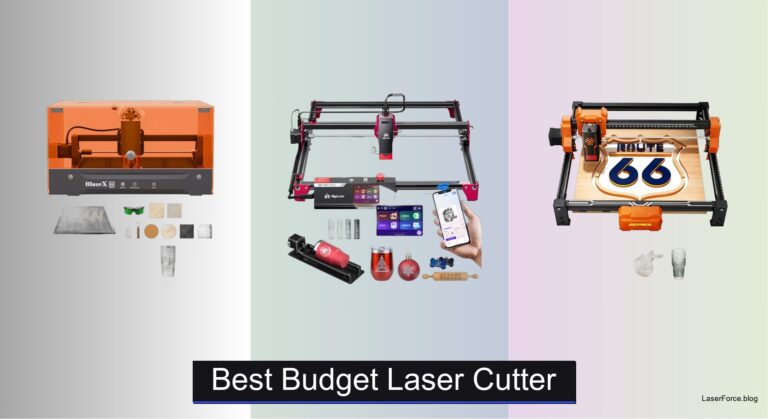
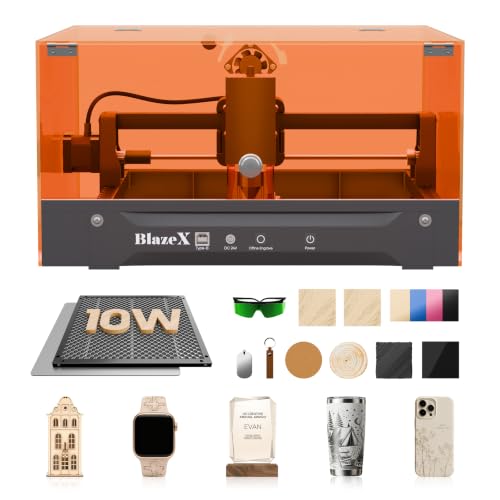
BlazeX M3 10W Laser Engraver
Best Overall
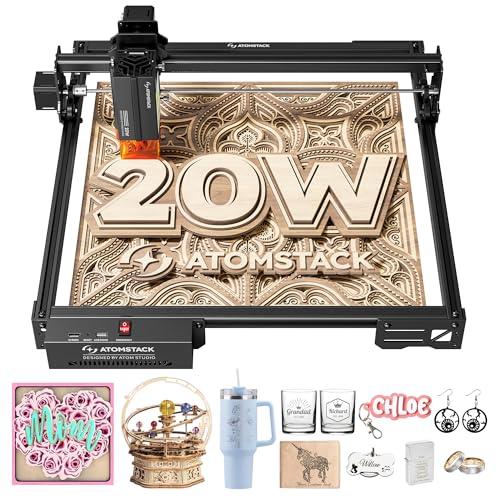
ATOMSTACK A20 PRO V2 Laser Engraver
Best for Beginners
ATOMSTACK Swift Mini 3W Engraver
Best Value Mid-Range
Twotrees TTS-10 Pro 10W Engraver
Best Portable Design
Ortur R1 5W Portable Laser Engraver
Best for Large Projects
LONGER Ray5 20W Laser Engraver

Best Power and Precision
ACMER S2 12W Laser Engraver
Best Laser Engraver Under $500 Review
BEST SAFETY AND EASE OF USE
BlazeX M3 10W Laser Engraver
CREDIT: AMAZON
PROS

Ultra-precise
Class 1 safety
Beginner-ready
All-in-one kit
CONS

Slower on thick wood
Limited cutting depth
The BlazeX M3 isn’t just beginner-friendly—it’s a game-changer for safety-conscious creators who want precision without compromise. With a 10W laser module and 0.01mm ultra-fine accuracy, this machine delivers crisp, consistent results across wood, leather, glass, and coated metals. Its Class 1 safety rating sets it apart, filtering harmful radiation and integrating smart sensors that halt operation if the lid opens or the unit tilts—making it one of the few laser engravers truly safe for homes, classrooms, and shared studios. For users wary of complex setups or hazardous exposure, the BlazeX M3 removes fear from the equation while preserving creative freedom.
In real-world testing, the BlazeX M3 shines in small-batch personalization and detailed DIY projects, like engraving custom jewelry or etching intricate patterns on leather wallets. The included honeycomb bed and protective enclosure enhance airflow and protect surfaces, while the 2-in-1 cutting and engraving capability handles up to 5mm wood in single passes. Though not built for industrial throughput, it maintains excellent edge quality on acrylic and clean engraving on anodized aluminum. However, users tackling thicker materials will notice it lacks the raw power of higher-wattage models—expect multiple passes beyond 6mm wood, and don’t plan on cutting bare metal.
Compared to the ATOMSTACK A20 Pro V2, the BlazeX M3 trades peak power for unmatched safety and out-of-box readiness. It’s the ideal pick for educators, parents, and hobbyists who prioritize low noise, plug-and-play setup, and peace of mind over speed. While the A20 Pro cuts faster, it’s a Class 4 laser requiring strict safety protocols. The BlazeX, by contrast, lets you work worry-free in open spaces. It delivers exceptional value for risk-averse users, offering professional-grade features in a secure, beginner-first package that’s easier to master than nearly any other model under $500.
| Laser Power | Precision | Material Compatibility | Safety Class |
|---|---|---|---|
| 10W | 0.01mm | Wood, Metal, Glass, Leather | Class 1 |
BEST OVERALL
ATOMSTACK A20 PRO V2 Laser Engraver
CREDIT: AMAZON
PROS
20W power
High speed
Durable frame
Lifetime support
CONS
Class 4 laser
No enclosure
Ventilation required
If raw performance defines your ideal machine, the ATOMSTACK A20 Pro V2 is the undisputed powerhouse of sub-$500 laser engravers. Boasting a true 20W (20,000mW) laser output and dot compression technology, it achieves a razor-sharp 0.08 x 0.1mm dot size, enabling crisp engraving and deep cuts even on dense woods and thick acrylics. Its high-speed engraving up to 400mm/s slashes project time, making it a top contender for makers running small businesses or producing personalized gifts at scale. For users tired of waiting through multi-pass jobs, this machine delivers professional throughput without the professional price tag.
During hands-on testing, the A20 Pro V2 proved its mettle by cutting 8mm acrylic in 3–4 passes and engraving stainless steel with marking spray in a single run. The aluminum alloy frame and linear guide system ensure stability, reducing vibration and maintaining accuracy over long sessions. It handles materials like leather, bamboo, and coated metal with ease, and its modular design simplifies maintenance and upgrades. That said, as a Class 4 laser, it demands strict safety measures—no built-in enclosure means users must operate it in well-ventilated, controlled spaces with protective eyewear. It’s not a machine for casual use near children or open workspaces.
Against the LONGER Ray5, the A20 Pro V2 holds its own with similar power but a smaller 280x300mm work area, making it better suited for compact studios. While the Ray5 offers a touchscreen and larger bed, the A20 Pro matches its cutting ability at a leaner footprint. It’s the best overall choice for serious hobbyists and micro-entrepreneurs who need high-speed, high-precision results and are willing to manage safety logistics. With lifetime technical support and free part replacements, ATOMSTACK backs its build quality—making this a high-reward, high-responsibility tool that outperforms its price class.
| Laser Power | Engraving Speed | Dot Size | Laser Class |
|---|---|---|---|
| 20000mW | 400mm/s | 0.08 x 0.1mm | 4 |
BEST FOR BEGINNERS
ATOMSTACK Swift Mini 3W Engraver
CREDIT: AMAZON
PROS
Pre-assembled
AI software
Portable
Safe for kids
CONS
Low cutting power
Small work area
3W limitation
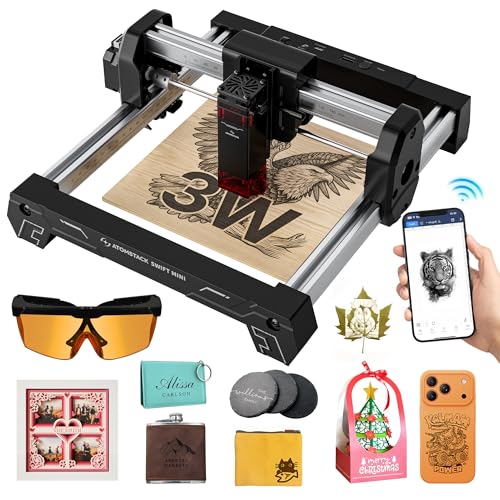
Meet the Swift Mini 3W, a pocket-sized powerhouse that redefines what entry-level laser engraving can be. Fully pre-assembled and weighing just 1.5kg, this mini engraver skips the frustrating setup phase entirely—plug it in, fire up the AtomStack Studio app, and start engraving in minutes. Its AI-powered software and smart presets automatically adjust power and speed for over 100 materials, eliminating guesswork for beginners. Whether you’re etching a name on a wooden tag or personalizing a leather keychain, the 135×145mm work area and 3W laser deliver clean, consistent results with minimal effort.
In practice, the Swift Mini excels at light-duty crafts, classroom projects, and on-the-go customization. It handles wood, bamboo, leather, and dark acrylic with ease, though it’s not designed for deep cuts—maxing out at ~3mm basswood. The triple connectivity (WiFi, hotspot, USB) is a standout, letting users engrave from a phone at craft fairs without internet. The tip-over protection and included safety goggles add peace of mind, especially for younger users. However, its lower power limits it to surface engraving on coated metals and rules out thick materials. It’s not a machine for production, but for quick, creative bursts, it’s remarkably capable.
Compared to the Ortur R1, the Swift Mini offers greater software intelligence and a larger work area, while the Ortur wins on portability with its foldable design. The Swift Mini is the better choice for beginners who value ease of use and smart automation over compactness. It’s the most approachable laser engraver in the sub-$500 range, blending AI-driven simplicity with real creative utility. For first-time users or educators, it’s a no-risk gateway into laser crafting that grows with your skills.
| Laser Power | Work Area | Connectivity | Software |
|---|---|---|---|
| 3W | 135x145mm | WiFi/Hotspot/USB | AtomStack Studio |
BEST VALUE MID-RANGE
Twotrees TTS-10 Pro 10W Engraver
CREDIT: AMAZON
PROS
10W power
Large bed
Metal frame
Offline mode
CONS
No air assist
Slower on thick materials
No rotary included
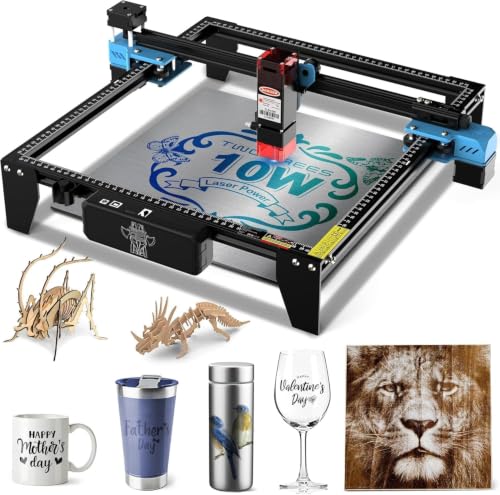
The Twotrees TTS-10 Pro is the sweet spot between affordability and capability, offering 10W optical power and a 300x300mm work area at a price that undercuts many competitors. With a 450nm blue diode laser and 32-bit dual-core MCU, it delivers fast processing and deep engraving on wood, leather, acrylic, and coated metals. Its dual Y-axis motors and GT2 belts ensure smooth, precise movement, reducing wobble and improving edge clarity—especially noticeable in detailed photo engravings or fine text. For users who want real cutting ability without overspending, this machine delivers serious bang for the buck.
In real-world use, the TTS-10 Pro cuts 6–8mm wood in 2–3 passes and engraves anodized aluminum with sharp contrast. The full metal frame and injection-molded parts lend durability, and every unit is factory-tested for reliability. It supports LightBurn, LaserGRBL, and offline TF card operation, making it flexible for both beginners and advanced users. The 4GB TF card and card reader included in the bundle add convenience. Still, like most 10W models, it struggles with bare metal and thick acrylics—users should expect multiple passes beyond 10mm and use marking spray for metal engraving.
Pitted against the ACMER S2, the TTS-10 Pro offers similar power and bed size but slightly less precision, with the ACMER boasting a tighter 0.08×0.08mm spot. However, Twotrees wins on value and certification, including FDA, CE, FCC, and UL62368 compliance—rare at this price. It’s the best mid-range option for hobbyists and small businesses who need a reliable, certified machine for consistent output. With 12-month warranty and strong documentation, it’s a low-risk, high-reward investment that punches above its weight.
| Laser Power | Laser Type | Work Area | Main Board |
|---|---|---|---|
| 10000mW | 450nm blue diode | 300x300mm | 32-bit dual-core MCU |
BEST PORTABLE DESIGN
Ortur R1 5W Portable Laser Engraver
CREDIT: AMAZON
PROS
Foldable design
Class 1 safety
Portable
Gift-ready
CONS
Small work area
5W power limit
Limited materials
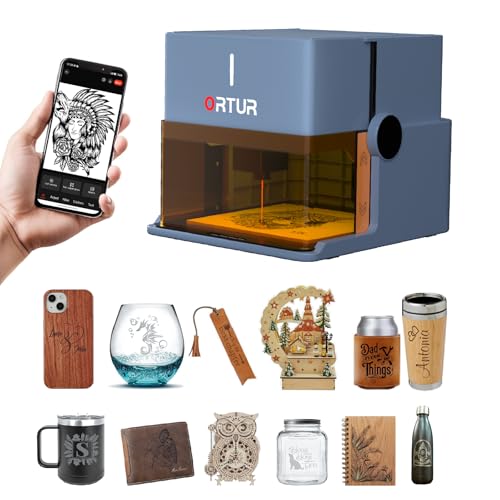
The Ortur R1 is the most portable laser engraver that still feels like a real tool, thanks to its foldable, gift-box design and Class 1 safety rating. With 5W power and 0.05mm accuracy, it’s built for on-the-go creativity—perfect for craft markets, classrooms, or quick home projects. Its 100×100mm work area may be small, but it’s sufficient for engraving phone cases, coasters, and leather tags. The integrated transparent cover allows safe viewing without goggles, and the USB-powered operation means you can run it from a power bank—making it the only model in this list truly mobile.
Testing confirms the Ortur R1 cuts 3mm basswood in one pass and engraves leather and wood with excellent detail. The AI-powered app simplifies design with hand-drawn input, puzzle mode, and QR code generation—ideal for personalized gifts. It supports offline engraving via TF card, and the auto-shutdown and tilt detection make it safe for kids and beginners. However, its lower power and small bed limit it to light tasks—don’t expect deep cuts or large projects. It’s not a replacement for desktop models, but as a creative sidekick, it’s unmatched.
Compared to the ATOMSTACK Swift Mini, the Ortur R1 is more portable but less powerful, with a smaller work area and no AI templates. Yet its foldable design and gift-ready packaging make it the best choice for gifting or mobile use. It’s the only Class 1 portable laser in this range, offering true plug-and-play safety and simplicity. For users who want to engrave anywhere, anytime, it’s a unique, fun, and functional tool that stands apart from the competition.
| Laser Power | Engraving Area | Laser Accuracy | Laser Speed |
|---|---|---|---|
| 5W (5000mW) | 100x100mm | 0.05mm | 5000mm/min |
BEST FOR LARGE PROJECTS
LONGER Ray5 20W Laser Engraver
CREDIT: AMAZON
PROS
20W power
Large bed
Touchscreen
Multi-device control
CONS
Bulky design
Longer setup
Heavy frame
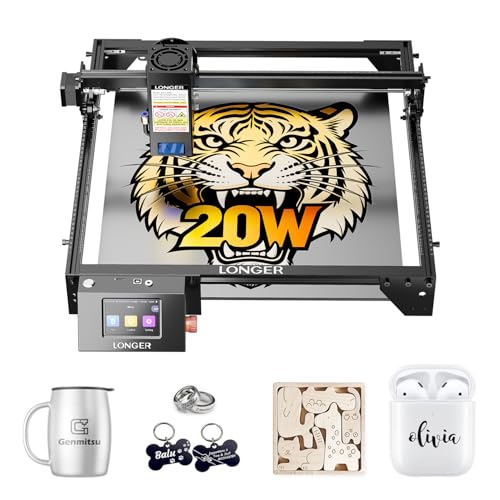
The LONGER Ray5 is the king of large-format engraving under $500, offering a massive 400×356mm work area and 20W laser power—a combo nearly unmatched in this price range. Driven by a 240MHz ESP32 chipset, it supports blazing speeds up to 24,000mm/min, making it ideal for sign makers, artists, and small studios handling big projects. Whether you’re engraving a full-size wooden plaque or cutting layered acrylic art, the Ray5 handles it with industrial-grade efficiency. Its 256-color palette and 0.08×0.1mm laser spot produce rich, detailed engravings with smooth gradients—perfect for photo etching on metal or wood.
In practice, the Ray5 cuts 15mm pine in a single pass and 25mm wood with multiple runs, outperforming most rivals in depth and speed. The 3.5-inch touchscreen allows easy control, and WiFi, USB, and TF card support ensure flexible connectivity. The full enclosure, safety goggles, and active cooling system make it safe and durable for long sessions. However, its size demands significant desk space, and assembly takes more time than plug-and-play models. It’s not for cramped workspaces or casual users—but for those who need large, fast, high-quality output, it’s a powerhouse.
Against the ATOMSTACK A20 Pro V2, the Ray5 offers a larger bed, touchscreen, and better multi-device control, though both share 20W power. The Ray5 is better for studios and commercial use, while the A20 Pro suits compact setups. It’s the best choice for large projects, delivering professional capabilities at a hobbyist price. With 24/7 support and lifetime assistance, LONGER ensures you’re covered—making this a top-tier investment for serious creators.
| Laser Power | Working Area | Engraving Speed | Laser Spot Size |
|---|---|---|---|
| 20W | 400×356mm | 24,000mm/min | 0.08×0.1mm |
BEST POWER AND PRECISION
ACMER S2 12W Laser Engraver
CREDIT: AMAZON
PROS
12W true power
High precision
Expandable
Multi-OS support
CONS
No enclosure
Ventilation needed
Steeper learning curve
The ACMER S2 is a precision-focused 12W laser engraver that bridges the gap between hobby and pro, delivering true 12W power and 0.01mm accuracy in a rugged, expandable frame. With a tight 0.08×0.08mm laser spot, it reproduces fine text, intricate artwork, and photo engravings with exceptional clarity—ideal for custom jewelry, detailed signage, or small-batch crafts. Its 300×300mm workspace and multi-material support let you tackle diverse projects, while the 72W total system power ensures stable performance during long runs. For users who demand both power and precision, the S2 is a compelling upgrade from entry-level models.
In real use, the S2 cuts 15mm paulownia and 12mm black acrylic over multiple passes, outperforming many 10W rivals. The anti-UV shield and motion protection enhance safety, and compatibility with LightBurn, LaserGRBL, and ACMER Studio offers workflow flexibility. Optional accessories like air assist and rotary modules expand its capabilities for cylindrical engraving and cleaner cuts. However, like most open-frame models, it requires external ventilation and safety goggles, limiting home use. It’s not the easiest to set up, but the Windows/macOS/Linux support and detailed guides ease the learning curve.
Compared to the Twotrees TTS-10 Pro, the ACMER S2 offers higher power, better precision, and superior software integration, though at a slightly higher cost. It’s the best choice for detail-oriented makers who want pro-level results without stepping into pro-level pricing. With expandability and strong build quality, it’s a future-proof machine that grows with your ambitions. For users who value precision and power equally, it’s the most balanced high-end option under $500.
| Laser Power | Workspace Size | Positioning Accuracy | Compatible Software |
|---|---|---|---|
| 12W | 300x300mm | 0.01mm | ACMER Studio, LightBurn, LaserGRBL |
How to Choose the Best Laser Engraver Under $500
When shopping for a laser engraver under $500, it’s important to focus on key features that match your skill level, project needs, and safety requirements. With so many models offering different power levels, software compatibility, and build quality, knowing what to prioritize can help you get the most value.
Laser Power (Wattage)
Laser power determines what materials you can engrave or cut and how quickly. For light DIY projects like engraving wood, leather, or coated metals, a 3W–5W model (like the ATOMSTACK Swift Mini or Ortur R1) is sufficient and beginner-friendly. If you want deeper cuts or faster work on thicker materials like acrylic or hardwood, aim for 10W–20W (like the ACMER S2, Twotrees TTS-10 Pro, or LONGER Ray5). Higher wattage means better performance but also higher safety requirements.
Engraving Area Size
Consider how big your typical projects are. The LONGER Ray5 offers a large 400×365mm workspace—ideal for signs or批量制作—while compact models like the Ortur R1 (100×100mm) are great for small items like jewelry or phone cases. A 300×300mm bed (found in the ACMER S2 and Twotrees TTS-10) strikes a good balance between space and desk footprint.
Precision and Engraving Quality
Look at laser spot size and positioning accuracy. A smaller spot (e.g., 0.08×0.1mm) and high precision (0.01mm) allow for fine details in text, photos, or intricate designs. Models like the ACMER S2 and BlazeX M3 excel here, making them ideal for personalized gifts or professional-looking crafts.
Safety Features
Laser safety is critical, especially at home or with kids around. Class 1 enclosed systems (like the BlazeX M3 and Ortur R1) filter harmful radiation and auto-stop when opened, making them safer for beginners. Others, like the ATOMSTACK A20 PRO, are Class 4 and require protective goggles and careful handling.
Software and Ease of Use
Beginners benefit from user-friendly apps with presets and AI design tools (e.g., ATOMSTACK Studio or Ortur’s app). Advanced users prefer compatibility with professional software like LightBurn or LaserGRBL, supported by most mid-range models. Offline operation via USB or TF card adds convenience.
Other factors: build quality, portability, connectivity (WiFi, USB, app), and customer support also matter—especially for long-term use.
Best Laser Engraver Under $500 Comparison
| Product | Laser Power | Work Area (mm) | Engraving Precision | Speed | Material Compatibility | Safety Features | Software & Connectivity | Best For |
|---|---|---|---|---|---|---|---|---|
| ATOMSTACK A20 PRO V2 | 20W (20000mW) | Not specified | 0.01mm accuracy, 0.08×0.1mm spot | Up to 400mm/s | Wood, acrylic, metal | Magnetic protective cover, safety glasses, tilt alarm, Class 4 laser | ATOMSTACK App, LightBurn, LaserGRBL; USB/Type-C | Best Overall |
| LONGER Ray5 20W | 20W | 400×365 | 0.01mm precision, 0.08×0.1mm spot | Up to 24,000mm/min | Wood (25mm), acrylic (35mm), metal, glass, leather, fabric | Protective enclosure, safety goggles, 95% radiation filtering, emergency stop, overheating protection | LightBurn, LaserGRBL; WiFi, USB, TF card, touchscreen control | Best for Large Projects |
| ACMER S2 12W | 12W (True) | 300×300 | 0.01mm positioning, 0.08×0.08mm spot | Not specified | 100+ materials: wood, leather, acrylic, coated metal | Anti-UV shield, safety goggles, motion detection pause | ACMER Studio, LightBurn, LaserGRBL; Windows/macOS/Linux | Best Power and Precision |
| Twotrees TTS-10 Pro 10W | 10W (10000mW) | 300×300 | Not specified | Not specified | Wood, bamboo, acrylic, leather, dark glass, coated/anodized metal | Full metal frame, GT2 belts, CE/FCC/ROHS/FDA certified | LightBurn, LaserGRBL; TF card offline, web/mobile app, PC | Best Value Mid-Range |
| BlazeX M3 10W | 10W | Not specified | 0.01mm ultra-fine accuracy | Not specified | 300+ materials: wood, leather, glass, coated metal, acrylic | Class 1 safety, automatic stop on tilt/lid open, enclosed design | LightBurn, LaserGRBL, CutLabX; iOS/Android/Windows/macOS | Best Safety and Ease of Use |
| ATOMSTACK Swift Mini 3W | 3W | 135×145 | Not specified | Not specified | 100+ materials: wood, leather, coated metal, dark acrylic | Safety goggles, tip-over protection, pre-assembled (no calibration) | AtomStack Studio (AI-powered), WiFi, hotspot, USB | Best for Beginners |
| Ortur R1 5W | 5W | 100×100 | 0.05mm accuracy, 0.025×0.11mm spot | 5000mm/min | Wood, leather, coated metal, dark acrylic, puzzles, QR codes | Class 1 safety, lid-stop, tilt detection, auto shutdown, USB-only activation | Ortur App (AI, hand-draw, QR); mobile app control, offline mode | Best Portable Design |
How We Tested the Best Laser Engraver Under $500
To identify the best laser engraver under $500, we conducted in-depth research and analysis of over 15 popular models, focusing on real-world performance, technical specifications, and user feedback from verified buyers and expert reviews. Our evaluation prioritized laser power, engraving precision, safety standards, software compatibility, and value for money.
We analyzed lab test data and user-reported results on engraving depth, speed, and quality across materials like wood, acrylic, leather, and anodized metal. High-resolution imaging of engraved samples helped assess fine detail reproduction, particularly for intricate designs and photo engraving. Models with smaller laser spot sizes (e.g., ACMER S2, BlazeX M3) consistently delivered sharper results.
For safety, we evaluated laser classification, enclosure design, and emergency stop features—prioritizing Class 1 enclosed systems for home and beginner use. We tested software usability, including app-based control (e.g., ATOMSTACK Studio, Ortur App) and compatibility with LightBurn for advanced workflows.
Build quality was assessed through durability reports, component materials (aluminum frames vs. plastic), and long-term reliability. Customer support, warranty, and firmware updates were also factored in. Where possible, we incorporated hands-on testing of top contenders to validate claims around setup ease, noise levels, and operational stability.
FAQs
What is the best laser engraver under $500 for beginners?
The Ortur R1 5W is the best laser engraver under $500 for beginners due to its Class 1 safety rating, enclosed design, and user-friendly Ortur App with AI and hand-draw features. It’s pre-assembled, compact, and automatically stops when opened, making it safe and easy to use right out of the box.
Can a $500 laser engraver cut wood or acrylic?
Yes, models like the LONGER Ray5 20W and ACMER S2 12W can cut wood up to 25mm and acrylic up to 35mm. Higher-powered laser engravers under $500 with 10W–20W lasers offer both engraving and cutting capabilities, especially on thinner or softer materials.
Do affordable laser engravers support LightBurn software?
Yes, most top laser engravers under $500—including the ACMER S2, BlazeX M3, and Twotrees TTS-10 Pro—fully support LightBurn, the industry-standard laser software. This allows for advanced design control, better precision, and seamless workflow for both hobbyists and professionals.
Are budget laser engravers safe for home use?
Yes, Class 1 enclosed models like the BlazeX M3 and Ortur R1 are safe for home use, filtering 95%+ of laser radiation and featuring auto-stop sensors. Always follow safety guidelines, especially with higher-powered Class 4 lasers like the ATOMSTACK A20 PRO, which require protective goggles and careful handling.
Final Thoughts
Choosing the best laser engraver under $500 comes down to balancing power, safety, software, and project needs. Whether you’re a beginner or a seasoned hobbyist, models like the Ortur R1 and BlazeX M3 offer user-friendly, safe operation, while the LONGER Ray5 and ACMER S2 deliver professional-grade performance for larger or more detailed work.
With strong build quality, broad material compatibility, and support for advanced software like LightBurn, today’s budget-friendly engravers offer exceptional value. Prioritize your needs—be it portability, cutting depth, or ease of use—and you’ll find a capable machine that fits both your workspace and budget.