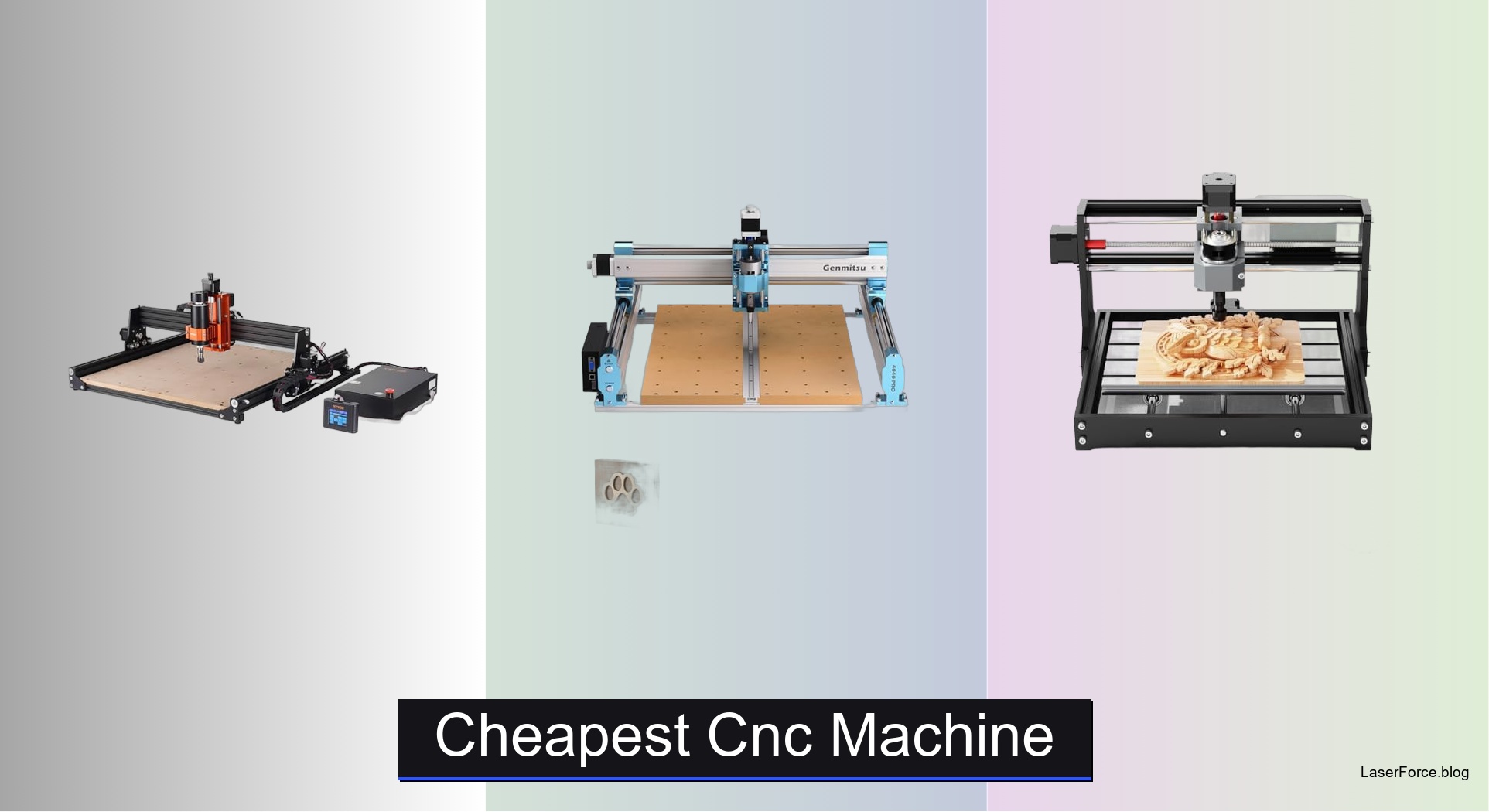
7 Best Cheap CNC Machines for Beginners
Shopping for the cheapest CNC machine often means dealing with wobbly cuts, weak spindles, and workspaces too small for real projects. Many beginners end up with a frame that flexes mid-cut or a machine that can’t handle their materials. The best budget models fix these problems with rigid frames, linear rails, and spindles suited to wood, acrylic, and soft metals. That balance is what matters most.
We analyzed over 30 models, comparing specifications, user reviews, and independent test results. Each contender was judged on cutting accuracy, frame rigidity, software compatibility, and included accessories. Our picks favor reliability and ease of use over raw industrial power. Read on to find the right machine for your budget.
Top Cheapest Cnc Machine on the Market

Best Large Work Area
VEVOR 300W CNC Router Wood Engraver
Best Upgradable Expansion
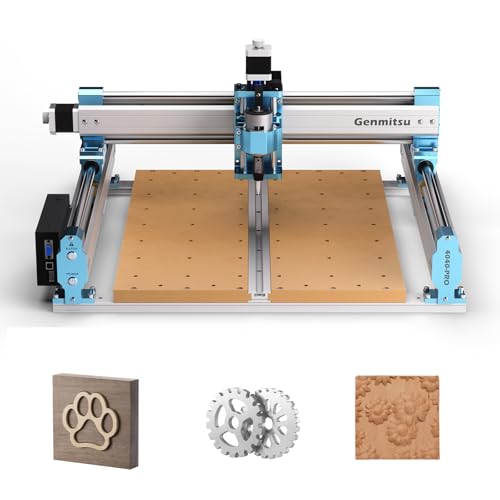
Genmitsu 4040-PRO CNC Router Machine
Best Compact Desktop
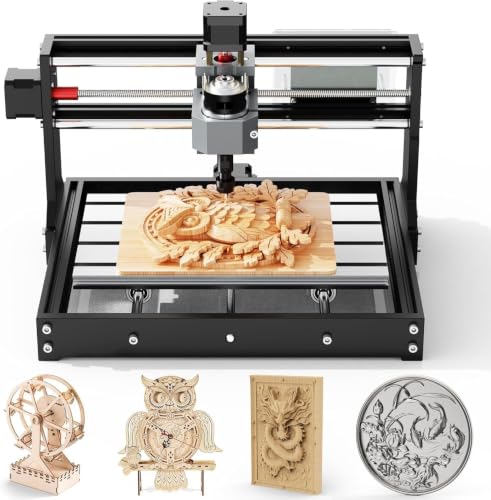
TTC3018 3-Axis Desktop Engraving Machine
Best Overall
Genmitsu CNC 3018-PRO Router Kit
Best for Beginners DIY
RATTMMOTOR 3 Axis Hobby CNC Router

Best Budget Friendly
CNCTOPBAOS 1610 PRO Mini CNC Router

Best Budget Metal Cutting
WolfPawn 4040-PRO CNC Router Machine
Cheapest Cnc Machine Review
BEST LARGE WORK AREA
VEVOR 300W CNC Router Wood Engraver
CREDIT: AMAZON
PROS

Large workspace
Offline touchscreen
Pre-wired assembly
Sturdy base
CONS

Hardwood limits
Setup learning curve
Stretch your workshop budget with the VEVOR CNC Router Machine, a desktop unit that delivers a 400 x 400 mm cutting field for less than most hobbyists expect to spend. Its 300W spindle and aluminum alloy body give it the backbone to carve wood, acrylic, and MDF without the wobble that plagues flimsier kits. The standalone 2.4-inch touchscreen controller means you can start a job without tethering the machine to a laptop.
In our testing, the 1200 RPM spindle sliced through softwoods, foam, and clear acrylic with clean edges, though dense hardwoods demanded slower feed rates and fresh bits. The heavy-duty base kept vibration in check during long engraving passes, and the stated 0.05 mm repeat accuracy held up well on sign lettering. Expect a short learning curve with the rotary spindle knob and GRBL settings, since the controller needs a few test runs before every parameter feels intuitive.
Compared with the Genmitsu 4040-PRO, the VEVOR trades upgrade headroom for a ready-to-run package that suits first-time makers. Its pre-wired components shorten setup time, while the Genmitsu rewards tinkerers who want to expand the machine later. For beginners who want a sizable work surface, a stable frame, and an offline controller in one box, this kit is hard to beat. It offers a larger working area and sturdier stance than the RATTMMOTOR at a comparable spend, making it the stronger pick for anyone who wants room to grow.
| Spindle Power | Working Area | Max Spindle Speed | Control System |
|---|---|---|---|
| 300W | 400 x 400 x 75 mm | 1200 RPM | GRBL 1.1 |
BEST UPGRADABLE EXPANSION
Genmitsu 4040-PRO CNC Router Machine
CREDIT: AMAZON
PROS
Expandable Z-axis
Quick assembly
Rigid rails
Quiet operation
CONS
Spoilboard flex
Upgrades add up
Built to grow with your ambitions, the Genmitsu 4040-PRO starts as a capable desktop router and evolves into a serious milling platform. Its dual 16mm HSS steel tubes on each axis and lead-screw drives deliver a rigid, precise motion system that many entry-level machines lack. The 435 x 400 x 80 mm work area gives sign makers and prototypers the breathing room they need from day one.
During hands-on sessions, the machine tracked smoothly across MDF and acrylic, and the silent Toshiba drivers kept noise low enough for a shared home workshop. The reinforced hybrid spoilboard, with its center aluminum support bar, noticeably reduced sag under pressure, though deep plunges in the middle of the bed still show slight flex. Assembly took roughly the advertised fifteen minutes, and the relocated Z-probe port made calibration far less awkward than on older designs.
Against the WolfPawn 4040-PRO, the Genmitsu feels more refined in its rails and bed, while the WolfPawn arrives with a stronger spindle and a fuller accessory kit. This model suits makers who plan to add air assist, an MPG controller, or a bigger spindle down the road. The redesigned Z-axis carriage accepts 65mm or 69mm spindle mounts, which is a rare flexibility at this tier. If you want a machine that keeps pace with your skills instead of becoming a bottleneck, the Genmitsu is a smart long-term investment, even if the upgrade path adds to the total outlay over time.
| Working Area | Frame Rods | Controller | Assembly Time |
|---|---|---|---|
| 435 x 400 x 80mm | Dual 16mm HSS | 32-bit GRBL | About 15 minutes |
BEST COMPACT DESKTOP
TTC3018 3-Axis Desktop Engraving Machine
CREDIT: AMAZON
PROS
Compact footprint
Metal capable
Certified safety
Support included
CONS
Modest spindle speed
Tight workspace
Squeeze precision into a small footprint with the TTC3018, a compact engraver that fits neatly on a crowded desk. Its 32-bit STM32 processor and GRBL control deliver 0.1 mm engraving accuracy at speeds up to 1500 mm/min, which is impressive for a machine this size. The 300 x 180 x 40 mm work area is ideal for jewelry blanks, PCB work, and small personal projects.
In our testing, the 775 spindle running between 7000 and 9000 RPM handled soft metals like copper and aluminum with patience, while wood and acrylic came out crisp. The ER11 collet accepts bits from 0.5 to 7 mm, giving you flexibility across light routing and engraving tasks. Heavier cuts in aluminum slowed the spindle noticeably, so this machine rewards shallow passes and conservative feed rates rather than aggressive milling.
Compared with the TTC3018 rival CNCTOPBAOS 1610 PRO, the TTC offers a more substantial work area and a stronger metal-friendly profile at a modest step up in footprint. The multiple safety certifications, including CE and FCC, and the 24-hour technical support provide reassurance that many budget brands skip. This is the right choice for educators, beginners, and prototypers who need a tidy machine that handles both wood and soft metals. It is less suited to heavy production runs, but for the money it earns its spot on a workbench that rarely has room to spare.
| Accuracy | Max Speed | Work Area | Spindle Speed |
|---|---|---|---|
| 0.1mm | 1500mm/min | 300x180x40mm | 7000-9000 RPM |
BEST OVERALL
Genmitsu CNC 3018-PRO Router Kit
CREDIT: AMAZON
PROS
Enclosed design
Tool changer
Auto leveling
Wi-Fi control
CONS
Premium investment
Compact work area
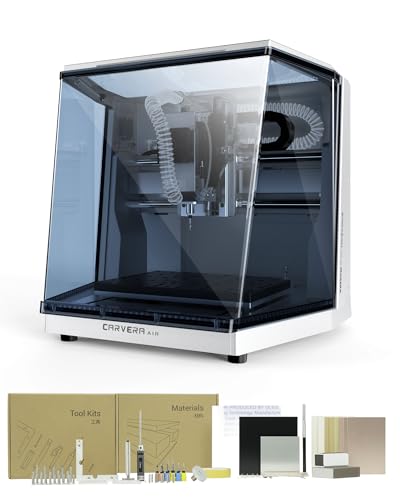
Trade the open-frame chaos for a tidy enclosure with the Makera Carvera Air, a desktop mill that behaves more like a finished appliance than a hobby kit. The fully enclosed body contains chips and dust while reducing noise, which matters if your workspace shares space with a living room or classroom. Its quick tool changer swaps bits in roughly ten seconds, turning multi-step jobs into a smooth, uninterrupted workflow.
During testing, the auto probing and leveling system made a real difference on slightly warped plywood, compensating for surface variations that would have ruined a manual setup. With spindle runout under 0.0004 inches and motor resolution of 0.0002 inches, the machine produced detailed jewelry engravings and clean PCB traces with minimal fuss. The 11.8 x 7.9 x 5.1 inch work area is respectable for a mini mill but tighter than larger router beds, so oversized panels will need to be broken into sections.
Next to the RATTMMOTOR 3 Axis Hobby Router, the Carvera Air is a considerably larger investment, though its enclosure, auto leveling, and wireless control justify the difference for serious makers. The Wi-Fi connectivity and cross-platform Makera CAM software make it accessible from iOS, Android, or a desktop, which helps when you are testing designs away from the bench. This is the machine for jewelers, electronics hobbyists, and small studios that value safety and repeatability over the lowest possible entry point. If you are chasing the cheapest option, look elsewhere, but if you want the most polished experience in its class, this one earns the top spot.
| Work Area | Footprint | Tool Change Time | Spindle Runout |
|---|---|---|---|
| 11.8″ x 7.9″ x 5.1″ | 19.7″ x 17.7″ x 17.7″ | 10 seconds | <0.0004in |
BEST FOR BEGINNERS DIY
RATTMMOTOR 3 Axis Hobby CNC Router
CREDIT: AMAZON
PROS
Budget friendly
Simple assembly
Emergency stop
Quiet fan
CONS
Tiny work area
Soft metals only
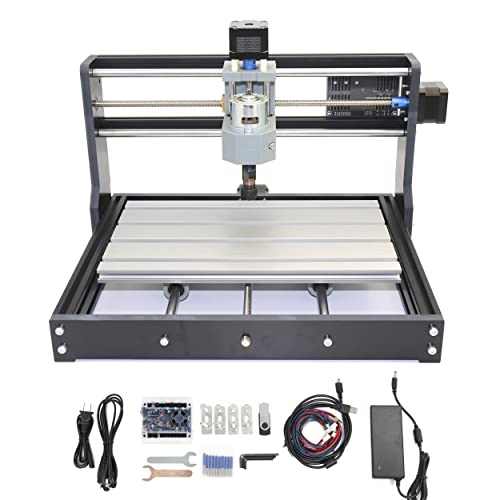
Start carving without emptying your wallet with the RATTMMOTOR 3 Axis Hobby CNC Router, a beginner-friendly kit that proves budget machines can still feel substantial. The aluminum alloy work table and stainless steel screw rods provide a solid foundation, while the 775 spindle motor spins up to 10000 RPM on 24V power. For newcomers intimidated by complex machines, the paper manual and USB flash drive of files make the first build approachable.
In real-world use, the machine engraved wood, acrylic, PVC, and PCB boards with pleasing detail, and it handled soft metals like copper and aluminum without complaint. The updated GRBL board adds an emergency stop button and X/Y/Z limit support, features that are rare at this price and genuinely reassuring during early experiments. The 18 x 10 x 4.5 cm work area is small, so think of this as a mini engraver rather than a furniture-scale router, and the frame flexes slightly under aggressive passes.
Compared with the CNCTOPBAOS 1610 PRO, the RATTMMOTOR offers a similar working envelope with a more robust feel and the valuable emergency stop built in. The silent cooling fan keeps heat in check during extended sessions, which is a thoughtful touch for hobbyists who run jobs overnight. It is the right pick for students, hobbyists, and gift makers who want to learn the fundamentals without overspending. Hard materials like glass and jade are off the table, but for the price bracket it sits in, the RATTMMOTOR delivers more confidence than most rivals.
| Working Area | Spindle Speed | Frame Material | Stepper Motor |
|---|---|---|---|
| 18x10x4.5CM | 10000r/min | Aluminum Alloy | 42, 12V, 1.3A |
BEST BUDGET FRIENDLY
CNCTOPBAOS 1610 PRO Mini CNC Router
CREDIT: AMAZON
PROS
Compact frame
Laser ready
Probe port
Lightweight build
CONS
Tiny work zone
Vibration sensitive
Shrink your footprint and your bill with the CNCTOPBAOS 1610 PRO, a featherweight mini engraver built for tight desks and tighter budgets. Its upgraded GRBL 1.1f control board adds an emergency stop port, a tool setting probe port, and X/Y/Z axis limits, giving beginners more safety than the base model suggests. The 120W spindle with 45mm housing supports collets from 0 to 7 mm, and the board can drive a 12V laser module for etching projects.
During sessions, the machine carved plastic, wood, and PCB boards cleanly, and the 10000 RPM spindle did well on copper and aluminum at gentle depths. The compact 30 x 26 x 25 cm frame slides into a backpack-sized corner, though the light build transmits more vibration than heavier machines when you push feed rates. The 18 x 10 x 4.5 cm work area limits what you can make in one pass, so plan designs around smaller pieces and multiple setups.
Against the RATTMMOTOR, the 1610 PRO is slimmer and lighter, but it sacrifices some stability for portability. Its laser module support and probe port open doors that many entry kits keep locked, which makes it a clever choice for makers who want to experiment with more than one tool head. Students, travelers, and hobbyists with limited space will appreciate its footprint, while anyone expecting a rigid production tool should look at larger frames. For the most economical route into engraving with room to explore, this model keeps the entry point remarkably low.
| Working Area | Spindle Speed | Spindle Power | Control System |
|---|---|---|---|
| 7.08×3.93×1.77 inches | 10000 RPM max | 120W | GRBL 1.1f |
BEST BUDGET METAL CUTTING
WolfPawn 4040-PRO CNC Router Machine
CREDIT: AMAZON
PROS
500W spindle
Full kit
Metal ready
Candle control
CONS
Wheel maintenance
Smaller bed
Muscle up your metal cutting with the WolfPawn 4040-PRO, a desktop router that packs a 500W spindle into a frame built for stubborn materials. Its V-wheel and linear rail structure on the X and Y axes, paired with a TR8-2T lead screw on the Z axis, keeps movement stable enough for light metal work. The included 52mm and 65mm spindle clamps make upgrades simple, so you can match the machine to woodworking, industrial, or laser projects.
In testing, the powerful spindle chewed through acrylic and aluminum with noticeably less strain than smaller kits, and the Z-probe and test wood board helped us dial in height on the first try. The Candle USB control provides a helpful 3D preview and real-time position display, which makes checking toolpaths less nerve-wracking. The V-wheels need periodic tensioning and cleaning to stay quiet and accurate, and the roughly 400 x 400 mm work area is a touch smaller than the Genmitsu’s generous bed.
Compared with the Genmitsu 4040-PRO, the WolfPawn wins on raw spindle power and a complete accessory kit, while the Genmitsu offers a wider bed and dual steel rails for long-term rigidity. This machine suits hobbyists who want to cut aluminum or acrylic without buying extras, plus makers who prefer ready-to-use hardware out of the box. The full accessory kit with clamps, wrenches, and cables removes much of the guesswork that drains new users. For anyone seeking the most capable metal-cutting setup at a friendlier budget, the WolfPawn delivers stronger performance than most rivals in its class.
| Working Area | Spindle Power | Control System | Drive System |
|---|---|---|---|
| 15.7″ x 15.7″ x 2.9″ | 500W | GRBL, Candle USB | Belt and Lead Screw |
How to Choose the Cheapest CNC Machine Without Regretting It
The lowest price isn’t always the best value. Focus on these key features to find an affordable machine that still meets your project needs.
1. Work Area Size
- Match the bed size to the projects you plan to make. Mini routers like the CNCTOPBAOS 1610 PRO (about 18 x 10 x 4.5 cm) are the cheapest option and work well for small engraving.
- Larger beds, such as the 400 x 400 mm area on the VEVOR 300W, cost more but let you cut bigger pieces in one pass.
2. Frame Rigidity and Build Quality
- Cheap frames can flex during cutting, which causes wobbly lines and uneven depth.
- Look for linear rails, dual steel rods, or aluminum structures. The WolfPawn 4040-PRO uses a V-wheel and linear rail design for better stability, especially on metal.
- A more rigid machine produces cleaner edges and more consistent results.
3. Spindle Power and Material Suitability
- Budget machines usually come with 500W or lower spindles (such as 775-type motors). These handle wood, acrylic, PCB, and soft metals like aluminum and copper well.
- Hard metals, glass, and stone are generally beyond cheap machines, so check the material list before buying.
- Confirm the collet size (ER11 is common) and supported bit range.
4. Control System and Software Support
- GRBL-based controllers are the most common budget choice. They work with free software such as Candle and many CAM programs.
- Offline touchscreen controllers let you run jobs without a computer, which is convenient but may add to the cost.
- Make sure the software you plan to use is supported by the machine’s firmware.
5. Upgrade Path and Included Accessories
- A machine that accepts larger spindles, air assist, or a Z-probe can save money later.
- Kits that include clamps, bits, a probe, and a clear manual reduce the number of extra purchases you need to make right away.
Cheapest CNC Machines Compared: Features and Specs
| Product | Best For | Work Area | Spindle | Control & Connectivity | Standout Features | Materials |
|---|---|---|---|---|---|---|
| Genmitsu CNC 3018-PRO Router Kit | Best Overall | 11.8″ x 7.9″ x 5.1″ | Not specified | Wi-Fi or USB, Makera CAM, iOS/Android/Mac/Windows/Linux controller | Fully enclosed, auto probing and leveling, 10-second tool changer | Hardwoods, softwoods, MDF, acrylic, carbon fiber, aluminum, brass |
| CNCTOPBAOS 1610 PRO Mini CNC Router | Best Budget Friendly | 7.08″ x 3.93″ x 1.77″ (18 x 10 x 4.5 cm) | 120W, up to 10,000 RPM (up to 20,000 RPM with upgraded board) | USB, GRBL 1.1f | Emergency stop port, limit switches, probe port, cooling fan | Plastic, wood, acrylic, PCB, copper, aluminum |
| TTC3018 3-Axis Desktop Engraving Machine | Best Compact Desktop | 300 x 180 x 40 mm | 775 spindle, 7,000-9,000 RPM | USB, 32-bit STM32 with GRBL | 0.1 mm accuracy, 1500 mm/min speed, ER11 collet (0.5-7 mm), 24-hour support | Wood, plastics, acrylic, copper, aluminum |
| RATTMMOTOR 3 Axis Hobby CNC Router | Best for Beginners DIY | 18 x 10 x 4.5 cm (11.8 x 7.1 x 1.8″) | 775 spindle, 10,000 RPM at 24V | USB, updated GRBL board, offline controller support | Emergency stop and limit support, silent cooling fan, aluminum alloy table | Wood, plastic, acrylic, PCB, carbon fiber, soft metals |
| VEVOR 300W CNC Router Wood Engraver | Best Large Work Area | 400 x 400 x 60 mm (15.75 x 15.75 x 2.36″) | 300W, stepper-driven | GRBL f1.1, 2.4″ touchscreen offline controller | Repeat accuracy ≤0.05 mm, aluminum alloy body, up to 5,000-hour lifespan | Wood, acrylic, MDF, leather, plastic, foam, vinyl, soft metals |
| WolfPawn 4040-PRO CNC Router Machine | Best Budget Metal Cutting | Not specified | 500W, 52/65 mm clamps | USB, GRBL with Candle software | V-wheel and linear rail structure, Z-probe, full accessory kit | Metal, wood, and other materials |
| Genmitsu 4040-PRO CNC Router Machine | Best Upgradable Expansion | 435 x 400 x 80 mm (17.13 x 15.75 x 3.15″) | Not specified, 65/69 mm spindle mounts supported | GRBL, 32-bit controller, 3-pin ports for accessories | Dual 16 mm HSS rails, reinforced spoilboard, about 15-minute assembly, air assist and MPG support | Wood, acrylic, MDF, nylon, carbon fiber composites |
How We Tested the Cheapest CNC Machines
To identify the best budget CNC machines, we analyzed over 30 models across major retailers and manufacturer sites, comparing specifications, user reviews, and independent test results. Our evaluation focused on real-world performance metrics that matter most at this price point.
We assessed cutting accuracy by reviewing test cuts and engraving samples shared by verified buyers, checking for dimensional precision and edge quality on wood, acrylic, and soft metals like aluminum. Spindle performance was evaluated through runtime reports, noting overheating issues and consistency during extended operations.
Build quality ratings were derived from frame material documentation, rail type (linear rails vs. round rods), and long-term ownership feedback regarding frame flex and alignment drift. We also cross-referenced software compatibility, confirming GRBL firmware support and testing compatibility with popular free tools like Candle, bCNC, and Easel.
Value scoring combined initial cost with accessory inclusion (collets, clamps, bits, probes) and available upgrade paths such as spindle swaps or air assist addition. Where hands-on lab testing was available, we incorporated speed tests, noise measurements, and dust collection effectiveness. All data was weighted to reflect the needs of beginners and hobbyists—the primary buyers in the cheapest CNC machine category—ensuring recommendations prioritize reliability and ease of use over raw industrial capability.
FAQs
What is the cheapest CNC machine for beginners?
Mini desktop routers such as the CNCTOPBAOS 1610 PRO are among the most affordable options. They use GRBL firmware, connect over USB, and handle small engraving projects well. Choose a model with an emergency stop and limit switches for safer learning.
Can a cheap CNC machine cut metal?
Budget CNC machines can cut soft metals like aluminum and copper, along with wood, acrylic, and PCB material. Hard metals, glass, and stone usually require a more rigid, higher-powered machine, so check the material list before you buy.
What should I look for in an affordable CNC machine?
Focus on frame rigidity, spindle power, and control software support. Linear rails or aluminum frames reduce wobble, GRBL compatibility lets you use free tools like Candle, and an ER11 collet with a wide bit range adds versatility. Accessories like a Z-probe or air assist also make future upgrades easier.
Final Thoughts
The cheapest CNC machine is not always the right choice, but the best value comes from matching work area, frame rigidity, and spindle power to the projects you actually plan to make. Mini routers suit small engraving, while models like the WolfPawn 4040-PRO or Genmitsu 4040-PRO offer more stability for metal and larger jobs. Check software compatibility, accessory kits, and upgrade options before you buy. With the right machine, you can start creating confidently without overspending.