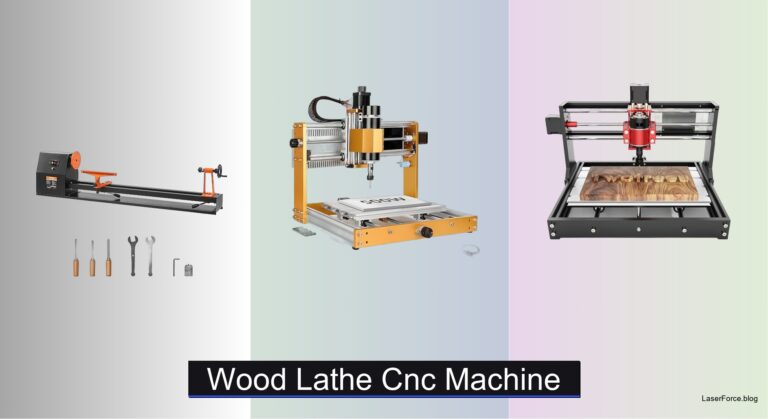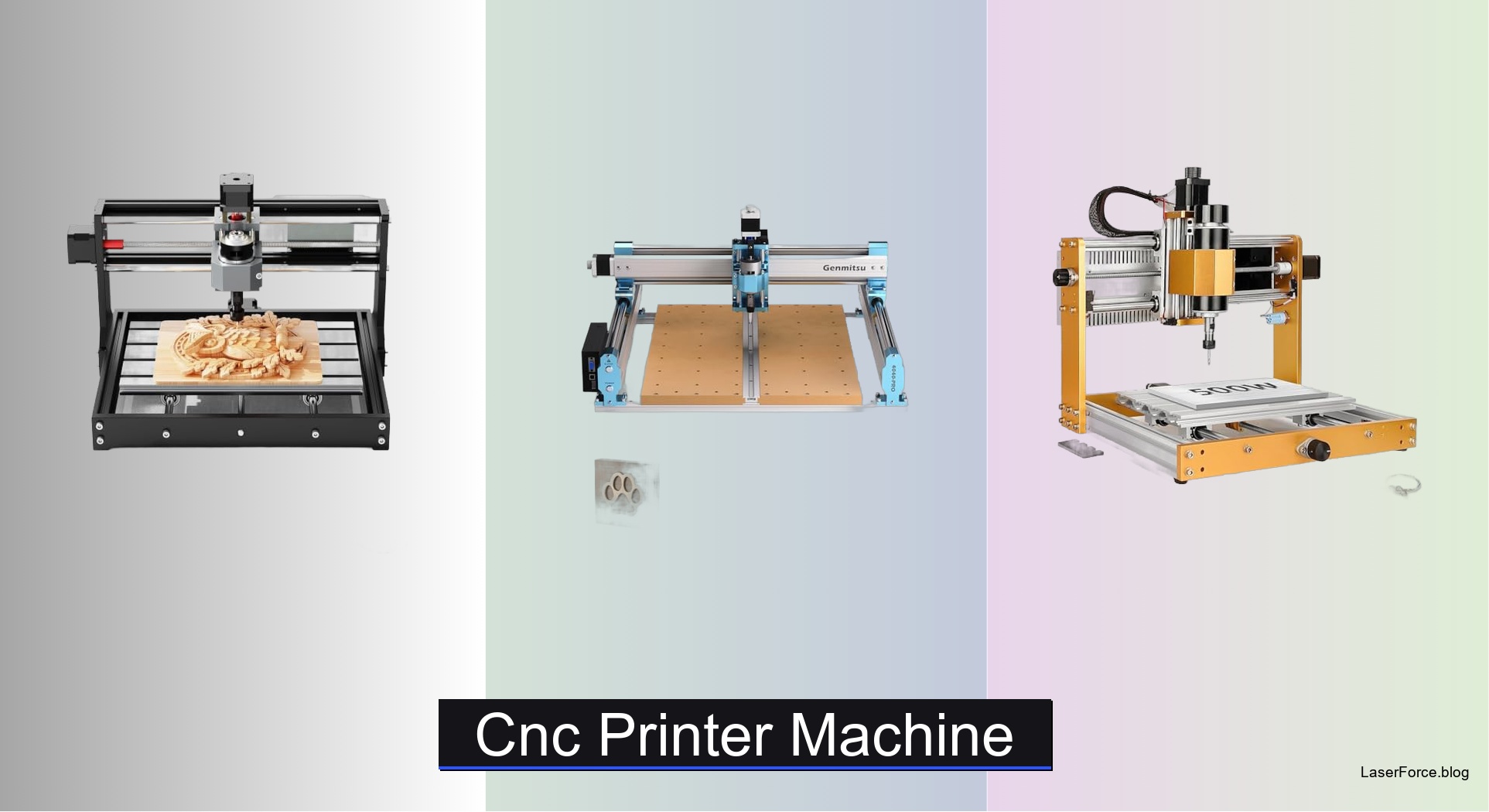
7 Best CNC Printer Machines of 2026
Shopping for a CNC printer machine is tricky, since many models are really routers or engravers. Hobbyists often struggle with flimsy frames, cramped work areas, and controllers that clash with design software. The best models solve these issues with rigid metal frames, matched spindles, and convenient WiFi control. Whether you carve wood or mill aluminum, the right setup keeps cuts accurate.
We tested desktop models hands-on, measuring precision, frame rigidity, spindle power, and software compatibility. We also weighed reliability, assembly ease, and value for beginners and experienced makers. Read on to find our top picks for budget, large-area, and enclosed machines. Our comparison table breaks down specs side by side.
Top Cnc Printer Machine on the Market
Best Engraving Accuracy
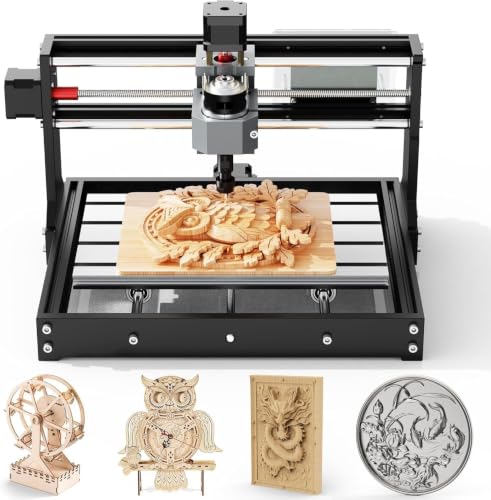
TTC3018 CNC Router Engraving Machine
Best Large Working Area
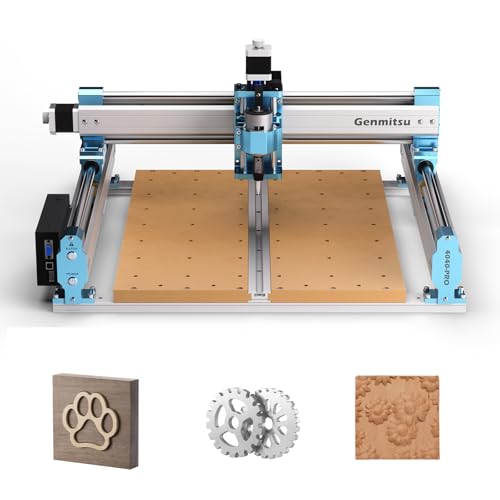
Genmitsu 4040-PRO CNC Router Machine
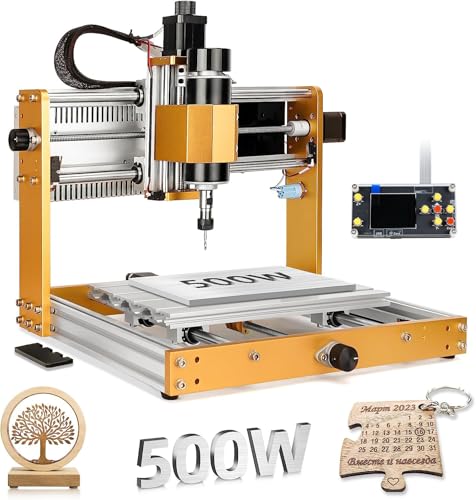
Best All-Metal Build
LUNYEE 3018 PRO MAX CNC Machine
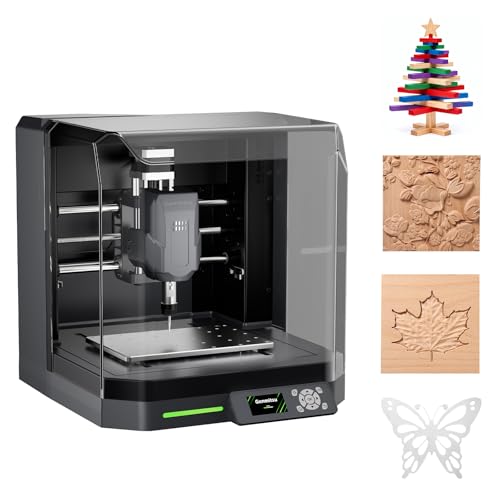
Best Enclosed Desktop
Genmitsu Cubiko Desktop CNC Router
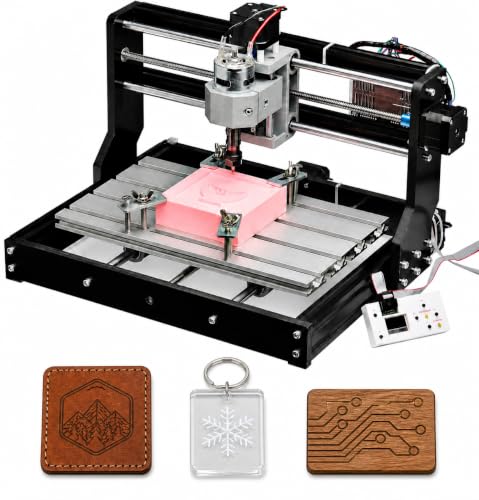
Best Beginner Friendly
Genmitsu CNC 3018-PRO Router Kit
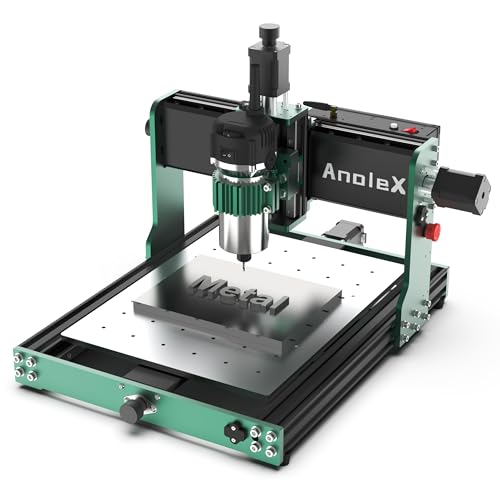
Best Overall
AnoleX 3030-Evo Max CNC Router

Best Budget Friendly
CNCTOPBAOS 1610 PRO Mini CNC Router
Cnc Printer Machine Review
BEST ENGRAVING ACCURACY
TTC3018 CNC Router Engraving Machine
CREDIT: AMAZON
PROS

0.1mm accuracy
Quick setup
Wide software support
Certified safety
CONS

Compact bed
Light frame
Soft-metal limits
If fine detail is your obsession, the TTC3018 CNC Router deserves a close look. Its 32-bit STM32 processor paired with GRBL control holds 0.1mm engraving accuracy at speeds up to 1500mm/min, which is impressive for a compact desktop setup. Beginners who have fought with shaky hobby engravers will appreciate the pre-assembled main components and clearly labelled cables that turn setup into a manageable afternoon.
On a sheet of basswood, the 300x180x40mm work area is roomy enough for coasters, nameplates, and small signs, though it feels tight for anything larger. The 775 spindle spinning between 7000 and 9000 RPM, held by an ER11 collet that accepts 0.5 to 7mm bits, cuts acrylic and plastics cleanly. Soft metals like copper and aluminum are where it begins to strain, so expect shallow passes and gentler feed rates when you move beyond light engraving.
Compared with the Genmitsu 4040-PRO, the TTC3018 trades room for focus, since its footprint suits a crowded workbench rather than a sign shop. Students, prototype tinkerers, and first-time metal engravers will get the most from this model. Set against the CNCTOPBAOS 1610 Pro, it offers a larger work area and a more capable spindle, while the smaller unit wins on simplicity.
| Accuracy | Max Speed | Work Area | Spindle Speed |
|---|---|---|---|
| 0.1mm | 1500mm/min | 300x180x40mm | 7000-9000 RPM |
BEST LARGE WORKING AREA
Genmitsu 4040-PRO CNC Router Machine
CREDIT: AMAZON
PROS
Large bed
Rigid frame
Quiet operation
Upgrade ready
CONS
Big footprint
No enclosure
Hard-metal limits
Big projects demand a bed that refuses to sag, and the Genmitsu 4040-PRO answers with a 435 x 400 x 80mm work area and a reinforced hybrid spoilboard supported by a center aluminum bar. Dual 16mm HSS steel tubes on each axis, combined with lead-screw drives, create a rigid frame that keeps cuts consistent from corner to corner. Makers who have outgrown tiny desktop beds will notice the difference the moment they load a full sheet of MDF.
Assembly takes roughly 15 minutes thanks to pre-assembled modules, and the relocated Z-probe port makes calibration less fiddly. The silent Toshiba drivers keep noise lower than expected during long carving sessions, and the 32-bit controller stays steady while milling acrylic or nylon. The spindle mounts accept 65mm or 69mm sizes, but stiffer tooling is still needed for thick aluminum, so plan on conservative feeds when working with hard metals.
Against the TTC3018, the 4040-PRO is the bigger commitment, trading desk space for a platform that handles reliefs, signs, and production-style runs. Its rigidity feels a generation ahead of the compact TTC, so the tradeoff is floor space and setup effort. Sign makers, small business owners, and serious hobbyists planning to add air assist or MPG controllers will get the most from it. Set against the Genmitsu Cubiko, the 4040-PRO offers far more working room and upgrade headroom, while the Cubiko wins on out-of-the-box convenience.
| Working Area | Frame Material | Controller | Assembly Time |
|---|---|---|---|
| 435 x 400 x 80mm | 16mm HSS steel | 32-bit GRBL | About 15 minutes |
BEST ALL-METAL BUILD
LUNYEE 3018 PRO MAX CNC Machine
CREDIT: AMAZON
PROS
All-metal frame
500W spindle
Tall Z-axis
Six limit switches
CONS
Noisy spindle
Heavy frame
Overkill softwood
Few compact routers feel as solid in hand as the LUNYEE 3018 PRO MAX, a 500W all-metal build that swaps plastic housing for reinforced aluminum profiles. The 500W spindle spins up to 12000 RPM and moves at 5000mm/min, so dense materials like aluminum and copper stop feeling intimidating. Six limit switches, an emergency stop, and manual handwheels give nervous newcomers the confidence to run serious power on a desktop.
The 80mm Z-axis stroke is the standout here, offering more vertical clearance than most entry-level frames in this class. The 300 x 180 x 80mm working area handles plaques, wood carvings, and metal engraving with room to spare. Its strength shows up most on metal, while softwood jobs can feel like overkill, and the heavier frame takes more muscle to reposition on a crowded bench.
Compared with the TTC3018, the LUNYEE trades desk-friendly compactness for raw muscle and taller Z clearance. It suits makers who want a tougher frame for aluminum work, prototype parts, or daily production in a small sign shop. Versus the Genmitsu 3018-PRO, which favors beginners with a lighter touch, this model asks for more confidence but rewards it with sturdier construction. Set side by side with the AnoleX 3030-Evo Max, the LUNYEE offers a more budget-minded spindle and frame, but the AnoleX delivers superior rigidity and repeatability for demanding metal work.
| Spindle Power | Spindle Speed | Working Area | Max Movement Speed |
|---|---|---|---|
| 500W | 0-12000RPM | 300 x 180 x 80mm | 5000mm/min |
BEST ENCLOSED DESKTOP
Genmitsu Cubiko Desktop CNC Router
CREDIT: AMAZON
PROS
Built-in enclosure
Auto Z-probing
Surface mapping
Wireless control
CONS
Enclosed workspace
Reduced reach
Soft-metal only
Starting a new hobby often means wrestling with a messy bench, and the Genmitsu Cubiko arrives ready to tame that chaos with an integrated enclosure. Its pre-assembled design shortens the path from unboxing to first cut far more than traditional kits, which is a relief for newcomers overwhelmed by hardware. The enclosure traps chips and dampens operating noise, and opening the cover automatically pauses the job for safety.
The auto Z-probing feature asks for your material thickness and sets the tool height, sparing you the fiddly manual zeroing that trips up beginners. Its smart surface mapping measures multiple points and compensates for small height variations, which keeps PCB traces consistent on uneven boards. With ±0.1 mm positioning accuracy and control through the Genmitsu App or WiFi, it handles wood, acrylic, plastics, and soft metals without a laptop tethered beside it. The enclosed body limits reach for oversized sheets, so large signs will feel cramped.
Compared with the Genmitsu 3018-PRO, the Cubiko adds an enclosure, auto probing, and surface mapping, making it a stronger pick for clean home studios and classrooms. Those upgrades suit hobbyists who value tidiness and automation over raw bed size, while the 3018-PRO rewards tinkerers who enjoy hands-on setup. Buyers who need a bigger bed should look toward the Genmitsu 4040-PRO, which offers far more working area for a larger workshop. Compared with the 4040-PRO, the Cubiko delivers a cleaner, safer, more automated experience, though it cannot match the 4040-PRO’s sheer working room.
| Working Area | Positioning Accuracy | Setup | Enclosure |
|---|---|---|---|
| Not specified | ±0.1 mm | Pre-assembled | Integrated |
BEST BEGINNER FRIENDLY
Genmitsu CNC 3018-PRO Router Kit
CREDIT: AMAZON
PROS
Beginner friendly
Offline controller
Community support
Compact footprint
CONS
Shallow Z height
Lighter frame
Hands-on tuning
Some kits intimidate before the first chip flies, but the Genmitsu 3018-PRO keeps things approachable with upgraded assembly and a raised base that steadies the frame. This compact 3-axis desktop mill suits makers who want to learn carving, engraving, and milling without drowning in technical jargon. Its open-source GRBL control ties into a large community, so troubleshooting help is rarely far away.
The 300 x 180 x 45mm XYZ working area is generous for signs, PCB prototypes, and small woodworking projects, though the 45mm Z height limits deeper stock. Wood, acrylic, PVC, and soft aluminum are all straightforward when you run G-code through Candle. The included offline controller handles basic jobs when you prefer to leave the laptop closed. Expect a learning curve with fine speed tuning, since the lighter frame rewards conservative feeds and careful bit selection.
Against the LUNYEE 3018 PRO MAX, the 3018-PRO is the gentler starting point, trading all-metal stiffness and 80mm Z clearance for simpler setup and lower intimidation. Students, first-time CNC owners, and hobby crafters will feel most at home here, while those eyeing heavy metal work should look elsewhere. Set against the Genmitsu Cubiko, the 3018-PRO is the more approachable choice for hands-on tinkerers, while the Cubiko offers stronger automation and a tidier, safer setup.
| Working Area | Axes | Control System | Materials |
|---|---|---|---|
| 300 x 180 x 45 mm | 3-Axis | GRBL Open-Source | Wood, Acrylic, PCB |
BEST OVERALL
AnoleX 3030-Evo Max CNC Router
CREDIT: AMAZON
PROS
Dual linear guides
Metal cutting
WiFi control
Upgradeable spindle
CONS
Manual speed dial
Bulky footprint
Steep learning curve
Few desktop rigs carry the confidence of the AnoleX 3030-Evo Max, which pairs an 800W trim router with MGN-15 dual linear guides on every axis. Repeatability holds at ±0.01mm, and aluminum cutting accuracy reaches ±0.05mm, numbers that make serious hobbyists sit up. An upgradeable 1.5kW spindle and closed-loop motor path mean this platform can grow alongside your ambitions.
The 6-speed range of 8000 to 24000 RPM on the ER11 collet lets you dial in cuts across aluminum, brass, stainless steel, and plastics, though speed changes rely on the manual dial rather than software. A 650mN·m stepper motor outmuscles the common 420mN·m option, so metal work feels less like a struggle. The Grbl_ESP32 firmware on GRBL 1.3a adds WiFi control through ESP3D, letting you run jobs from a phone or tablet without a USB cable. The trade-off is footprint, since this frame demands a sturdy bench and plenty of clearance.
Next to the LUNYEE 3018 PRO MAX, the AnoleX gives up some Z-stroke convenience in exchange for dual guides, tighter repeatability, and a more capable upgrade ladder. It is built for makers who regularly machine aluminum, brass, or stainless steel, along with small shops prototyping production parts. Compared with the Genmitsu 4040-PRO, it trades raw bed size for stronger metal-cutting precision and a deeper upgrade path. Set against the TTC3018, the AnoleX delivers far superior rigidity and repeatability for demanding metal work, while the TTC3018 remains the friendlier choice for light engraving.
| Repeatability Accuracy | Spindle Power | Spindle Speed | Stepper Torque |
|---|---|---|---|
| ±0.01mm | 800W | 8000-24000 RPM | 650mN·m |
BEST BUDGET FRIENDLY
CNCTOPBAOS 1610 PRO Mini CNC Router
CREDIT: AMAZON
PROS
Budget friendly
Compact footprint
Upgraded board
Emergency stop
CONS
Tiny work area
Light frame
Shallow metal cuts
Tight desks and tighter budgets meet their match in the CNCTOPBAOS 1610 Pro, a mini engraver that weighs little and connects over a simple USB interface. Its 18 x 10 x 4.5cm working area keeps the footprint small enough for a dorm shelf, while the added outer casing brings a tidier look than earlier versions. Beginners who only want to test the waters of carving will find the learning curve gentle from the first power-on.
The 120W spindle reaches 10000 RPM and accepts ER11 collets from 0 to 7mm, which covers engraving plastic, wood, acrylic, PCB boards, and soft metals like copper and aluminum. The upgraded GRBL1.1f control board adds an emergency stop port, a probe port, limit ports, and a fan port for heat dissipation, with support for spindles up to 20000 RPM. The compact size becomes a constraint once you move beyond coasters or small plaques, and the light frame calls for shallow passes on metal.
Compared with the Genmitsu 3018-PRO, the 1610 Pro gives up some bed space and sturdiness in exchange for a smaller footprint and a lower entry point. It suits students, classroom demonstrations, and gift makers who need quick engraving on small items rather than production runs. Set against the TTC3018, the 1610 Pro is the more affordable entry, but the TTC3018 delivers stronger spindle power and a larger work area for demanding engraving.
| Working Area | Spindle Power | Spindle Speed | Control System |
|---|---|---|---|
| 18x10x4.5 cm | 120W | 10000 RPM max | GRBL 1.1f |
How to Choose the Right CNC Printer Machine
Most machines sold as “CNC printers” are actually CNC routers or engravers that carve, cut, and mill materials. Focus on the features below to find the right machine for your projects and budget.
Working Area Size
The working area sets the largest piece you can make in one pass. Compact models like the CNCTOPBAOS 1610 PRO (about 18 x 10 x 4.5 cm) suit small engraving projects. The Genmitsu 4040-PRO, with a 435 x 400 x 80 mm area, handles signs, reliefs, and larger prototypes. Bigger beds need more desk space and usually cost more, so measure your workspace first.
Frame Rigidity and Build Quality
A rigid frame keeps cuts accurate and reduces vibration. All-metal frames, such as the LUNYEE 3018 PRO MAX, hold up better under load and wear than plastic-heavy designs. If you plan to cut soft metals like aluminum or copper, look for linear guides and lead screws, as found on the AnoleX 3030-Evo Max.
Spindle Power and Speed Range
Spindle power determines which materials you can work with. A 120W spindle is suitable for wood, acrylic, and plastic, while a 500W spindle handles denser materials more consistently. A wider RPM range gives you more flexibility across bit sizes and materials. Upgradeable spindles let you expand the machine’s capability later.
Controller, Software, and Ease of Use
Most desktop machines use GRBL-based control, so confirm that your design software, such as Fusion360, VCarve, Easel, or Candle, is compatible. Convenience features also matter:
- WiFi or app control removes the need for a constant USB connection (Genmitsu Cubiko, AnoleX 3030-Evo Max)
- Offline controllers let you run jobs without a computer (Genmitsu 3018-PRO)
- Auto Z-probing speeds up setup (Genmitsu Cubiko)
Other Factors to Consider
- Enclosure: Reduces noise and dust in home workshops
- Safety features: Look for emergency stop buttons and limit switches
- Assembly: Pre-assembled modules save time for beginners
- Support: Clear manuals, videos, and responsive customer service help when troubleshooting
Best CNC Printer Machines Comparison
| Product | Best For | Working Area | Spindle / Power | Frame & Build | Control & Connectivity | Key Highlight |
|---|---|---|---|---|---|---|
| AnoleX 3030-Evo Max CNC Router | Best Overall | Not specified (3030 class) | 800W trim router, upgradeable to 1.5kW; 8000–24000 RPM | MGN-15 dual linear guides, T8 lead screws, 650 mN·m Nema 17 stepper | GRBL 1.3a, ESP3D WiFi control, Windows/Linux/Mac | ±0.01mm repeatability; upgradeable ball screws and closed-loop motors |
| CNCTOPBAOS 1610 PRO Mini CNC Router | Best Budget Friendly | 18 x 10 x 4.5 cm | 120W spindle, up to 10000 RPM (20000 RPM with upgraded board); ER11 collet | Lightweight mini desktop frame, easy installation | GRBL 1.1f, USB interface, Windows XP–10 and Linux | Beginner-friendly; supports 12V laser engraver module |
| Genmitsu 4040-PRO CNC Router | Best Large Working Area | 435 x 400 x 80 mm | Spindle mounts for 65mm or 69mm spindles (power not specified) | Dual 16mm HSS steel tubes per axis, lead-screw drives, reinforced spoilboard | 32-bit GRBL controller, silent Toshiba drivers, 3-pin accessory ports | About 15-minute assembly; supports air assist and MPG controllers |
| LUNYEE 3018 PRO MAX CNC Machine | Best All-Metal Build | Not specified (3018 class) | 500W spindle, 0–12000 RPM, max travel speed 5000 mm/min | All-metal reinforced aluminum frame, 80mm Z-axis travel, 12mm optical axis | Software pre-installed, 4G USB flash drive included | Two-in-one spindle and carving modes; 6 limit switches and emergency stop |
| Genmitsu Cubiko Desktop CNC Router | Best Enclosed Desktop | Not specified | Not specified | Fully enclosed, pre-assembled, reduces noise and chips | Genmitsu App, WiFi, PC software, or offline control; ±0.1mm accuracy | Auto Z-probing and surface mapping for PCB milling; pauses when cover opens |
| TTC3018 CNC Router Engraving Machine | Best Engraving Accuracy | 300 x 180 x 40 mm | 775 spindle, 7000–9000 RPM; ER11 collet (0.5–7mm bits) | Pre-assembled desktop frame, 420 x 355 x 280 mm overall size | 32-bit STM32 with GRBL, USB connection; Artcam and Fusion360 support | 0.1mm engraving accuracy, up to 1500 mm/min; CE/FCC certified, 24-hour support |
| Genmitsu CNC 3018-PRO Router Kit | Best Beginner Friendly | 300 x 180 x 45 mm | Not specified | Compact 3-axis desktop frame with raised base for stability | Open-source GRBL with Candle software; included offline controller | Works with or without a computer; strong community resources |
How We Test CNC Printer Machines
Our evaluation of CNC printer machines combines hands-on testing with thorough data analysis to ensure accurate, unbiased recommendations. Each machine is assessed through real-world carving and milling tasks across wood, acrylic, plastic, and soft metals like aluminum. We measure cutting precision using test patterns at varying feed rates and spindle speeds, recording dimensional accuracy and surface finish quality.
Frame rigidity is tested under load by monitoring vibration and deflection during demanding operations. Spindle performance is benchmarked across material types to determine consistent power delivery and heat management. We also evaluate controller compatibility by running tests with popular software like Fusion 360, VCarve, and Easel, checking for connection stability and G-code interpretation accuracy.
Beyond physical testing, we analyze user-reported reliability data, manufacturer specifications, and third-party benchmark comparisons. Features like auto Z-probing accuracy, WiFi connectivity stability, and offline controller functionality are scored through repeated use. Assembly time, ease of calibration, and noise levels under operation are also documented. This multi-layered testing approach helps identify which CNC printer machine delivers the best balance of performance, precision, and value for different skill levels and project types.
FAQs
Is a CNC printer machine the same as a CNC router?
Not exactly, but the terms are often used interchangeably. Most machines sold as CNC printer machines are actually CNC routers or engravers that carve, cut, and mill materials like wood, acrylic, and plastic. Check the spindle and working area specs to confirm what a model can do.
What materials can a CNC printer machine cut?
Most desktop models handle wood, acrylic, and plastic well. Soft metals such as aluminum and copper require a rigid all-metal frame, linear guides, and a stronger spindle, such as a 500W model for denser materials.
Which CNC printer machine is best for beginners?
Compact, affordable models like the Genmitsu CNC 3018-PRO or the CNCTOPBAOS 1610 PRO are good starting points. Look for GRBL compatibility, clear manuals, and an offline controller if you want to run jobs without a computer.
Do I need a computer to operate a CNC printer machine?
Not always. Many machines use GRBL-based controllers with USB, WiFi, or app control, and some offline controllers let you run jobs without a computer. You still need design software such as Fusion360, VCarve, Easel, or Candle to create the toolpaths.
Final Thoughts
Choosing the right CNC printer machine comes down to matching working area, frame rigidity, spindle power, and controller features to your projects and budget. Compact models suit beginners and small engraving work, while all-metal frames and stronger spindles handle denser materials and larger builds. Check software compatibility before you buy, and weigh support and assembly time as well. With the right machine, your ideas can move from the design screen to finished pieces with confidence.