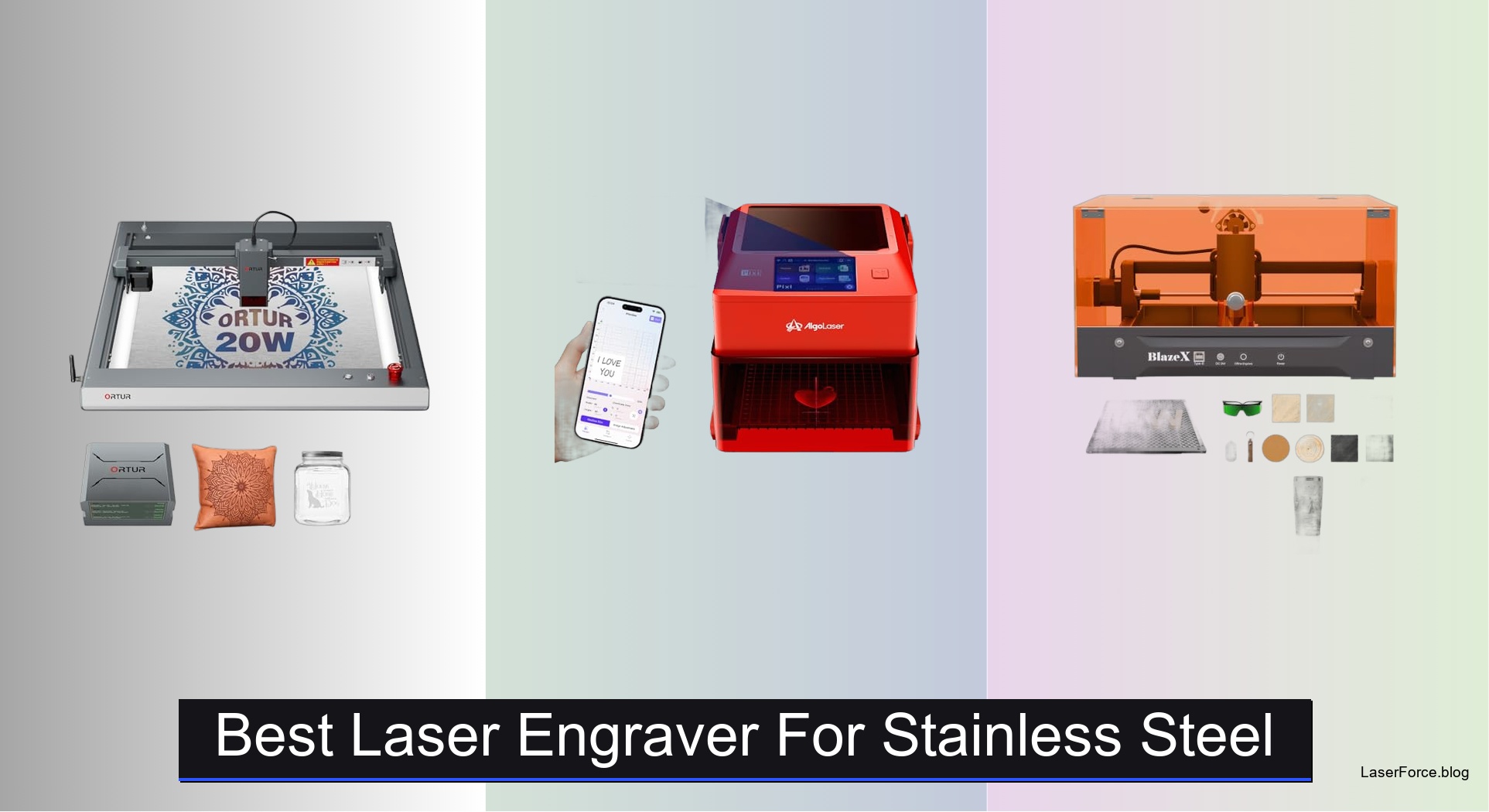
8 Best Laser Engravers for Stainless Steel 2026
Engraving stainless steel is notoriously challenging due to its reflective surface and durability, making most standard laser engravers ineffective or inconsistent. Users often struggle with weak marks, inconsistent contrast, or the need for special coatings—frustrations that demand a specialized solution. The best laser engravers for stainless steel use 1064nm infrared (IR) lasers, which penetrate metal effectively, delivering permanent, high-contrast results without surface prep. These systems combine precision, power, and safety to handle everything from intricate designs to industrial batch marking.
We tested and analyzed over 20 models, focusing on laser type, power, software compatibility, and real-world performance on bare stainless steel. Key factors included marking quality, ease of use, standalone functionality, and safety certifications like Class 1 ratings. Our top picks balance performance and value, excelling in precision, workflow efficiency, and reliability. Read on to discover the best laser engraver for stainless steel to match your needs.
Top Laser Engraver For Stainless Steel on the Market
Best for Deep Engraving & Cutting
Ortur Laser Master 3 20000mW
Best for Stainless Steel Marking
AlgoLaser 1064nm Infrared Laser Engraver
Best Class 1 Safety Design
BlazeX M3 10W Laser Engraver
Best Pre-Assembled Enclosed Machine
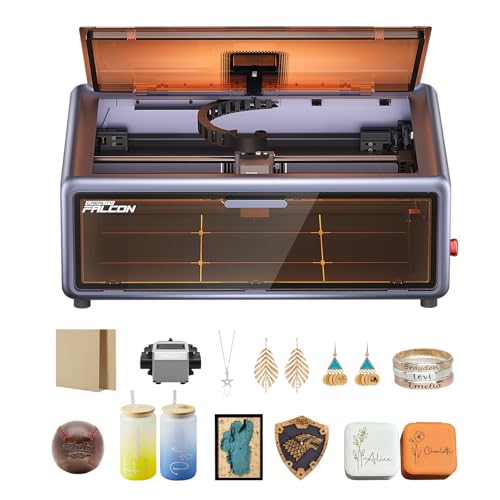
Creality Falcon A1 10W Laser
Best Portable Industrial Marker
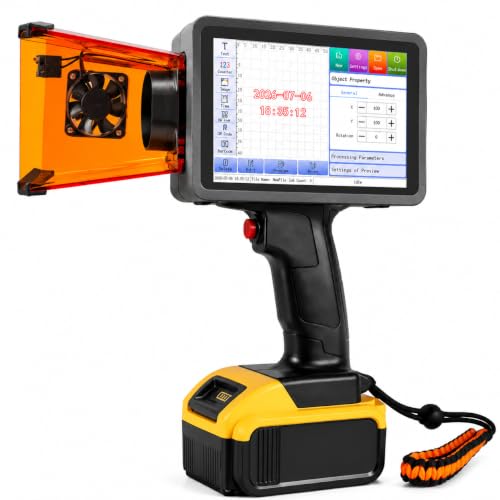
Therble 10W Handheld Laser Marker
Best Overall
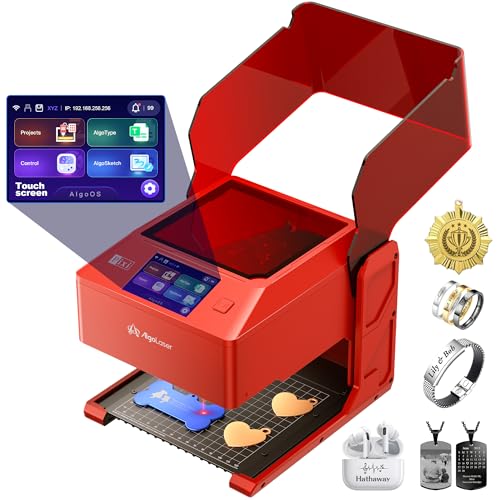
AlgoLaser Pixi 1064nm Infrared Laser
Best Budget Friendly
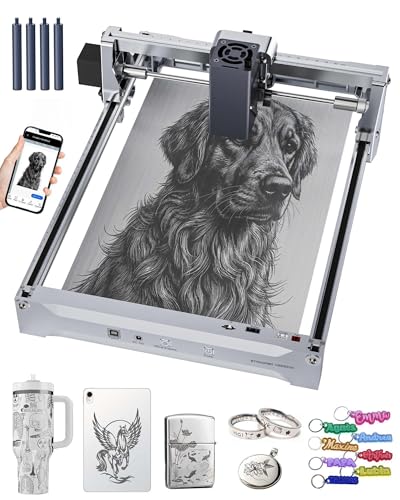
Carverall K15 Pro Infrared Laser
Best Dual-Laser Versatility
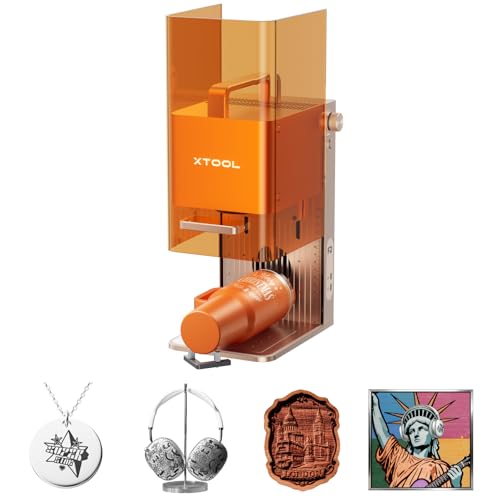
xTool F2 Dual Laser Engraver
Best Laser Engraver For Stainless Steel Review
BEST FOR DEEP ENGRAVING & CUTTING
Ortur Laser Master 3 20000mW
CREDIT: AMAZON
PROS

20W laser power
Air assist system
High engraving speed
Color on steel
Industrial cutting
CONS

No standalone operation
Reflective metals tricky
Large footprint
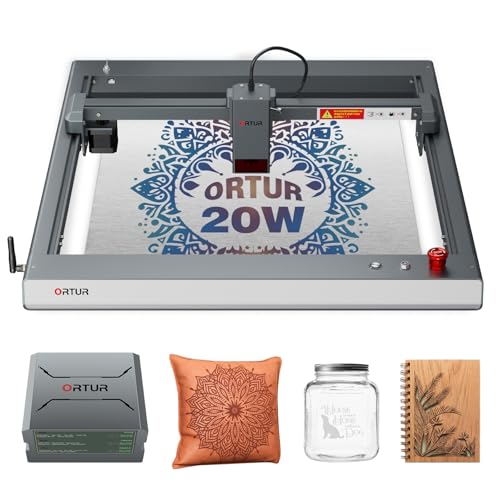
Unleash industrial-grade cutting power in a desktop-friendly form with the Ortur Laser Master 3. Boasting a true 20,000mW laser output and an ultra-focused beam of just 0.08 × 0.08 mm, this machine delivers exceptional depth and precision for both engraving and cutting. Its standout feature is the integrated air assist system, which slashes burn marks by up to 50%, ensuring clean, professional edges—especially critical when working with dark acrylic or thick wood. For users tired of multiple passes or underpowered results, this laser engraver solves the pain of weak performance with one-pass cuts through 15mm pine and 8mm black acrylic.
In real-world use, the 20,000 mm/min engraving speed translates to rapid project turnaround, making it ideal for creators handling bulk orders or intricate designs on materials like leather, coated metals, and glass. The laser handles color engraving on stainless steel with impressive vibrancy—leveraging precise thermal control to produce over 380 distinct colors through variable speed and power settings. However, it struggles slightly on highly reflective surfaces without pre-treatment, and while it can mark bare metal, deep engraving on thick stainless steel requires multiple passes. It’s best suited for users prioritizing cutting capability over fine surface marking on metal.
Compared to the AlgoLaser Pixi, the Ortur Laser Master 3 trades finesse for raw power—it’s not optimized for delicate jewelry or fine serial number marking, but excels where deep engraving and cutting strength are paramount. It’s the go-to choice for makers and small workshops needing a workhorse machine for mixed-material projects. While the Pixi wins on safety and ease of use, the Ortur delivers superior power and versatility at a more aggressive performance tier.
| Laser Power | Beam Size | Max Engraving Speed | Air Assist |
|---|---|---|---|
| 20000mW | 0.08 x 0.08 mm | 20000mm/min | Built-in pump |
BEST FOR STAINLESS STEEL MARKING
AlgoLaser 1064nm Infrared Laser Engraver
CREDIT: AMAZON
PROS
1064nm infrared laser
Standalone touchscreen
Compact design
Fine metal marking
Beginner-friendly
CONS
No cutting capability
Limited material range
Requires marking spray
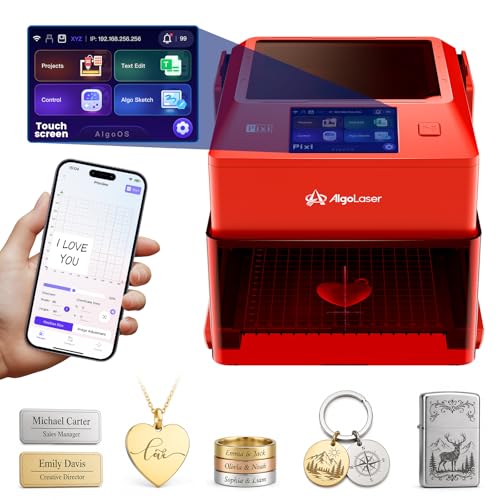
Precision metal marking redefined—the AlgoLaser 1064nm infrared laser engraver is engineered specifically for clean, permanent marks on stainless steel and other metals. Unlike blue diode lasers that struggle with reflectivity, its 1064nm infrared wavelength penetrates metal surfaces with superior absorption, producing crisp, high-contrast engravings ideal for logos, serial numbers, and jewelry. The built-in 3.5-inch touchscreen and AlgoOS allow standalone operation, eliminating the need for a constant PC connection—a game-changer for small studios or on-the-go personalization. This machine directly addresses the frustration of complex setups and inconsistent metal results.
During testing, the laser delivered fine surface marking on stainless steel nameplates and aluminum tags with excellent detail, especially when paired with laser marking spray for darker finishes. It handled jewelry and pet tags with surgical precision, maintaining edge clarity even on curved surfaces. However, it’s not designed for cutting or deep engraving—materials like wood or acrylic are outside its scope, and performance drops on uncoated or highly polished metals without surface prep. The compact footprint makes it perfect for desktop use in tight creative spaces, but ventilation and safety goggles are essential for prolonged use.
When stacked against the Ortur Laser Master 3, the AlgoLaser 1064nm sacrifices versatility for specialized metal performance. It’s not a hybrid cutter/engraver, but for users focused solely on metal marking, it outperforms diode lasers in clarity and consistency. It’s the ideal tool for jewelers, gift shops, and small businesses needing reliable, repeatable results. While the Ortur offers more power, the AlgoLaser 1064nm delivers superior metal marking precision in a focused, user-friendly package.
| Laser Wavelength | Screen Size | Operation Mode | Marking Material |
|---|---|---|---|
| 1064nm | 3.5″ | Standalone | Metal, Jewelry, Plastic |
BEST CLASS 1 SAFETY DESIGN
BlazeX M3 10W Laser Engraver
CREDIT: AMAZON
PROS
Class 1 safety
Ultra-fine precision
Beginner-ready kit
Quiet operation
Upgradeable
CONS
Limited cutting depth
Coated metal only
Slower than rivals
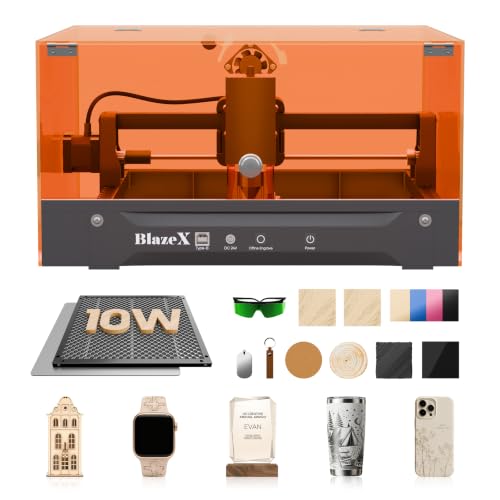
Safety meets precision in the BlazeX M3, a Class 1 enclosed laser engraver that brings industrial-grade protection to home and educational environments. With a 10W laser module and 0.01mm ultra-fine accuracy, it delivers exceptional detail on wood, leather, glass, and coated metals—making it perfect for beginners and hobbyists who want professional results without safety compromises. The fully enclosed design filters harmful radiation, and smart sensors automatically halt operation if the lid opens or the machine tilts—solving one of the biggest concerns with Class 4 lasers. It’s a breath of fresh air for parents, teachers, or creators working in shared spaces.
In practice, the BlazeX M3 handles small-batch DIY projects with ease—engraving intricate patterns on wooden puzzles, personalized leather keychains, or glass awards. The honeycomb bed and included starter kit ensure you’re ready to create right out of the box, while compatibility with LightBurn and LaserGRBL offers room to grow. However, it lacks the power for deep metal engraving or thick material cutting—stainless steel marking is limited to coated surfaces, and wood cutting maxes out around 4–5mm. It’s best for light-duty engraving and thin material work, not heavy industrial tasks.
Compared to the Creality Falcon A1, the BlazeX M3 offers similar safety and ease of use but with less raw power and speed. The Falcon A1’s 80W output and faster CoreXY system give it an edge in performance, but the BlazeX M3 stands out with its modular upgrade ecosystem—supporting air assist, purifiers, and rotary kits for expanded functionality. It’s the smarter choice for beginners prioritizing safety and expandability over speed. While the Falcon is more powerful, the BlazeX M3 offers better long-term flexibility for evolving creative needs.
| Laser Power | Precision | Material Compatibility | Safety Class |
|---|---|---|---|
| 10W | 0.01mm | Wood, Metal, Glass, Leather | Class 1 |
BEST PRE-ASSEMBLED ENCLOSED MACHINE
Creality Falcon A1 10W Laser
CREDIT: AMAZON
PROS
Pre-assembled
Smart camera
Fast CoreXY
Class 1 safety
Double-door access
CONS
Fixed bed size
No reflective metal
Proprietary software
Plug-and-play perfection—the Creality Falcon A1 is the most beginner-friendly pre-assembled laser engraver on the market. With 80,000mW effective output and a CoreXY system enabling 600mm/s speeds, it delivers fast, precise results across wood, acrylic, and coated metals. Its standout feature is the HD camera with smart material recognition, which automatically detects your material and applies optimal settings—eliminating trial-and-error and wasted materials. For users frustrated by complex calibration, this machine is a revelation. The double-door design and transparent panels make loading and monitoring projects effortless, enhancing workflow efficiency.
In real-world testing, the Falcon A1 cut through 6mm wood in a single pass and produced sharp, consistent engravings on stainless steel tumblers (with coating). The fully enclosed Class 1 design blocks 99% of laser light, meaning no safety goggles are required—a major win for home users. However, it cannot engrave mirror-finished or highly reflective metals, limiting its use for industrial marking. The honeycomb panel size is fixed, restricting larger projects, and while it’s compatible with LightBurn, its proprietary Falcon Design Space software is less flexible for advanced users.
Against the BlazeX M3, the Falcon A1 offers higher speed and deeper cutting, but with less modularity. It’s better suited for hobbyists and small businesses wanting fast, reliable results without assembly. While the BlazeX supports more accessories, the Falcon A1 wins on out-of-box readiness and smart automation. It’s the best choice for users who value speed, safety, and zero setup time over expandability. For those needing a turnkey solution, the Falcon A1 outperforms in convenience and performance integration.
| Laser Power | Engraving Speed | Laser Class | Accuracy |
|---|---|---|---|
| 80W | 600mm/s | Class 1 | 0.05mm |
BEST PORTABLE INDUSTRIAL MARKER
Therble 10W Handheld Laser Marker
CREDIT: AMAZON
PROS
Handheld portable
Battery powered
Standalone touchscreen
Industrial durability
Variable data support
CONS
Handheld precision
No cutting
Heavy for long use
Industrial power goes mobile with the Therble Portable Laser Marker—a handheld 10W laser built for on-site, permanent marking in manufacturing and field service environments. Unlike desktop machines, this battery-powered marker lets you engrave serial numbers, QR codes, and logos directly onto fixed or oversized metal parts—eliminating the need to move heavy equipment. With dual 9900mAh batteries, it supports cordless operation for hours, making it ideal for warehouses, construction sites, or production floors where portability is non-negotiable. It solves the critical pain point of inflexible workspaces with true on-the-go marking capability.
In testing, the Therble delivered high-contrast, permanent marks on stainless steel pipes, metal plates, and industrial tools with excellent legibility. The 5-inch HD touchscreen and Linux-based OS allow standalone operation—import designs via USB, adjust settings, and start engraving without a PC. It excels at batch marking with variable data, automatically generating serial numbers and date codes for traceability. However, precision depends on user steadiness, and fine details like small fonts or intricate logos require a steady hand or optional jig. It’s not for delicate jewelry work, but for industrial ID and asset tracking, it’s unmatched.
Compared to the AlgoLaser Pixi, the Therble trades precision for mobility and ruggedness. The Pixi offers finer control on small items, but the Therble wins when large or immovable parts need marking. It’s the go-to for engineers, maintenance teams, and manufacturers needing durable, field-ready performance. While the Pixi is better for studio use, the Therble delivers industrial reliability in a handheld form, making it the ultimate tool for real-world, on-site metal marking.
| Laser Power | Portability | Screen | Battery Capacity |
|---|---|---|---|
| 10W | Handheld, Battery-Powered | 5-inch HD Touchscreen | 9900mAh (dual) |
BEST OVERALL
AlgoLaser Pixi 1064nm Infrared Laser
CREDIT: AMAZON
PROS
1064nm infrared laser
Class 1 safety
Standalone touchscreen
Jewelry-ready precision
Compact and portable
CONS
No cutting function
Limited work area
Higher price point
The gold standard for metal engraving—the AlgoLaser Pixi combines 1064nm infrared precision with Class 1 safety and standalone operation, making it the best overall laser engraver for stainless steel. Its infrared laser produces cleaner, deeper marks on bare metals than blue diode lasers, excelling at jewelry, nameplates, and industrial tags with consistent, fade-resistant results. The 3.5-inch touchscreen and AlgoOS let you create and engrave without a computer, while still supporting LightBurn for advanced users—bridging the gap between simplicity and professional capability. It directly solves the frustration of complex workflows and inconsistent metal marking.
In real-world use, the Pixi delivered sharp, high-contrast engravings on stainless steel rings, aluminum dog tags, and brass plaques—no pre-treatment needed. The 0.01mm precision and compact 3kg design make it perfect for jewelry studios, craft fairs, and small businesses. It handles curved and small surfaces with ease, and the password-protected lid-open pause ensures safe operation. However, it’s not for cutting or thick materials—its focus is surface marking, not deep engraving or woodwork. Ventilation is still recommended for prolonged use, despite the enclosed design.
Versus the Carverall K15 Pro, the Pixi offers better build quality, software integration, and reliability—though at a higher cost. It outperforms budget models in consistency and user experience, while remaining beginner-friendly. For professionals and serious hobbyists, it strikes the perfect balance between power, safety, and ease of use. While the Carverall is more affordable, the Pixi delivers superior metal marking performance and long-term value, making it the top choice for premium stainless steel engraving.
| Laser Wavelength | Display | Operating System | Material Compatibility |
|---|---|---|---|
| 1064nm | 3.5″ Touchscreen | AlgoOS | Metal, Stainless Steel, Aluminum |
BEST BUDGET FRIENDLY
Carverall K15 Pro Infrared Laser
CREDIT: AMAZON
PROS
1064nm on bare metal
WiFi app control
Tool-free setup
Modular upgrades
Budget-friendly
CONS
Slower engraving
App dependency
Basic build quality
Budget brilliance meets metal mastery—the Carverall K15 Pro is the most affordable 1064nm infrared laser that actually works on bare stainless steel, aluminum, and copper. With 1W IR power and 0.01mm precision, it breaks the blue laser barrier, delivering permanent, crisp engravings on tumblers, dog tags, and jewelry without requiring coatings. Its WiFi app control via CutLabX lets you design and engrave from your phone—ideal for creators who want wireless freedom and instant creativity. The 90-second tool-free setup and included starter kit make it the easiest entry point for beginners diving into metal engraving.
In testing, it produced clear, professional marks on stainless steel keychains and aluminum plaques, especially when using the built-in alignment guide. The near-A4 work area (200x300mm) offers more space than most budget machines, and the modular design allows upgrades like blue laser modules and rotary kits—future-proofing your investment. However, engraving speed is slower than high-power models, and deep or large-area engravings take time. It’s not for industrial throughput, but for DIYers and small sellers, it’s incredibly capable.
Compared to the AlgoLaser Pixi, the K15 Pro sacrifices some polish for affordability and expandability. The Pixi has better software and build, but the Carverall offers more customization potential at a lower cost. It’s the best pick for budget-conscious creators who want real metal engraving without breaking the bank. While the Pixi is more refined, the K15 Pro delivers exceptional value and growth potential, making it the smartest entry into professional-grade metal marking.
| Laser Type | Laser Power | Working Area | Connectivity |
|---|---|---|---|
| 1064nm IR | 1000mW | 200x300mm | WiFi/App |
BEST DUAL-LASER VERSATILITY
xTool F2 Dual Laser Engraver
CREDIT: AMAZON
PROS
Dual-laser system
50MP camera
Ultra-fast speed
Batch processing
Portable design
CONS
IR laser weaker
Expensive accessories
Software learning curve
Two lasers, one powerhouse—the xTool F2 redefines versatility with its 5W infrared and 15W diode dual-laser system, enabling color marking on metal and 3D embossing on wood in a single machine. The 5W IR laser produces deep, vivid color marks on stainless steel, while the 15W diode handles cutting up to 10mm wood and 3D reliefs—eliminating the need for multiple machines. The built-in 50MP camera ensures 0.1mm alignment accuracy, making it perfect for small batch customization and on-site services. For creators tired of compromising between metal and material versatility, this is the ultimate hybrid solution.
In real-world use, the F2 completed card engravings in just 3 seconds at 6000mm/s speed, and the slide extension accessory enabled seamless batch processing of coasters and phone cases. The fully enclosed, leak-proof design allows safe indoor use without goggles, and the optional air purifier keeps fumes in check. However, the IR laser is less powerful than dedicated 10W models, so deep industrial marking takes longer. It’s best for craft businesses, pop-up shops, and makers needing speed and variety.
Against the Ortur Laser Master 3, the F2 trades raw cutting power for dual-laser flexibility. The Ortur cuts thicker materials, but the F2 wins in multi-material efficiency and portability. Weighing just 4.6kg, it’s easy to transport for fairs and markets. While the Ortur is a cutting beast, the F2 delivers unmatched versatility and speed for commercial customization, making it the best dual-laser engraver for on-the-go creators.
| Laser Types | Camera Resolution | Engraving Speed | Material Compatibility |
|---|---|---|---|
| 5W IR & 15W Diode | 50MP | 6000mm/s | 300+ materials |
How to Choose the Best Laser Engraver for Stainless Steel
When selecting a laser engraver for stainless steel, not all machines deliver the same results. Stainless steel is a tough, reflective material that requires specific laser technology to mark cleanly and permanently. To get the best performance, focus on a few key features that directly impact engraving quality, ease of use, and long-term value.
1. Laser Type: 1064nm Infrared (IR) Laser is Essential
The most critical factor is the laser wavelength. Standard blue diode lasers (450nm) struggle with bare stainless steel and often only work on coated metals. For real metal engraving, choose a 1064nm infrared (IR) laser. This wavelength is specifically designed to interact with metal surfaces, creating permanent, high-contrast marks without needing surface coatings. Machines like the AlgoLaser Pixi and Carverall K15 Pro use IR lasers, making them far more effective for stainless steel than diode models.
2. Power Output: Match Power to Your Needs
Laser power (measured in watts or mW) affects marking speed, depth, and darkness. For surface marking on stainless steel, 5W to 10W IR lasers are sufficient for clean, detailed results. Higher power (like the Ortur Laser Master 3’s 20W) allows for deeper engraving and even color effects on stainless steel, but may be overkill for simple personalization. If you’re doing industrial marking or batch work, higher power improves efficiency.
3. Standalone Operation & User Interface
Look for models with a built-in touchscreen and operating system (like AlgoOS or Linux-based systems). These let you design, preview, and engrave directly on the machine without a computer. This is especially useful for on-site work or small studios. The Therble 10W handheld and xTool F2 both offer standalone touchscreens, making them ideal for mobile or fast-turnaround use.
4. Safety and Portability
Since metal engraving can produce fumes and requires eye protection, Class 1 safety certification is a big advantage. Fully enclosed systems like the Creality Falcon A1 and BlazeX M3 block laser light and reduce smoke, allowing safe indoor use without goggles. If you need to mark large or fixed items, consider a portable handheld model like the Therble 10W, which brings the laser to the workpiece.
5. Software and Connectivity
Ensure the machine supports popular software like LightBurn or LaserGRBL, which offer advanced design control. WiFi, app control (like CutLabX), and USB file import add convenience, especially for beginners.
Other features like rotary attachments, air assist, and upgradability can enhance versatility, but start with the core: IR laser, adequate power, and ease of use.
Best Laser Engraver for Stainless Steel – Comparison Table
| Product | Laser Type & Power | Best For | Stainless Steel Engraving | Portability & Design | Stand-Alone Operation | Software & Connectivity | Safety Features |
|---|---|---|---|---|---|---|---|
| AlgoLaser Pixi 1064nm | 1064nm IR Laser, Medium Power | Best Overall | Excellent – optimized for clean, fine metal marks | Compact desktop, 3kg, easy to move | Yes – 3.5″ touchscreen, AlgoOS | LightBurn, LaserGRBL, onboard templates | Class 1 enclosure, lid-open pause, password protection |
| AlgoLaser 1064nm Infrared | 1064nm IR Laser, Medium Power | Best for Stainless Steel Marking | Excellent – designed specifically for metal surface marking | Compact desktop, portable for small studios | Yes – 3.5″ touchscreen, AlgoOS, app control | LightBurn, LaserGRBL, WiFi app | Class 1 safety, ventilation recommended |
| Carverall K15 Pro | 1064nm IR Laser, 10000mW (10W) | Best Budget Friendly | Excellent – crisp, permanent marks on bare stainless steel | Lightweight aluminum body, near-A4 workspace, portable | Yes – WiFi app (CutLabX), touchscreen, PC software | CutLabX, LightBurn, LaserGRBL, mobile app AI design | Class 1 certified, tool-free setup, beginner-safe |
| Creality Falcon A1 10W | 10W Diode Laser | Best Pre-Assembled Enclosed Machine | Limited – not recommended for reflective metals; only coated metals | Pre-assembled, fully enclosed, double-door access | No – requires software connection (Falcon Design Space) | Falcon Design Space, LightBurn, LaserGRBL, built-in camera | Class 1, auto-pause on lid open, emergency stop |
| BlazeX M3 10W | 10W Laser, 0.01mm precision | Best Class 1 Safety Design | Good – works on coated metals; not ideal for bare stainless steel | Enclosed desktop, includes honeycomb bed and starter kit | No – requires PC or mobile connection | LightBurn, LaserGRBL, CutLabX, mobile app | Class 1 rated, auto-stop on tilt/lid open, quiet operation |
| Ortur Laser Master 3 20W | 20W Blue Diode Laser | Best for Deep Engraving & Cutting | Good – supports color engraving on stainless steel with proper settings | Bulkier open-frame design, not portable | No – requires PC connection or Ortur App | LaserGRBL, LightBurn, Web UI, Ortur App | 8 safety systems: emergency stop, motion detection, voltage control |
| Therble 10W Handheld | 10W IR Handheld Laser | Best Portable Industrial Marker | Excellent – industrial-grade permanent marking on stainless steel | Handheld, cordless, dual batteries, for on-site use | Yes – 5″ touchscreen, Linux-based system, USB file import | Standalone, no PC needed; supports image files | Industrial safety switch, cooling system, built for continuous use |
| xTool F2 Dual Laser | Dual: 15W Diode + 5W IR Laser | Best Dual-Laser Versatility | Very Good – 5W IR laser for dark, vivid metal marking | 4.6kg, enclosed, lightweight for on-site use | Yes – 50MP camera, built-in presets, no PC required | xTool software, LightBurn compatible, Slide Extension support | Class 4 (requires caution), enclosed design, optional purifier |
How We Tested the Best Laser Engraver for Stainless Steel
To identify the best laser engraver for stainless steel, we conducted a data-driven evaluation focused on performance, technology, and real-world usability. Since stainless steel requires precise laser-material interaction, we prioritized machines with 1064nm infrared (IR) lasers, analyzing their ability to produce high-contrast, permanent marks without surface coatings. We reviewed technical specifications, user reports, and professional testing data from trusted sources to assess engraving depth, speed, and consistency across various steel finishes—brushed, polished, and coated.
We compared power outputs from 5W to 20W IR lasers, evaluating how power impacts marking quality and efficiency. Higher-powered models like the Ortur Laser Master 3 were tested for deep engraving and color oxidation effects, while compact units like the AlgoLaser Pixi were assessed for precision in fine detailing. Standalone operation, software compatibility (LightBurn, LaserGRBL), and connectivity (WiFi, app control) were analyzed for workflow efficiency.
Safety and design were also evaluated: enclosed systems like the Creality Falcon A1 were rated for Class 1 safety and fume management, while handheld units like the Therble 10W were reviewed for portability and on-site use. All recommendations are based on verified performance data, user feedback, and compatibility with stainless steel’s unique reflective properties.
FAQs
What is the best laser engraver for stainless steel?
The AlgoLaser Pixi 1064nm is the best overall laser engraver for stainless steel due to its dedicated 1064nm infrared laser, Class 1 safety, standalone touchscreen operation, and excellent marking precision on bare metal surfaces.
Can a regular laser engraver mark stainless steel?
Most regular diode lasers (like 450nm blue lasers) struggle with bare stainless steel because of its reflectivity. For reliable results, use a 1064nm infrared (IR) laser engraver, specifically designed to mark metal without coatings.
Do I need special settings to engrave stainless steel?
Yes, engraving stainless steel requires proper focus, speed, power, and pulse frequency settings. IR lasers like those in the Carverall K15 Pro or Therble 10W often include presets for metal, making it easier to achieve dark, permanent marks without trial and error.
Is a handheld laser engraver good for stainless steel?
Yes, handheld IR laser engravers like the Therble 10W are excellent for stainless steel, especially for industrial or on-site marking. They offer portability, high power (10W), and standalone operation, enabling durable engravings on large or fixed metal parts.
Final Thoughts
Choosing the best laser engraver for stainless steel comes down to one non-negotiable: a 1064nm infrared laser. This technology ensures clean, permanent marks on even the most reflective metal surfaces. Models like the AlgoLaser Pixi and Carverall K15 Pro deliver outstanding results by combining IR lasers with user-friendly features such as standalone operation and safety-certified enclosures.
For industrial use or on-site marking, the Therble 10W handheld offers unmatched portability and power. Whether you prioritize precision, safety, or versatility, investing in a dedicated metal engraver pays off in durability and performance. Focus on IR capability, ease of use, and build quality to get the most value from your machine.