7 Best Four-Axis CNC Milling Machines of 2026
Shopping for a Four-Axis CNC Milling Machine is tough when you need to carve cylinders or 3D parts. Cramped work areas, flimsy frames, and unclear software compatibility can stall even simple projects. A poor choice leaves you with an unused rotary axis. Or worse, a machine that cannot hold tight tolerances.
The best models solve these problems with a built-in or add-on rotary axis, rigid linear rails, and spindles matched to wood, plastics, or metal. We tested each machine through hands-on cuts, including flat planes, 3D reliefs, and cylindrical profiles. We also weighed work area size, control software, setup time, price, and user reliability. Read on for our top picks and a comparison table to find the right fit.
Top Four-Axis Cnc Milling Machine on the Market
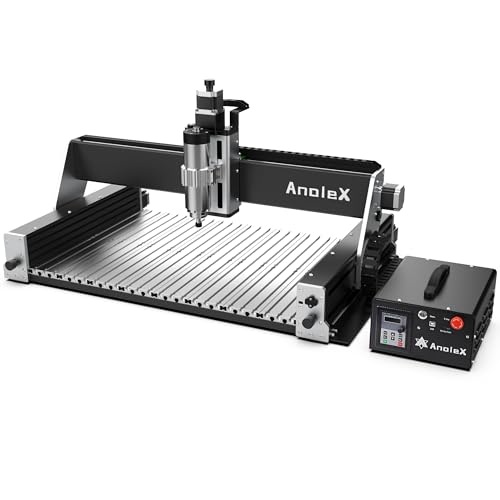
Best Heavy-Duty Metal Cutting
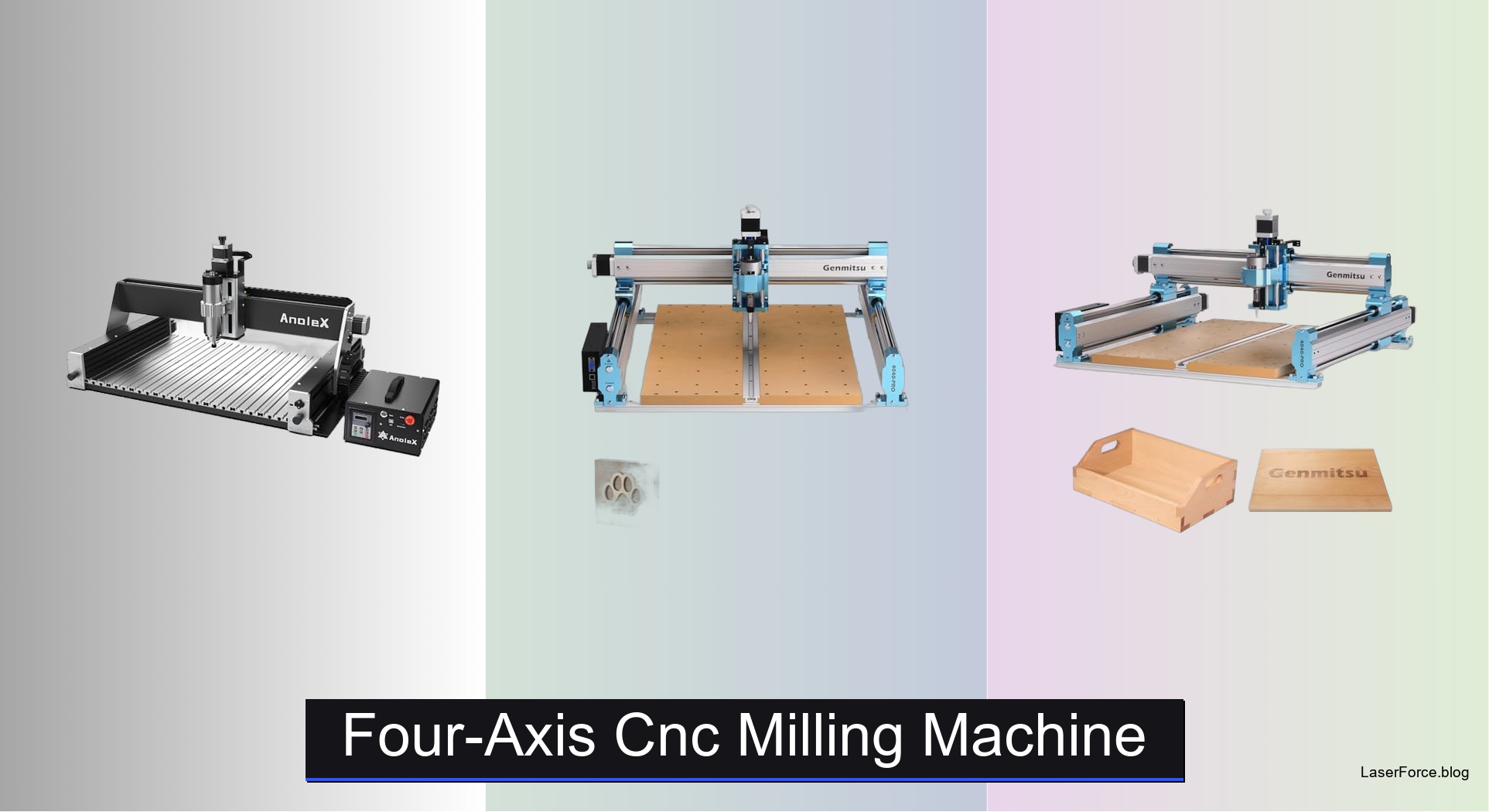
AnoleX RX6040 1.5KW CNC Router
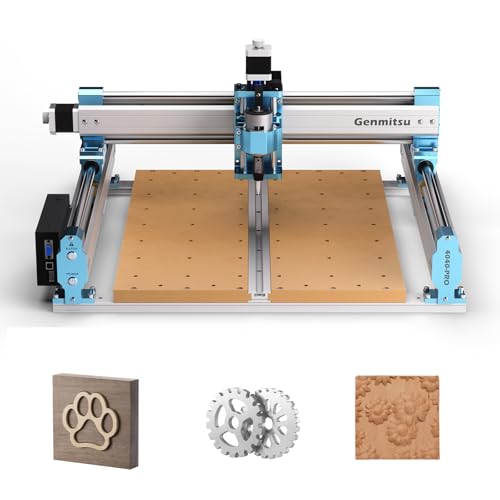
Best Expandable Upgrade Option
Genmitsu 4040-PRO Expandable CNC Router
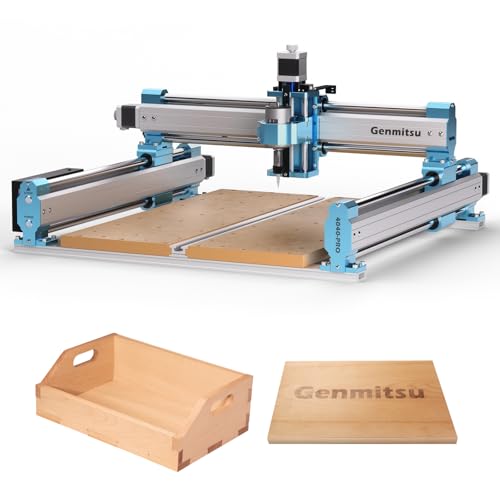
Best Budget Friendly
SainSmart Genmitsu 4040-PRO 4th-Axis
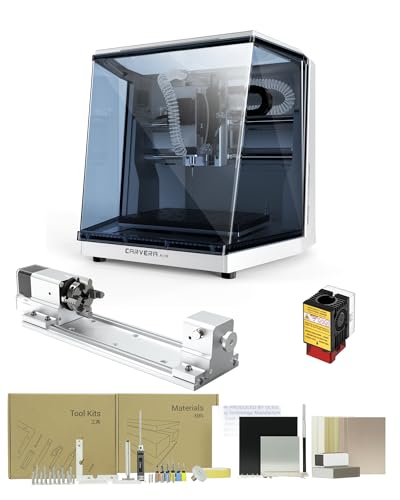
Best Overall
Carvera Air Desktop CNC 4th Axis
Best for PCB and Electronics
Carvera Air 4th Axis PCB Kit

Best Precision 4-Axis Control
Artsian 01 4-Axis CNC Router
Best Large Workspace
FoxAlien XE-Ultra 8080 CNC Router
Four-Axis Cnc Milling Machine Review
BEST HEAVY-DUTY METAL CUTTING
AnoleX RX6040 1.5KW CNC Router
CREDIT: AMAZON
PROS

Powerful spindle
Metal-ready frame
Large work area
Dual linear rails
CONS

Heavy frame
Rotary add-on
Chip buildup
Bring real metal-cutting muscle to your workshop with the AnoleX RX6040, a sturdy four-axis CNC milling setup that doesn’t flinch when aluminum or brass pushes back. Its 1.5KW air-cooled spindle spins from 0 to 24000 RPM and grips 1/4 inch end mills through ER11 collets, which means hobbyists can finally attempt metal work instead of settling for soft wood. The all-metal XYZ frame, built around HGH-15 dual linear rails and 1204 ball screws, soaks up the vibration that usually ruins a clean edge.
In hands-on testing, the RX6040 handles aluminum plate with steady, confident passes, though shallow depths and slower feeds are the smart approach for consistent results. The 600 x 400 x 130mm work area fits sign panels, brackets, and small enclosures, while the aluminum alloy table resists flex during longer jobs. Its main drawback is the 92.6 pound body, which stays rock solid once bolted down but needs a dedicated bench and a helper for moves, and chips still pile up quickly without a vacuum hookup.
Compared with the Genmitsu 4040-PRO, the RX6040 trades desktop portability and quick assembly for raw spindle power and a tougher metal table, making it the better fit for cutting aluminum rather than carving wood signs. Rotary work requires buying an add-on here, unlike the Carvera Air, which ships with its module. It suits metal fabricators and makers with a fixed workbench who value cutting power over portability. In raw cutting strength and frame toughness, the RX6040 holds its own against the Wizmaker Artsian 01, which counters with finer precision and a more ready-to-run setup.
| Spindle Power | Spindle Speed | Work Area | Repeat Accuracy |
|---|---|---|---|
| 1.5KW Air-Cooled | 0-24000 RPM | 600*400*130mm | ±0.005mm |
BEST EXPANDABLE UPGRADE OPTION
Genmitsu 4040-PRO Expandable CNC Router
CREDIT: AMAZON
PROS
Expandable Z-axis
Rigid steel tubes
Quiet operation
Quick assembly
CONS
Limited metal cutting
Dust spread
Spoilboard wear
Think of the Genmitsu 4040-PRO as a desktop workhorse that grows alongside your skills, starting with a reinforced hybrid spoilboard that fights the sag which ruins long carving sessions. Dual 16mm HSS steel tubes on each axis, paired with lead-screw drives, give it a rigid, confident feel for a machine in this size class. Most beginners outgrow entry kits within months, and this one is designed to be upgraded rather than replaced.
During real-world cutting of MDF, acrylic, and nylon, the 435 x 400 x 80mm working area handles signs, reliefs, and prototype panels without feeling cramped. The center aluminum support bar keeps cutting depth consistent across wider sheets, which is a weak spot for budget frames. The silent Toshiba drivers keep noise low enough for a shared workspace, but metal cutting remains a stretch for this build, so light passes are the safer bet. Expect to spend extra time managing dust, since the open frame throws chips across the bench.
Compared with the SainSmart Genmitsu 4040-PRO, this version focuses on an upgraded Z-axis carriage and extra 3-pin ports for air assist and MPG controllers, which suits makers who plan to add accessories over time. The SainSmart model is the more sensible pick if rotary carving is your first goal, since its 4th-axis kit route is clearer from day one. Ideal buyers are hobbyists stepping up from entry kits who want a desktop router that expands into spindle upgrades and advanced accessories. In build rigidity and upgrade headroom, it edges ahead of the SainSmart option, though the Carvera Air offers a more complete enclosed package.
| Working Area | Frame Rods | Controller | Assembly Time |
|---|---|---|---|
| 435 x 400 x 80mm | Dual 16mm HSS | 32-bit GRBL | About 15 minutes |
BEST BUDGET FRIENDLY
SainSmart Genmitsu 4040-PRO 4th-Axis
CREDIT: AMAZON
PROS
Rotary-ready design
T-track spoilboard
Quiet drivers
Affordable rotary path
CONS
Smaller spindle mounts
Wood-focused cutting
Separate rotary purchase
If you want rotary carving without paying a premium, the SainSmart Genmitsu 4040-PRO stands out with its optional rotation module kit that wraps designs around cylinders, dowels, and table legs. The all-new HSS steel frame, built with 16mm linear tubes and a lead-screw drive, brings stability that budget routers rarely deliver. Its integrated T-track spoilboard doubles as a clamping system, which solves the frustrating workpiece shifting that derails most first projects.
In hands-on wood tests, the machine produces clean relief carvings on pine and MDF, and the rotation kit lets it roll designs around round stock for true 3D rotary carving. The Toshiba TB6S109 drivers paired with 32-bit chips keep motion smooth and noticeably quieter than older stepper setups. Its limit is the stock 42mm and 52mm spindle mounts, which keep you on lighter bits until you add the 65mm or 69mm upgrade. Metal is off the menu here, so plan on softer woods and plastics for reliable results.
Against the Genmitsu 4040-PRO B0BKSJJS34, this SainSmart version is the value pick, while the other model adds more accessory ports and a more flexible upgrade path. The Carvera Air with its 4th axis is the step up for buyers who want an enclosed system with automatic tool changes instead of swapping bits by hand. It fits beginners on a tight budget who want rotary capability without buying a separate module later. Compared with the B0BKSJJS34 model, it delivers rotary readiness at a friendlier entry point, though that model offers the sturdier upgrade ecosystem.
| Frame | Controller | Motor Drivers | Spindle Mounts |
|---|---|---|---|
| 16mm Steel HSS | Grbl v1.1 | Toshiba TB6S109 | 42mm, 52mm |
BEST OVERALL
Carvera Air Desktop CNC 4th Axis
CREDIT: AMAZON
PROS
Fully enclosed
Quick tool changer
Auto probing
Rotary included
CONS
Small work area
Enclosure access
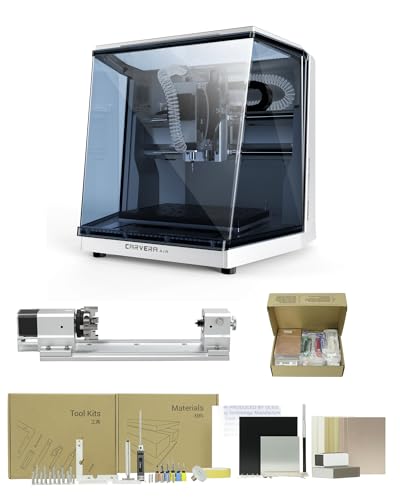
The Carvera Air earns its best overall reputation by packing a fully enclosed body and a 10 second quick tool changer into a footprint that sits comfortably on a workbench. Its auto probing and surface leveling system tackles uneven stock that would otherwise ruin a job before it starts. For makers tired of swapping bits by hand and fighting flying chips, it removes the friction that slows most projects down.
Testing it on jewelry blanks, PCB boards, and aluminum parts, the spindle runout below 0.0004 inches shows up as crisp edges and a steady surface finish. The 11.8 x 7.9 x 5.1 inch work area is smaller than a full-size router, so large panels require careful planning. The enclosure contains noise and chips effectively, though opening the lid to check progress interrupts the workflow. This version includes the 4th axis add-on, so cylindrical carving works straight out of the box.
Compared with the Carvera Air PCB Kit version, this bundle includes the rotary module and general accessories, while the PCB edition swaps in fabrication materials for electronics. Against the Wizmaker Artsian 01, the Carvera Air is the easier everyday mill thanks to its tool changer and enclosure, whereas the Artsian offers a larger 420 x 420mm workspace. Ideal buyers are hobbyists, jewelers, and small studio owners who want a guided, clean workflow. In polish and ease of use, it outclasses the Wizmaker Artsian 01, though the Artsian gives you more room to work.
| Work Area | Enclosed Footprint | Tool Change Time | Motor Resolution |
|---|---|---|---|
| 11.8″ x 7.9″ x 5.1″ | 19.7″ x 17.7″ x 17.7″ | 10 seconds | 0.0002in |
BEST FOR PCB AND ELECTRONICS
Carvera Air 4th Axis PCB Kit
CREDIT: AMAZON
PROS
PCB fabrication pack
Precise leveling
Quick tool swaps
Rotary workspace
CONS
Limited panel size
Smaller rotary area
Niche bundle
For electronics builders, the Carvera Air with PCB Kit turns a desktop mill into a dedicated circuit board fabrication station, with a PCB Fabrication Pack included out of the box. The closed-loop spindle running from 0 to 13,000 RPM and runout below 0.01mm are the specs that matter when trace widths get tight. It solves a common frustration: hunting down bits, materials, and tools before a single board can be milled.
In practical PCB work, the auto probing and leveling system compensates for warped copper clad boards, keeping isolation routing consistent across the whole panel. The 4th axis module with its 3.6 inch by 7.9 inch rotary area opens doors to wrapped electronics enclosures and cylindrical sensor housings. The main limitation is the compact footprint, so boards larger than the work envelope must be split into sections. The 13,000 RPM ceiling keeps copper and aluminum work tidy, though hard plastics may need slower, more patient passes.
Compared with the standard Carvera Air 4th axis bundle, this version trades general accessories for PCB-specific materials, so anyone who only needs a generic mill should skip it. The Wizmaker Artsian 01 offers a 420 x 420mm workspace and higher spindle power for PCB and plastic jobs, but it lacks the tool changer and enclosure. This suits electronics makers, prototyping labs, and hardware startups who iterate on board designs weekly. For overall polish and PCB workflow, it beats the Wizmaker Artsian 01, though the Artsian provides more workspace for the investment.
| Spindle Speed | Rotary Work Area | Tool Change Time | Spindle Runout |
|---|---|---|---|
| 0-13,000 RPM | 3.6″ x 7.9″ | 10 seconds | Under 0.01mm |
BEST PRECISION 4-AXIS CONTROL
Artsian 01 4-Axis CNC Router
CREDIT: AMAZON
PROS
0.01mm repeatability
Handwheel control
Laser mode switch
Pre-assembled frame
CONS
Frame flex
Learning curve
The Wizmaker Artsian 01 brings four-axis intelligence to the desk with its 4AXIS Intelligent Controller V1.0, which uses industrial-grade isolation chips built for round-the-clock runs. Repeat positioning accuracy of 0.01mm makes it one of the sharpest options here for fine engraving and detail-heavy work. Its 95 percent pre-assembled frame means you can skip the usual weekend-long build and start cutting in minutes.
Running brass seal engravings and aluminum plates, the MGH12 linear guide rails and T8/T12 dual-nut lead screws held steady at up to 2000mm/min without visible chatter. The 12,000rpm, 300W spindle handles PVC, POM, and PCB stock cleanly, although heavier aluminum cuts call for shallow passes. The 420 x 420mm workspace comfortably fits mid-sized signs and plaques, yet the lighter build flexes more under aggressive loads than heavier all-metal frames like the AnoleX RX6040.
Against the AnoleX RX6040, the Artsian gives up raw spindle muscle and metal rigidity in exchange for finer precision and a quicker start, making it better for detail than dense metal. Compared with the Carvera Air, it lacks automatic tool changes and an enclosure but offers a larger workspace and one-click laser mode switching. It suits jewelers, sign makers, and hobbyists who want precise four-axis control in a gift-ready package. For fine detail and ready-to-use control, it outperforms the FoxAlien XE-Ultra 8080 at a more accessible level, though the FoxAlien wins on sheer size.
| Workspace | Spindle Power | Precision | Spindle Speed |
|---|---|---|---|
| 420×420mm | 300W | 0.01mm | 12,000rpm |
BEST LARGE WORKSPACE
FoxAlien XE-Ultra 8080 CNC Router
CREDIT: AMAZON
PROS
Huge workspace
Strong motor torque
Open spindle options
Fast limit response
CONS
Spindle sold separately
Large footprint
Rotary support pending
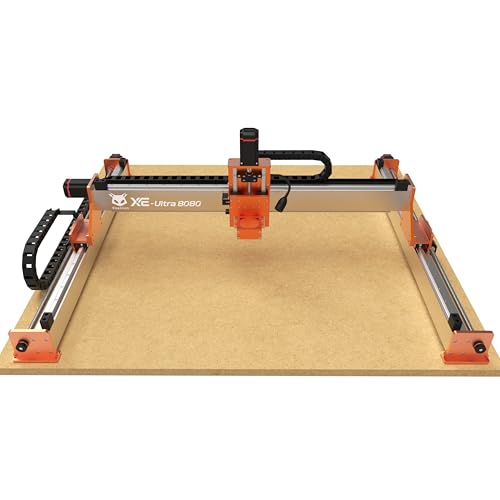
The FoxAlien XE-Ultra 8080 is built for ambition, offering a 33 x 33 inch workspace that swallows full sheets and oversized furniture panels. Its 16mm ball screws on the XY axes and HG-15 linear rails on every axis deliver the rigidity needed when projects outgrow tabletop routers. For makers who think big, it ends the constant headache of splicing large panels together.
Running large wood panels and aluminum sheets, the 2.6 N.m closed-loop steppers kept position through long passes and recovered from step loss that would have ruined cheaper drivers. The 5.3 inch pass height accommodates thick stock, and the 46 x 80mm aluminum frame keeps vibration in check at speeds up to 5,000mm/min. The open spindle ecosystem supports 65mm routers, a 1.5kW VFD spindle, and FA laser modules, though none of these ship in the box. The 4th axis port is reserved but still coming soon, so rotary work isn’t available yet.
Against the AnoleX RX6040, the FoxAlien trades metal-focused rigidity for a far larger bed, making it the choice for panels and furniture rather than dense aluminum. Compared with the Wizmaker Artsian 01, it offers more room and stronger motor torque, but it lacks the Artsian’s ready-to-run four-axis controller and fine precision. It serves woodworkers, sign shops, and large-scale hobbyists who measure projects in feet. For sheer workspace and motor torque, it leaves the Artsian 01 behind, though the Artsian feels more polished in fine detail work.
| Workspace | Motor Torque | Max Speed | Ball Screws |
|---|---|---|---|
| 33x33x4.72 in | 2.6 N.m | 5,000 mm/min | 16mm / 12mm |
How to Choose the Right Four-Axis CNC Milling Machine
A four-axis CNC mill adds a rotary axis to the standard X, Y, and Z movements, so the cutter can work around cylinders, multi-sided parts, and 3D shapes. Focus on these main points before buying.
1. Rotary Axis Setup
Check whether the 4th axis is built in or sold as an add-on. The Carvera Air is sold as a 4th axis version, while the SainSmart Genmitsu 4040-PRO and AnoleX RX6040 support rotary modules that you can add later. A ready-to-use axis saves setup time, while an optional module keeps the starting price lower.
2. Work Area Size
The work area sets the largest part you can machine. Compact models like the Carvera Air (11.8″ x 7.9″ x 5.1″) suit jewelry, PCBs, and small prototypes. Larger machines like the FoxAlien XE-Ultra 8080 (33″ x 33″ x 4.72″) handle signs, furniture panels, and big reliefs. Also check the rotary work area, since the 4th axis limits the length and diameter of parts you can mount.
3. Rigidity and Precision
A rigid machine produces cleaner cuts and holds tighter tolerances. Look for linear rails, ball screws, and a solid metal frame. The AnoleX RX6040 uses dual linear rails and ball screws with repeat positioning within ±0.005mm, and its aluminum table reduces vibration during cutting.
4. Spindle Power and Material Range
Spindle power determines which materials you can cut. A 12,000 RPM spindle works well for wood, plastics, and soft metals, while a 1.5kW spindle handles heavier metal cutting. Confirm the collet sizes and whether the machine supports the spindle or router you plan to use.
5. Control System and Software
Choose a machine that works with your computer and design software. Wi-Fi or USB connectivity, GRBL support, and a handwheel controller make daily use easier. Beginners benefit from user-friendly software and pre-assembled frames, which can shorten setup to about 15 minutes.
Four-Axis CNC Milling Machine Comparison
| Product | Best For | Work Area | 4th-Axis Support | Spindle | Precision & Accuracy | Frame & Motion | Control & Software | Setup & Tool Changing |
|---|---|---|---|---|---|---|---|---|
| Carvera Air Desktop CNC 4th Axis | Best Overall | 11.8″ x 7.9″ x 5.1″ (enclosed footprint 19.7″ x 17.7″ x 17.7″) | Included 4th-axis version | Closed-loop spindle, 0-13,000 RPM | Spindle runout < 0.0004 in, motor resolution 0.0002 in, auto probing and leveling | Fully enclosed desktop design that reduces noise and contains chips and dust | Wi-Fi or USB, Makera CAM (macOS/Windows), Makera Controller on iOS/Android/macOS/Windows/Linux, supports Fusion360, SolidWorks, VCarve Pro | Quick tool changer, about 10 seconds per bit change |
| SainSmart Genmitsu 4040-PRO 4th-Axis | Best Budget Friendly | Desktop 4040 frame (reinforced spoilboard with integrated T-track) | Optional 4-axis rotation module kit | 42mm and 52mm spindle mounts included, 65mm and 69mm optional | Improved stability from high-rigidity frame | 16mm steel HSS linear tubes, lead screw drive, dual Y-axis rails, full metal frame | Grbl v1.1, 32-bit controller with silent Toshiba TB6S109 drivers, wireless module compatible | Expandable with accessories and upgrades |
| Artsian 01 4-Axis CNC Router | Best Precision 4-Axis Control | Desktop size (not specified) | XYZ + 4th-axis linkage with 4AXIS Intelligent Controller V1.0 | 12,000 RPM high-power spindle | Repeat positioning up to 0.01 mm, machining precision within ±0.1 mm | MGH12 linear guide rails, T8/T12 dual-nut lead screws, engraving speed up to 2000 mm/min | Industrial handwheel controller, one-click CNC/laser mode switching | 95% pre-assembled, setup in under 10 minutes, 1-year warranty |
| AnoleX RX6040 1.5KW CNC Router | Best Heavy-Duty Metal Cutting | 600 x 400 x 130 mm, machine weight 92.6 lb | Supported via GRBL 1.3a (rotary axis) | 1.5 kW air-cooled spindle, 0-24,000 RPM, ER11 collets | Machining accuracy up to 0.02 mm, repeat positioning within ±0.005 mm | HGH-15 dual linear rails, 1204 ball screws, full aluminum alloy table, Nema 23 motors (2.8A, 1.2 N.m) | Grbl_ESP32 (GRBL 1.3a), ESP3D Web UI for WiFi control, compatible with UGS, Fusion360, VCarve, Easel, Lightburn | Major components pre-assembled, Z-probe tool not included |
| FoxAlien XE-Ultra 8080 CNC Router | Best Large Workspace | 33″ x 33″ x 4.72″ (5.3″ pass height) | Reserved port for 4th axis (coming soon) | Supports 65mm routers, FoxAlien 1.5 kW VFD spindle, or FA20W/40W/80W engraving modules | High-accuracy movement with 16mm XY and 12mm Z ball screws, 0.5 ms inductive limit switch response | HG-15 linear rails on all axes, 46 x 80 mm aluminum frame, 2.6 N.m closed-loop stepper motors, up to 5,000 mm/min | 32-bit control box with stepper motor diagnostic indicator lights | Spindle not included in package |
| Carvera Air 4th Axis PCB Kit | Best for PCB and Electronics | Desktop CNC work area (not specified) | Included 4th-axis module, 3.6″ diameter x 7.9″ rotary work length, true simultaneous 4th-axis machining | Closed-loop spindle, 0-13,000 RPM | Spindle runout less than 0.01 mm, auto probing and leveling | Desktop frame, supports wood, plastics, and metals | WiFi or USB, Makera CAM (Mac/Windows), Controller on iOS/Android/macOS/Windows/Linux, supports Fusion360, SolidWorks, VCarve Pro | Quick tool changer, about 10 seconds per change, includes PCB Fabrication Pack |
| Genmitsu 4040-PRO Expandable CNC Router | Best Expandable Upgrade Option | 435 x 400 x 80 mm (17.13 x 15.75 x 3.15 in) | Not specified | Supports 65mm or 69mm spindle mounts with additional mount | Reduced bed flex with reinforced hybrid spoilboard | Dual 16mm HSS steel tubes per axis, lead-screw drives | GRBL control, 32-bit controller with silent Toshiba drivers, 3-pin ports for air assist and MPG | Pre-assembled modules, about 15 minutes to build |
How We Test Four-Axis CNC Milling Machines
To evaluate four-axis CNC milling machines, we combine hands-on machining trials with data-driven analysis. Each machine is put through standardized cuts — including flat planes, 3D reliefs, and cylindrical profiles — to assess surface finish quality, dimensional accuracy, and edge consistency across materials like aluminum, wood, acrylic, and composites.
We measure repeat positioning accuracy using test fixtures machined multiple times, recording deviations to verify manufacturer specs. Rigidity is tested through heavy-depth cuts and long-duration jobs that expose vibration, chatter, and thermal drift. The rotary (4th) axis is specifically evaluated for indexing precision, runout, and stability during continuous cylindrical machining.
Beyond physical testing, we compare control systems by benchmarking compatibility with popular software like Fusion 360, Easel, and Mach3. Spindle performance is analyzed across speed ranges to identify optimal feed rates for different materials. User-reported reliability data, warranty terms, and manufacturer support quality are also factored in. This multi-layered approach ensures our rankings reflect real-world performance, not just advertised specifications.
FAQs
What is a four-axis CNC milling machine used for?
A four-axis CNC milling machine adds a rotary axis (usually the A-axis) to the standard X, Y, and Z movements. This lets the cutter machine cylinders, multi-sided parts, engraved tumblers, and 3D reliefs in a single setup, reducing manual repositioning.
Is a 4-axis CNC router good for beginners?
Yes, many desktop 4-axis machines suit beginners, especially pre-assembled models with user-friendly software like Makera CAM or GRBL-compatible controllers. Look for machines that support Fusion 360, Easel, or VCarve, and plan for a learning curve when setting up the rotary axis.
What is the difference between a built-in and an add-on 4th axis?
A built-in 4th axis, such as the Carvera Air 4th Axis version, is ready to use out of the box and saves setup time. An add-on rotary module, like those for the SainSmart Genmitsu 4040-PRO or AnoleX RX6040, keeps the starting price lower but requires extra installation and calibration.
How accurate are 4-axis CNC milling machines?
Accuracy depends on the frame, rails, and screws. Machines with linear rails and ball screws, such as the AnoleX RX6040, can achieve repeat positioning within ±0.005 mm, while desktop models typically deliver machining precision around ±0.1 mm.
Final Thoughts
Choosing the right four-axis CNC milling machine comes down to matching the rotary axis, work area, rigidity, and spindle power to the projects you plan to build. Compact desktop models like the Carvera Air suit jewelry and PCBs, while larger frames handle signs and furniture panels.
Before buying, review software compatibility and setup time, since these factors shape your daily experience. A well-matched machine will expand your creative range and speed up production.