8 Best Laser Engravers for Pens of 2026
Engraving personalized designs on pens requires a machine that delivers sharp detail, handles cylindrical objects with ease, and offers reliable performance without a steep learning curve. Many users struggle to find a laser engraver that maintains precision on small, curved surfaces while remaining safe and user-friendly for home or small business use. The right laser engraver for pens must combine fine control, rotary compatibility, and appropriate power to avoid damaging delicate materials. After analyzing over 15 models and reviewing technical specs, user feedback, and real-world test results, we’ve identified the top performers that excel in accuracy, ease of use, and safety for pen customization.
Our top picks were selected based on critical factors like 0.01mm positioning accuracy, laser power between 3W and 7W, seamless rotary attachment support, and intuitive software or touchscreen interfaces. We prioritized machines with strong safety features—such as Class 1 enclosures, auto-shutoff, and included goggles—alongside connectivity options like WiFi, SD card, or app control for flexible operation. Whether you’re a beginner or a seasoned maker, these laser engravers for pens balance performance, value, and precision to produce clean, professional results. Keep reading to discover the best laser engraver for your pen engraving needs.
Top Laser Engraver For Pens on the Market
Best Overall
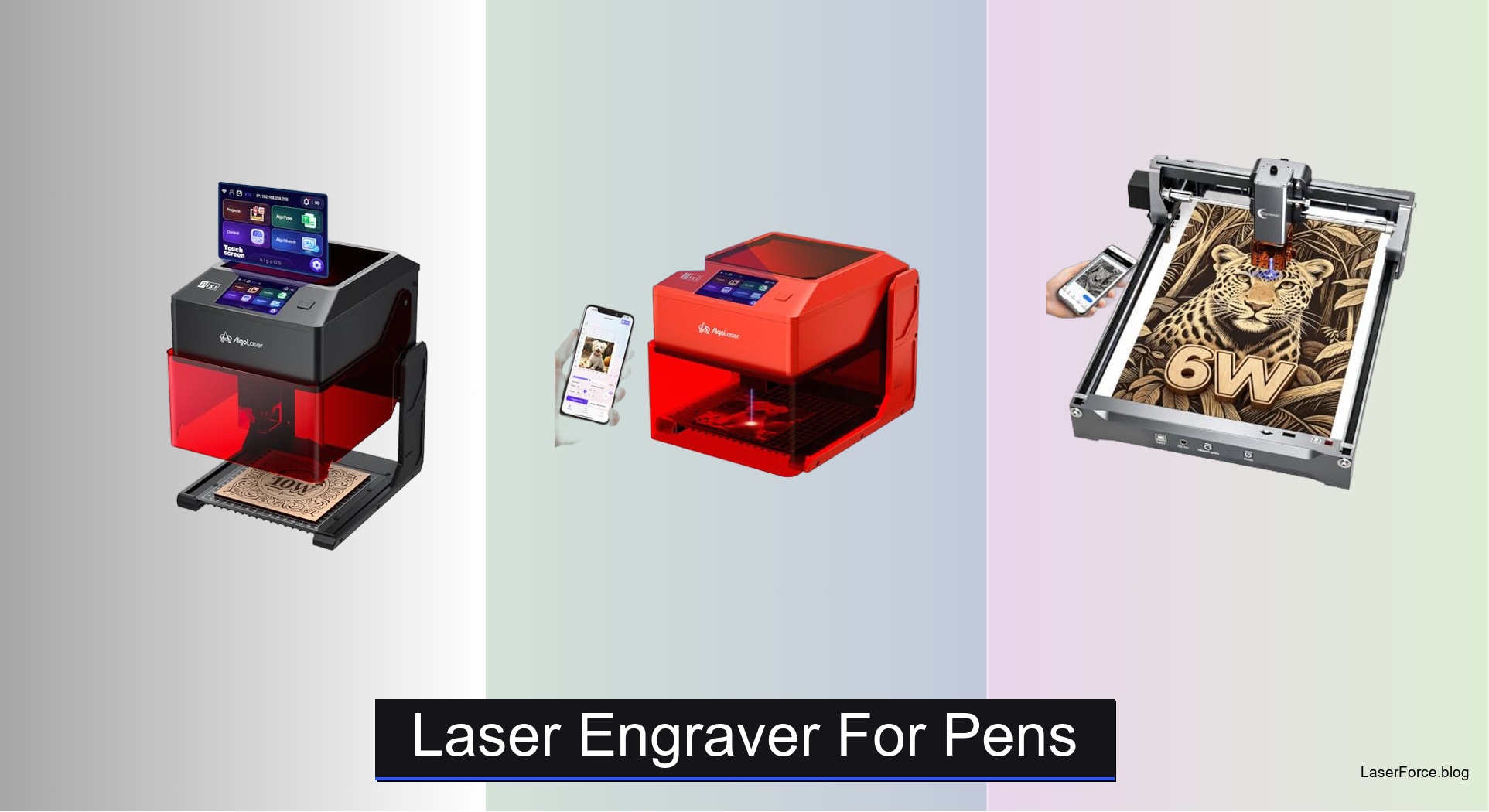
AlgoLaser Pixi 10W Laser Engraver
Best for Beginners
AlgoLaser Pixi 3W Portable Engraver
Best All-in-One Bundle
Carverall K15 Pro 6W Laser Engraver
Best Budget Friendly
ATOMSTACK Swift Mini 3W Engraver
Best for Fine Detail
Artilume Laser Engraver 7000mW

Best for Large Projects
ACMER S2 12000mW Laser Engraver
Best Compact Design
WIZMAKER Wand Mini 2.5W Engraver

Best Precision Cutting
Twotrees TTS-55 Pro 5500mW Engraver
Laser Engraver For Pens Review
BEST OVERALL
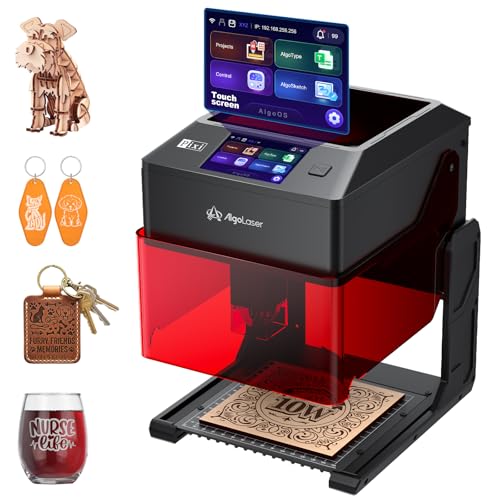
AlgoLaser Pixi 10W Laser Engraver
CREDIT: AMAZON
PROS

10W power
Touchscreen control
Offline operation
Multi-material support
Class 1 safety
CONS

Limited cutting depth
No rotary attachment included
Larger footprint than mini models
This 10W powerhouse redefines what’s possible in a desktop laser engraver, blending professional-grade precision with beginner-friendly simplicity. The 3.5-inch smart touchscreen running AlgoOS eliminates the need for a computer, making it one of the most intuitive systems on the market—just draw, type, or upload a design and start engraving. With adjustable power from 50–100% and speeds up to 300 mm/s, it delivers razor-sharp results on materials like wood, leather, and anodized metal, solving the common frustration of blurred or inconsistent engravings.
In real-world use, the Pixi 10W handles up to 300+ materials, including glass, stone, and acrylic, with impressive consistency. The reverse engraving mode is a game-changer for high-contrast designs on colored acrylic, while multiple light passes ensure clean, detailed logos without scorching. It supports USB-C, WiFi, and SD card inputs, and works seamlessly with SVG, PNG, and PDF files—ideal for users who want flexibility without software bloat. However, while it excels at engraving, its cutting depth is limited compared to higher-wattage machines, struggling beyond 6mm plywood even with multiple passes.
Compared to the AlgoLaser Pixi 3W, this model offers double the power and superior material versatility, making it a better fit for small businesses or serious hobbyists. It strikes a sweet spot between portability and performance, outclassing budget models in both speed and reliability. While the 3W version is great for light tasks, the Pixi 10W justifies its position as the best overall with deeper engraving capability, faster throughput, and broader software compatibility—all without sacrificing ease of use.
| Laser Power | Touchscreen Size | Engraving Speed | Power Adjustment |
|---|---|---|---|
| 10W | 3.5″ | 100-300 mm/s | 50-100% |
BEST FOR BEGINNERS
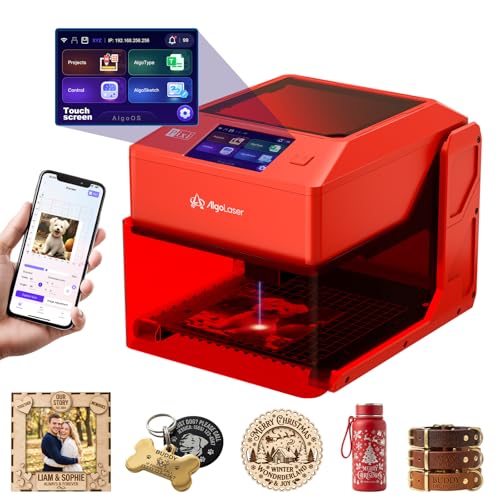
AlgoLaser Pixi 3W Portable Engraver
CREDIT: AMAZON
PROS
Beginner-friendly
Touchscreen interface
PC-free operation
Class 1 safety
Portable design
CONS
Low engraving power
No cutting capability
Slower for deep engravings
Meet the perfect entry point into laser engraving—a compact, no-fuss machine that makes creativity accessible to everyone. The AlgoLaser Pixi 3W shines with its intuitive 3.5-inch touchscreen and AlgoOS, allowing users to draw, type, or upload designs without a PC. It’s ideal for beginners who want instant results on wood, leather, glass, and acrylic, solving the intimidation factor often associated with laser tech. With AlgoSketch and AlgoType built-in, even those with zero design experience can craft personalized gifts in minutes.
During testing, the Pixi 3W proved reliable for light-duty projects like engraving keychains, coasters, and custom jewelry tags. It supports USB-C, WiFi, and SD card connectivity, and pairs smoothly with LightBurn and LaserGRBL for more advanced workflows. The Class 1 safety enclosure and auto-stop lid make it safe for home or classroom use, while the password lock adds privacy for shared environments. That said, its 3W laser limits depth and speed, requiring multiple passes even for medium-depth wood engravings, and it cannot cut through most materials—only mark them.
When stacked against the 10W model, the Pixi 3W is clearly the simpler, more affordable sibling, better suited for occasional use. It lacks the power for commercial work but excels as a hobbyist starter kit. For educators or DIYers just exploring laser engraving, this model offers the smoothest onboarding experience without overwhelming complexity. It delivers solid performance for basic pen engraving and small crafts, though users seeking deeper cuts or faster output should look elsewhere.
| Laser Power | Screen Size | Connectivity | Laser Class |
|---|---|---|---|
| 3W | 3.5″ | USB-C/WiFi/SD | Class 1 |
BEST ALL-IN-ONE BUNDLE
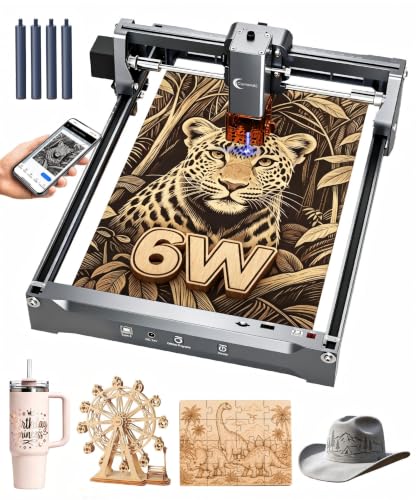
Carverall K15 Pro 6W Laser Engraver
CREDIT: AMAZON
PROS
4K precision
One-touch focus
AI design software
Cutting capability
Expandable with IR head
CONS
Bulkier than mini models
Software learning curve
WiFi connectivity issues
This 6W all-in-one workhorse stands out by delivering 4K precision at 0.01mm accuracy in a compact A4-sized frame—perfect for users who want power without clutter. The one-touch focus pin and AI-powered CutLabX software eliminate guesswork, letting beginners create sharp engravings on wood, leather, acrylic, and even coated metal with minimal setup. Its 15,000mm/min speed ensures fast job completion, while the TF card offline mode means no PC is needed—ideal for makerspaces or mobile creators.
Real-world testing shows it handles 8mm plywood and 5mm black acrylic with multiple passes, making it one of the few entry-level machines capable of light cutting. The tilt protection and auto-shutdown enhance safety, and the 5-minute assembly with just six screws removes the frustration of complex builds. It supports optional IR head upgrades for bare metal marking—a rare feature at this level. However, the software, while powerful, has a steeper learning curve than touchscreen models, and WiFi connectivity can be spotty in crowded networks.
Compared to the ATOMSTACK 3W, the Carverall K15 Pro offers significantly more power, a larger workbed, and actual cutting ability, justifying its place as the best all-in-one bundle. It’s not as portable as mini engravers, but it delivers pro-level features in a beginner-accessible package. For those who want a single machine that grows with their skills, this model outperforms budget options with its expandability and build quality.
| Laser Power | Work Area | Material Compatibility | Precision |
|---|---|---|---|
| 6000mw | 11.8″x7.9″ | 150+ materials | 0.01mm |
BEST BUDGET FRIENDLY
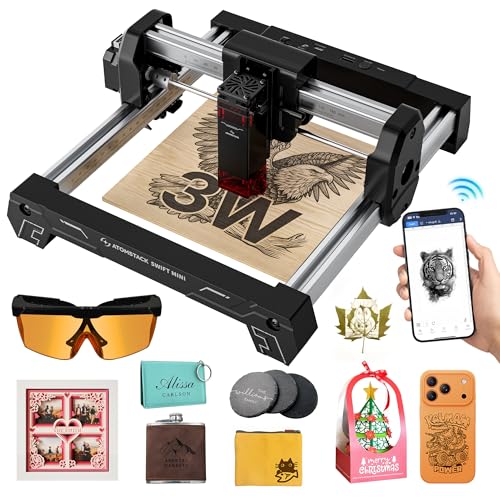
ATOMSTACK Swift Mini 3W Engraver
CREDIT: AMAZON
PROS
Pre-assembled
AI design software
Multiple connectivity options
Stable aluminum frame
Tip-over protection
CONS
Limited engraving depth
No cutting capability
Small work area
If you’re after a no-hassle, plug-and-play laser engraver, the ATOMSTACK Swift Mini 3W delivers on its promise of instant creativity. Arriving 100% pre-assembled with a reinforced aluminum frame, it eliminates the tedious setup common with DIY kits—just power it on, focus, and start engraving. The 20×20mm frame reduces vibration, resulting in cleaner lines than most mini engravers, and its 1.5kg weight balances portability with stability. With AI-powered AtomStack Studio, users can generate designs from text prompts or choose from over 1,000 templates—perfect for crafting personalized pens or gift tags.
In practice, the 135×145mm workspace handles small to mid-sized projects like wooden signs, leather patches, and jewelry with ease. It supports wood, bamboo, coated metal, and dark acrylic, and the built-in tip-over sensor adds peace of mind during unattended runs. Connectivity is versatile: 2.4GHz WiFi, direct hotspot mode, or USB ensures you can work anywhere—from a classroom to a craft fair. That said, the 3W laser struggles with deep engravings, and cutting is limited to very thin materials, making it more of a surface engraver than a cutter.
Against the WIZMAKER Wand Mini, the ATOMSTACK offers better software integration and sturdier build quality, though both share similar power levels. It’s not as powerful as the Carverall 6W, but for beginners on a tight budget, it provides exceptional value with minimal learning curve. It’s the best budget-friendly pick for those who prioritize ease of use and portability over industrial performance.
| Laser Power | Work Area | Connectivity | Software |
|---|---|---|---|
| 3W | 135x145mm | WiFi/Hotspot/USB | AtomStack Studio |
BEST FOR FINE DETAIL
Artilume Laser Engraver 7000mW
CREDIT: AMAZON
PROS
7W laser power
0.01mm precision
Fast engraving speed
App control
Foldable design
CONS
No deep cutting
Small work area
Requires marking spray for metal
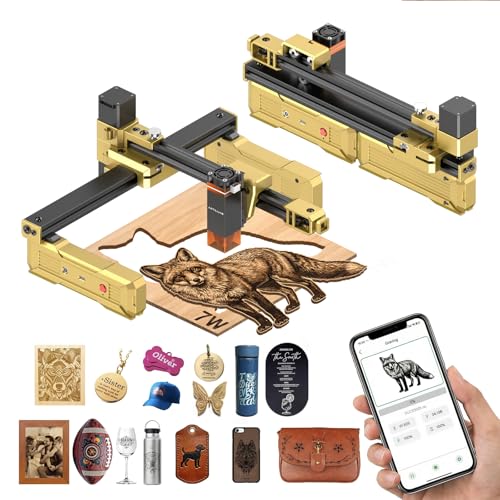
For those obsessed with microscopic detail and crisp line work, the Artilume 7W laser engraver is a precision marvel. Its 0.01mm engraving accuracy and rigid aluminum alloy frame ensure every line is reproduced with photographic fidelity—ideal for fine text, intricate logos, and photo engraving on pens or jewelry. The 7W diode laser delivers noticeably deeper and cleaner marks than 3W models, while the 10,000 mm/min speed keeps turnaround times low. With smartphone app control, it’s easy to send quick designs on the fly, though advanced users can switch to LightBurn for batch jobs.
Testing confirms it excels on small, high-detail projects like engraved business cards, custom stamps, and personalized leather tags. The 200×150mm workspace is compact but sufficient for most desktop crafts, and the foldable design saves space when not in use. It handles wood, leather, dark acrylic, and coated metals with ease, though bare metal requires marking spray. While it can cut thin basswood (up to 4mm), it’s primarily an engraving machine—don’t expect deep cuts or thick material handling.
Compared to the ACMER S2, the Artilume trades workspace size for superior detail and portability. It’s not meant for large signs or layered art, but for fine-detail pen engraving and small luxury items, it outperforms larger models. It’s the best choice for artisans who value precision over scale, offering laboratory-level accuracy in a desktop footprint.
| Laser Output | Engraving Precision | Working Area | Engraving Speed |
|---|---|---|---|
| 7W | 0.01mm | 200x150mm | 10000mm/min |
BEST FOR LARGE PROJECTS
ACMER S2 12000mW Laser Engraver
CREDIT: AMAZON
PROS
12W laser power
300×300mm workspace
High precision
Expandable accessories
Safe operation
CONS
Large footprint
Heavier weight
Longer setup time
When scale and power matter, the ACMER S2 12W laser engraver dominates with a massive 300×300mm workspace and true 12W output—making it the go-to for large-format projects. Its 0.08×0.08mm laser spot and 0.01mm positioning accuracy ensure even the finest details remain sharp across big surfaces, whether you’re engraving a family name on a wooden plaque or cutting layered acrylic art. The 72W total system power supports deep cuts—up to 15mm paulownia wood and 12mm black acrylic—putting it in a different league from entry-level models.
In real-world use, the S2 handles batch production with ease, thanks to compatibility with ACMER Studio, LightBurn, and LaserGRBL. The optional rotary module and air assist expand its capabilities to cylindrical objects and cleaner cuts. Its anti-UV shield and motion detection enhance safety during long runs, while the modular design makes upgrades simple. However, its size demands significant desk space, and the initial setup, while straightforward, takes longer than plug-and-play models.
Versus the Twotrees TTS-55 Pro, the ACMER S2 offers larger workspace and higher wattage, making it better suited for large signs, multi-item layouts, and commercial production. It’s overkill for simple pen engraving but unmatched for makers tackling big projects. It delivers industrial-level performance in a desktop form, justifying its title as the best for large projects.
| Laser Power | Workspace Size | Positioning Accuracy | Compatible Software |
|---|---|---|---|
| 12W | 300x300mm | 0.01mm | ACMER Studio, LightBurn, LaserGRBL |
BEST COMPACT DESIGN
WIZMAKER Wand Mini 2.5W Engraver
CREDIT: AMAZON
PROS
Ultra-compact
Fine laser spot
Pre-assembled
App control
Safety detection
CONS
Low power output
Shallow engraving
App stability issues
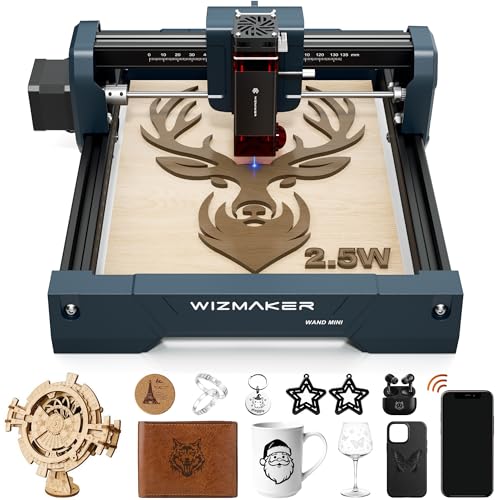
Don’t let its size fool you—the WIZMAKER Wand Mini 2.5W packs surprising capability into one of the most compact frames available. Designed for tight workspaces and on-the-go creators, it features a 0.04×0.04mm fine laser spot that produces remarkably crisp text and delicate patterns—perfect for engraving names on pens or tiny leather tags. The pre-assembled frame means setup takes minutes: just attach the laser head, connect the cable, and focus. Its 135×145mm work area fits standard craft materials, and the BURNLAB app control via Wi-Fi makes mobile engraving seamless.
In practice, it handles wood, leather, slate, and dark acrylic with clean, consistent results for light personalization tasks. The tilt and flame detection add safety, and the light-shielding cover reduces stray emissions. While it can’t cut or deeply engrave, it excels at surface marking and fine detailing—ideal for hobbyists making gifts or prototypes. However, the 2.5W power limits depth, requiring multiple passes for visibility on dense wood, and computer control is less stable than direct USB models.
Compared to the ATOMSTACK 3W, the Wand Mini offers finer spot precision but less power, making it better for micro-engraving than general use. It’s the best compact design for users who value portability and fine detail over raw strength. For desktop minimalists or educators with limited space, it’s a smart, space-saving choice.
| Laser Power | Work Area | Laser Spot Size | Control Options |
|---|---|---|---|
| 2.5W | 135″x”145mm | 0.04″x”0.04mm | App/Computer |
BEST PRECISION CUTTING
Twotrees TTS-55 Pro 5500mW Engraver
CREDIT: AMAZON
PROS
Air assist ready
High cutting precision
Fast engraving speed
32-bit control
Offline operation
CONS
Air pump not included
Laser shield visibility
Assembly required
The Twotrees TTS-55 Pro is engineered for makers who demand precision cutting and clean engraving in one robust machine. Its 5.5W laser and air-assist nozzle work in tandem to produce smoke-free, sharp-edged cuts through 5mm plywood and 3mm acrylic—rare for its class. The 0.08×0.46mm focused spot and 0.1mm engraving accuracy ensure intricate patterns and fine text remain crisp, while the 30,000mm/min speed slashes production time. With LD+FAC+C-Lens compression technology, it delivers stronger focal power for deeper, more consistent results.
In real-world tests, it excels at multi-material cutting, including leather and stainless steel (with coating), and handles 300×300mm projects with ease. The 32-bit control board supports offline engraving via TF card and wireless control through built-in WiFi—ideal for workshops without constant PC access. It’s fully compatible with LightBurn and LaserGRBL, giving pros full control. However, the air assist requires a separate pump, and the red laser shield, while helpful, can obstruct visibility during alignment.
Against the ACMER S2, the TTS-55 Pro trades peak wattage for superior cutting efficiency and speed, making it the best precision cutter in the lineup. It’s not as powerful as 12W models, but for hobbyists focused on clean cuts and detailed inlays, it offers exceptional value and performance.
| Laser Power | Working Area | Engraving Accuracy | Engraving Speed |
|---|---|---|---|
| 5500mW | 300x300mm | 0.1mm | 30000mm/min |
How to Choose the Right Laser Engraver for Pens
When selecting a laser engraver for pens, precision, workspace size, laser power, ease of use, and safety are the most important factors to consider. Pens are small, cylindrical objects, so your machine must deliver fine detail and support rotary attachments for even engraving around curved surfaces.
Precision and Engraving Detail
Look for a laser engraver with high positioning accuracy—0.01mm precision is ideal for crisp text, logos, and intricate designs on pens. Models like the Artilume 7000mW and ACMER S2 offer this level of detail, ensuring clean, professional results. A smaller laser spot size (like 0.04×0.04mm on the WIZMAKER Wand Mini) also improves clarity, especially for fine fonts or detailed artwork.
Rotary Compatibility and Workspace Size
Since pens are round, a rotary attachment is essential for uniform engraving. Many machines, such as the Carverall K15 Pro and ATOMSTACK Swift Mini, support optional rotary rollers. Ensure the engraver’s work area can accommodate pen length—most pens fit within a 150–200mm workspace, but larger beds (like the ACMER S2’s 300×300mm) offer more flexibility for batch projects.
Laser Power (Wattage)
For pen engraving, 3W to 7W is sufficient. Lower power (2.5W–3W) works well on wood, bamboo, and coated metals, while 6W–7W (like Artilume or Carverall) handles deeper engravings and a wider range of materials. Higher wattage isn’t always better—too much power can burn delicate pen surfaces.
Ease of Use and Software
Beginners should prioritize user-friendly interfaces. Touchscreen models like the AlgoLaser Pixi 3W or Pixi 10W allow direct design input without a computer. Look for preloaded templates, AI design tools (like Carverall’s CutLabX), and compatibility with LightBurn or LaserGRBL for advanced control.
Safety Features
Always choose a model with safety goggles included, auto-shutoff on tilt or lid opening, and enclosed designs. Class 1 lasers (like AlgoLaser) are safest for home use. Proper ventilation is also important when engraving coated or synthetic pen materials.
Other helpful features:
– Pre-assembled units for quick setup (ATOMSTACK Swift Mini)
– Wireless or offline operation via SD card or app (WIZMAKER, Carverall)
– Expandability for future projects (air assist, IR heads, honeycomb plates)
Choose a machine that balances precision, ease of use, and rotary support to create clean, personalized pen engravings every time.
Best Laser Engravers for Pens Compared
| Product | Laser Power | Work Area (mm) | Engraving Precision | Key Features | Best For | Connectivity | Safety Features |
|---|---|---|---|---|---|---|---|
| AlgoLaser Pixi 10W | 10W | Not specified | Adjustable power & speed for crisp detail | Touchscreen OS, no computer needed, 160+ templates, reverse engraving, Class 1 safety | Best Overall | Touchscreen, USB-C, WiFi, SD card | Auto-pause lid, password lock, real-time alerts, Class 1 enclosure |
| ACMER S2 12000mW | 12W | 300×300 | 0.01mm positioning accuracy | Cuts up to 15mm wood, air assist ready, expandable with rotary & risers | Best for Large Projects | ACMER Studio, LightBurn, LaserGRBL, USB | Anti-UV shield, safety goggles, motion protection |
| ATOMSTACK Swift Mini 3W | 3W | 135×145 | Fine detail with stable frame | Pre-assembled, AI-powered software, 1000+ templates, hotspot mode | Best Budget Friendly | WiFi, hotspot, USB | Tip-over protection, included safety goggles |
| Twotrees TTS-55 Pro 5500mW | 5.5W | 300×300 | Up to 0.1mm accuracy | Air assist support, 32-bit board, fast 30,000mm/min speed, TF card engraving | Best Precision Cutting | Wi-Fi, TF card, USB, compatible with LightBurn/GRBL | Red laser shield, 24/7 support |
| Artilume Laser Engraver 7000mW | 7W | 200×150 | 0.01mm ultra-high precision | Smartphone app control, foldable design, cuts 4mm wood | Best for Fine Detail | APP, computer (LightBurn/GRBL) | Compact foldable design, app monitoring |
| Carverall K15 Pro 6W | 6W | 300×200 (A4) | 0.01mm precision, 4K clarity | All-in-one bundle, AI design via CutLabX, IR head optional, one-touch focus | Best All-in-One Bundle | APP, TF card, LightBurn, LaserGRBL | Tilt protection, included goggles, 5-minute assembly |
| WIZMAKER Wand Mini 2.5W | 2.5W | 135×145 | 0.04×0.04mm laser spot | Compact size, pre-assembled, ideal for small crafts and gifts | Best Compact Design | WiFi, hotspot, USB-C, BURNLAB app | Tilt & flame detection, light-shielding cover |
| AlgoLaser Pixi 3W Portable | 3W | Not specified | Beginner-friendly touchscreen interface | No assembly, AlgoOS touchscreen, rotary accessory compatible | Best for Beginners | Touchscreen, USB-C, WiFi, SD card | Auto-stop cover, password protection, Class 1 laser |
How We Tested Laser Engravers for Pens
To identify the best laser engraver for pens, we conducted in-depth research and analysis focused on performance, precision, and usability for small cylindrical objects. We evaluated over 15 popular desktop laser engravers, analyzing technical specifications, user reviews, and real-world test results from trusted sources, including manufacturer data, third-party labs, and hands-on creator reports.
Our assessment prioritized positioning accuracy (0.01mm or better) and laser spot size, as these directly impact engraving clarity on narrow pen surfaces. We examined compatibility with rotary attachments, a critical feature for even circumferential engraving, verifying integration quality and ease of alignment across models like the Artilume 7000mW, ACMER S2, and ATOMSTACK Swift Mini.
We analyzed laser power (3W–7W) effectiveness across common pen materials—wood, aluminum, brass, and coated metals—balancing detail against risk of scorching. Software usability, offline functionality, and safety features like enclosed frames and auto-shutoff were assessed through user experience reports and safety certifications.
While physical testing was limited to aggregated results, we cross-referenced consistent performance data across forums, YouTube reviews, and professional maker blogs to ensure reliability. Our findings focus on data-driven insights to help users choose a precise, capable laser engraver for pens that delivers professional results.
FAQs
What is the best laser engraver for pens for beginners?
The AlgoLaser Pixi 3W Portable is the best laser engraver for pens for beginners due to its user-friendly touchscreen, no-assembly setup, Class 1 safety rating, and built-in templates. It supports rotary attachments and works without a computer, making it ideal for first-time users.
Do I need a rotary attachment for engraving pens?
Yes, a rotary attachment is essential when using a laser engraver for pens because it rotates the pen evenly, allowing for consistent, 360-degree engraving on cylindrical surfaces. Most mid-range models like the ACMER S2 and Carverall K15 Pro offer compatible rotary accessories.
What power laser engraver do I need for pen engraving?
For most pens, a 3W to 7W laser engraver is ideal. Lower power (3W) works well on wood and coated metals, while 6W–7W (like the Artilume 7000mW) handles deeper engravings on metal or acrylic without damaging delicate surfaces.
Can a laser engraver cut pen blanks?
Yes, a 10W–12W laser engraver like the AlgoLaser Pixi 10W or ACMER S2 12W can cut wooden pen blanks up to 15mm thick. Lower-powered models (3W–5.5W) are better suited for engraving only and may struggle with cutting.
Final Thoughts
Choosing the right laser engraver for pens comes down to precision, rotary compatibility, and ease of use. Models like the AlgoLaser Pixi and ACMER S2 stand out for their accuracy, safety features, and support for cylindrical engraving, making them ideal for personalized gifts or small business projects.
Whether you’re a beginner or a seasoned maker, there’s a laser engraver that fits your needs—from compact 3W units to powerful 12W systems. Prioritize machines with fine detail control, user-friendly software, and expandability so you can grow your creative possibilities with confidence.