8 Best CNC Machines for Woodworking (2026 Guide)
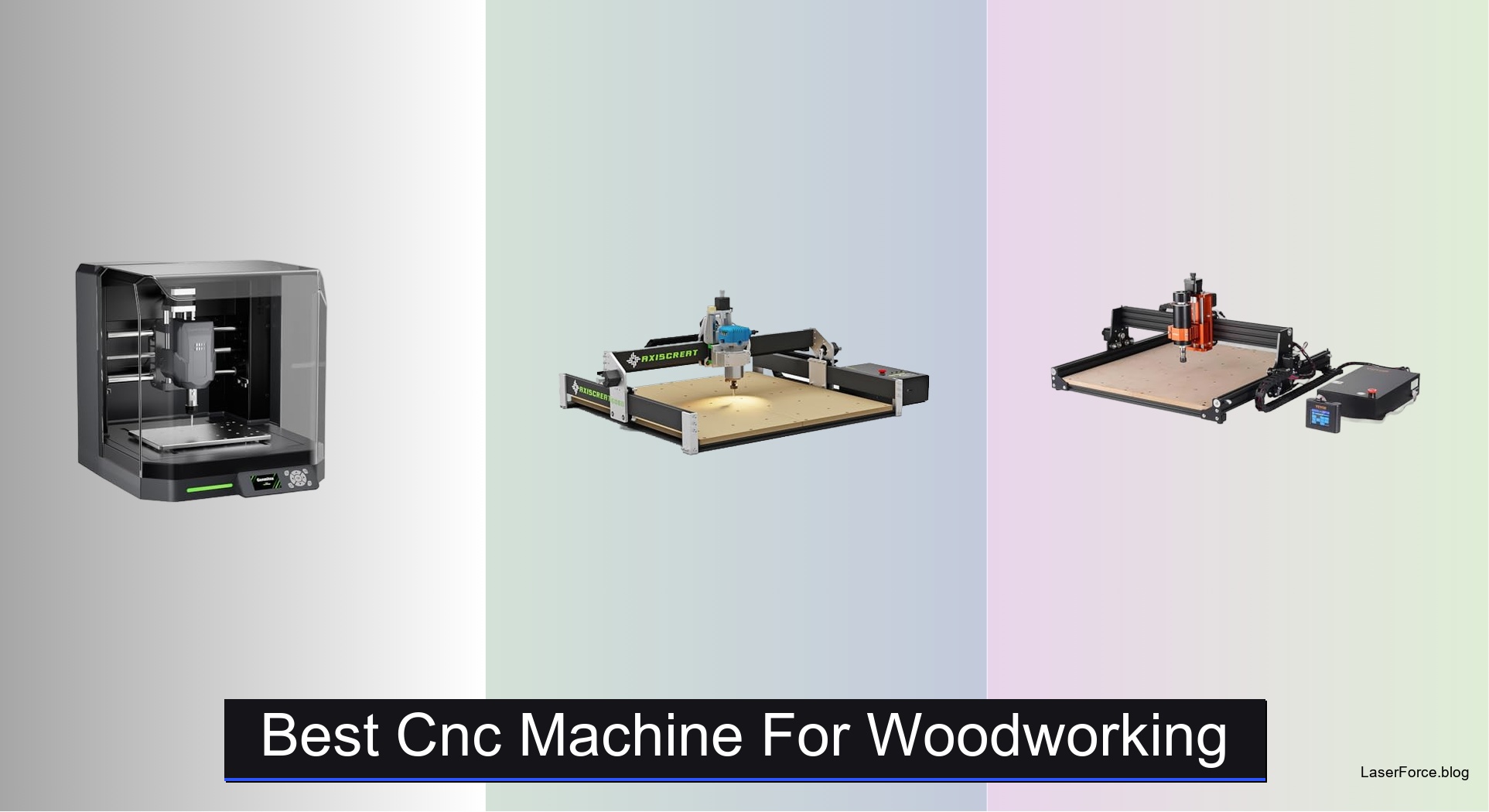
Woodworkers looking for the best CNC machine for woodworking want clean cuts, a stable frame, and enough room for cabinet panels. Many budget machines struggle with flexing frames, cramped beds, and dust buildup. The best models solve these problems with rigid metal construction, spindles strong enough for hardwoods, and enclosures that contain chips. They also support popular software like Fusion 360 and Easel.
We evaluated each machine across cutting performance, build quality, and everyday usability. Test cuts on basswood, maple, MDF, and plywood showed how each model handled depth and feed rate. We also checked setup time, dust control, software compatibility, and user reliability reports. Keep reading to find our top picks and a side-by-side comparison.
Top Cnc Machine For Woodworking on the Market
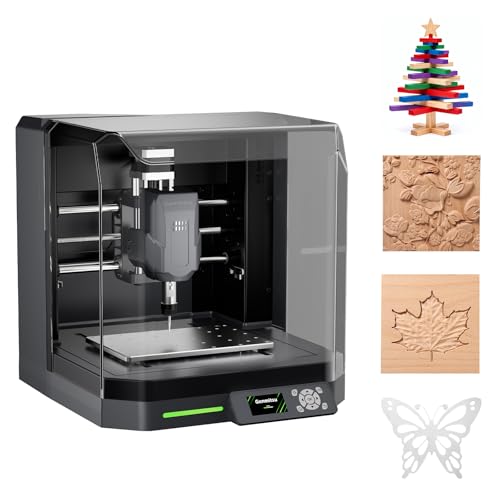
Best Beginner Enclosed Dust Control
Genmitsu Cubiko Enclosed Desktop CNC
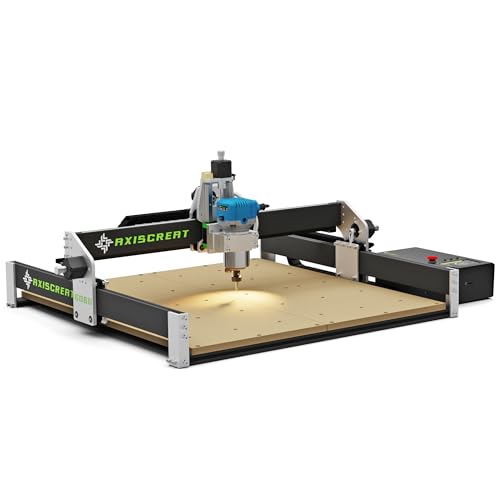
Best Large Workspace
Axiscreat 6060 Belt Driven CNC Router

Best Budget Friendly
VEVOR 300W CNC Router Machine Kit

Best Big Projects Rigid Build
Genmitsu PROVerXL 6050 Plus CNC Router
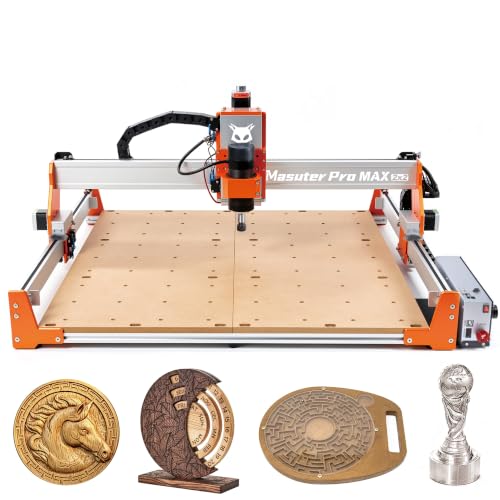
Best Brushless Spindle for Long Sessions
FoxAlien Masuter Pro MAX Desktop CNC
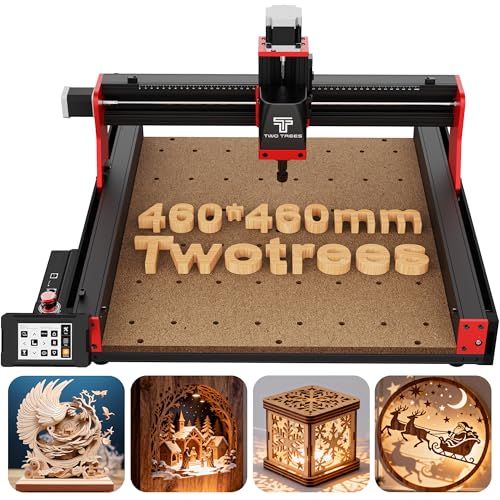
Best Woodworking Accessory Kit
Twotrees TTC450 Pro CNC Router
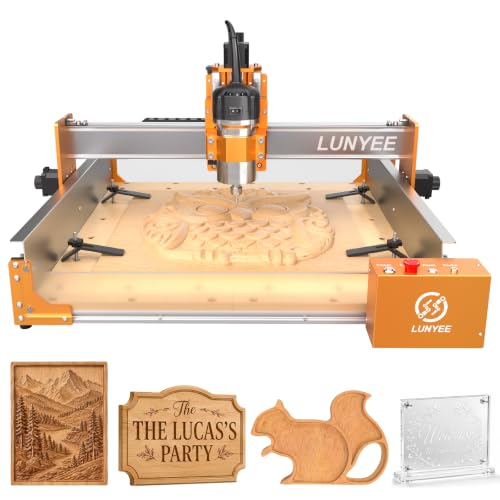
Best Mid Range 800W Router
LUNYEE 4040 Pro Max CNC Router
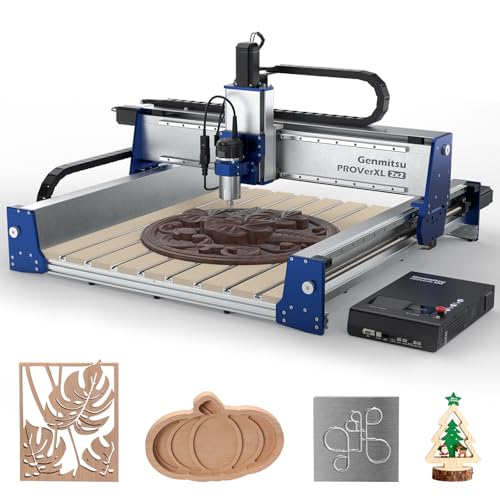
Best Overall
Genmitsu PROVerXL 2X2 CNC Router
Best Cnc Machine For Woodworking Review
BEST BEGINNER ENCLOSED DUST CONTROL
Genmitsu Cubiko Enclosed Desktop CNC
CREDIT: AMAZON
PROS

Enclosed cabinet
Auto Z-probing
Surface mapping
Ready out-of-box
CONS

Limited large-panel capacity
Soft metal limits
Cubiko turns a messy first project into a clean one from the moment the box opens. Its pre-assembled frame skips the afternoon of hex keys that stalls most beginners, and the integrated enclosure traps chips while muffling the cut. The auto Z-probing routine asks only for your material thickness, so you can skip the fiddly paper-shim method that derails so many first sessions.
In testing, the ±0.1 mm positioning accuracy showed up in crisp PCB traces and shallow sign engravings on acrylic and pine. The smart surface mapping samples multiple points across the bed and compensates for warped stock, keeping engraving depth more even than a flat-bed assumption would. Where it stumbles is scale, since the enclosed footprint suits coasters, nameplates, and small brackets rather than full sheets of plywood. Soft metals are possible, but they demand slow feeds and plenty of patience.
Against the Genmitsu PROVerXL 2X2, the Cubiko trades working envelope and rigidity for a quieter, tidier experience that fits a spare room. Its Wi-Fi, Genmitsu App, and offline control give hobbyists flexible workflows, though the 2X2 is the better choice for cabinetry-scale projects. Ideal buyers are first-time makers, PCB hobbyists, and parents who want a contained, low-mess setup. Compared with the VEVOR budget kit, the Cubiko delivers a far more guided start with enclosure, auto setup, and surface mapping, which makes it the stronger pick for beginners who value simplicity over raw bed size.
| Positioning Accuracy | Setup | Enclosure | Materials |
|---|---|---|---|
| ±0.1 mm | Pre-assembled | Integrated | Wood, acrylic, PCB |
BEST LARGE WORKSPACE
Axiscreat 6060 Belt Driven CNC Router
CREDIT: AMAZON
PROS
Large bed
710W router
Auto tool setter
Offline touchscreen
CONS
Belt tensioning
Voltage switching
Feed rate limits
Axiscreat A6060 hands power users a bigger playground with a 600 x 600 x 75 mm working area and a 710W trim router that spins from 6000 to 30000 RPM. The belt-driven X and Y axes paired with a linear rail Z axis keep motion smooth, while the automatic tool setter lets you set height without powering the spindle. Pre-assembled modules bring setup down to about twenty minutes, so your first cut arrives before your coffee cools.
On pine and MDF, the 710W spindle chews through material with confidence, especially at medium depths where the six preset speeds save time on repeat jobs. The 4.3-inch touchscreen controller runs offline, so you can launch a job from the shop floor without hauling a laptop over. The switchable power box also controls the vacuum, which keeps dust cleanup manageable. The trade-off is that belts need periodic tension checks, and the entry-level frame rewards conservative feed rates, since aggressive settings lead to missed steps.
Compared with the FoxAlien Masuter Pro MAX, which offers the same 600 mm bed, the Axiscreat leans on a traditional 710W router, while the FoxAlien counters with a brushless spindle and a dedicated 4th-axis port for rotary work. Choose the Axiscreat if you want a quick-start large bed for signs, cabinet panels, and decorative carvings without rotary extras. It suits hobbyists stepping up from desktop engravers and small workshop owners. Measured against the VEVOR kit, the Axiscreat provides a larger bed, a stronger router, and smarter tool setting, making it the clear pick for makers outgrowing basic setups.
| Work Area | Spindle Power | Spindle Speed | Drive Type |
|---|---|---|---|
| 600 × 600 × 75 mm | 710W | 6000-30000 RPM | Belt-driven X/Y |
BEST BUDGET FRIENDLY
VEVOR 300W CNC Router Machine Kit
CREDIT: AMAZON
PROS
Compact footprint
Quiet stepper
Touchscreen controller
Pre-wired setup
CONS
Modest spindle power
Smaller work envelope
VEVOR packs real workshop value into a compact 400 x 400 mm bed powered by a 300W spindle and an aluminum alloy body. Its stepper-driven motion runs quietly, and the heavy-duty base damps vibration better than many kits in this range. For hobbyists who want to test ideas before committing to a bigger setup, this kit answers the question of whether desktop routing is worth bringing home.
In practice, the 300W spindle handles engraving on acrylic, MDF, and foam with clean edges, though deep pocketing in hardwood tests its patience. The 0.05 mm repeat positioning accuracy holds steady for signage and coasters, and the 2.4-inch touchscreen lets you start jobs without a computer. Key components arrive pre-wired, and the rotary knob gives tactile control over spindle speed. The main limitation is torque under load, so slower passes and shallow depths keep the motor happiest.
Set beside the Genmitsu Cubiko, the VEVOR gives up the enclosure, auto Z-probing, and surface mapping in exchange for a more open, adjustable workspace. The Cubiko suits beginners who want a neat, guided experience, while the VEVOR suits tinkerers comfortable tuning feed rates and toolpaths. The ideal buyer is a student or budget-minded maker testing whether desktop routing fits their hobby. Compared with the Genmitsu PROVerXL 6050 Plus, the VEVOR offers far fewer rigid features but a much friendlier entry point for experimenting on a tighter budget.
| Spindle Power | Working Area | Axes | Max Spindle Speed |
|---|---|---|---|
| 300W | 400 x 400 x 75 mm | 3 Axis | 1200 RPM |
BEST BIG PROJECTS RIGID BUILD
Genmitsu PROVerXL 6050 Plus CNC Router
CREDIT: AMAZON
PROS
Dual linear rails
T-track grid
Jog wheels
Pre-assembled core
CONS
Accessories sold separately
Spoil board wear
PROVerXL 6050 Plus brings genuine stiffness to projects that have outgrown lightweight frames, with a 23.62 x 19.69 inch envelope and a 300W spindle wrapped in an all-metal body. The dual HG-15 linear rails and single T10 lead-screw Y axis create a rigid platform that runs quieter than its predecessor. Pre-assembly means you spend less time with tools and more time watching chips fly.
In real cuts, the rigid frame keeps edges crisp on dense hardwood and thick MDF, where lighter kits tend to chatter and leave ridges. The aluminum T-track grid accepts a wide range of clamps and makes spoil board swaps simple once the surface gets chewed up. The NEMA 23 motors with manual jog wheels let you position stock without fumbling through software menus, a small touch that saves a lot of frustration. The compromise is that MDF spoil boards need regular replacement, and the extra 65 mm spindle holder only pays off once you plan upgrades.
Set beside the Genmitsu PROVerXL 2X2, the 6050 Plus offers a smaller bed and lacks the built-in Wi-Fi highlighted on the 2X2, but it fits more comfortably into garages and shared shops. The 2X2 targets cabinetry-scale work, while this model suits signs, panels, and mid-sized furniture parts. It is the right choice for serious hobbyists who want rigid performance without committing to a professional-sized footprint. Compared with the Genmitsu Cubiko, this model delivers far more structural strength and cutting headroom, though the Cubiko wins on tidy, beginner-friendly operation.
| Working Area | Spindle Power | Linear Rails | Drive Structure |
|---|---|---|---|
| 23.62″ x 19.69″ | 300W | Dual HG-15 | T10 Lead Screw |
BEST BRUSHLESS SPINDLE FOR LONG SESSIONS
FoxAlien Masuter Pro MAX Desktop CNC
CREDIT: AMAZON
PROS
Brushless spindle
Dedicated 4th-axis
Large workspace
Upgrade ready
CONS
Closed-loop not included
Larger footprint
Masuter Pro MAX pushes into marathon territory with a 500W brushless spindle designed for long, uninterrupted sessions. The 600 x 600 mm workspace and 100 mm Z pass height open the door to thick slabs, tumblers, and oversized panels. A strengthened X-axis extrusion tames vibration at high speed, which translates into cleaner edges on demanding jobs.
Brushless motors run cooler and quieter than brushed alternatives, so extended cutting runs on hardwood or acrylic feel calmer and less fatiguing. The dedicated 4th-axis port switches to rotary carving in seconds without unplugging the Y axis, a real time saver for cylindrical projects. Depth control stayed steady across repeated passes on tumbler blanks, though the demanding feed settings reward conservative speeds. The dual-motion board future-proofs the controller for closed-loop steppers, which becomes valuable as precision requirements grow.
Versus the Axiscreat A6060, the Masuter Pro MAX shares a similar bed size but relies on a brushless spindle and rotary-ready wiring instead of a 710W trim router. Choose the FoxAlien if endurance and rotary versatility matter most for tumblers, bats, and cylinders. Makers who mainly cut flat panels will find the Axiscreat more flexible across bit sizes. The ideal buyer is a hobbyist expanding into 3D rotary work who plans to upgrade motion hardware later. Compared with the Genmitsu PROVerXL 2X2, the Masuter Pro MAX offers a similar set of endurance features in a footprint better suited to smaller shops, although the 2X2 leads on out-of-the-box closed-loop precision.
| Spindle Power | Work Area | Z-Axis Height | Axis Support |
|---|---|---|---|
| 500W Brushless | 600x600mm | 100mm | 4th-Axis Rotary |
BEST WOODWORKING ACCESSORY KIT
Twotrees TTC450 Pro CNC Router
CREDIT: AMAZON
PROS
Touchscreen controller
Laser-ready ports
Bundled tooling
Wide software support
CONS
Driver setup
Brushed spindle
TTC450 Pro treats the router as a hub for lasers, rotary axes, and accessories all at once. Its 3.5-inch IPS capacitive touchscreen responds like a smartphone, and the 460 x 460 x 80 mm square bed handles furniture panels and batch signage. The 57 stepper Z axis with 0.0025 mm positioning accuracy keeps multi-layer relief work sharp and consistent.
Out of the box, the ten-tool bundle, six clamp plates, and test material mean you can start carving on day one without shopping for bits. The open-source GRBL base plays well with Fusion 360, Easel, and Carveco, so design workflows stay smooth from screen to cut. Dual limit switches on every axis add a safety net during long, high-load sessions. The downside is the 775 brushed spindle motor, which lacks the torque and quiet endurance of brushless options when pushed through dense hardwood.
Compared with the FoxAlien Masuter Pro MAX, the TTC450 Pro trades raw spindle endurance for a richer accessory kit and a laser-ready control box. Pick the Twotrees if you plan to combine engraving with laser cutting or want a 4th-axis upgrade path without buying extras separately. Ideal buyers include educators, makerspaces, and home craftsmen who value bundled tooling and CE-certified safety. Against the LUNYEE 4040 Pro Max, the Twotrees offers a larger bed and fuller bundle, while the LUNYEE counters with a stronger 800W router and magnetic dust baffles.
| Working Area | Positioning Accuracy | Spindle Power | Control System |
|---|---|---|---|
| 460 x 460 x 80 mm | 0.0025 mm | 500W | GRBL |
BEST MID RANGE 800W ROUTER
LUNYEE 4040 Pro Max CNC Router
CREDIT: AMAZON
PROS
800W router
Ball screw Z
Magnetic baffles
Dust protection
CONS
Modest work area
Careful baffle handling
LUNYEE 4040 Pro Max delivers router muscle inside a compact 400 x 400 x 90 mm desktop frame. The 800W trim router cuts deeper and faster than typical 300W spindles, and the reinforced gantry keeps motion steady under load. A dual linear-guide Z axis with a ball screw drive is the kind of hardware usually reserved for premium rigs.
On MDF and hardwood, the 800W router powers through full-depth passes without the bogging down that plagues lighter spindles. The magnetic acrylic baffles and X/Y axis dust protection catch much of the chip spray, which makes cleanup noticeably faster after long jobs. A 90 mm Z travel leaves room for thicker stock and jig builds. The trade-off is a modest work area and acrylic baffles that require careful handling to avoid cracks.
Compared with the Twotrees TTC450 Pro, the LUNYEE trades a touchscreen and laser-ready ports for stronger routing power and better dust control. Choose the LUNYEE if your projects involve dense woods, acrylic panels, and aluminum prototypes where router torque matters most. Hobbyists who prioritize throughput over extras will appreciate it, while bundle lovers may prefer the Twotrees. Measured against the VEVOR kit, the LUNYEE delivers far more router power, ball screw Z accuracy, and cleaner dust management, making it the stronger performer for makers ready to step up.
| Work Area | Z Travel | Router Power | Z Axis Drive |
|---|---|---|---|
| 400 x 400mm | 90mm | 800W | Ball Screw |
BEST OVERALL
Genmitsu PROVerXL 2X2 CNC Router
CREDIT: AMAZON
PROS
Closed-loop precision
Wi-Fi control
Dual collets
Open-sided layout
CONS
Bulky footprint
Needs stable stand
PROVerXL 2X2 is built for professional-scale ambition with a 679 x 679 x 113 mm working envelope that swallows full sheets and tall furniture parts. Its closed-loop stepper motors and 20 mm and 1204 ball screws deliver under 0.03 mm accuracy, which places it firmly in serious territory for detailed 3D carvings. Built-in Wi-Fi with the Genmitsu App lets you queue batch jobs without babysitting every cut.
Under real loads, the rigid linear guides hold position through long roughing passes, while the 710W, 30,000 RPM spindle keeps finishes clean in hardwood and acrylic. The dual ER11 collets in 1/4 inch and 1/8 inch sizes cover most bits without an adapter hunt. The open front and back layout lets you index oversized sheets without pre-cutting, a genuine time saver on cabinetry runs. The drawback is footprint, since this frame demands real floor space and a sturdy stand, so it suits dedicated shops more than cramped apartments.
Compared with the Genmitsu PROVerXL 6050 Plus, the 2X2 steps up to closed-loop precision, a bigger bed, and built-in wireless control, though the 6050 Plus is easier to fit into a garage. The 2X2 suits professional-leaning makers producing cabinets, signs, and furniture components in volume. Hobbyists who need a smaller shop footprint will find the 6050 Plus more practical. Measured against the VEVOR kit, the 2X2 offers dramatically stronger precision, scale, and connectivity, making it the performance benchmark in this lineup for buyers who refuse to compromise on results.
| Work Area | Accuracy | Repeatability | Spindle Power |
|---|---|---|---|
| 679 × 679 × 113 mm | ±0.03 mm | ±0.01 mm | 710W |
How to Choose the Best CNC Machine for Woodworking
The right CNC router depends on the woodworking you plan to do. Focus on these key features.
1. Work Area Size
The work area sets the largest piece you can cut in one setup. Machines with about 300 x 300 mm of space suit small boxes, signs, and decor. For cabinet panels, furniture parts, or large signs, look for 400 x 400 mm or more, such as the 600 x 600 mm area on the Axiscreat 6060 or FoxAlien Masuter Pro MAX. A bigger bed means fewer repositioning steps and less pre-cutting of sheet stock.
2. Spindle Power and Speed
The spindle does the cutting, so its power and speed range affect cut quality. A 300W spindle handles light carving on softwoods and MDF. A 710W trim router spindle, like the one on the Axiscreat 6060, copes better with hardwoods and deeper cuts. An adjustable RPM range helps you match speed to different bits and woods. Brushless spindles, such as the 500W unit on the Masuter Pro MAX, run quieter and last longer during extended sessions.
3. Frame Rigidity and Motion System
A rigid frame keeps cuts accurate and reduces vibration. Look for an aluminum or all-metal frame with linear rails and ball screws. The Genmitsu PROVerXL 6050 Plus, with dual linear rails and a T10 lead screw, is a stiff build that holds accuracy on larger projects. Belt-driven machines work well for lighter tasks, but they can lose precision on dense hardwoods. On entry-level machines, feeding material too fast can cause missed steps, so slow your feed rate while you learn.
4. Control System and Software Compatibility
Check which design software the machine supports. GRBL-compatible controllers work with popular tools such as Fusion 360, Carveco Maker, and Easel. An offline touchscreen lets you run jobs without a computer, while Wi-Fi or app control adds convenience. Auto Z-probing, found on the Genmitsu Cubiko, saves setup time by setting tool height automatically.
5. Dust Control and Ease of Setup
Wood dust builds up quickly. Enclosures and dust baffles, like those on the Genmitsu Cubiko and the LUNYEE 4040 Pro Max, keep chips contained and your workspace cleaner. Pre-assembled machines get you cutting faster, which matters most for beginners.
Best CNC Machine for Woodworking: Side-by-Side Comparison
| Product | Best For | Work Area | Spindle | Accuracy | Build Quality | Control & Extras |
|---|---|---|---|---|---|---|
| Genmitsu PROVerXL 2X2 CNC Router | Best Overall | 679 × 679 × 113 mm | 710W, 30,000 RPM, dual ER11 collets (1/4″ and 1/8″) | ±0.03 mm accuracy, ±0.01 mm repeatability | Closed-loop stepper motors, ball screws, linear guide rails | Built-in Wi-Fi, Genmitsu App, rotary and dust baffle add-ons |
| VEVOR 300W CNC Router Machine Kit | Best Budget Friendly | 400 × 400 × 60 mm | 300W | ≤0.05 mm repeat positioning | Aluminum alloy body, heavy-duty base, stepper motor | 2.4″ touchscreen offline controller, GRBL f1.1 compatible, pre-wired |
| Axiscreat 6060 Belt Driven CNC Router | Best Large Workspace | 600 × 600 × 75 mm | 710W, 6,000–30,000 RPM adjustable, 6 preset speeds | Not specified | Belt-driven X/Y axes, linear rail Z axis | 4.3″ touchscreen offline controller, automatic tool setter, 20-minute setup |
| FoxAlien Masuter Pro MAX Desktop CNC | Best Brushless Spindle for Long Sessions | 600 × 600 mm, 100 mm Z pass height | 500W brushless | Not specified | Reinforced X-axis aluminum extrusion | Dual-motion board, closed-loop upgrade ready, dedicated 4th-axis port |
| Genmitsu PROVerXL 6050 Plus CNC Router | Best Big Projects Rigid Build | ~600 × 500 mm (23.62″ × 19.69″), 4.53″ Z | 300W | Not specified | All-metal frame, dual HG-15 linear rails, T10 lead screw Y axis | NEMA23 motors with jog wheels, T-track spoil boards, offline controller (sold separately) |
| LUNYEE 4040 Pro Max CNC Router | Best Mid Range 800W Router | 400 × 400 mm, 90 mm Z travel | 800W trim router | Not specified | Reinforced gantry, dual linear-guide Z axis, ball screw Z drive | GRBL 1.1F, magnetic acrylic baffles, X/Y dust protection |
| Twotrees TTC450 Pro CNC Router | Best Woodworking Accessory Kit | 460 × 460 × 80 mm | 775 brushed motor, 500W speed control port | Z-axis positioning up to 0.0025 mm | Aluminum alloy and stainless steel, dual limit switches on XYZ | 3.5″ IPS touchscreen, 4th-axis and laser ports, 10 cutting tools and 6 clamping plates included |
| Genmitsu Cubiko Enclosed Desktop CNC | Best Beginner Enclosed Dust Control | Not specified | Not specified | ±0.1 mm positioning accuracy | Pre-assembled, integrated enclosure with auto-pause on cover opening | Auto Z-probing, PCB surface mapping, Wi-Fi, app, PC, or offline control |
How We Tested the Best CNC Machines for Woodworking
To identify the top CNC routers for woodworking, we evaluated each machine across three core areas: cutting performance, build quality, and real-world usability.
For cutting performance, we ran standardized test cuts on basswood, maple, MDF, and plywood at varying depths and feed rates. We measured edge quality with a magnifying glass, checked dimensional accuracy using calipers, and noted any step-loss or deflection during deep passes on hardwoods. Spindle power and speed range were tested against the manufacturer’s claims to verify reliable performance across softwood and hardwood scenarios.
Build quality assessments focused on frame rigidity, motion system type, and vibration control. Machines with all-metal frames, dual linear rails, and ball screws were rated higher for maintaining precision during extended sessions. We tracked long-run drift on repetitive cuts to compare belt-driven versus lead-screw systems.
Usability testing covered setup time, software compatibility with Fusion 360 and Easel, dust management effectiveness, and the convenience of features like auto Z-probing and offline controls. We also compared noise levels during operation and factored in dust enclosure design, since wood debris significantly impacts the workshop experience. All findings were cross-referenced with user-reported reliability data to ensure our rankings reflect genuine woodworking performance.
FAQs
What is the best CNC machine for woodworking for beginners?
For beginners, a pre-assembled machine with an enclosure and offline controls is easiest to start with. The Genmitsu Cubiko Enclosed Desktop CNC offers auto Z-probing and dust control, and the VEVOR 300W kit is a budget-friendly option with a touchscreen controller.
What work area size do I need for woodworking projects?
A 300 x 300 mm bed suits small boxes, signs, and decor. For cabinet panels and furniture parts, aim for 400 x 400 mm or larger, such as a 600 x 600 mm work area, which reduces repositioning and pre-cutting of sheet stock.
How much spindle power is needed for cutting hardwoods?
A 300W spindle works well for softwoods and MDF. For hardwoods and deeper cuts, choose a 710W or 800W trim router spindle, and consider a brushless spindle for quieter operation and longer sessions.
Which design software works with a CNC router for woodworking?
Most woodworking CNC routers are GRBL-compatible, so they work with popular tools like Fusion 360, Carveco Maker, and Easel. Check the controller specs before buying to confirm compatibility with your design software.
Final Thoughts
The best CNC machine for woodworking balances work area, spindle power, rigidity, and dust control. Beginners benefit from enclosed, pre-assembled models, while larger projects need sturdy frames. Match your choice to your budget and goals. Start with the wood you cut most often, test feed rates carefully, and pick a machine that grows with your skills.