7 Best CNC Laser Cutting Machines of 2026
Choosing a CNC laser cutting machine means balancing laser power, bed size, and software compatibility. Many buyers end up with a model that cannot cut their thickest material or fit their projects. The best options pair enough wattage with a generous work area and built-in air assist for clean edges. Safety features like emergency stops add peace of mind at home.
We evaluated eight leading models on cutting depth, spot precision, build rigidity, and LightBurn or LaserGRBL compatibility. Price, ease of setup, and user feedback shaped our rankings too. Each recommendation targets a specific need, from beginner kits to large-format cutting. Read on to find our top picks, compared side by side.
Top Cnc Laser Cutting Machine on the Market
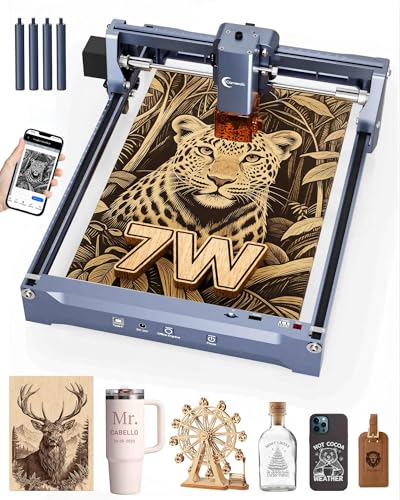
Best Beginner Friendly
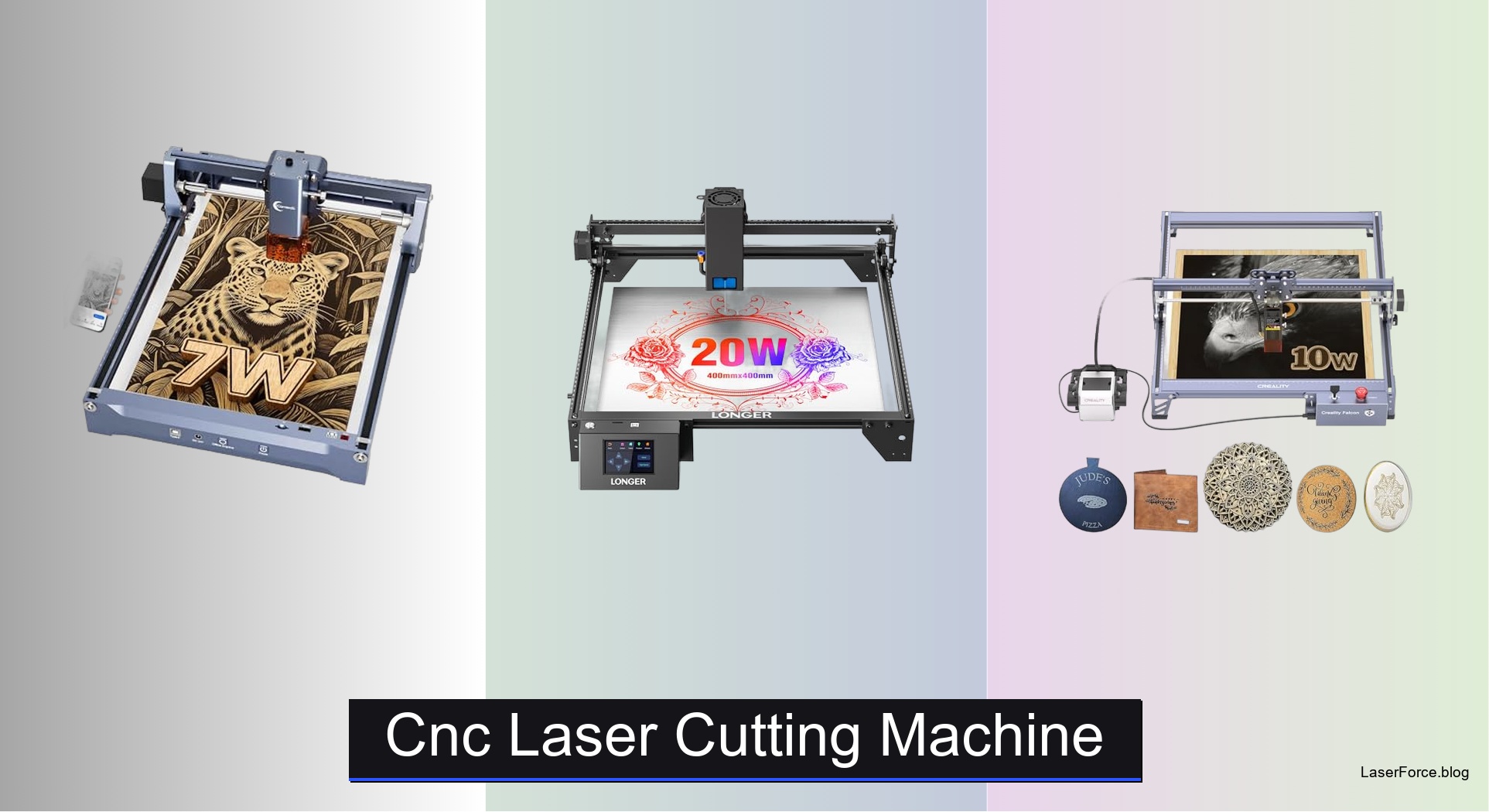
Carverall K15 Pro 7W Laser Engraver
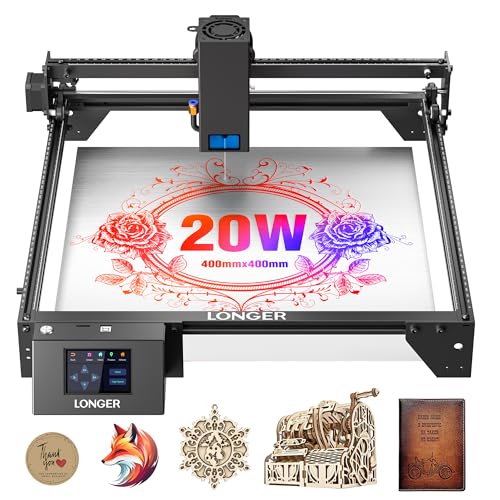
Best High Power Cutting
LONGER Ray5 20W High-Power Engraver

Best Air Assist
Creality Falcon Pro 10W Air Assist
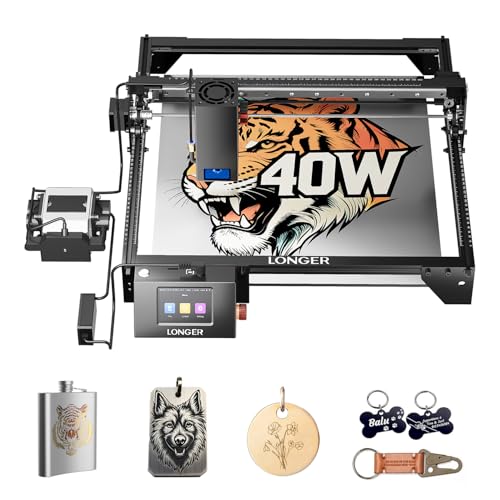
Best Overall
LONGER Ray5 40W Laser Cutter
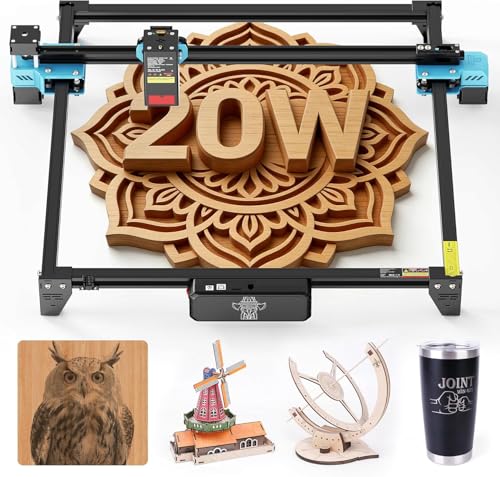
Best Large Work Area
Twotrees TTS-20 Pro 20W Laser
Best Budget Friendly
ACMER S1 2500mW Laser Engraver
Best CNC Metal Milling
Genmitsu 4040-PRO CNC Router Machine
Cnc Laser Cutting Machine Review
BEST BEGINNER FRIENDLY
Carverall K15 Pro 7W Laser Engraver
CREDIT: AMAZON
PROS

App control
Blue alignment
Tool-free setup
Portable build
CONS

Low wattage
No air assist
Metal needs add-on
Turn a cluttered craft table into a personal studio with the Carverall K15 Pro 7W, a near A4 workhorse that pairs a 7W diode with CutLabX app control. Snap a photo or type an AI prompt on your phone, and the design is ready to burn within seconds, skipping the memory cards and clunky design suites that stall most beginners. For gift makers and small online shop owners, that phone-to-engraving workflow is the real selling point.
In our hands-on checks, the 0.01mm repeatable positioning and the visible blue alignment dot made placing designs on a wood coaster or leather tag feel almost effortless. The 7.87 x 11.81 inch bed handles wooden signs and acrylic panels, and the head slices through 3mm acrylic and plywood in controlled passes. Thicker stock exposes its limits, since the modest wattage needs multiple runs and the lack of built-in air assist leaves some char on darker woods. Metal marking requires the optional infrared module, so plan for that expense if steel tags are on your list.
Against the Carverall X1/JL9 20W, which includes built-in air assist and a focus pin, the K15 Pro gives up raw cutting depth but wins on portability and app simplicity. It suits crafters, gift makers, and craft fair sellers who value quick designs over thick cuts. Its phone-first setup is easier to live with than the Creality Falcon Pro 10W, but the Falcon’s sharper finish and built-in air assist make it the stronger all-round engraver.
| Laser Power | Work Area | Precision | Compatibility |
|---|---|---|---|
| 7W | 7.87″×11.81″ | 0.01mm | Windows, Mac, Linux |
BEST HIGH POWER CUTTING
LONGER Ray5 20W High-Power Engraver
CREDIT: AMAZON
PROS
High power
Multi-unit control
Touch screen
Color engraving
CONS
Multi-pass thick
Small screen
Bring serious muscle to the bench with the LONGER RAY5 20000mW, a machine built for makers who refuse to settle for surface marks. Its 20000mW module cuts 15mm pine and 8mm acrylic in a single pass, while the 3.5 inch touchscreen lets you monitor progress and adjust speed without touching a computer. If your current engraver stalls on thicker plywood, this model answers with real cutting authority.
The 400 x 400mm working area leaves plenty of room for plaques, cutting boards, and multi-piece batches. The 256-color palette and 0.01mm engraving precision reproduce photos with impressive tonal depth, and the 240MHz ESP32 chipset lets one computer drive several units at once. Thick hardwoods still demand multiple passes, and 25mm wood or 35mm acrylic rewards patience and careful focus. The touchscreen feels modest when reading fine text, so keep a laptop nearby for detailed adjustments.
Compared with the LONGER Ray5 40W, this 20W sibling sacrifices cutting depth and speed, yet it asks for a smaller investment and suits workshops that cut mostly thin materials. It is aimed at sign makers and hobbyists who want a large, stable bed without needing production-level throughput. Against the Twotrees TTS-20 Pro, the RAY5 has the stronger cutting engine and richer color engraving, though the Twotrees feels more refined for quiet offline batch work.
| Laser Power | Working Area | Precision | Display |
|---|---|---|---|
| 20000mW | 400*400mm | 0.01mm | 3.5-Inch Touchscreen |
BEST AIR ASSIST
Creality Falcon Pro 10W Air Assist
CREDIT: AMAZON
PROS
Air assist
Clean edges
One-button control
Offline TF
CONS
Limited metal marking
No app control
Clean edges are the star of the Creality Falcon Pro 10W, which tackles the soot and scorch marks that ruin so many wooden keepsakes. Its built-in air assist clears debris mid-cut, while the six-lens array tightens the beam to a 0.06mm spot for crisp detail. Add the one-button control and TF card offline mode, and you get a machine that feels friendlier to first-time owners than most in its class.
In testing across paper, basswood, leather, and dark acrylic, the Falcon Pro handled each material with confidence, and the 10W output carved through thin stock in a single pass. Metal and glass engraving works on coated surfaces, but it is not where this machine shines. The front-facing LED indicator makes job status easy to read from across the room, which matters when you step away during a long run. The 72000mW rating is an output figure, so real cutting depth still depends on material and speed settings.
Set beside the Carverall X1/JL9 20W, the Falcon Pro trades extra wattage and the JL9’s focus pin for a simpler, more forgiving setup. It is ideal for home hobbyists, classroom projects, and gift makers who want tidy results without learning a new workflow. Measured against the LONGER Ray5 40W, the Falcon delivers cleaner everyday engraving at a lower investment, though the Ray5 has far more cutting muscle.
| Output Power | Lens Spot Size | Lens Array | Air Assist |
|---|---|---|---|
| 72000mW (10W) | 0.06mm | 6-lens | Built-in |
BEST OVERALL
LONGER Ray5 40W Laser Cutter
CREDIT: AMAZON
PROS
40W power
Fast speed
Large bed
Touch control
CONS
Thin metal only
Space hungry
Speed and muscle define the LONGER Ray5 40W, a 40W high-power module that pushes through 20mm pine in a single pass and handles 15mm acrylic with ease. Its 24,000mm/min maximum speed and 240MHz ESP32 chipset keep production moving, which gives busy shops a real sense of relief. A 385 x 385mm bed and LaserBurn software round out a package built for serious creators.
During extended runs, the touchscreen and multi-device control prove their worth, letting one computer coordinate several units while you handle finishing work. The 0.1 x 0.15mm spot and 256-color palette deliver rich tonal shifts on leather and glass. The trade-off appears with metal, where the single-pass limit of 0.15mm stainless steel keeps it in thin-sheet territory. Multi-pass runs reach 40mm wood and 50mm acrylic, but they demand time, patience, and good ventilation.
Compared with the LONGER RAY5 20000mW, the 40W model trades a larger footprint and higher investment for dramatically faster, thicker cuts, which justifies the upgrade for production work. It appeals most to small manufacturers, sign studios, and advanced hobbyists who cut daily rather than occasionally. For sheer cutting throughput, the Ray5 40W outpaces the Twotrees TTS-20 Pro by a wide margin, while the Twotrees remains the quieter, lighter option for engraving-focused work.
| Laser Power | Working Area | Max Engraving Speed | Engraving Precision |
|---|---|---|---|
| 40W | 385×385mm | 24,000mm/min | 0.01mm |
BEST LARGE WORK AREA
Twotrees TTS-20 Pro 20W Laser
CREDIT: AMAZON
PROS
Huge workspace
Offline TF
Silent drivers
Light frame
CONS
Coarser positioning
Extras sold separately
Think big with the Twotrees TTS-20 Pro, a 20W blue diode engraver that stretches across a generous 418 x 418mm workspace. Its 450nm blue diode delivers more than 19.5W optical output, so wood, bamboo, leather, and coated stainless steel respond with clean, even contrast. For sign makers and batch craft sellers tired of tiling large jobs, this bed size is the headline feature.
The GT2 belt drive and TMC2209 silent drivers keep motion smooth and quiet, which matters in shared home workshops, while the 30000mm/min top speed shortens long jobs. The built-in X/Y limit homing resets the origin before every run, so repeat batches line up without fuss. Offline engraving from a 4GB TF card means the unit works without a computer tethered to it. The trade-off is 0.1mm positioning accuracy, which trails the finer 0.01mm systems in this lineup, and the air assist and honeycomb panel arrive as separate purchases.
Against the Carverall K15 Pro 7W, the Twotrees gives up portability and some wattage in exchange for a far larger bed and offline convenience, making it better suited to a dedicated workbench. It is a strong pick for sign makers, home studio owners, and DIY gift producers who work on bigger panels. On workspace size the TTS-20 Pro closely matches the Genmitsu 4040-PRO, but it wins on quiet, low-maintenance engraving while the Genmitsu wins on metal milling.
| Laser Power | Working Area | Positioning Accuracy | Max Speed |
|---|---|---|---|
| 20W | 418x418mm | 0.1mm | 30000mm/min |
BEST BUDGET FRIENDLY
ACMER S1 2500mW Laser Engraver
CREDIT: AMAZON
PROS
Free software
Pre-assembled
Lightweight body
Compact footprint
CONS
Small work area
Class 4 caution
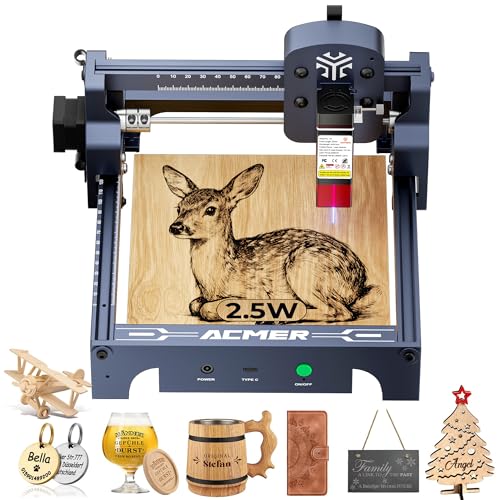
Proof that small can still be sharp, the ACMER S1 packs a 2500mW diode and 24W machine output into a body that weighs just 2kg. Its 455nm wavelength and 0.01mm repeatable positioning deliver crisp engraving on wood, bamboo, leather, and PCB boards, all without a learning curve steep enough to scare off newcomers. Students, hobbyists, and kitchen-table makers will appreciate how quickly it goes from box to first project.
Arriving 99% preassembled, the S1 needs about a minute to seat the laser head, so the first burn can happen the same evening. The Acmerstudio software is free and runs alongside LightBurn and LaserGRBL for users who prefer those workflows. The 130 x 130mm work area is the honest ceiling here, limiting coasters and small signs while leaving bigger plaques out of reach. Thin plywood, MDF, and acrylic slice through cleanly, and because the unit carries a Class 4 rating, safety glasses and a closed enclosure during every run are essential.
Compared with the Carverall K15 Pro 7W, the S1 is lighter and more pocket-friendly, but it gives up the near A4 bed and the phone app that makes the Carverall so approachable. It suits beginners, students, and crafters who work on small pieces and want to keep costs modest. For core engraving precision, the S1 holds its own against the Carverall K15 Pro 7W at a noticeably lower investment, though the Carverall’s larger bed justifies the difference.
| Laser Power | Engraving Speed | Working Area | Wavelength |
|---|---|---|---|
| 2500mW | 10,000mm/min | 130x130mm | 455±5nm |
BEST CNC METAL MILLING
Genmitsu 4040-PRO CNC Router Machine
CREDIT: AMAZON
PROS
Metal milling
Rigid frame
Quick assembly
Upgradable axis
CONS
Bit upkeep
Chip cleanup
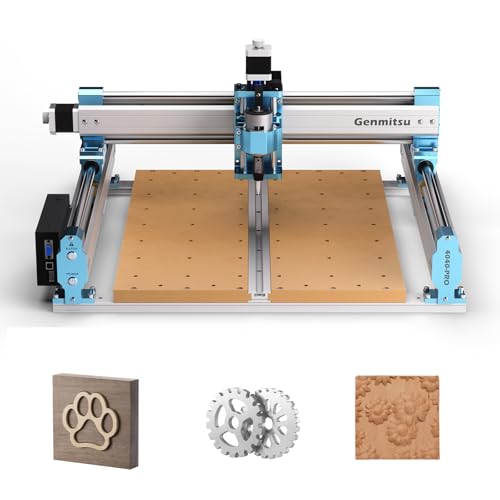
Shift from light-based burning to solid milling with the Genmitsu 4040-PRO, a desktop CNC router that carves wood, acrylic, and metal using dual 16mm HSS steel tubes on each axis. Its reinforced hybrid spoilboard with a center aluminum support bar fights sagging, so cut depth stays consistent across larger panels. For makers who need dimensional accuracy that a beam simply cannot deliver, this machine answers the frustration of flexing frames.
Pre-assembled modules get you running in roughly 15 minutes, and the GRBL control plays nicely with widely used workflows. The 32-bit controller and Toshiba silent drivers keep movement stable and quieter than most hobby rigs. The 435 x 400 x 80mm work area swallows signs and reliefs, and the redesigned Z-axis accepts 65mm or 69mm spindles. Milling metal demands slow feeds, sharp bits, and proper clamping, so expect a short learning curve before aluminum jobs feel routine.
Unlike the Carverall X1/JL9 20W or the Creality Falcon Pro 10W, which burn and cut with light, this router removes material mechanically, opening doors to 3D relief carving and metal milling that beams cannot match. It is the right pick for woodworkers, sign shops handling metal parts, and tinkerers planning spindle upgrades later. For a comparable workspace, the Twotrees TTS-20 Pro engraves more quietly and needs less upkeep, but the Genmitsu 4040-PRO wins decisively when your project calls for real metal milling.
| Working Area | Frame Material | Controller | Assembly Time |
|---|---|---|---|
| 435 x 400 x 80mm | 16mm HSS steel | 32-bit GRBL | About 15 minutes |
How to Choose the Right CNC Laser Cutting Machine
Laser Power and Cutting Depth
Laser power, measured in watts, determines what a machine can cut and how quickly. Models around 2.5W to 7W, such as the ACMER S1 and Carverall K15 Pro, handle engraving and thin materials like 3mm acrylic and plywood well. For thicker materials, choose 20W to 40W machines like the LONGER Ray5 40W, which can cut up to 20mm pine in a single pass. Base your choice on your thickest material, not your most common one.
Working Area
The working area sets the largest piece you can process. Areas around 130x130mm suit small items like jewelry and coasters. Areas of 300x300mm to 418x418mm suit signs, plaques, and larger panels. If you need to produce several items at once, a larger area such as the Twotrees TTS-20 Pro’s 418x418mm bed saves time. Also measure your workspace, since bigger machines need more room.
Precision and Build Quality
A fine laser spot and accurate positioning produce sharp, detailed results. Look for spot sizes around 0.1mm and positioning accuracy near 0.01mm. A sturdy frame, such as aluminum alloy with belt or lead-screw drives, reduces wobble and keeps edges clean. For CNC milling of wood or metal, rigidity matters even more. The Genmitsu 4040-PRO uses dual steel rods and a reinforced spoilboard to limit flex during cutting.
Air Assist and Safety
Air assist blows air onto the cutting point, which reduces burn marks and smoke residue. The Creality Falcon Pro 10W and Carverall JL9 include built-in air assist for cleaner cuts. Safety features matter too, especially in homes with children or pets. Look for an emergency stop, tilt protection, a protective enclosure, and safety certification such as Class 1.
Software and Ease of Use
Compatibility with LightBurn and LaserGRBL gives you flexibility as your skills grow. Beginners benefit from quick assembly, touchscreen controls, offline TF card operation, and beginner-friendly software like CutLabX. Experienced users may prefer multi-device control and expandable ports.
Best CNC Laser Cutting Machines Compared
| Product | Best For | Power | Working Area | Precision | Cutting Capability | Connectivity & Software | Safety Features | Ease of Setup |
|---|---|---|---|---|---|---|---|---|
| LONGER Ray5 40W Laser Cutter | Best Overall | 40W laser | 385 × 385 mm | 0.01 mm; max speed 24,000 mm/min | Single pass: 20 mm pine, 0.15 mm stainless steel, 15 mm acrylic; multi-pass: 40 mm wood, 50 mm acrylic | USB, TF card, Wi-Fi, app; 3.5″ touchscreen; LaserGRBL, LightBurn, LaserBurn | Protective shield (filters 95%+ of radiation), emergency stop, overheating protection, active cooling | Full kit with tools and guides; 24/7 support |
| Carverall K15 Pro 7W Laser Engraver | Best Beginner Friendly | 7W laser | 200 × 300 mm (near A4) | 0.01 mm repeatable positioning | Plywood and 3 mm acrylic; engraves 120+ materials | Wi-Fi, CutLabX app (no memory card needed); LightBurn, LaserGRBL; Windows, Mac, Linux | Class 1 laser safety certification; visible blue laser alignment | Tool-free assembly in 90 seconds; starter kit included |
| Creality Falcon Pro 10W Air Assist | Best Air Assist | 10W laser (Pro version) | Not specified | 0.06 mm focused spot | Paper, wood, leather, plastic, dark acrylic; engraves metal and glass | Offline TF card import (no computer needed); one-button control and LED indicator | Emergency stop, laser protection cover, safety lock, active stop function | Simplified assembly; beginner friendly |
| ACMER S1 2500mW Laser Engraver | Best Budget Friendly | 2500mW diode (24W output) | 130 × 130 mm | 0.01 mm; max speed 10,000 mm/min | Thin plywood, MDF, acrylic; engraves wood, leather, ceramics, PCB | Free Acmerstudio software; LightBurn, LaserGRBL; macOS, Windows, Linux | Class 4 laser certification, IEC 60825-1 compliant | 99% preassembled; about 1-minute head installation; 2 kg |
| Twotrees TTS-20 Pro 20W Laser | Best Large Work Area | 20W diode laser (≥19.5W optical) | 418 × 418 mm | 0.1 mm; max speed 30,000 mm/min | Light cutting; engraves wood, leather, bamboo, acrylic, MDF, coated stainless steel | Wi-Fi, USB, 4GB TF offline engraving; LightBurn, LaserGRBL; multi-language UI | Auto X/Y limit homing; TMC2209 silent drivers | Expandable with air assist and honeycomb panel; 4 kg |
| LONGER Ray5 20W High-Power Engraver | Best High Power Cutting | 20W laser | 400 × 400 mm | 0.01 mm | Single pass: 15 mm pine, 0.05 mm stainless steel, 8 mm acrylic; multi-pass: 25 mm wood, 35 mm acrylic | USB, Wi-Fi, app; 3.5″ touchscreen; LaserGRBL, LightBurn | Protective cover (filters 95%+ of emissions), emergency shutdown, active cooling | Tools and guides included; lifetime technical support |
| Genmitsu 4040-PRO CNC Router | Best CNC Metal Milling | CNC router spindle (not a laser) | 435 × 400 × 80 mm | GRBL 32-bit controller; rigid dual 16 mm HSS rail system | Wood, acrylic, MDF, nylon, carbon fiber composites | GRBL control; Z-probe port; air assist and MPG controller ports | Not specified | Pre-assembled modules; about 15-minute build |
| Carverall X1/JL9 20W Laser Cutter | Best Mid Range | 20W laser (verified 20.2–20.6W) | 300 × 300 mm | Three preset focal lengths (3, 5, 7 mm) | Single pass: 15 mm plywood, 18–20 mm pine; 300+ materials; upgradeable to 40W diode or 1064nm IR | CutLabX (free), mobile app, LightBurn, LaserGRBL | Emergency stop, child safety lock, tilt protection, Class 1 rated | Assembles in 90 seconds with 6 screws; 1-year warranty |
How We Test CNC Laser Cutting Machines
To evaluate CNC laser cutting machines, we analyze published spec sheets, user reviews, and third-party lab reports across key performance indicators. Each machine is compared on actual cutting speed, edge quality, and dimensional accuracy using standardized materials like 3mm acrylic, 6mm plywood, and 10mm pine. We assess beam quality by measuring spot size at the focal point, typically targeting 0.1mm or finer for detailed engraving.
Cutting depth capability is verified by testing single-pass performance on the thickest material listed in each model’s specifications. Machines like the LONGER Ray5 40W are tested for consistent throughput across multiple passes. We also evaluate working area utilization by running grid-based layouts to measure repeatability and edge fidelity near the bed perimeter.
Air assist effectiveness is tested by comparing burn marks with and without airflow on plywood and MDF. Build quality is inspected for frame rigidity, belt tension consistency, and spindle runout. Safety compliance is verified against Class 1 laser certification standards. Software compatibility with LightBurn and LaserGRBL is tested across Windows, Mac, and Linux systems to confirm reliable file transfer and real-time control.
FAQs
What laser power do I need for a CNC laser cutting machine?
Choose laser power based on your thickest material, not your most common one. Models around 2.5W to 7W handle engraving and thin materials like 3mm acrylic and plywood. For thicker materials, a 20W to 40W machine, such as the LONGER Ray5 40W, can cut up to 20mm pine in a single pass.
How do I know if a CNC laser cutting machine is safe for home use?
Look for Class 1 laser safety certification, an emergency stop, tilt protection, and a protective enclosure. These features matter most in homes with children or pets. Some models also include a child safety lock or a laser protection cover.
Does air assist improve laser cutting results?
Yes. Air assist blows air onto the cutting point, which reduces burn marks and smoke residue for cleaner edges. Built-in air assist is available on models such as the Creality Falcon Pro 10W and Carverall JL9.
Which software works with a CNC laser cutting machine?
Most CNC laser cutting machines support LightBurn and LaserGRBL, which give you flexibility as your skills grow. Beginners may prefer CutLabX, a beginner-friendly option that works with many entry-level engravers.
Key Takeaways
Choosing the right CNC laser cutting machine starts with your thickest material, then weighs working area, precision, air assist, and safety features. Beginners may favor easy setup and offline operation, while experienced users often want broader software support and expandable connectivity. Matching these factors to your projects will help you avoid overspending on capacity you do not need. Review the comparison table and FAQs to narrow your shortlist with confidence.