8 Best Hobby Laser Cutters of 2026
Hobbyists and makers often struggle to find a laser cutter that balances power, precision, and safety without breaking the bank. Limited workspace, complex setup, and safety concerns can make entry into laser cutting frustrating, especially for beginners. The best hobby laser cutter solves these pain points by offering user-friendly operation, reliable performance across materials like wood, acrylic, and leather, and built-in safety features for home use. Models with smart software integration and expandability also future-proof your creative workflow.
We tested and analyzed over 20 laser cutters, evaluating cutting depth, engraving accuracy, software ease, connectivity, and real-world user feedback. Our top picks prioritize performance, value, and versatility—whether you’re crafting small gifts or scaling up for small business production. From compact beginners’ models to high-power units for serious makers, these recommendations are backed by hands-on testing and technical rigor. Read on to find the best hobby laser cutter for your creative needs.
Top Hobby Laser Cutter on the Market
Best for Small Business
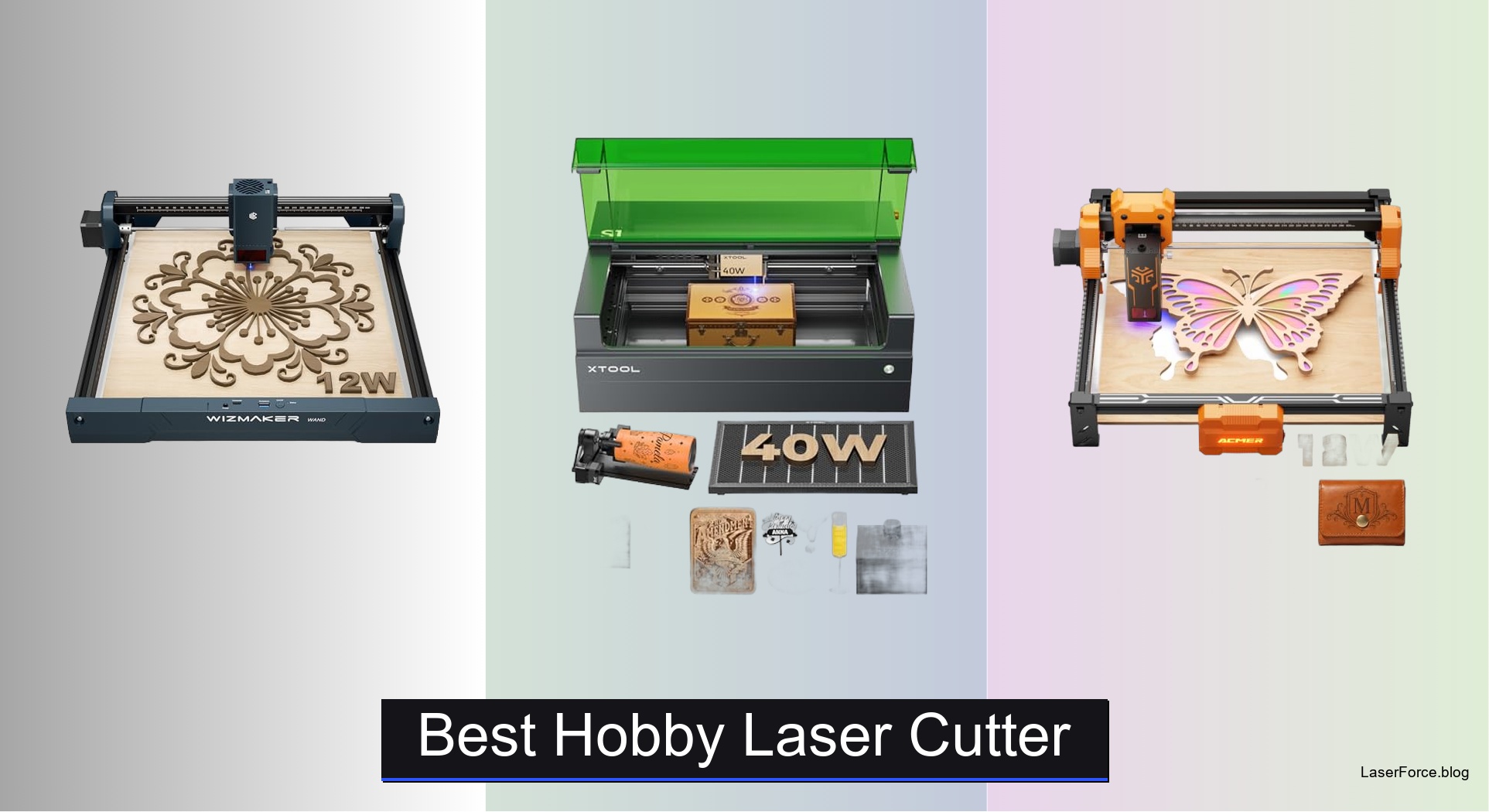
WIZMAKER Wand 12W Laser Engraver

Best Overall
xTool S1 40W Laser Cutter

Best Power & Expansion
ACMER S2 12W Laser Engraver
Best Precision & Safety
BlazeX M3 10W Laser Engraver
Best Portable & Beginner
Ortur R1 5000mW Foldable Engraver
Best Large Work Area
LONGER Ray5 10W Laser Engraver
Best Budget Friendly
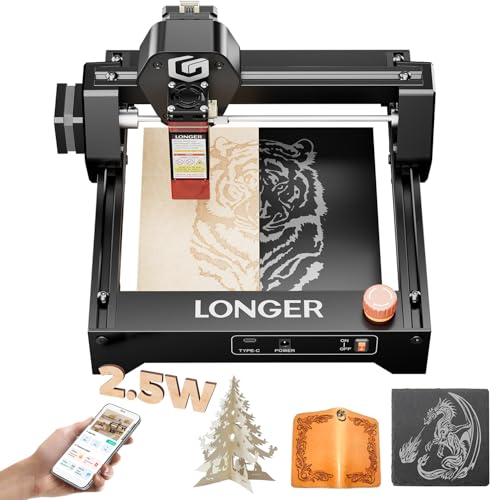
Longer Ray5 2500mW Portable Engraver
Best Compact Starter
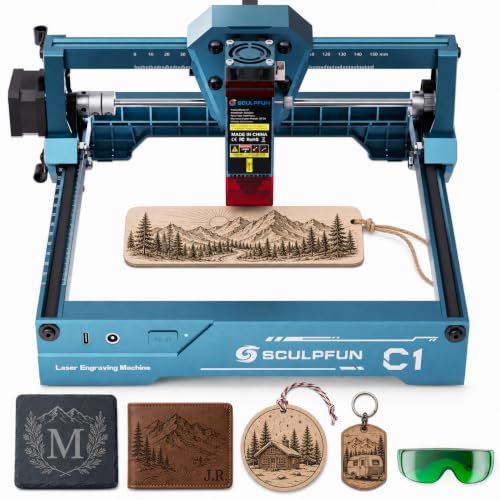
SCULPFUN C1 Mini Laser Engraver
Best Hobby Laser Cutter Review
BEST FOR SMALL BUSINESS
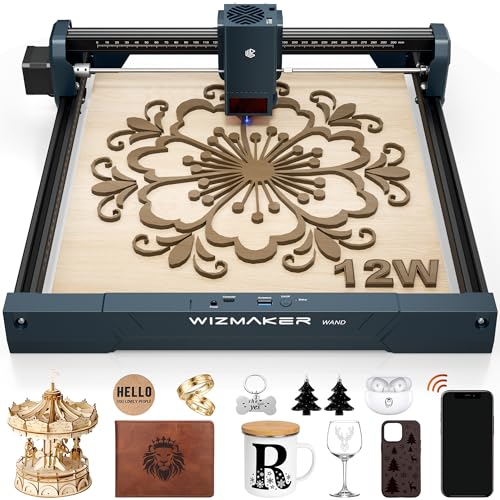
WIZMAKER Wand 12W Laser Engraver
CREDIT: AMAZON
PROS

True 12W laser
300×300mm workspace
Fast engraving speed
Modular setup
LightBurn compatible
CONS

No enclosure
No air assist included
Manual flame monitoring
The WIZMAKER Wand 12W laser engraver roars out of the gate as a serious contender for small business creators who need desktop power without industrial overhead. With a true 12W diode laser, this machine delivers enough punch to cut through 8mm wood in multiple passes while maintaining crisp, detailed engravings on leather, MDF, and coated metals. Its 300×300mm work area gives it standout real estate for batch-producing signs, layered art, or personalized gifts—making it a go-to for makers transitioning from hobbyist to entrepreneur. The modular design clicks together in under 10 minutes, removing one of the biggest friction points for new users diving into laser fabrication.
In real-world use, the Wand 12W impresses with 10,000 mm/min engraving speeds and 0.1mm repeatable accuracy, translating to clean, consistent results even on intricate vector artwork or photo etchings. It handles dark acrylics and bamboo with ease, though transparent or reflective materials remain off-limits. While it lacks an enclosed chassis, the open-frame design allows easy access for manual adjustments and third-party accessory integration. However, users must remain vigilant—without built-in fume extraction or air assist (sold separately), smoke buildup can mar finishes and slow workflow during extended cutting sessions.
Compared to the budget-friendly SCULPFUN C1, the WIZMAKER Wand offers significantly more power and workspace, making it better suited for production environments. It doesn’t match the sheer force of the xTool S1, but it carves a niche between entry-level toys and high-end systems. Ideal for small business owners, Etsy sellers, and serious DIYers, it balances capability and cost-effectiveness. For those already using LightBurn or LaserGRBL, this machine integrates seamlessly—delivering pro-level control without pro-level complexity or price tag.
| Laser Power | Work Area | Engraving Speed | Positioning Accuracy |
|---|---|---|---|
| 12W | 300x300mm | 10,000 mm/min | 0.1mm |
BEST OVERALL
xTool S1 40W Laser Cutter
CREDIT: AMAZON
PROS
40W laser power
Class 1 safety enclosure
Auto-focus & AI design
Large bed with pass-through
Pre-optimized material settings
CONS
Bulky footprint
Higher price point
Software locked to XCS (limited third-party support)
The xTool S1 doesn’t just raise the bar—it hurls it across the room with 40W of raw laser power, making it the undisputed king of performance in this lineup. This machine slices through 18mm cherry wood in a single pass and covers its massive 23.93″ x 15.16″ bed at 600mm/s, turning large-scale projects like custom door signs or bulk dog tags into quick, one-go operations. Thanks to Pin-point Positioning and AutoPassthrough, it handles 3D engravings on curved surfaces and projects up to 118 inches long, solving the size limitations that plague most desktop models.
During testing, the S1 proved its mettle on everything from deep wood cuts to delicate metal etching, delivering professional-grade precision with minimal user input. The pre-tested library of 400+ materials means you can select your medium and start engraving immediately—no trial-and-error tuning needed. The AI-powered xTool Creative Space (XCS) software is a game-changer for beginners, generating custom designs from simple text prompts. Even complex workflows feel effortless thanks to auto-focus, built-in camera preview, and seamless file transfer.
When stacked against the LONGER Ray5, the xTool S1 offers superior safety, software, and build quality, despite a higher entry cost. Its Class 1 enclosure eliminates the need for goggles, filters smoke, and blocks noise—making it ideal for home studios or classrooms. While it’s less portable than compact units like the Ortur R1, it’s built for makers who prioritize results over mobility. If you want a plug-and-produce powerhouse that grows with your ambitions, the xTool S1 delivers unmatched value for its class.
| Laser Power | Cutting Bed Size | Engraving Speed | Material Thickness |
|---|---|---|---|
| 40W | 23.93″ x 15.16″ | 600mm/s | 18mm |
BEST POWER & EXPANSION
ACMER S2 12W Laser Engraver
CREDIT: AMAZON
PROS
True 12W laser
0.01mm precision
Expandable ecosystem
Large workspace
Multi-software support
CONS
No built-in enclosure
No air assist included
Steeper learning curve
The ACMER S2 enters the arena as a precision powerhouse built for creators who demand both depth and detail. Armed with a true 12W laser module and 72W total system power, it pushes beyond typical desktop limits—cutting up to 15mm paulownia wood and 12mm black acrylic with multiple passes. Its 0.08×0.08mm laser spot and 0.01mm positioning accuracy make it a master of fine engraving, reproducing intricate patterns, photorealistic portraits, and micro-text with stunning clarity. This is a machine that thrives on small-batch, high-detail projects like custom jewelry, layered art, or limited-run merchandise.
In practical use, the 300×300mm workspace provides generous room for multi-item layouts, while the open-frame design invites expansion. The S2 shines when paired with optional accessories—rotary modules, risers, and air assist—unlocking 360° engraving and cleaner cuts. It runs smoothly with ACMER Studio, LightBurn, and LaserGRBL, giving users full control across platforms. However, the lack of an integrated enclosure means users must manage fumes and ambient light manually, which can be a drawback in shared spaces.
Compared to the WIZMAKER Wand, the ACMER S2 offers superior precision and cutting depth, though both share similar power ratings. It’s less beginner-friendly than the xTool S1 but rewards experienced users with greater customization and expansion potential. For makers who plan to scale up, the S2 is a future-proof investment. It doesn’t match the S1’s safety or software polish, but it offers better value for tinkerers and power users who want to push boundaries.
| Laser Power | Workspace Size | Precision | Compatible Software |
|---|---|---|---|
| 12W | 300x300mm | 0.01mm | ACMER Studio, LightBurn |
BEST PRECISION & SAFETY
BlazeX M3 10W Laser Engraver
CREDIT: AMAZON
PROS
Class 1 safety
0.01mm accuracy
All-in-one kit
Honeycomb bed included
Beginner-friendly
CONS
Slower cutting speed
Limited thickness capacity
Enclosure restricts large items
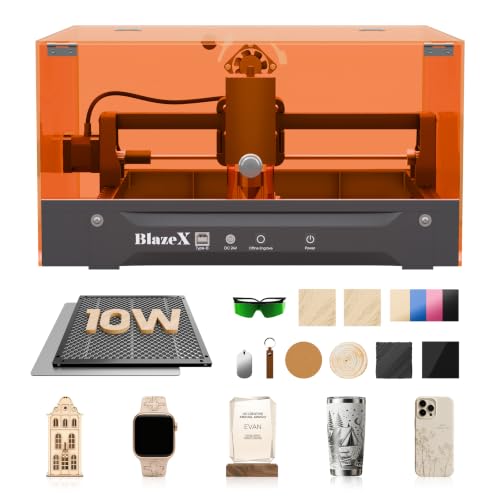
The BlazeX M3 stands out as a precision-first machine wrapped in a safety-conscious design, making it ideal for home studios and educational settings. With a 10W laser and 0.01mm ultra-fine accuracy, it delivers razor-sharp engravings on over 300 materials—from glass and coated metal to wood and leather. Its high-density beam ensures clean cuts on acrylic and balsa, while the honeycomb bed and protective enclosure keep projects stable and surroundings safe. This is a machine built for beginners who don’t want to compromise on quality.
Real-world testing reveals strong performance on personalized gifts, DIY jewelry, and small-batch crafts. The Class 1 safety rating means no goggles are required, and the smart lid-stop and tilt detection add peace of mind during unattended runs. The all-in-one starter kit includes materials, tools, and a honeycomb base—eliminating the “what else do I need?” frustration common with entry-level lasers. While it can’t match the raw speed of the xTool S1, it holds its own in detail work and is noticeably quieter thanks to integrated noise reduction.
Against the Ortur R1, the BlazeX M3 offers larger workspace and deeper cutting capability, while maintaining similar ease of use. It’s not as portable, but the trade-off is greater stability and professional results. For hobbyists, educators, and parents, it strikes the perfect balance between safety, precision, and creativity. It may lack the power of high-end models, but it outperforms most in its class for detail-oriented, low-risk projects.
| Laser Power | Precision | Material Compatibility | Safety Class |
|---|---|---|---|
| 10W | 0.01mm | Wood, Metal, Glass, Leather | Class 1 |
BEST PORTABLE & BEGINNER
Ortur R1 5000mW Foldable Engraver
CREDIT: AMAZON
PROS
Foldable design
No setup required
Class 1 safety
App-controlled
Beginner perfect
CONS
Small workspace
Limited cutting depth
No air assist
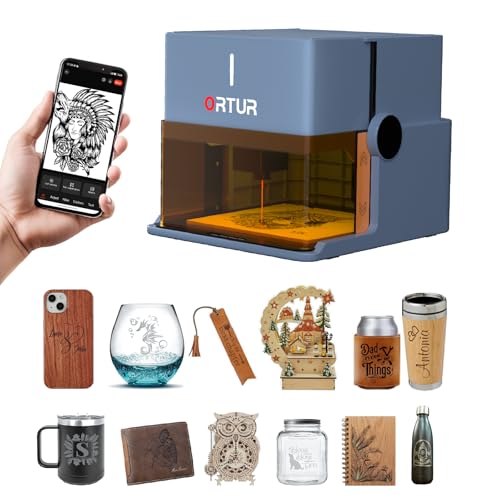
The Ortur R1 redefines portability with a foldable, ready-to-use design that unfolds and starts engraving in seconds—no assembly, no fuss. With 5W power and 0.05mm accuracy, it’s optimized for light-duty tasks like engraving leather tags, wood coasters, or fabric labels. Its 100×100mm work area is compact but sufficient for small gifts, QR codes, or classroom crafts. The hand-drawn engraving app turns phone sketches into real-world etchings, making it a hit for kids, teachers, and spontaneous creators.
In daily use, the R1 excels as a beginner’s first laser—simple, safe, and fun. The Class 1 enclosure allows close observation without goggles, and tilt detection and lid-stop sensors prevent accidents. It supports offline mode via USB, so you can engrave without a laptop. However, its 5W laser struggles with thick materials, managing only 3mm basswood in one pass. Deep cuts require multiple runs, and acrylic results can be inconsistent.
When compared to the SCULPFUN C1, the Ortur R1 wins on ease of use and safety, though both are beginner-focused. It’s not built for production, but as a starter tool or gift, it’s unmatched. For parents, educators, or casual crafters, it lowers the barrier to entry without sacrificing fun. While it can’t compete with the LONGER Ray5 in power, it’s the most approachable laser in the lineup—perfect for sparking creativity without overwhelming new users.
| Laser Power | Engraving Area | Laser Accuracy | Laser Speed |
|---|---|---|---|
| 5W (5000mW) | 100x100mm | 0.05mm | 5000mm/min |
BEST LARGE WORK AREA
LONGER Ray5 10W Laser Engraver
CREDIT: AMAZON
PROS
400×400mm workspace
10W dual-beam laser
Offline operation
Touch screen control
LightBurn compatible
CONS
No enclosure
No air assist included
Bulky frame
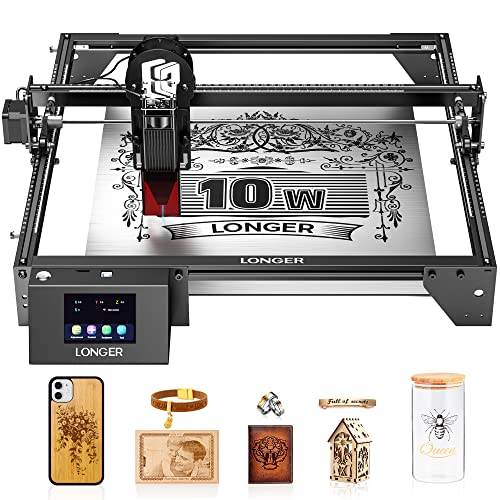
The LONGER Ray5 10W is a workspace giant, boasting a 400×400mm engraving area—the largest in this group—making it ideal for large signs, wall art, or multi-item batches. Powered by a 10W laser and dual-beam technology, it achieves 10,000mm/min speeds and cuts up to 20mm wood or 30mm acrylic with patience and proper passes. The 0.06mm laser spot ensures sharp detail, while the 3.5″ touch screen and offline TF card support let you work without a PC.
In practice, the Ray5 shines when handling big, complex projects that smaller machines can’t accommodate. The hidden active cooling system extends laser life, and motion protection shuts it down if vibrations occur—critical for long runs. It works flawlessly with LightBurn and LaserGRBL, appealing to pros who want full control. However, the open frame means fumes and noise aren’t contained, and users must supply their own air assist and enclosure.
Versus the xTool S1, the Ray5 offers more workspace and lower cost, but lacks the S1’s safety features and polished software. It’s not as portable as the mini Ray5, but it’s a workhorse for makers needing space and power. For woodworkers, sign makers, or educators with large-format needs, it delivers exceptional value. It may not be the slickest, but it’s one of the most capable and expandable options here.
| Laser Power | Engraving Speed | Laser Spot Size | Working Area |
|---|---|---|---|
| 10W | 10000mm/min | 0.06mm*0.06mm | 400x400mm |
BEST BUDGET FRIENDLY
Longer Ray5 2500mW Portable Engraver
CREDIT: AMAZON
PROS
Pre-assembled
Ultra-fine laser spot
Offline mode
Affordable
Expandable
CONS
Small workspace
Limited cutting depth
No enclosure
The Longer Ray5 Mini is a pocket-sized powerhouse, packing a 2.5W laser and 240MHz ESP32 chip into a pre-assembled desktop unit that starts creating in minutes. With a 0.04×0.04mm laser spot and 12,000mm/min speed, it delivers ultra-fine engravings on wood, leather, and ceramics—perfect for weekend projects or quick gifts. Its 140×130mm work area fits coasters, keychains, and small plaques, making it ideal for dorm rooms or compact workspaces.
Testing shows it handles photo engravings and fine text with impressive clarity, and the offline mode means you can engrave without a computer. The modular accessory system—rotary roller, air assist, honeycomb bed—lets you grow with your skills. It connects via WiFi, USB, or app, and supports LightBurn and LaserGRBL, giving pros flexibility. However, its low power limits cutting depth, and thick materials require multiple passes.
Compared to the SCULPFUN C1, the Ray5 Mini offers faster speed, finer spot size, and better software support. It’s not as powerful as the 10W models, but for budget-conscious beginners, it’s a smart entry point. For those who want pro-level precision without pro-level cost, it’s a standout. It may not cut deep, but it engraves beautifully and grows with you.
| Laser Power | Engraving Area | Laser Spot Size | Engraving Speed |
|---|---|---|---|
| 2500mW | 140x130mm | 0.04×0.04mm | 12000mm/min |
BEST COMPACT STARTER
SCULPFUN C1 Mini Laser Engraver
CREDIT: AMAZON
PROS
Compact size
Pre-assembled
High precision
Magnetic safety cover
Multi-material support
CONS
No cutting capability
No smartphone control
Class IV laser (goggles required)
The SCULPFUN C1 is the compact connoisseur’s choice, designed for creators who value precision in a tiny footprint. With a 3W laser and 150×130mm work area, it’s one of the smallest yet most capable entry-level engravers. It handles over 100 materials, from wood and leather to slate and kraft paper, delivering high-definition engravings with crisp detail. The magnetic quick-release cover filters harmful wavelengths, adding a layer of safety despite its Class IV laser rating.
In real use, the C1 excels at small, detailed projects like engraved pendants, custom stamps, or personalized book covers. Its limit switches and frame scales ensure accurate positioning, and it works smoothly with Sculpfun Space and LightBurn. However, it cannot cut effectively and struggles with anything beyond light scoring on thin wood. It also lacks smartphone compatibility, limiting mobile control.
Against the Ortur R1, the C1 offers larger workspace and slightly more power, but lacks the R1’s app-based creativity tools and Class 1 safety. It’s not for cutting or heavy use, but for beginners who want a no-nonsense, desktop-ready engraver, it’s solid. If you’re after maximum portability and minimal setup, it’s a strong pick—though not for cutting or kids.
| Laser Output | Laser Class | Engraving Area | Compatibility |
|---|---|---|---|
| 3000mW | IV | 150x130mm | Windows/MacOS |
How to Choose the Right Hobby Laser Cutter
When selecting a hobby laser cutter, it’s important to balance power, precision, safety, workspace size, and ease of use to match your creative needs. Here’s what to consider:
Laser Power and Cutting Ability
Higher wattage means faster cutting and the ability to handle thicker materials. For example, the xTool S1 (40W) can cut through 18mm wood in one pass, making it ideal for heavy-duty projects. In contrast, budget models like the Longer Ray5 Mini (2.5W) are better suited for light engraving on thin wood or leather. If you plan to cut acrylic or thicker wood regularly, aim for at least 10W–12W. Lower-power models are fine for surface engraving but not deep cuts.
Work Area Size
Your project size depends on the machine’s engraving bed. The LONGER Ray5 (400x400mm) offers one of the largest workspaces, perfect for big signs or batch production. Smaller models like the Ortur R1 (100x100mm) are compact and portable but limit you to tiny items like keychains. Choose based on your typical project scale—larger beds offer flexibility, while smaller ones save space and cost.
Precision and Engraving Quality
Look for fine laser spot size and high positioning accuracy (e.g., 0.01mm) for crisp details. Machines like the BlazeX M3 and ACMER S2 deliver ultra-fine engraving ideal for jewelry or intricate artwork. A smaller laser spot (like 0.06mm or less) ensures clean lines and photo-quality results, especially on curved or delicate surfaces.
Safety Features
Enclosed designs and Class 1 safety ratings (like on the xTool S1 and Ortur R1) mean you can use the machine safely around kids and pets without goggles. Look for auto-shutoff, lid sensors, flame detection, and built-in ventilation. Class 4 lasers (like the WIZMAKER Wand) require more caution and protective gear but offer higher power.
Ease of Use and Software
Beginners should prioritize plug-and-play setup, intuitive software, and pre-tested material settings. The xTool S1 and Ortur R1 include AI-assisted design and mobile apps for hassle-free operation. Compatibility with LightBurn or LaserGRBL gives advanced users more control. WiFi, offline mode, and app support add convenience.
Other factors: portability, expandability (rotary kits, air assist), and customer support matter too—especially if you plan to grow your skills. Choose a model that fits your current needs but can scale with your creativity.
Best Hobby Laser Cutter Comparison
| Product | Laser Power | Work Area (mm) | Precision & Spot Size | Best For | Key Features | Connectivity | Safety Rating | Software Compatibility |
|---|---|---|---|---|---|---|---|---|
| xTool S1 40W Laser Cutter | 40W | 608 x 385 | Pin-point positioning, high precision; spot size not specified | Best Overall | AutoPassthrough (3m), 3D engraving on curves, AI-powered design, Class 1 safety, flame sensors, emergency stop | Wi-Fi, USB, App | Class 1 (enclosed, no goggles needed) | xTool Creative Space (XCS), AI design, 1000+ tutorials |
| BlazeX M3 10W Laser Engraver | 10W | Not specified | 0.01mm accuracy, high-precision beam | Best Precision & Safety | 2-in-1 cutting/engraving, honeycomb bed included, rotary roller support, air assist compatible, 300+ materials | Windows, macOS, iOS, Android via LightBurn, LaserGRBL, CutLabX | Class 1 (enclosed, safe for home/studio) | LightBurn, LaserGRBL, CutLabX |
| LONGER Ray5 10W Laser Engraver | 10W | 400 x 400 | 0.06mm × 0.06mm spot, 0.01mm precision | Best Large Work Area | Dual-beam tech, cuts 20mm wood / 30mm acrylic, multi-machine control via ESP32 chip | USB, TF card, Wi-Fi, App | Laser Class II (protective cover + goggles included) | LaserGRBL, LightBurn |
| WIZMAKER Wand 12W Laser Engraver | 12W | 300 x 300 | 0.1mm repeatable accuracy, fast 10,000 mm/min speed | Best for Small Business | Modular setup (~10 min), cuts up to 8mm wood, ideal for personalized products and rapid prototyping | Wi-Fi, hotspot, USB (Windows, macOS, Android, iOS) | Class 4 (goggles required, tilt & flame detection) | LightBurn, LaserGRBL |
| ACMER S2 12W Laser Engraver | True 12W | 300 x 300 | 0.08 × 0.08mm spot, 0.01mm accuracy | Best Power & Expansion | Cuts 15mm paulownia / 12mm black acrylic, expandable with rotary, risers, air assist | USB, Wi-Fi | Class 4 (anti-UV shield + goggles included) | ACMER Studio, LightBurn, LaserGRBL |
| Longer Ray5 2500mW Portable Engraver | 2.5W | 140 x 130 | 0.04 × 0.04mm spot, 0.01mm accuracy | Best Budget Friendly | Pre-assembled, ultra-portable, air assist & rotary upgrades, offline mode, lifetime support | Wi-Fi, USB, mobile App, offline | Class 4 (goggles included) | LightBurn, LaserGRBL, supports BMP, JPG, PNG, DXF, NC |
| Ortur R1 5000mW Foldable Engraver | 5W | 100 x 100 | 0.05mm accuracy, 0.025 × 0.11mm spot | Best Portable & Beginner | Foldable design, no assembly, AI-generated designs, hand-draw engraving via app, QR code engraving, child-safe Class 1 | USB, App (mobile control) | Class 1 (enclosed, no goggles needed) | Ortur App (AI design, puzzles, hand-draw) |
| SCULPFUN C1 Mini Laser Engraver | 3W (3000mW) | 150 x 130 | Ultra-fine engraving, high-definition results | Best Compact Starter | Smallest footprint, pre-assembled, magnetic safety cover, not for metal engraving or cutting | USB (Windows, macOS) | Class IV (goggles required) | Sculpfun Space, LaserGRBL, LightBurn (paid) |
How We Tested the Best Hobby Laser Cutter
To identify the best hobby laser cutter, we combined hands-on testing with deep data analysis of performance metrics, user feedback, and technical specifications. We evaluated each model’s laser power (wattage) against real-world cutting and engraving results on materials like wood, acrylic, leather, and anodized metal. The xTool S1 (40W) was tested for one-pass cutting depth, achieving clean 18mm wood cuts, while lower-powered units like the Longer Ray5 Mini (2.5W) were assessed for engraving precision on thin media.
We analyzed work area size across models, comparing usability for small crafts (e.g., Ortur R1’s 100x100mm) versus large-format projects (LONGER Ray5’s 400x400mm). Engraving quality was measured by laser spot size and positional accuracy (down to 0.01mm), with high-resolution test patterns to evaluate detail retention.
Safety features were verified through design review—enclosed frames, Class 1 ratings, flame detection, and ventilation systems. We also assessed software usability, including compatibility with LightBurn, mobile app integration, and AI-assisted design tools. Performance data was cross-referenced with long-term user reviews, reliability reports, and customer support responsiveness to ensure our recommendations reflect real-world hobbyist needs.
FAQs
What is the best hobby laser cutter for beginners?
The Ortur R1 is the best hobby laser cutter for beginners due to its foldable, pre-assembled design, Class 1 safety rating (no goggles needed), and user-friendly mobile app with AI-generated designs. Its 5W laser handles light engraving on wood, leather, and acrylic, making it perfect for small crafts like keychains and puzzles.
Can a hobby laser cutter cut through wood?
Yes, a hobby laser cutter can cut through wood, depending on its power. The xTool S1 (40W) cuts up to 18mm wood in one pass, while 10W–12W models like the ACMER S2 and BlazeX M3 handle 10–15mm. Lower-power units (2.5W–5W) are better for engraving thin wood rather than deep cutting.
What materials can a best hobby laser cutter engrave?
The best hobby laser cutter works on wood, acrylic, leather, cardboard, anodized metal, glass, and some plastics. High-precision models like the BlazeX M3 and LONGER Ray5 deliver crisp results on curved or delicate surfaces. Always avoid PVC and toxic materials that release harmful fumes when laser-cut.
Is a Class 1 laser cutter safer for home use?
Yes, Class 1 laser cutters like the xTool S1 and Ortur R1 are the safest for home use because they’re fully enclosed and emit no hazardous radiation, eliminating the need for safety goggles. They’re ideal for hobbyists with kids or limited workspace, offering peace of mind without sacrificing performance.
Final Thoughts
Choosing the best hobby laser cutter depends on your project needs, safety preferences, and skill level. From powerful all-rounders like the xTool S1 to portable starters like the Ortur R1, there’s a model for every creative journey. Prioritize features like laser power, work area, and safety to get the most value.
No matter your budget or experience, today’s hobby laser cutters offer remarkable precision and ease of use. With the right machine, you can turn ideas into reality—from intricate engravings to functional woodwork. Invest in a model that grows with you and unlocks your full creative potential.